Welcome to our community

Be a part of something great, join today!

  • Hey all, just changed over the backend after 15 years I figured time to give it a bit of an update, its probably gonna be a bit weird for most of you and i am sure there is a few bugs to work out but it should kinda work the same as before... hopefully :)

Strategies for Dealing With Moire?

Umm Sanjin, there is plenty of Moire in that second image.

Ian

Ian,

am I blind or there is no any moire on that second image?!
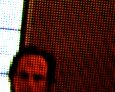
There are some of chromatic aberration artifacts from the lens wide open aperture
and some of the reflections at the lcd from the light that comes from windows
that are contra-side of that 5 years old lcd panel in one of my rooms.

Also don't forget it was shot handheld and camera/lens had a side angle to the panel surface.
 
Ian,
am I blind or there is no any moire on that second image?!

Unless that's wallpaper:
The_Dark_Knight_1K_02.jpg

In any case I just did some extensive tests with a new popular LCD screen and I discovered that basically what you will see on your Red LCD is much worse moire than you will get once you run a full debayer and 1080p downscale, in my case using REDline. Once you do that I noticed its pretty difficult to create Moire, most of it was pretty tolerable. Where as while we were rolling it looked pretty bad.

Sorry can't post any footage.

Ian
 
Umm Sanjin, there is plenty of Moire in that second image.

Ian

Are you looking at the grab pasted on the thread? If so I guess you didn't read my last post.

That moire is only on the poorly down-converted image on the thread. Look at the full 4k picture that SJ hosted and provided a link for...
...you can read "Made in China" on each pixel.

Here are PMG's that are downscaled properly: 2K, 1080p

And here are 1:1 crops from those PNGs.

2k
2k.png


1080p
1080.png
 
For starters you guys have posted an image where the signal is frequency of the raw is well below the nyquist limit. The same is true basically for Roberto's 2K, and 1080p images above. The frequency of the dots is still below the sampling frequency, so of course there is no Moire. Moire is going to be a problem if you zoom out two where the screen pixels are just a bit smaller than the camera pixels, and not by scaling digitally, by moving the camera or lense.

The thing is scaling in a computer doesn't count, proper scaling of an oversampled image can prevent Moire from appearing, by filtering out high frequencies prior to convolution. But at the sensor level this doesn't work, because the sensor has no idea what frequencies exist that are higher than it can record. The OLPF attempts to do some filtration optically with great success, but it can't degrade the image quite enough to get rid of every possible signal that Moires, and LCDs for example are particularly bad. It doesn't matter how many K your camera is, you will always be able to zoom out just enough to make it a problem... that is until someday the photosites on a sensor are placed randomly like the cells in your retina.

IBloom
 
Ian,

could be that theoretically you are right but have a look here below an example of the footage scaled from 4K 2:1 to HD 2:1 (1920x960) that involved zoom in and out where you can't see any moire.

Also no moire at the original 4K footage or whatever you scale below that K size.

Moire can "appear" for example if you watch footage later in REDCINE-X scaled and also at sort of preview monitor on set but at the later "debayered" footage it doesn't exist.

You can always immediately get 4K snapshot from RCX on set to show your customer what is going on.

Download here HD 2:1 scaled example of that handheld short footage (also with original recorded sound on R1)>>>
 
For starters you guys have posted an image where the signal is frequency of the raw is well below the nyquist limit. The same is true basically for Roberto's 2K, and 1080p images above. The frequency of the dots is still below the sampling frequency, so of course there is no Moire. Moire is going to be a problem if you zoom out two where the screen pixels are just a bit smaller than the camera pixels, and not by scaling digitally, by moving the camera or lense.

The thing is scaling in a computer doesn't count, proper scaling of an oversampled image can prevent Moire from appearing, by filtering out high frequencies prior to convolution. But at the sensor level this doesn't work, because the sensor has no idea what frequencies exist that are higher than it can record. The OLPF attempts to do some filtration optically with great success, but it can't degrade the image quite enough to get rid of every possible signal that Moires, and LCDs for example are particularly bad. It doesn't matter how many K your camera is, you will always be able to zoom out just enough to make it a problem... that is until someday the photosites on a sensor are placed randomly like the cells in your retina.

IBloom

Thank you Ian. That was a very informative post for me.

SJ, there is no zoom on that clip you posted, only a focus rack. I do agree however that "1080" doesn't make sense, should have called it "1920" or 2:1 HD like you did. Any chance that you could you post a clip where you do dolly back from the TV, at a deep stop and pulling focus?
 
That's bonkers. The F35 has demonstrably more aliasing than the RED, especially vertically where it's very noticeable. I keep mentioning last week's Dr Who which was on F35 and there were a good number of shots throughout the episode showing nasty aliasing.

Graeme

Graeme,

You know I'm a RED fan[atic] and I have nothing but love for the camera. But DPs are a paranoid bunch! The 1:1 zoom is a great option, but it's not perfect. The SDI output coming out of the camera to my monitor still doesn't accurately represent possible moire. In most cases, the monitor output is FAR worse than the recorded image.

I still like to shoot a test on the card and show it to the DP in full 4K on my 24" HD monitor. At this point, that's still the only way I truly feel comfortable saying that a given shot is going to be "fine."

- Jordan
 
I did a number of close-up shots of LCD computer screens in our first film, "Works in Progress." There was moire all over the LCD, and I thought we were in trouble, but I shot them anyway (not having a choice). When the footie was deBayered in Scratch, there was exactly zero moire in the treated footage. I was very happy.

Stephen
 
When the footie was deBayered in Scratch, there was exactly zero moire in the treated footage. I was very happy.

Maybe I'm lucky too. I've never seen moire on RED footage. I did a sports bar shoot with tv's everywhere. Perhaps they were a bit out of focus. I have seen moire on down-converted footage. I've also seen moire with my own eyes in real life. I imagine RED might capture that.

Since NeatVideo seems to clean up moire on a Canon pretty well I'd be inclined to shoot and worry about the VERY odd shot in post.
 
Back
Top