Welcome to our community

Be a part of something great, join today!

  • Hey all, just changed over the backend after 15 years I figured time to give it a bit of an update, its probably gonna be a bit weird for most of you and i am sure there is a few bugs to work out but it should kinda work the same as before... hopefully :)

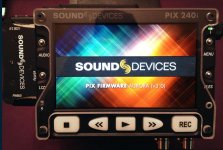
Sound Devices PIX 240 Aurora 3.0 supports 4:4:4 recording

Daniel Murphy

Well-known member
Joined
Feb 15, 2011
Messages
324
Reaction score
0
Points
16
Location
San Francisco
This free upgrade for PIX220, 220i, 240 & 240i recorders. Pix 240 can record in ProRes 4444 at 12-bit up to 30p.

Features include:


  • Added 4:4:4 (RGB or YCbCr) 10-bit or 12-bit support. Compatible with 4:4:4 1920x1080 output from Canon C500, Arri Alexa and Sony F3
  • Added ProRes 4444, 12-bit codec
  • Added 3G-SDI on video I/O BNCs. Both Level A and B supported on input. Level A only on output.
  • Added SDI Output Type menu for switching output between HD 4:2:2 and 3G 4:4:4
  • Added menu option for displaying timecode and transport status overlay on SDI and or HDMI outputs.
  • Increased audio delay range to 500m

Will RED be next?
 

Attachments

  • PIX Aurora 3.0.jpg
    PIX Aurora 3.0.jpg
    95.3 KB · Views: 0
Dude the epic just went up to an extremely high level with this 240 firmware upgrade
 
Now red has to come up with a low contrast curve rec 709 output for the epic. End of discussion. No more bmcc, f55, f12345 etc
 
Does any body know how great the audio preamps are on the pix240.
 
Now red has to come up with a low contrast curve rec 709 output for the epic. End of discussion. No more bmcc, f55, f12345 etc
I suggest not some kind of "low contrast curve", but a proper RLF curve. And while at it, how about a real RLF to Rec-709 LUT from RED?
 
5k only arrrggg!!!! :001_rolleyes: This is a godsend for us editors.


I love the Pix 240! Did the upgrade today. The pix has saved me from losing many jobs with the Epic. And yes, the audio control is fantastic.
 
C'mon red, time is running out for you prores module...pix is looking better and better!
 
I was just watching some of their videos but I was under the impression the pro res files couldnt link back to R3D files during an offline/online workflow due to difference in naming conventions. Am I wrong?
 
Unless something has changed this is not correct. Offlines and onlines can utilize the same naming conventions with start/stop of the Pix 240 controlled by the Epic/Scarlet brain. You need to implement the correct settings in both. The Pix Manual spelled it out.
 
According to what I just watched you can make the unit to record using the same file naming structure as the R3D's. Im not waiting for Red, this is a great unit with this upgrade and a great solution to a big hole in Red's workflow.

Unless something has changed this is not correct. Offlines and onlines can utilize the same naming conventions with start/stop of the Pix 240 controlled by the Epic/Scarlet brain. You need to implement the correct settings in both. The Pix Manual spelled it out.
 
Not to be a Debbie Downer but if I read the RED specs correctly the SDI OUT is 4:2:2, so I am assuming we won't be getting a lot of Love out of the PIX new 4444 record capability?
Still, appreciate SDs continuing improvements via firmware! Can safely say its SD that has permitted me to get into RED and make it work for our Biz...

Stu Aull
SX199
PIX 240
Alaska
 
According to what I just watched you can make the unit to record using the same file naming structure as the R3D's. Im not waiting for Red, this is a great unit with this upgrade and a great solution to a big hole in Red's workflow.
You can. I do it for all of my jobs now. You have to enable "red file naming structure" in the menus but that about it. You can record audio to the pix directly or just take the audio from the sdi feed if you are recording to the epic. You can easily relink these files to the r3d files with an edl.
 
You can. I do it for all of my jobs now. You have to enable "red file naming structure" in the menus but that about it. You can record audio to the pix directly or just take the audio from the sdi feed if you are recording to the epic. You can easily relink these files to the r3d files with an edl.

Shane

What offset are you using when recording audio to PIX separate while taking 23.98 video from RED SDI spigot?
 
Shane

What offset are you using when recording audio to PIX separate while taking 23.98 video from RED SDI spigot?

I think that it's 77ms but I'd have to check. I also have a 3 frame offset on the sdi timecode start. I'll report back next week when I get home from mexico.
 
Does any body know how great the audio preamps are on the pix240.

They are great, as is the limiter. I measured them with one of the best audio guys in Germany (he did the sound for "The Life of Others") and his lab equipment. When this man is murmuring something like "not bad", it's actually very good!
You know, he builds his own audio devices because he normally doesn't like what he can buy…

PM me if you want an article (in German) with diagrams for S/N ration, channel crosstalk and limiter response.
 
Back
Top