Welcome to our community

Be a part of something great, join today!

  • Hey all, just changed over the backend after 15 years I figured time to give it a bit of an update, its probably gonna be a bit weird for most of you and i am sure there is a few bugs to work out but it should kinda work the same as before... hopefully :)

Social Network...

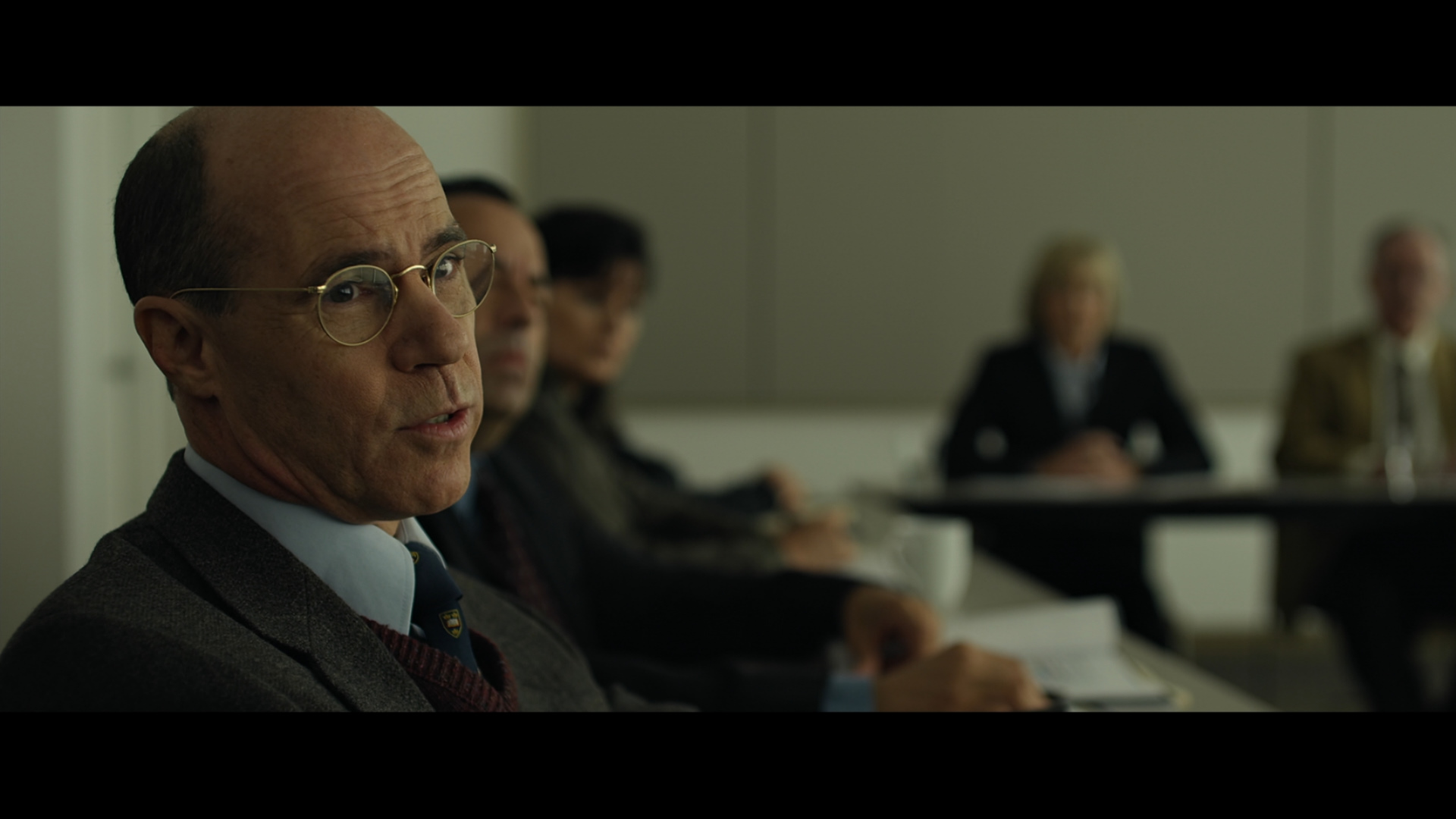
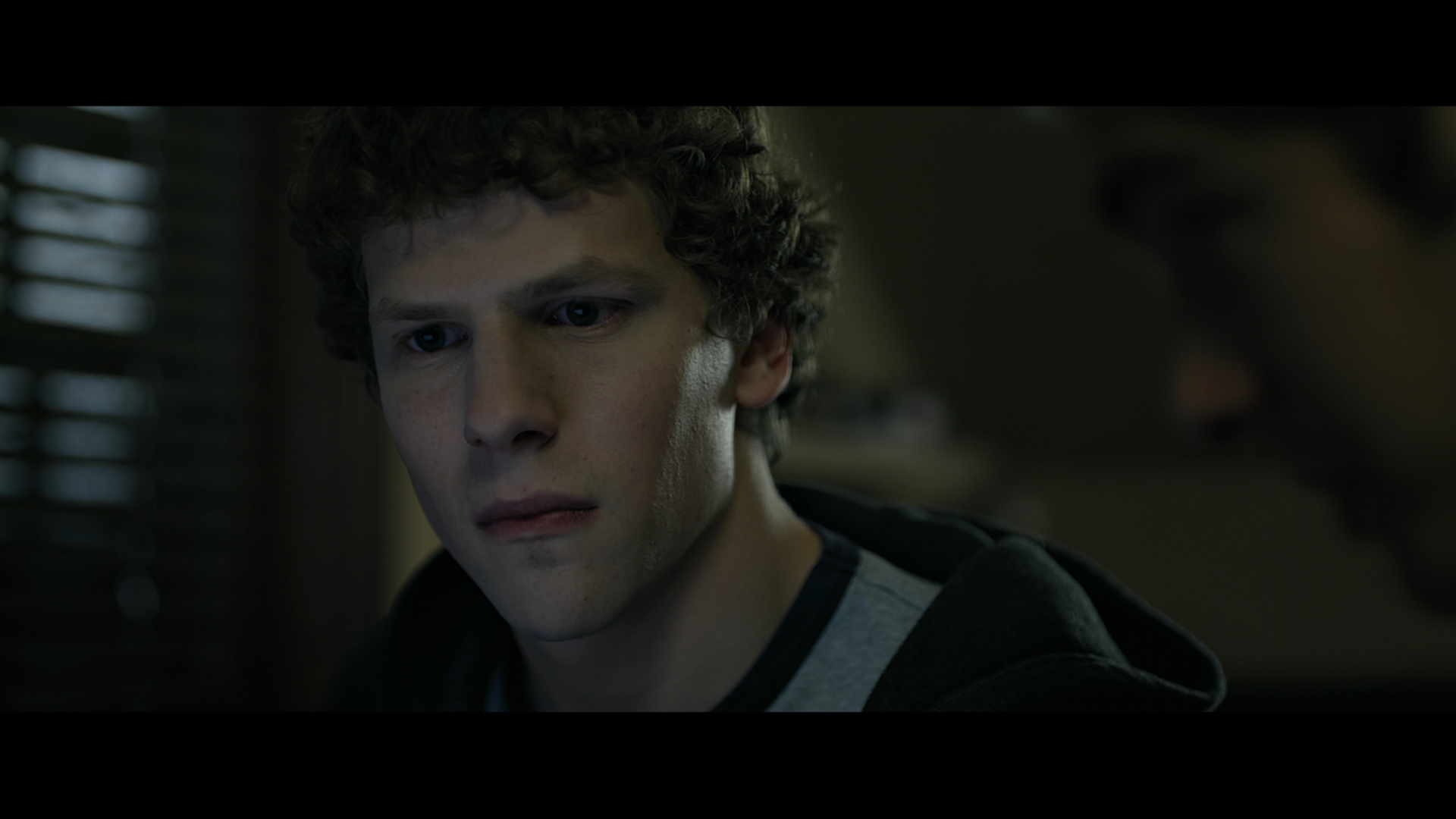
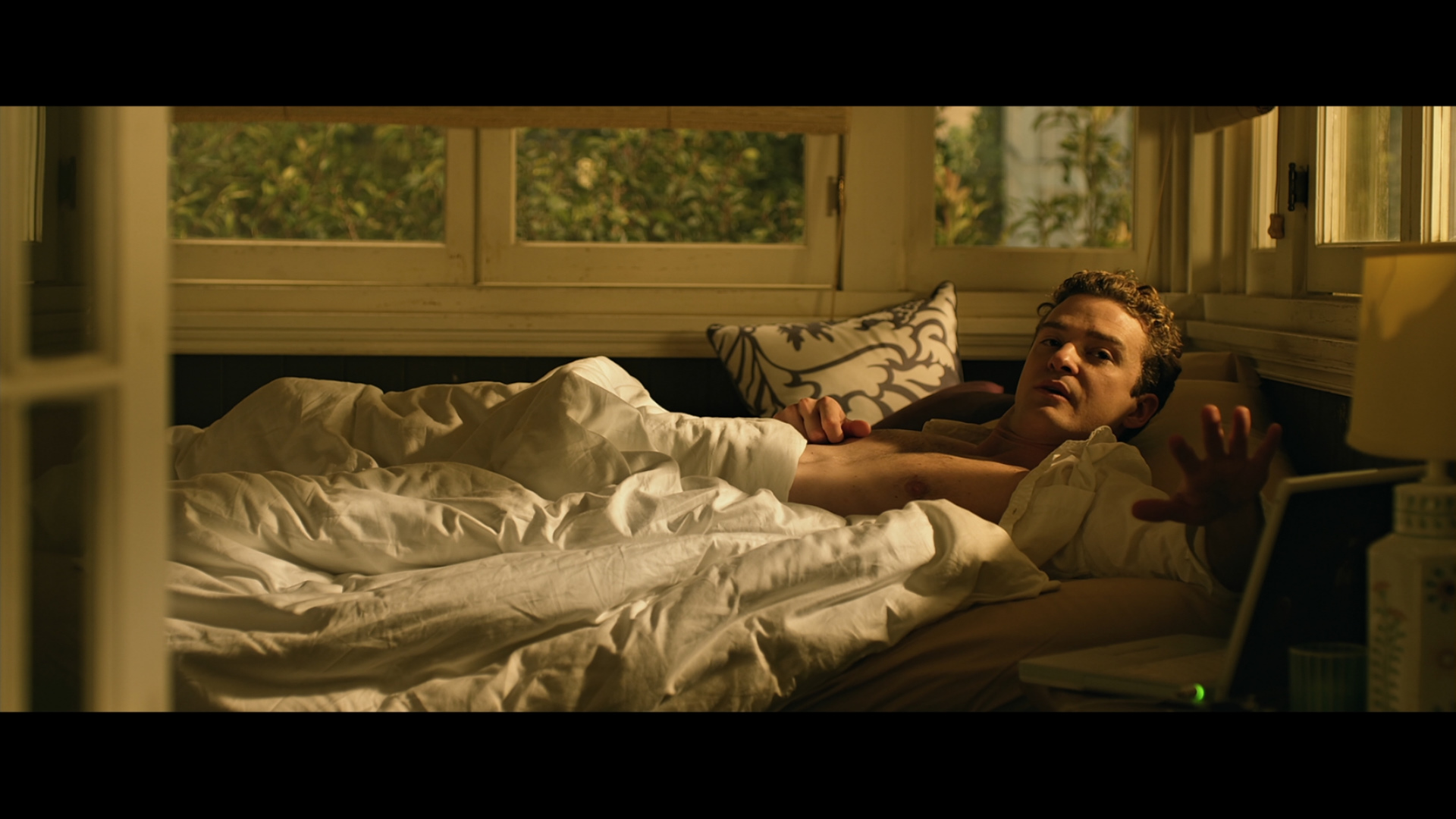
I advise everyone who blamed the poor projections for the picture quality to check out the brand new blu ray edition of Social Network... this is a brand new digital-to-digital transfer, so actually there's nothing to blame the poor projections (35mm or digital). And I assure you the blu ray looks exactly the same what I saw in theaters. the picture is extremly soft, smooth, gives the feeling its out of focus etc....

As much as I love the cinematography and lighting of this movie as much as I don't like its picture quality. When I see pictures like these what always comes to my mind is a heavily DNRd blu ray transfer.... However its not case. Its the feature of RED...

I hope when EPIC comes out this problems will be solved.. Is there any chance for that what do you think?
 
And I assure you the blu ray looks exactly the same what I saw in theaters. the picture is extremly soft, smooth, gives the feeling its out of focus etc....

Answer: It was shot with lenses mostly wide open. That's the intended look.

Graeme
 
I understand that, otherwise Ficher wouldn't have shot it like this.. :) But I still don't like the image... Anyway its my problem Lol :)
 
I understand that, otherwise Ficher wouldn't have shot it like this.. :) But I still don't like the image... Anyway its my problem Lol :)

Yup, can't dictate personal preference. Only point I'm making is the look is not the camera per-se. The camera allows for the chosen look of the movie, but it is not dictating that particular look. It's useful to see the RED demo reels projected well - there's a vast and wide variety of looks showcasing the ways the camera can be used.

Graeme
 
Yup, can't dictate personal preference. Only point I'm making is the look is not the camera per-se. The camera allows for the chosen look of the movie, but it is not dictating that particular look. It's useful to see the RED demo reels projected well - there's a vast and wide variety of looks showcasing the ways the camera can be used.

Graeme

Yes I know SN is an extreme example for RED. But I could mention Book of Eli also. I don't know how to descripe my "DNR" feeling to RED images in general. Or I could mention Che or The Girlfriend Experience also. How you call it technically? I think RED can do pretty amazing long shot images, however the close ups is really weird for me.... Long shots, panorama pictures are really beautiful and film like, but close ups... But it's just my personal taste :)
 
Yup, can't dictate personal preference. Only point I'm making is the look is not the camera per-se. The camera allows for the chosen look of the movie, but it is not dictating that particular look. It's useful to see the RED demo reels projected well - there's a vast and wide variety of looks showcasing the ways the camera can be used.

Graeme

To a point. You can see issues in skin tones in some scenes, due presumably to the old color science.
 
Hello, I believe this is my first post here and altough my subject is not enterily related to the topic, I believe this is the best place to ask this question, because ever since I started studying digital image 2 years ago, this forum is probably the place whre I could gather the moust amount of information, and probably the place with the higher concentration of of people with technical expertiese I`ve found ever since.

Regarding what Chuck Z has said about the Blu-ray, I often find that Blu-ray films and HDTV have a imagem that is just too sharp... I just Recetly bought a Blu-ray player and I haven`t see many movies on it, but the ones I did see, I wish the image was softer, they ar not so sharpened as the HDTV transmission I`ve got at home (that despite being sharper, is of much worse quality)... I say that, because when I see any Itunes trailer on my MacBook Pro 17'' LED Screnn, the image is just great, no sing of over sharpening whatsoever, and I`m not sure my problem is my LCD TV, becausewhen I play back images from my 7D on it, the image doensn`t look oversharpened...

My question is: where is teh problem? On the Blu-ray player, on the Blu-Ray disc itself, on the TV(if so, are there models of LCD TV that are sharper the others?), or what? And is there anything I con do to desharpen the image? I`m asking this because i think it is very frustrating to wacth a movie like this, I feel i`m not seeing the real images the real work of the cinematographer, and I often think that to see a DVD on my CRT TV gives me a more acurate image.

Thanks very much for the attention and I ask you you to forgiveme for my poor english, it`s been a while since I`ve last writen in this language.
 
Rodrigo:
Do you calibrate your display? By default TV screens have the sharpening and contrast too high, and the color too blue. If your TV has a "cine" picture setting (as sony has), try using it, or just set sharpening at 0, disable any edge enhancements, and use a neutral or warm temperature setting as a starting point. You can also use a calibration disk (I personally use the Spears&Munsil one) if you want to see movies as best as posible.
 
I use a Panasonic PT-2000 projector, and with it's cine settings it's just great with any good Blu-ray – no over-sharpening or the like. So, I'd also point to the screen's settings as the culprit, but maybe some players have sharpening settings too (I use a PS3).
 
Both the Blu-Ray Player and the Projector/LCD Monitor may have user adjustable sharpening settings (my Blu-ray and LCD do). My player has standard/vivid/movie/user modes. Movie mode is the softest and the mode I prefer to use for viewing. I do check the harsh modes on my film work to see how the compression behaves for these mode. I go back and recompress my work if I see some problems on the over sharp modes.
 
Thanks very much on all of yours replys, I`ll check My TV settings and My player settings again... (I tought I hada done that before, but i`ll give it another shot..) My Blu-ray Player is a PS3 too, any special ajustmente on it?

Thank you very much!

Rodrigo Prata
 
The Blu-ray is solid. Very nice image overall and Natural sharpness.
(Sorry for the inlines....From DVDbeaver)

large_the_social_network_blu-ray_3.jpg

large_the_social_network_blu-ray_6.jpg

large_the_social_network_blu-ray_7.jpg
 
Back
Top