


David Battistella
Well-known member
- Joined
- Apr 30, 2007
- Messages
- 10,003
- Reaction score
- 6
- Points
- 38
Hi, There are a lot of new people coming to the forums and I thought I would start this best practices thread as a resource to people shooting high speed footage with their RED cameras for the first time. Want to welcome those with anything to add to please contribute to this thread.
A RED camera treats over cranked footage much like film. This is how it works:
Slow Motion: time in seconds of footage recorded at different fps compared to acquired time in seconds of footage in slo mo.
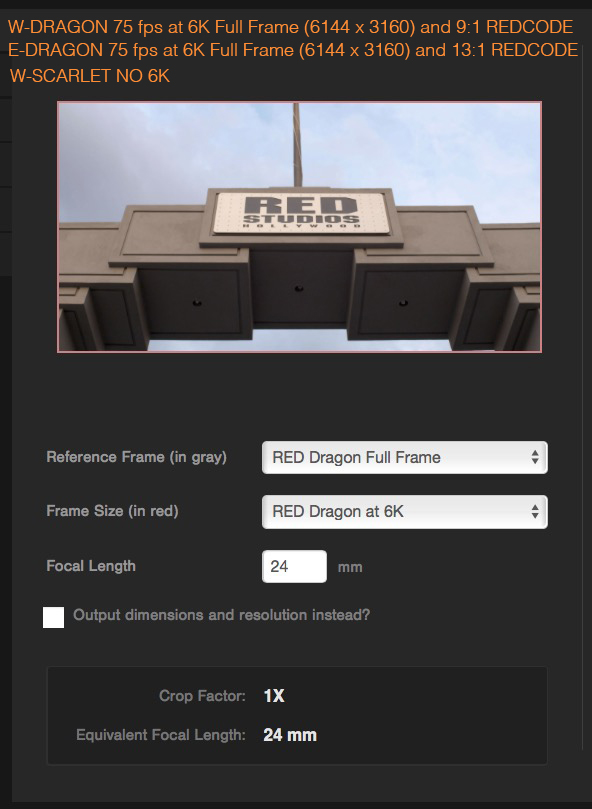
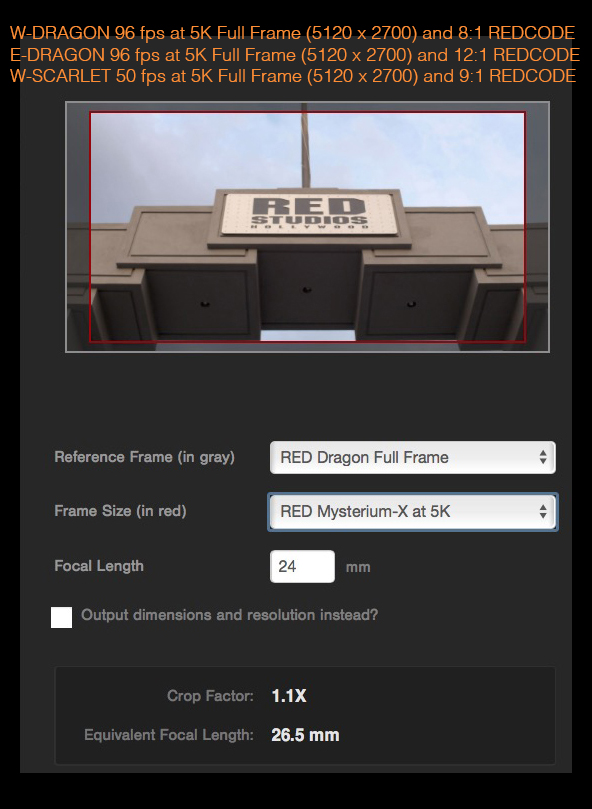
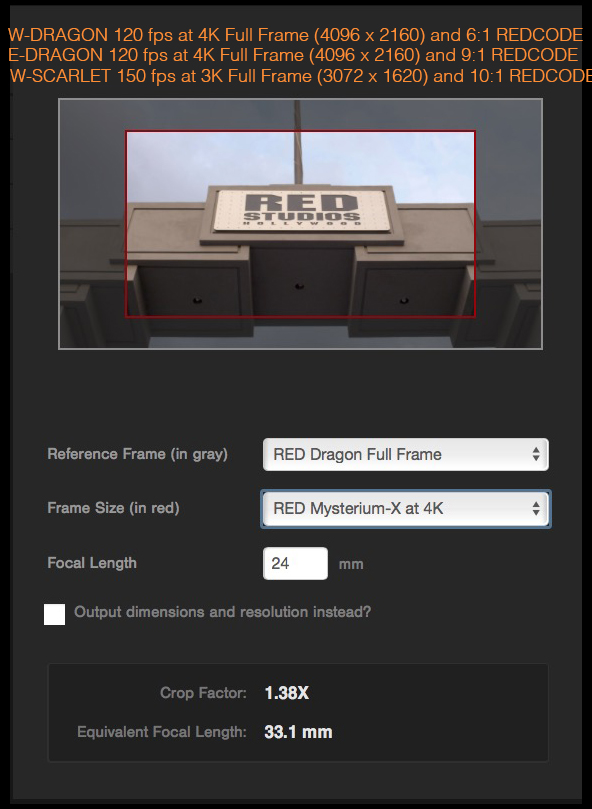
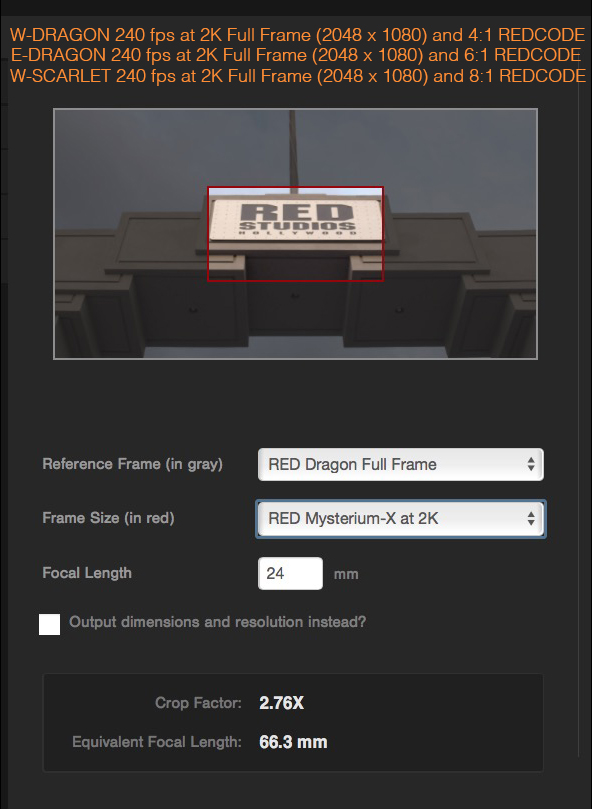
The way RED differs from film is this.The RED reduces the amount of sensor you capture in order to get higher speeds.
Here you can see the frames per second increases as you window the sensor (capture less image area.

LEAVE YOUR TIMEBASE ALONE JUST CHANGE THE FPS
To many people think that they have to use a 59.94 timebase for slow motion. DON'T DO THIS. Another in-camera method is to capture at 59.94. You can to convert 720p60 footage into very smooth slow motion using the CONFORM option of Cinema Tools. My advice when capturing 59.94 is to capture progressive frames; this way the footage can be interpolated back to 23.98, a pulldown can be added and a slow motion effect can be created by telling the software that the footage is 23.98. When it sees 60 frames, it plays them back at 23.98 speed. Here again, the limitation is 60fps slow motion. If you wanted to make that 120fps slow motion, you would only be doubling frames instead of playing back 120 unique frames -- you would be playing back every frame twice to simulate a slow motion effect.There is a big difference between in-camera Film Style Slow Motion and this method. Remember that with film style slow motion, the camera is capturing every frame, whereas in post-produced slow motion, the frames are being interpolated.
IMPORTANT FACTORS - CHECKLIST
The challenges with high speed is three fold.
1. You loose stops as you request higher speed
2. The RED needs to shoot at higher compression rates to shoot high speed (it's a. Bandwidth issue)
3. To get to the Highest speeds you shoot on a windowed sensor.
4. Shutter Angle can change requiring Black Shading calibration for the shutter speeds you shoot at.
Many image quality things can work against you.
THE COMMON MISTAKES
underexposed/high ISOhigh compressioncropped sensorNo new blackshading
REMEMBER STOP LOSS WHEN OVERCRANKING
24fps = 1/48 (benchmark light level)
48fps = 1/96 (1 stop light loss)
60fps = 1/12096fps = 1/192 (2 stops light loss)
120fps = 1/240
192fps = 1/384 (3 stops light loss)
240fps = 1/480
300fps = 1/600 (just under 4 stops light loss)
768 fps = 1/1536 (5 stops of light loss)
1,000fps = 1/20001,536fps = 1/3072 (6 stops of light loss)
R3D SAMPLES from CLIPS
Vimeo https://vimeo.com/163683335
A RED camera treats over cranked footage much like film. This is how it works:
- The timebase is 23.98 (film is 24)
- The number of frames you shoot in the time base is the over or under crank. Let's use 72fps as an example.
Slow Motion: time in seconds of footage recorded at different fps compared to acquired time in seconds of footage in slo mo.
- 1 second @24 FPS= 1 second clip duration plays back for 1 seconds in a 23.98 timeline
- 1 second @48 FPS= 2 second clip duration plays back for 2 seconds in a 23.98 timeline
- 1 second @72 FPS= 3 second clip duration plays back for 3 seconds in a 23.98 timeline
- 1 second @96 FPS= 4 second clip duration plays back for 4 seconds in a 23.98 timeline
- 1 second @120FPS= 5 second clip duration plays back for 5 seconds in a 23.98 timeline
The way RED differs from film is this.The RED reduces the amount of sensor you capture in order to get higher speeds.
Here you can see the frames per second increases as you window the sensor (capture less image area.
LEAVE YOUR TIMEBASE ALONE JUST CHANGE THE FPS
To many people think that they have to use a 59.94 timebase for slow motion. DON'T DO THIS. Another in-camera method is to capture at 59.94. You can to convert 720p60 footage into very smooth slow motion using the CONFORM option of Cinema Tools. My advice when capturing 59.94 is to capture progressive frames; this way the footage can be interpolated back to 23.98, a pulldown can be added and a slow motion effect can be created by telling the software that the footage is 23.98. When it sees 60 frames, it plays them back at 23.98 speed. Here again, the limitation is 60fps slow motion. If you wanted to make that 120fps slow motion, you would only be doubling frames instead of playing back 120 unique frames -- you would be playing back every frame twice to simulate a slow motion effect.There is a big difference between in-camera Film Style Slow Motion and this method. Remember that with film style slow motion, the camera is capturing every frame, whereas in post-produced slow motion, the frames are being interpolated.
IMPORTANT FACTORS - CHECKLIST
The challenges with high speed is three fold.
1. You loose stops as you request higher speed
2. The RED needs to shoot at higher compression rates to shoot high speed (it's a. Bandwidth issue)
3. To get to the Highest speeds you shoot on a windowed sensor.
4. Shutter Angle can change requiring Black Shading calibration for the shutter speeds you shoot at.
Many image quality things can work against you.
THE COMMON MISTAKES
underexposed/high ISOhigh compressioncropped sensorNo new blackshading
REMEMBER STOP LOSS WHEN OVERCRANKING
24fps = 1/48 (benchmark light level)
48fps = 1/96 (1 stop light loss)
60fps = 1/12096fps = 1/192 (2 stops light loss)
120fps = 1/240
192fps = 1/384 (3 stops light loss)
240fps = 1/480
300fps = 1/600 (just under 4 stops light loss)
768 fps = 1/1536 (5 stops of light loss)
1,000fps = 1/20001,536fps = 1/3072 (6 stops of light loss)
R3D SAMPLES from CLIPS
Vimeo https://vimeo.com/163683335
Last edited:


