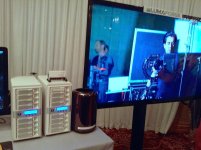
Welcome to our community

Be a part of something great, join today!

  • Hey all, just changed over the backend after 15 years I figured time to give it a bit of an update, its probably gonna be a bit weird for most of you and i am sure there is a few bugs to work out but it should kinda work the same as before... hopefully :)

Saturday Jan 18th - new Apple 4K ecosystem

Neil W. Smith

Well-known member
Joined
Mar 16, 2008
Messages
542
Reaction score
0
Points
0
Location
Los Angeles
Website
www.hollywooddi.com
At tomorrow's 'X Pro' monthly meeting we'll be demoing Apple's new Mac Pro cylinders in action along with the new features of FCP X 10.1 and round-tripping with DaVinci Resolve 10.1.

We'll have the nMP cylinders on display connected to the new Magma Thunderbolt 2 expansion chassis with a Red Rocket-X card and nVIDIA Quadro 4000 inside plus really fast Thunderbolt 2 storage.

Plus the new SEIKI 65 inch 4K UHDTV showing 4K RED footage playing back smoothly at 24 fps!

So come along and join Sam Mestman, Philip Hodgetts and I as we take you through the new Apple 4K ecosystem and explain what it can do for you in 2014.

The 'X Pro' meeting takes place on the Lot in West Hollywood and starts at 10 am and finishes around noon.

Please sign up using the EventBrite link attached:

http://www.eventbrite.com/e/x-pro-m...ces-meeting-tickets-9621693745?ref=ebtnebtckt

We demoed the setup in use at the 'Society of TV Engineers' meeting in Burbank last night - we partnered with Blackmagic Design who showed the new version of Resolve 10.1 and their 4K Production camera in action - see photos attached below.

Cheers,
Neil
 

Attachments

  • Jan Meeting of Society of TV Engineers.jpg
    Jan Meeting of Society of TV Engineers.jpg
    100 KB · Views: 0
  • MAGMA Thunderbolt 2 expansion chassis.jpg
    MAGMA Thunderbolt 2 expansion chassis.jpg
    95 KB · Views: 0
  • new Mac Pros and Thunderbolt 2 storage.jpg
    new Mac Pros and Thunderbolt 2 storage.jpg
    97.4 KB · Views: 0
  • 4K workflow in action.jpg
    4K workflow in action.jpg
    96.8 KB · Views: 0
  • Blackmagic 4K camera.jpg
    Blackmagic 4K camera.jpg
    96.4 KB · Views: 0
I thought there was an issue with XML between latest versions of fcpx and Davinci. Has this been resolved?
 
FCP X 10.1 round-tripping with Resolve 10.1 fixed!

FCP X 10.1 round-tripping with Resolve 10.1 fixed!

I thought there was an issue with XML between latest versions of fcpx and Davinci. Has this been resolved?
The XML round-tripping between FCP X 10.1 and Resolve 10.1 has been totally fixed ... we've been beta testing it for a couple of weeks and it works just great.

Make sure you download the latest version of Resolve 10.1 from the Blackmagic website and of course the latest update to FCP X 10.1 from App Store.

Apple and Blackmagic have finely-tuned FCP X and Resolve to really leverage the power of the new Mac Pros .. you combine that horse-power with really fast Thunderbolt 2 storage from ARECA and Promise plus Thunderbolt 2 MAGMA expansion chassis and you have an incredible ecosystem for 4K end-to-end workflow.

At the STE meeting last night I also showed the new Corning optical Thunderbolt cable in action - connected my Tbolt2 MBP to the nMP fifty feet away to show file transfer between the two machines .... if you look carefully at the two photos below you'll see a small reel of thin black cable attached to the MBP on top of the projector .. the cable was running to the nMP at the back of the dining hall ... Thunderbolt 2 bridging can now be done between two Macs 100 feet apart! ... amazing how far Thunderbolt has come in such a short time.

We'll be demoing how it all works together at tomorrow's 'X Pro' meeting.

Cheers,
Neil
 

Attachments

  • Corning Optical Thunderbolt cable.jpg
    Corning Optical Thunderbolt cable.jpg
    95.3 KB · Views: 0
  • CU of Optical Thunderbolt cable.jpg
    CU of Optical Thunderbolt cable.jpg
    89.7 KB · Views: 0
Horse-power of nMP and Thunderbolt 2 connectivity

Horse-power of nMP and Thunderbolt 2 connectivity

Resolve 10.1 has support for FCPX XML 1.3.
I think this means that even color corrections in FCPX transfer to Resolve which is Nice.

Absolutely - we demoed that last night ... cut in FCP X 10.1 and export out XML .... import XML into Resolve 10.1 and grade (even make edits if you want to) ... then export out Easy Setup FCP X round-tripping ... press the Render button and then import that Resolve XML into FCP X and Bob's your Uncle! ... FCP X conforms to the graded files ... works like a charm ... even speed effects carry through from FCP X to Resolve and back.

As I said we'll be demoing how all this works tomorrow ... I'll be showing new Mac Pros and Tbolt 2 in acton, Sam will cover new features of FCP X 10.1 and Phil will be showing how to easily migrate from existing FCP X projects.

Peter and Rohit from BMD have done an incredible job in re-engineering Resolve to leverage the Open CL GPUs in the nMP and keep up with Apple's 64 bit engineering.

Make no mistake about it folks, Apple have moved the goal-posts with the nMP and FCP X 10.1 with Thunderbolt 2 connectivity.

Neil
 
If you're into RED, 4k, and haven't been to Neil's monthly meeting, you really need to go. Especially for you FCPX users out there... you'll quickly realize you're not actually crazy for liking the program. Hope to see some of you guys there. It's going to be a good one.
 
I'd love to hear how that Magma thunderbolt 2 and RRX attached to the New Mac Pro is working out with 6K Dragon footage.

Very soon performance will be great. With the current Rocket-X driver & firmware performance over Thunderbolt is not good, no matter who the Thunderbolt chassis manufacturer is (as the issue is on our side). We will have this fixed really really soon and I can tell you with the proper driver & firmware performance over Thunderbolt 2 is quite nice :) We've done tests with various vendors and everything is looking great.

Keep an eye out for Rocket-X installer package with a version number of 2.1.x to get the faster speeds (including on non Thunderbolt systems!)
 
Very soon performance will be great. With the current Rocket-X driver & firmware performance over Thunderbolt is not good, no matter who the Thunderbolt chassis manufacturer is (as the issue is on our side). We will have this fixed really really soon and I can tell you with the proper driver & firmware performance over Thunderbolt 2 is quite nice :) We've done tests with various vendors and everything is looking great.

Keep an eye out for Rocket-X installer package with a version number of 2.1.x to get the faster speeds (including on non Thunderbolt systems!)

Very encouraging news Rob!
 
65 inch SEIKI way better

65 inch SEIKI way better

Can it actually be true??? :)

Come and see for yourself, Jeff ... the 65 inch SEIKI is way better than the 1st Gen 50 inch ... looks like they've put a new image processor in the panel as well as improving the LED back lighting.

We had a 100 TV Engineers come up and check out the gear last night at the STE meeting and they all scrutinize the panel carefully ... we were playing RED 4K ProRes back at 23.98 and no one made any comments about the frame rate playback ... they of course all wanted 60p 4K playback - no pleasing some folks.

I'm sure we'll have some RedUsers at our X Pro event tomorrow ... will let them report back on what they see.

The other I really like about the new SEIKI is that the colorimetry seems to be way better (even straight out of the box) and also the size .... used to think that the 50 inch UHDTV is OK but now kinda thinking that 65 is the sweet spot ... size matters with 4K ... the bigger the better.

Neil
 
Tbolt 2 and GPUs ....

Tbolt 2 and GPUs ....

Since when does OSX support external GPUs Niel?

Are you asking officially or unofficially, Frank? ... well spotted, Sir ;-)
 
RR-X and Tbolt 2

RR-X and Tbolt 2

Very soon performance will be great. With the current Rocket-X driver & firmware performance over Thunderbolt is not good, no matter who the Thunderbolt chassis manufacturer is (as the issue is on our side). We will have this fixed really really soon and I can tell you with the proper driver & firmware performance over Thunderbolt 2 is quite nice :) We've done tests with various vendors and everything is looking great.
Keep an eye out for Rocket-X installer package with a version number of 2.1.x to get the faster speeds (including on non Thunderbolt systems!)

Thanks for the update, Rob ... am using the Magma ROBEN 3 as proof of concept at the moment and tell everyone that we're still in the early phases of the Tbolt2 roll-out and that drivers will only get better.

Let me know when RR-X 2.1 drivers ship and we'll test again ... RCX Pro only sees the RR-X as x4 lane card at the moment.

Neil
 
Thanks for the info Neil. Could you please let me know which is better for heavy grading/ multi nodes of 4k files (pro res+red r3d) in resolve 8core or 12 core nmp?
 
Resolve 10.1 on nMP

Resolve 10.1 on nMP

Thanks for the info Neil. Could you please let me know which is better for heavy grading/ multi nodes of 4k files (pro res+red r3d) in resolve 8core or 12 core nmp?
There's two answers to that question, Dave ... it depends slightly on what you mean by "better":

1) from a purely technical point of view, Resolve 10.1 is optimized to take advantage of as many CPU cores, GPU cores and as much VRAM as you can throw at it ... so if budget is not an issue, then get the 12 core with 2 x D700s ... also make sure you have fast drives .. the ARECA Thunderbolt 2 8 x bay RAIDs deliver around 1100 MB/s Read & Write ... there's no point spending money on a 12 core nMP if you have slow drives. ... the disk I/O will become the bottleneck.

2) however, from a financial point of view and if budget is a consideration (it always is when I make a purchase) I would recommend ordering the stock 8 core with 2 x D700s and upgrading the RAM to 64 GB/s using someone like OWC ... and again, fast drives are imperative if you working with 4K files or 5K and 6K .r3ds.

The key to getting "better" performance with Resolve 10.1 and 4K files is to make sure you have the D700 GPUs (they have 6 GB of VRAM each) and as much RAM as you can (max of 64 GB on the nMPs) ... plus the fast storage.

If you check out the Apple Store you get these price comparisons:

- 8 core with 2 x D700s and 512 GB Flash Drive and 16 GB of RAM = $6,399

- 12 Core with 2 X D700s and 512 GB Flash Drive and 16 GB of RAM = $7,899

Plus you need to add another $960 to each config if you're going to upgrade the RAM to 64 GBs (Apple's 64 GB RAM is $1200 installed but it's really easy to change the RAM on the nMPs.)

The other thing to bear in mind is that 8 core CPU runs at 3.0 GHz whereas the 12 Core CPU runs at 2.7 GHz ( it has a little more L3 cache) so it also depends on what other apps you need to run .. if they all utilize 12 cores and are optimized for multi-threading, then go with the 12 Core ... if not, stick with the faster 8 core.

So the conclusion is this - there's a $1500 price difference between the 8 core and 12 core ... if you don't have fast storage (at least an 8 bay Thunderbolt 2 RAID) I would buy an 8 core, stick in 64 GB of RAM (total price around $7,400) and put the saved $1500 towards an ARECA or PROMISE Tbolt2 RAID at around $3500.

That way you have a fast and efficient total Resolve system for around $10,900 (plus shipping and tax) ... don't forget you'll also need a BMD UltraStudio 4K breakout box for accurate HD SDI or HDMI monitoring which is another $995 ... the latest version of the UltraStudio 4K has TWO Thunderbolt 2 ports on the back which means you can daisy chain other devices to it.

We'll be demoing all these technologies working together at today's 'X Pro' meeting along with the 65 inch SEIKI UHDTV .... if you're using Resolve to grade projects for the UHDTV market you'll need a 4K TV at some point to show customers ... the new 65 inch SEIKI is a great client viewing TV to have along side whatever reference monitor you're using for grading.

Attached are a couple of photos of the 65 inch SEIKI next to the nMP and ARECA Tbolt 2 RAID .... underneath the 65 inch SEIKI is the 50 inch SEIKI for size comparison ... the 65 inch is a way better 4K TV than the 50 inch that came out last year ... you still need to burn it for a couple of days and then calibrate it against a reference Rec. 709 monitor ... but it looks pretty good once you've done that.

Neil
 

Attachments

  • nMP with 65inch SEIKI.jpg
    nMP with 65inch SEIKI.jpg
    95.5 KB · Views: 0
  • 65 inch SEIKI on top 50 inch below.jpg
    65 inch SEIKI on top 50 inch below.jpg
    93.3 KB · Views: 0
Neil,

Thankyou for insights.

+) 6TB hard drives' $-per-TB is likely to be exhorbitant for 2014
+) Pegasus R2 8bay at charge more than the price of the Mac Pro!
+) Areca seems like the best value with their 8 bay...

Question is : If most peoples Mac Pro's are turning up in February - do you think they should be saving pennies towards the Areca 16-bay TB2 drives? (Where 16 x 2 TB drives in RAID 6 might be the sweet spot on cost and quick ramping to ~1.4 GB/sec)

AJ
 
Storage and Bandwidth - your mantra for 2014

Storage and Bandwidth - your mantra for 2014

Neil,

Thankyou for insights.

+) 6TB hard drives' $-per-TB is likely to be exhorbitant for 2014
+) Pegasus R2 8bay at charge more than the price of the Mac Pro!
+) Areca seems like the best value with their 8 bay...

Question is : If most peoples Mac Pro's are turning up in February - do you think they should be saving pennies towards the Areca 16-bay TB2 drives? (Where 16 x 2 TB drives in RAID 6 might be the sweet spot on cost and quick ramping to ~1.4 GB/sec)

AJ

Good question, AJ ... and something I hope most RU folks are mulling over ... as RedHeads start to store more and more 4K, 5K and 6K data and start cutting and finishing at 4K then storage becomes a very important part of the the overall equation in how fast your production and finishing pipeline goes.

Our mantra at LumaForge over this last year has been "storage and bandwidth" ... where to store the tons of data that digital productions are producing and how to get it from A to B in the quickest and most cost-effective way possible. Moving terabytes of data around safely and fast is going to become a more pressing need than the raw compute power of your CPU.

The major bottleneck facing 4K content creators is going to be storage and bandwidth rather than CPU and GPU horsepower ... those new Mac Pros are super-computers on steroids and with 64 bit apps like FCP X 10.1 and Resolve 10.1 that are optimized for the single CPU/dual GPU architecture you have an incredibly fast and efficient editing and coloring environment.

Now in answer to your question about storage options to think about, here's a couple of pointers:

1) generally speaking, the more physical drives you have in your array the faster the overall speed of the RAID ... a decent 6G single 7200 rpm drive maxes out around 180 MB/s read and write ... obviously a single SSD or MLC card might read a lot faster than a single spinning disk ... so four SSDs might give you more I/O than eight spinning disks.

2) the speed of the individual disk is also a variable .. is it spinning at 5400 rpm, 7200, 10K or 15K? ... is it a 3G or 6G SATA connector or 6G SAS connector?

3) assuming you're a RED filmmaker you're also going to be concerned about the max volume you can get from your array ... SDDs are all well and good but try and build a 32 TB RAID with SSDs and see how far you get and how much it costs :-(

4) are you installing desktop consumer drives or Enterprise drives? ... there's a real difference in reliability and cost ... if your RAID is going into a mission critical environment you should think about Enterprise drives which are generally twice the cost of consumer desktop drives. We're working on a large studio movie that just spend 100 days shooting with some well know (and highly paid) A list actors .... for on set and near set DIT and editorial purposes we shipped them ARECA 8050 with 4 TB Enterprise drives ... and even though they were shooting down in New Orleans in the heat and then in Brazil and New York we never lost a byte of data ... when your production costs per day are running at over $100K you never want to be the one who makes them re-shoot a day's worth of production.

5) and as you point our above what's the price of the individual drives ?... the 6TB HGST drives look great but are going to cost an arm and a leg for the foreseeable future ... whereas the 4TB WD Enterprise are manageable and the 3TB Hitachi's affordable.

So, my thinking at the moment is this:

1) if you're investing in a new Mac Pro and working with 4K/5K/6K footage you definitely need a Thunderbolt 2 enclosure.

2) at the moment 8 x bay TB2 enclosures from ARECA and PROMISE are here and working.

3) then volume? ... do you need 24 TB or 32 TB? ... you 'll be surprised at how quickly you fill up 10 TBs if you working in 4K.

4) the Pegasus R8 with 32 TB has drives that run at 5400 rpm versus their R8 24 TB tha has drives that run at 7200 rpm

5) the ARECA 8050 TB2 can be fitted with both 3TB and 4TB drives that run at 7200 rpm.

6) overall disk I/O of both the Pegasus and ARECA come in around 1100 to 1200 MB/s from eight spindles ... that's pretty damn fast and is probably going to be more than OK for most RED filmmakers working with .r3ds and ProRes ... if you're converting everything to 4K DPX files that's a different matter.

So, at the moment if you're happy with 24 TBs of total storage consider the Promise2 R8 or the ARECA TB2 8050 ... if you need 32 TBs then go for the ARECA with 4TB Enterprise drives ... make sure you're using RAID 5 and you'll have the best trade-off between speed, redundancy and volume.

The sixteen bay TB2 arrays are going to be shipping around NAB time and again overall performance and volume will depend on which drives you populate them with ... and don't forget your overall costs for 16 spindles will go up over 8 spindles but again it comes down to how much you need how fast your need to move the data around.

"Storage and bandwidth" ..."storage and bandwidth" ... "storage and bandwidth" .... repeat this to yourself every morning when you first wake up and all will be well.

Hope that helps and makes sense ... I'll be demoing the difference between TB1 and TB2 transfer speeds in about 2 and half hours ... damn, I better write that presentation!

Cheers,
Neil
 
Hi Neil,

Any comment related to fan/noise, between Pegasus and Areca?

Thank you very much

Fury
 
Back
Top