Welcome to our community

Be a part of something great, join today!

  • Hey all, just changed over the backend after 15 years I figured time to give it a bit of an update, its probably gonna be a bit weird for most of you and i am sure there is a few bugs to work out but it should kinda work the same as before... hopefully :)

Samurai with Scarlet....a few issues

Joe Ferralli

Active member
Joined
Feb 18, 2009
Messages
40
Reaction score
0
Points
0
Location
Erie, PA
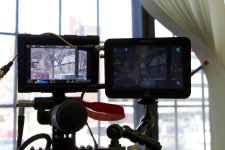
Looking for feedback from anyone that has used the Scarlet with a Samurai. I'm finding the screen is EXTREMELY dark. I've got the backlight turned up all the way and there's still the issue. I'm also finding that it starts recording on it's own when navigating through the menu. I'm not dissing the product, it works great but the screen is really got me down. Any ideas? Waiting on Atomos tech support but wanted to see if anyone else is experiencing the same.
 

Attachments

  • IMG_1959.jpg
    IMG_1959.jpg
    63.7 KB · Views: 0
Its not just you. The samara screen is very dark. You cannot use this as a reference monitor, just as an interface to the recorder.
 
As far as the random recording triggers go, check your firmware. I had that problem at first with 2.7, but 2.8 fixed it.
 
Just a shot in the dark, but check the scarlet settings on the SDI or HDMI out (whichever you are using) to see if the different view option change it?

This is the raw / preview / clean kind of options under display and monitor settings.
 
We used a samurai the other day... when batteries were charged... it was ok.. then slowly dimmed through the day..
I wouldnt use it as a propper playback screen, but more a reference screen, run the feed out to a propper TV....
and use the 5inch on your camera as preview suing the RED playback..
 
Mine's quite dim as well. DO NOT use it as a reference monitor, trust your histogram and goalposts. Footage coming from it frequently needs a boost in gamma, gain and saturation, although RedColor 3 and RedGamma 3 have helped the look straight out of the box quite a bit.

I recently did a side by side of some green screen footage and unsurprisingly the .r3d quicktime files coming from RCX were better looking (and for pulling keys), but being able to pull the drive out of the Samurai and plug it into a system to see how the key will look is pretty valuable as well.

I love the Samurai, but do want to see the fixes implemented sooner rather than later. Great tool nonetheless.
 
Jeffrey, not a bad idea. When you implement the RAW look, the feed via SDI does indeed change, but in my case, the exposure got darker (could've just been what I was shooting).

Turning on Video/Focus didn't change the feed to SDI, although the Magnify did work. Wonder if it's true 1080p.
 
Darn. Was worth a shot.
 
Back
Top