Welcome to our community

Be a part of something great, join today!

  • Hey all, just changed over the backend after 15 years I figured time to give it a bit of an update, its probably gonna be a bit weird for most of you and i am sure there is a few bugs to work out but it should kinda work the same as before... hopefully :)

Release Camera Build 3.2.16

Hi all. This may be my first post, but I have been watching RED evolving since 2007.

I finally decided to upgrade my Scarlet to 3.2.16 two days ago. I have been testing it ever since. I’ve had the split Black/White screen right after the installation; a quick reboot fixed it all up. So far, I found absolutely no additional issues. Many thanks for this great upgrade go to you, Jarred, as well as the RED team.

whenn i use the Pix 240, i don't have the redfiles nr a001_C001 etc visible as metadata on the Pix 240......everything like start stop and tc, soound while recording works.... Has sombody a answer for this problem? btw cleanfeed out of course.
Worked before the upgrade perfect!!

thx Robert
 
Hi all. This may be my first post, but I have been watching RED evolving since 2007.

I finally decided to upgrade my Scarlet to 3.2.16 two days ago. I have been testing it ever since. I’ve had the split Black/White screen right after the installation; a quick reboot fixed it all up. So far, I found absolutely no additional issues. Many thanks for this great upgrade go to you, Jarred, as well as the RED team.

whenn i use the Pix 240, i don't have the redfiles nr a001_C001 etc visible as metadata on the Pix 240......everything like start stop and tc, soound while recording works.... Has sombody a answer for this problem? btw cleanfeed out of course.
Worked before the upgrade perfect!!

thx Robert
 
I am getting same yellow dot freezing problem. Never had any issues with cam before 3.2.16 firmware. Sent logfile to red support. Hoping new firmware will fix it.

I am getting the yellow dot of death freezing camera up also. Only happened to me for the first time after installing the new Antenna in my EPIC and putting the camera inside my Aluminum UW housing and using the REDMOTE to control record start stop though. Have to do a hard reboot to get the camera back. Standing by...
 
whenn i use the Pix 240, i don't have the redfiles nr a001_C001 etc visible as metadata on the Pix 240......everything like start stop and tc, soound while recording works.... Has sombody a answer for this problem? btw cleanfeed out of course.
Worked before the upgrade perfect!!

thx Robert

Problem solved!! Made a mistake in the Pix menu!!
 
Personally, I have been lucky with most of the builds so far and this one is no different. However, I do get the split screen (black/white) boot-up on this one quite often. Simple solution is to unplug the touchscreen and plug it back in. No other problems on my Scarlet.

And a suggestion for those posting here: It might be helpful to say in your post whether you have a Scarlet or an Epic. It seems (but I can't be sure) that most of the problems on this build are with the Epics. That might help sort things out.
 
As pointed out by earlier....this build just does not work for us underwater shooters.....i find it quite difficult to unplug the monitor while underwater.....Would be very delightful to have a fix for this....

For so far no problems, i first put the camera to factory settings and then did the upgrade, a little more work, but finally its oke until now.

best Robert
 
As pointed out by earlier....this build just does not work for us underwater shooters.....i find it quite difficult to unplug the monitor while underwater.....Would be very delightful to have a fix for this....

Johnny, did you install the new Antenna yet? My REDMOTE hasn't worked to control camera since when I put the camera inside my housing, start stop record goes to the yellow dot and then I have to do a hard reboot of the camera. Haven't had the white screen yet? Still trying to troubleshoot my issue.
 
Just got this installed today. First the good, LOVE the button notifications, so many times DP's will grab this camera, invariably push a button and ask "what did I do?" as everyone has different idea's of what makes sense to them on camera. The whole menu UI so much smoother, amazing.

Only downside is after I upgraded firmware and upgraded my redmote, it seriously has a range of 2 feet. Before this update it was line of sight up to about 15 feet. Now, standing next to my Epic with Redmote in hand is 1-2 red bars (I tried holding it a few different ways). what happened?

Have yet to have white screen boots, but going to do some walk around tests today and will post if anything comes up.
 

Attachments

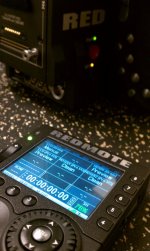
  • IMAG1640.jpg
    IMAG1640.jpg
    94 KB · Views: 0
Hoi Robert,
Good to know that everything works fine!
I am planning to buy the Pix240 later this year. ...first Red's Nikon Mount (planned release in august).
Just upgraded Scarlet-X and Redmote to current releases, no problems found.

Best, Wim
 
Hoi Robert,
Good to know that everything works fine!
I am planning to buy the Pix240 later this year. ...first Red's Nikon Mount (planned release in august).
Just upgraded Scarlet-X and Redmote to current releases, no problems found.

Best, Wim

Good to hear this Wim.
Pix 240 is brillant to work with Scarlet and Epic!! Customers lov it. Best regards Robert
 
Johnny, did you install the new Antenna yet? My REDMOTE hasn't worked to control camera since when I put the camera inside my housing, start stop record goes to the yellow dot and then I have to do a hard reboot of the camera. Haven't had the white screen yet? Still trying to troubleshoot my issue.

HI Frazier, i moved my camera back to the previous build because of the screen problems....the camera i am using now does NOT have the new antenna on it......i have another camera with the antenna installed, but have yet to use that camera since it just came back from red and i'm shooting only underwater this week and that upgraded camera was meant for above water.

I will likely here your reports first since i'm back to the older build and now will wait for a new build with fixes---the antenna issue is good to hear. I cannot think of any good reason the antenna should have anything to do with the new build?
 
hmm

hmm

My DP just told me to tell you guys that the black white screen issue is not fixed. Thanks
 
My bugs:

Made my Scarlet a brick.

Had my camera at RED all week. They are sending it back now. Was told certain cameras had issues with this firmware build and a new one is being released very soon to address all these issue. Personally, I would stay away from this build like the plague.

My baby is coming home! :party:
 
Yeah still getting that annoying white screen at boot up.

Removing the RedMote and rebooting seems to do the trick most of the time. Doesn't fail to scare me each time though!
 
Made my Scarlet a brick.

Had my camera at RED all week. They are sending it back now. Was told certain cameras had issues with this firmware build and a new one is being released very soon to address all these issue.

And it's still available on the downloads page. WTF is going on?
 
My bugs:

Made my Scarlet a brick.

Had my camera at RED all week. They are sending it back now. Was told certain cameras had issues with this firmware build and a new one is being released very soon to address all these issue. Personally, I would stay away from this build like the plague.

My baby is coming home! :party:

How was it turned into a brick? What was the problem?
 
Trying to upgrade REDmote to 3.1.8 but it's showing as a telephone in system>Network and I can't enter an IP address etc....?

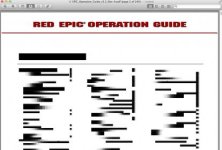
Also the EPIC Users guide is messed up:
 

Attachments

  • Screen Shot 2012-07-03 at 3.38.39 PM.jpg
    Screen Shot 2012-07-03 at 3.38.39 PM.jpg
    17.8 KB · Views: 0
Back
Top