Welcome to our community

Be a part of something great, join today!

  • Hey all, just changed over the backend after 15 years I figured time to give it a bit of an update, its probably gonna be a bit weird for most of you and i am sure there is a few bugs to work out but it should kinda work the same as before... hopefully :)

Redrocket X And Resolve 11 Issue

William Ciani

Well-known member
Joined
Nov 12, 2014
Messages
146
Reaction score
0
Points
0
Location
Miami, FL
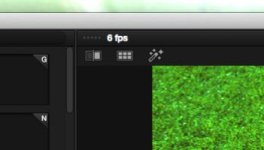
I can not figure out what is going wrong with my setup. I am only getting 5 to 6 fps on resolve with OR without the rrx card plugged in. There seems to be no performance change. Im running it on MBP through a sonnet chasis. Ive tried multiple restarts with resolve and my computer each time I try with or without the card. Resolve is recognizing the rrx video card other than the checkbox to "use red rocket if available" I don't know of any other settings to try. Am I missing something? Any advice is greatly appreciated.
 
Hi William,

When you open the latest version of RedCine-X, does the Rocket-X show up? Make sure you install the latest drivers from the RED website. You may also have to update the firmware of the RRX if you haven't already, although this shouldn't be why it's not showing up.

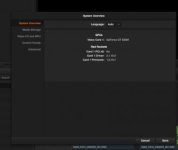
With the RRX plugged in, click on the Apple icon on the top left of your screen -> about this Mac -> system report. The RRX should show up under PCI or Thunderbolt, I don't remember which right now. Do you see it there?
 
Hi Dominick,

I have all of the latest firmware. The rrx show up and works great in both cine x and premier. However in resolve I still do not get any performance difference with or without the rrx card plugged in. Resolve also shows the rrx as a video card. Im really stumped here. I am fairly new to the resolve program so I'm not sure if I'm just missing something simple or not.


Hi William,

When you open the latest version of RedCine-X, does the Rocket-X show up? Make sure you install the latest drivers from the RED website. You may also have to update the firmware of the RRX if you haven't already, although this shouldn't be why it's not showing up.

With the RRX plugged in, click on the Apple icon on the top left of your screen -> about this Mac -> system report. The RRX should show up under PCI or Thunderbolt, I don't remember which right now. Do you see it there?
 

Attachments

  • Screen Shot 2015-03-16 at 10.02.03 AM.jpg
    Screen Shot 2015-03-16 at 10.02.03 AM.jpg
    6.1 KB · Views: 0
  • Screen Shot 2015-03-16 at 10.02.35 AM.jpg
    Screen Shot 2015-03-16 at 10.02.35 AM.jpg
    9.9 KB · Views: 0
Have you turned off/unchecked "App Nap"?
Highlight the application and click "get info" to be sure.
(That one caused me alot of slow overnight renders )
 
Thanks Brian, Yes no app nap. Still no solution waiting to hear back from a blackmagic tech. VERY frustrating.

Have you turned off/unchecked "App Nap"?
Highlight the application and click "get info" to be sure.
(That one caused me alot of slow overnight renders )
 
Wow sorry to hear that you still haven't been able to get it working. I will let you know if I think of anything else. And keep us posted with any updates!
 
You need firmware, drivers, and a somewhat new or newest redcine to do this stuff. Get all of this together and you can get up to 100fps of certain codecs, keep your drives fast too. I have the newest rMBP with my set up.
 
Back
Top