Welcome to our community

Be a part of something great, join today!

  • Hey all, just changed over the backend after 15 years I figured time to give it a bit of an update, its probably gonna be a bit weird for most of you and i am sure there is a few bugs to work out but it should kinda work the same as before... hopefully :)

Redcine-x Transcodes to Prores 4444 look WASHED OUT

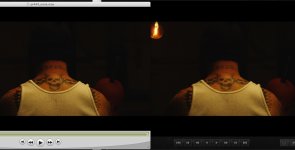
ProRes 4444, no gamma correction. Original RCX on top, QT result under, opened in QT7.6.6 Pro. You don't need a calibrated monitor to see these aren't even close. That's not to say the QT image isn't pleasing in its own way, it just doesn't represent my RCX image.

Is that with FCP compatibility flag on or off?
What gamma is your monitor set to?
What OS version are you running?
Did you setup the codec with auto or none?
 
@jimhare.

Right. It;s no problem if you know about it, but it is pretty hard to explain if you are shipping it off to another client.

David
 
In my personsal case.....the QT prores version is HORRIBLE! Shooting underwater and having even the slightest bit of desaturation RUINS the image for my client. They don't care at all that it may be a software glitch. They merely want a crisp clean image for their film/doc. Otherwise they buy from another shooter usually shooting the Sony 900, Pani HVX200 or Sony EX1.

My clients merely want a clean prores deliverable and don't much care for an R3D file. I of course like the R3d for my stock, but cannot convince my client that the washed out image they are buying really is a clean looking and nice image. All they care about is WYSIWYG. Therefore putting me in the position of having to shoot with my Panasonic or Sony in many cases because i have no solution for delivering a clean prores 4444 or 422.

PLEASE a FiX. OR ....please RED, some official word on how to get to a clean deliverable when outputting from RCX.
 
Is that with FCP compatibility flag on or off?
What gamma is your monitor set to?
What OS version are you running?
Did you setup the codec with auto or none?


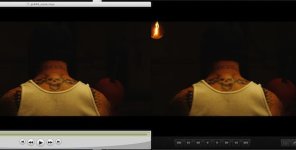
Mike, that's been covered many times and the end result is still a desaturated image. UNLESS you have some magic you wish to share. But does not seem to matter with codec set to auto or none---same result and latest OS etc.... And where are you setting FCP compatibilty mode? is that in QT 7 ? ---i don't believe an RCX function. But none-the-less, you can play with almost any output settings and the end result is going to be the same. You don't get what you see in RCX. And to color and not get what you see IS A BIG PROBLEM.
 
I might add that from the looks of it, most redusers seem to be working on either features, indi's or commercials and they look at dailies and often can work around this desaturation problem because they will ship it off to someone that will fix it and give them the look they want.

some of us will shoot for stock and sell stock so we have to have a clean, beautiful looking image for sale. In my case this is 50% of what i do. I shoot stock and am unacustomed to coloring a clip and not getting what i saw in transcode. And my stock agency will not even show a client one of these desaturated prores transcodes.

so there is obviously a clear need to give some attention to this problem. Looks great on camera and then in RCX, but that does me NOT ONE BIT OF GOOD if i can't print that and deliver it.
 
Mike, that's been covered many times and the end result is still a desaturated image. UNLESS you have some magic you wish to share. But does not seem to matter with codec set to auto or none---same result and latest OS etc.... And where are you setting FCP compatibilty mode? is that in QT 7 ? ---i don't believe an RCX function. But none-the-less, you can play with almost any output settings and the end result is going to be the same. You don't get what you see in RCX. And to color and not get what you see IS A BIG PROBLEM.

John, trying to help but without getting the info I asked for before or screenshots, you're not being very constructive.

As for magic that works for me all the time:
OSX 10.6.2
QT Player 7.6.3 (FCP compatibility on)
RCX 221
Prores 444 export with gamma correction set to none

screenshot:
pr4444b.jpg
bigger:
pr4444.jpg
 
Last edited:
Hi Mike,

To me, your QT and RCX images look different and exhibit the same symptoms we're talking about. The QuickTime is slightly washed and has a yellow tint compared to the RCX.

Try some brighter images to make the differences really stand out.

Regarding my test -

Compatibility = on
Gamma = 1.8
ProRes gamma correction = none
 
Hi John,

I hear you and agree completely. In your circumstance, perhaps you would be better to export DPX or uncompressed and then make your ProRes in After Effects or maybe even Compressor.

At least you wouldn't have to explain yourself to clients about it.

Jim

Looks great on camera and then in RCX, but that does me NOT ONE BIT OF GOOD if i can't print that and deliver it.
 
I think the reason that this problem is so hard to figure out is that there are multiple effects to sort out. For instance, there is undoubtably some QuickTime strangeness. On this machine (my laptop) I'm running 10.6.3, FCP 7.0.2 and QT Player 7.6.6 w/ FCS color compatibility enabled. ProRes 4444 with gamma correction set to 'None' matches what I see in RCX exactly in QT Player. On the other hand, transcodes to ProRes 422 HQ (otherwise the same settings) look washed out in QT Player. But then when I jump to FCP, both the ProRes 422 HQ and the ProRes 4444 look identical, and both match RCX.

Meanwhile, on our main transcoding machine at work, I'll occasionally transcode a batch of clips to ProRes 4444 via RCX/RedRocket and find that not only do they not match what I see in RCX (via either internal or external monitoring of HD-SDI), but they're so washed out as to be obviously just wrong; much worse than the QT Player ProRes 422 HQ issues I see with the software transcode on my laptop. Then later I might transcode the same clip again, and it will look fine (or at least not as obviously wrong; I haven't checked closely enough to see if there's some subtle shift).

I'm pretty sure this second thing is a different issue from any QuickTime-related gamma strangeness, and that's it's a bug in either RCX or with the Rocket.
 
Hi Mike,

To me, your QT and RCX images look different and exhibit the same symptoms we're talking about. The QuickTime is slightly washed and has a yellow tint compared to the RCX.

Try some brighter images to make the differences really stand out.

Regarding my test -

Compatibility = on
Gamma = 1.8
ProRes gamma correction = none

I chose a darker images because gamma shows bigger differences there.

Also, I overlaid the two images in photoshop and checked with color checker and they are pretty much identical (within one number). Given that Quicktime is changing the colors for display, that's expected. As well as one going through compression and the other is not.
 
Given that Quicktime is changing the colors for display, that's expected.

Isn't that what we're talking about? The fact that QuickTime is changing the colors?

I have no doubt the files are being written with accurate color info, but it's being bastardized as it goes down the line, requiring compensation to bring it back.

What we need is a way to get our files to look the same in FCP as they do in RCX. Anything else is academic.
 
Isn't that what we're talking about? The fact that QuickTime is changing the colors?

I have no doubt the files are being written with accurate color info, but it's being bastardized as it goes down the line, requiring compensation to bring it back.

What we need is a way to get our files to look the same in FCP as they do in RCX. Anything else is academic.

And the way to do that, without distorting the signal, would be to set up the display in a way that emulates the FCP display.

Any other solution will interfer with the signal.

It's called a LUT, but as not all displays accepts LUTs, you may werll do a ballpaky calibration...
 
Isn't that what we're talking about? The fact that QuickTime is changing the colors?

I have no doubt the files are being written with accurate color info, but it's being bastardized as it goes down the line, requiring compensation to bring it back.

What we need is a way to get our files to look the same in FCP as they do in RCX. Anything else is academic.

If you overlay the two images in photoshop, you can see that the images are essentially the same. If you're saying that a 1 number difference is too much, then even DPX will not work for you because the display is 8bit.

Compression will affect the colors as in the pixel in might not be exactly the same pixel out.

Each codec can do it's own conversion from RGB to YUV. This will also affect colors.

The worst offending piece is that each application in the apple world (QT player 7, QT player X, FCP) will interpret the footage depending on what it thinks the intention is based on the source. It then adjusts the gamma. Take the same clip into all three apps and they will display different gammas because it's making assumptions and changing gammas. Output a tiff from QTplayer, and it'll be different (like RCX in the cases where the gamma is changed more extremely).
 
I think the reason that this problem is so hard to figure out is that there are multiple effects to sort out. For instance, there is undoubtably some QuickTime strangeness. On this machine (my laptop) I'm running 10.6.3, FCP 7.0.2 and QT Player 7.6.6 w/ FCS color compatibility enabled. ProRes 4444 with gamma correction set to 'None' matches what I see in RCX exactly in QT Player. On the other hand, transcodes to ProRes 422 HQ (otherwise the same settings) look washed out in QT Player. But then when I jump to FCP, both the ProRes 422 HQ and the ProRes 4444 look identical, and both match RCX.

Meanwhile, on our main transcoding machine at work, I'll occasionally transcode a batch of clips to ProRes 4444 via RCX/RedRocket and find that not only do they not match what I see in RCX (via either internal or external monitoring of HD-SDI), but they're so washed out as to be obviously just wrong; much worse than the QT Player ProRes 422 HQ issues I see with the software transcode on my laptop. Then later I might transcode the same clip again, and it will look fine (or at least not as obviously wrong; I haven't checked closely enough to see if there's some subtle shift).

I'm pretty sure this second thing is a different issue from any QuickTime-related gamma strangeness, and that's it's a bug in either RCX or with the Rocket.
Ive seen the same issue where footage transcodes was obviously processed wrong. Once retranscoded, it would look correct. Looked to be some sort of rcx bug. As if the color grade didn't take the first time around. Set us back a few hours each day on set transcoding. That, along with the frequent crashes were enough to drive our Dit crazy although he worked hard and stayed focused despite the problems.
 
@ Gunleik - Good advice. I was avoiding the term LUT because my monitor won't take one! I'm thinking of creating a monitor setting that matches FCP to RCX and using that to grade on. As you say, ballparky may be as close as we get.

@ Mike - I don't mean to argue, all I'm saying is I'm getting about the same amount of difference you are between RCX and QT, and I don't think it's close enough. I also understand the reasons why. But this thread is about coming up with a working solution and we need to stay focused on that goal.

----------

So collectively are we thinking that adjusting the FCP screen to closely match the RCX screen and create a LUT (or ballparky monitor setting) to use with RCX is the best way forward for the time being?

If so, what's the best way to do this to have any hope for consistent results? Shoot a chart and run it through? Or just as few good examples of real world footage and fine tune it?
 
@ Gunleik - Good advice. I was avoiding the term LUT because my monitor won't take one! I'm thinking of creating a monitor setting that matches FCP to RCX and using that to grade on. As you say, ballparky may be as close as we get.

@ Mike - I don't mean to argue, all I'm saying is I'm getting about the same amount of difference you are between RCX and QT, and I don't think it's close enough. I also understand the reasons why. But this thread is about coming up with a working solution and we need to stay focused on that goal.

Unless it's exactly 100% the same pixel how it could get much closer? Creating a lut, etc wouldn't get you any closer. If you look at the two images I posted and over lay them in photoshop, they really are only one number difference between the two. For example I got 182,150,73 on the quicktime and 182,150,74 on the screenshot from RCX for the pixels. What's close enough mean? You're going from uncompressed 8 bits RGB on the monitor to a 10bit DCT compression in prores so it has to change the numbers a bit.
 
Mike. I see your logic, but it doesn't help when the images are visibly and undeniably seen as different.
If these measurements are from linear image data, I can see how they happened. In this case I choose to trust my eyes... -:) And I do see significant difference in Jims images...

In my case it was basically NOT too serious. different softwareversions created most of the trouble (we're not snow leopard guys over here... Hardly leopard! -:)) A couple of software updates on one of the computers took care of a lot of the issue.

The rest I'll sort out by setting my own monitors at lower contrast, and a bit brighter.

It's ballparky. But this is for prores 1080 offline files. ( -:) )
We can live with that.

Actually plays out pretty nice...

As to "How to do this"

Get some kind of test-image that involves a lot of colors and levels in RAW. A mabeth would be cool. The ones I have posted works magic...

Make an adjustment in your reference application, and set up monitor profiles that make it look identical/as similar as you can manage in the other applications...

I would guess a FCP SDI output OR Color SDI output would be good reference points... (though these two may very well NOT be similar...)

Make your choice from the final point, not the initial...
 
Mike. I see your logic, but it doesn't help when the images are visibly and undeniably seen as different.
If these measurements are from linear image data, I can see how they happened. In this case I choose to trust my eyes... -:) And I do see significant difference in Jims images...

How can be seeing visibly and undeniably different apply when the screenshots look 99.5% the same?

Of course there is a difference in jims images because it's probably not using the same path as what I'm doing. I thought the point was to show how to do it so there isn't a problem, not to prove that because there's a way to get a mismatch, that there's no way to do it properly.

If I can get a 99.5% match, it's that acceptable (I think it is given the compression involved otherwise we'd be talking uncompressed and 8bit) and can someone else replicate with the same settings as me. Because for me it works all the time in my setup.
 
Good.

As I said, my issues turned out to be rather minor...

But it is a problem when the images look too different, like in Jims example... -:)
 
I think there is some talking at cross purposes going on here. I think Mike is saying that the images in his example match (which they appear to do to me) and others appear to think he is saying that Jim's images match (which clearly they do not).
 
Back
Top