Welcome to our community

Be a part of something great, join today!

  • Hey all, just changed over the backend after 15 years I figured time to give it a bit of an update, its probably gonna be a bit weird for most of you and i am sure there is a few bugs to work out but it should kinda work the same as before... hopefully :)

REDCINE-X for Windows...

Jannard

Red Leader
Joined
Dec 28, 2006
Messages
8,248
Reaction score
7
Points
0
THANK YOU, THANK YOU, THANK YOU!!! I had a shot that was waaaay underexposed (ISO1000) that was shot in a greenscreen studio. Let me say, that I tried to key it, but the result was so poor that I thought I was "the F-word"... However, I installed Redcine-X, did the adjustments with the FLUT, and damn!! I now pull the absolutely best key ever!! You just did some serious software magic here. What happened to the ugly blotchy blue channel huh?!?! Now it looks way way cleaner..

So thank you once again!

/Regards Peter K
 
We hope that all you Windows guys and gals will download and test... we need some feedback.

Jim
 
Fantastic, thanks Jim. I'm going to play with that test you corrected for me a while ago and see the difference.

As Justin said, much appreciated, the speed of getting this Windows version out that is.
 
OK, thank you, some feedback then :

- first I appreciate that Red didn't make the Windows users wait several months to use the Mac improvements things
- the Redcine-X itself : giving free of charge a small first-light grading app is a great thing
- it's hard to judge as it's in beta, but the interface isn't practical for me. There should be a way to dispatch all the floating windows within the screen automatically. The interface should fit in a 19" screen as well, just like all the other usual apps : Adobe, speedgrade, fusion, mocha, etc... Sure, it's more practical to have larger screens, but there are mobile devices, etc...
- the export options : right now, using the FLUT feature on recent or old footage is only possible with small projects (commercials, music videos) where you have enough disk space to store the 4K DPX/TIF files.
I didn't get any answer about a time estimate for the Adobe plugin, so I guess we'll have to wait 1 year... We can't even edit footage from the last build. If these editing options depend only on third-party developpers once they get the SDK, I think it would be nice from Red to allow some basic conform with Redcine (EDL import) because right now you can't use the FLUT on larger projects like features. I'm color correcting a feature, and it's a shame that I can't use it. I won't buy 20 1TB hardisks to export the TIF files, to realize, in a few months (?) that the Adobe plugin is released and that I spent all this time and money for nothing.

Thanks for your great work !
 
When I make a new export preset, and enter the setup of quicktime file, and then press OK to save the new setup, the preset window goes beyond the program main window.
At first I thought it just disappeared, and tried several times. Every time same thing, then by coincidence I minimized the main program window and found all the export preset windows there, "waiting" to clik OK.
 
- I like the background render feature.. Where can I watch the render progress..
 
UI comment:
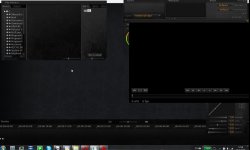
I have an 1920x1200 screen, and the default layout doesnt seem to work very well.
It would be nice to have default (quickly acessible), auto-aligning workspaces like in adobe photoshop or lightroom.

Regards, Matt
 

Attachments

  • screen.jpg
    screen.jpg
    78.4 KB · Views: 0
When I make a new export preset, and enter the setup of quicktime file, and then press OK to save the new setup, the preset window goes beyond the program main window.
At first I thought it just disappeared, and tried several times. Every time same thing, then by coincidence I minimized the main program window and found all the export preset windows there, "waiting" to clik OK.

And I thought I could not modify the qt export settings. Welldone Kujtim, this must have been happening to previous versions also, at some point I stopped trying to export DNxHD with qt.
:thumbup:
 
Back
Top