Jannard
Red Leader
- Joined
- Dec 28, 2006
- Messages
- 8,248
- Reaction score
- 7
- Points
- 0
REDCINE-X Build 454
http://red.cachefly.net/redcinex/eval/REDCINE-X_build_454_mac32.zip
http://red.cachefly.net/redcinex/eval/REDCINE-X_build_454_mac64.zip
http://red.cachefly.net/redcinex/eval/REDCINE-X_build_454_win32.zip
http://red.cachefly.net/redcinex/eval/REDCINE-X_build_454_win64.zip
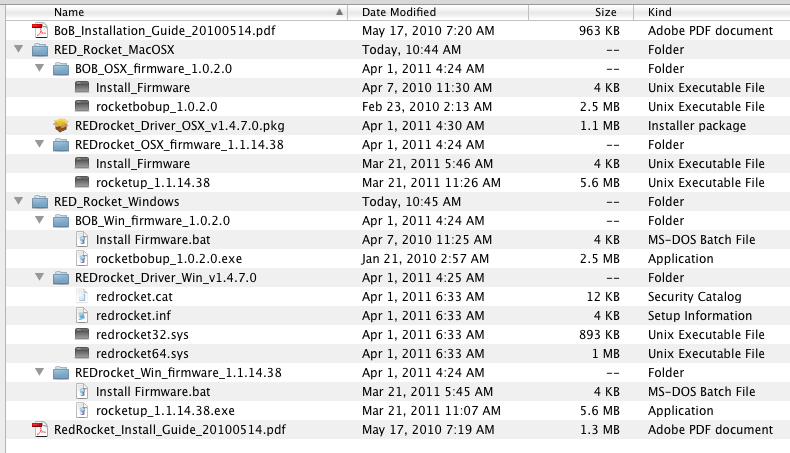
Rocket Firmware
http://red.cachefly.net/rocket/RED_Rocket_Installer_v1.4.7.zip
Change list 452 -> 454:
ï Fixed the double spin boxes in the clip settings frame to no longer steal
focus and change values when using the scroll wheel over them to scroll the
entire window.
ï Fixed scroll focus issues on spin boxes and combo boxes fixed.
ï Fixed scopes appearing with a zero height on startup in some cases.
ï Fixed bug where frame number/timecode edit fields on the Viewer couldn't
be edited.
ï Fixed handling of slugs when exporting XML/EDL from the menu.
ï Make sure look and framing settings update properly in certain cases after
pausing in the video player.
ï Turn off/gray-out in the scopes when coming out of monitor out mode.
ï Make video player window active after double clicking on a clip.
ï More robust handling of decode mode changes from the viewer. Fixes random
crash.
Jim
http://red.cachefly.net/redcinex/eval/REDCINE-X_build_454_mac32.zip
http://red.cachefly.net/redcinex/eval/REDCINE-X_build_454_mac64.zip
http://red.cachefly.net/redcinex/eval/REDCINE-X_build_454_win32.zip
http://red.cachefly.net/redcinex/eval/REDCINE-X_build_454_win64.zip
Rocket Firmware
http://red.cachefly.net/rocket/RED_Rocket_Installer_v1.4.7.zip
Change list 452 -> 454:
ï Fixed the double spin boxes in the clip settings frame to no longer steal
focus and change values when using the scroll wheel over them to scroll the
entire window.
ï Fixed scroll focus issues on spin boxes and combo boxes fixed.
ï Fixed scopes appearing with a zero height on startup in some cases.
ï Fixed bug where frame number/timecode edit fields on the Viewer couldn't
be edited.
ï Fixed handling of slugs when exporting XML/EDL from the menu.
ï Make sure look and framing settings update properly in certain cases after
pausing in the video player.
ï Turn off/gray-out in the scopes when coming out of monitor out mode.
ï Make video player window active after double clicking on a clip.
ï More robust handling of decode mode changes from the viewer. Fixes random
crash.
Jim