Welcome to our community

Be a part of something great, join today!

  • Hey all, just changed over the backend after 15 years I figured time to give it a bit of an update, its probably gonna be a bit weird for most of you and i am sure there is a few bugs to work out but it should kinda work the same as before... hopefully :)

REDCINE-X ACES colorspace?

Aidan Fraser

New member
Joined
Dec 19, 2012
Messages
3
Reaction score
0
Points
0
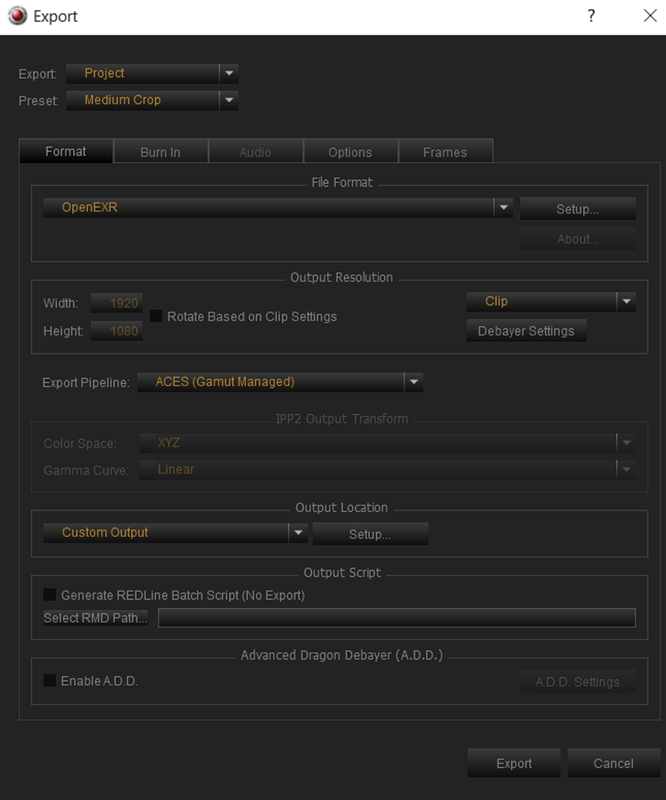
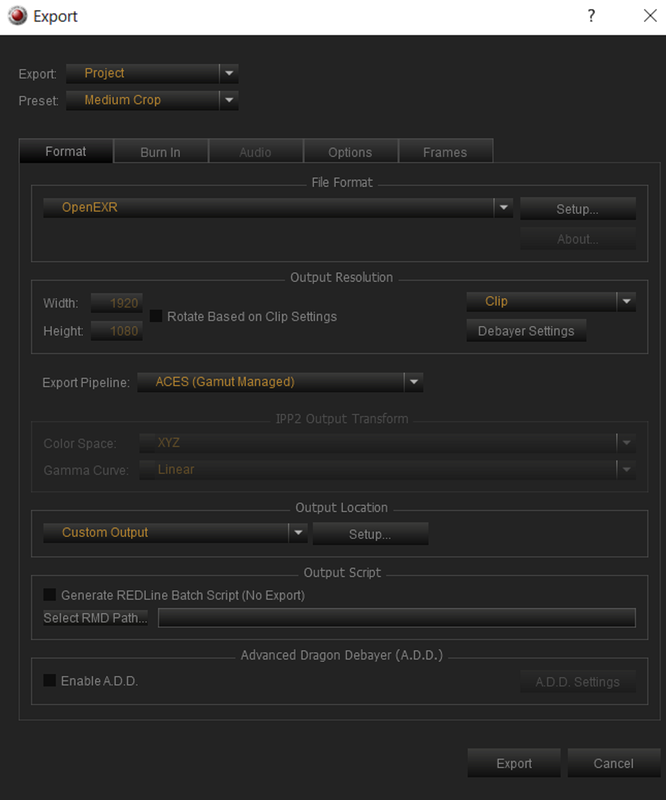
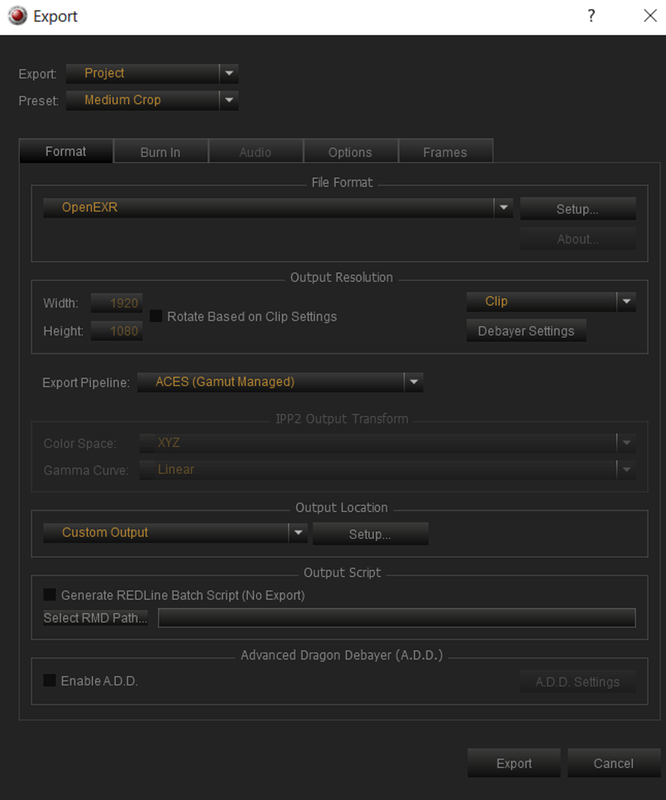
What Colorspace is export when using the ACES Export Pipeline to export exrs?

When I export exrs from REDCINE-X pro and bring said exrs into Nuke they seem to be in a double REDWideGamut colorspace. I have to do two AP0 to REDWideGamut -linear OCIO nodes, then convert to REDLog3G10, then the standard rec709 ODT LUT to match what I see in REDCINE-X Pro.
vs
When I bring the same R3D file into nuke it comes in as REDLog3G10 as expected.

I don't seem to have any control over the exr colorspace in REDCINE-X Pro, unless I am doing something wrong.

footage is from RED Weapon Gemini 5K S35, if that matters

Thanks
 

Attachments

  • ACES_export.jpg
    ACES_export.jpg
    77.8 KB · Views: 0
Aidan,

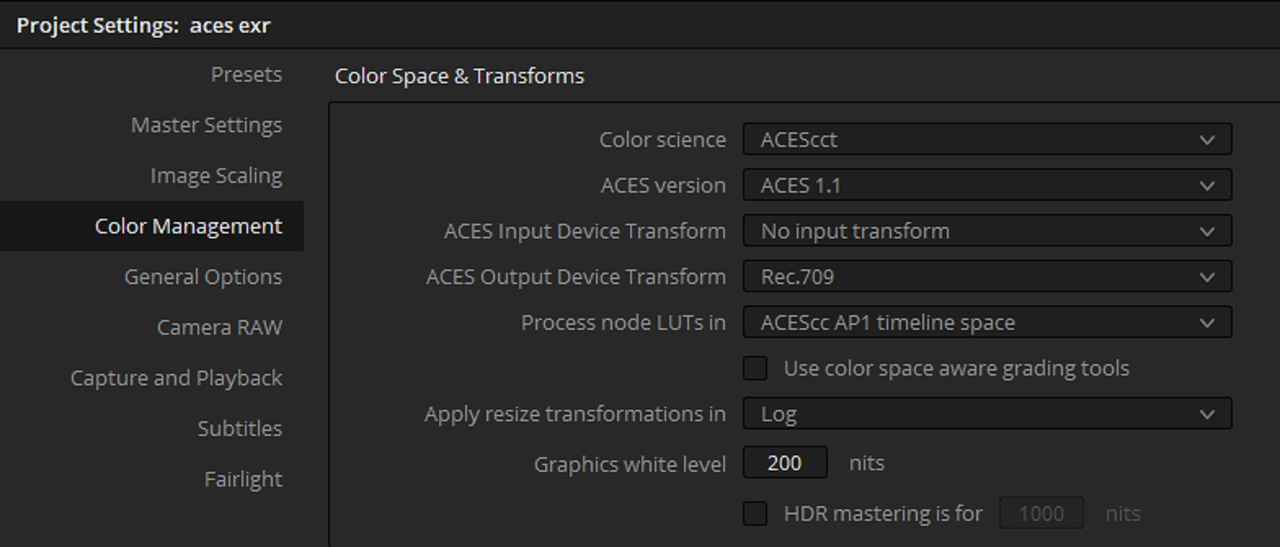
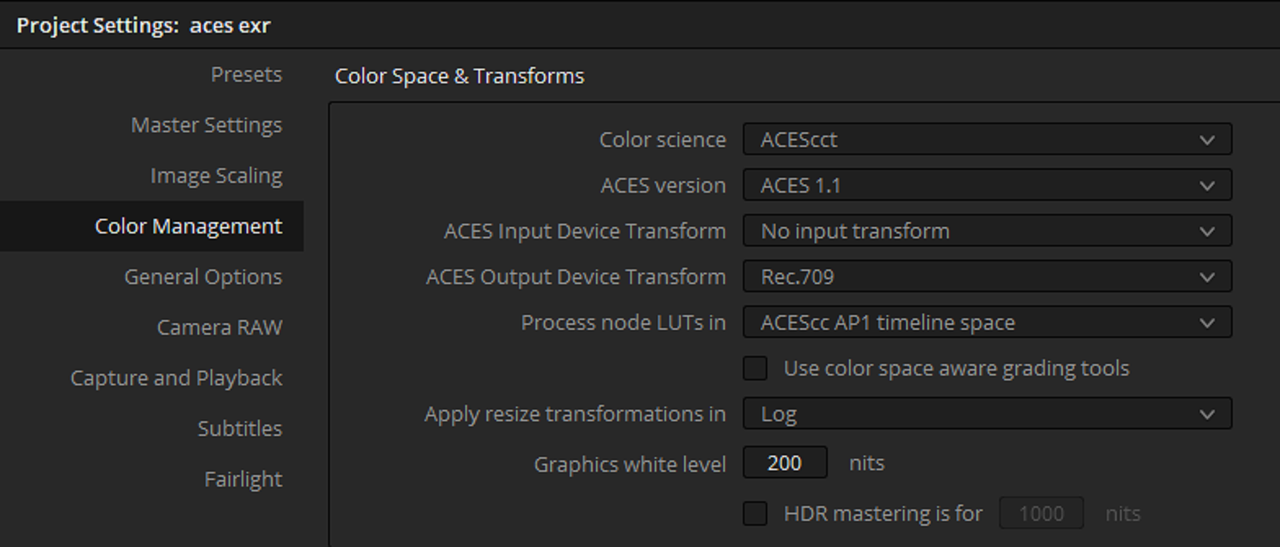
I don't know about Nuke but in Davinci Resolve it brings the EXR files already transformed like all other "Raw" files. However, I might not fully understand your specific workflow.

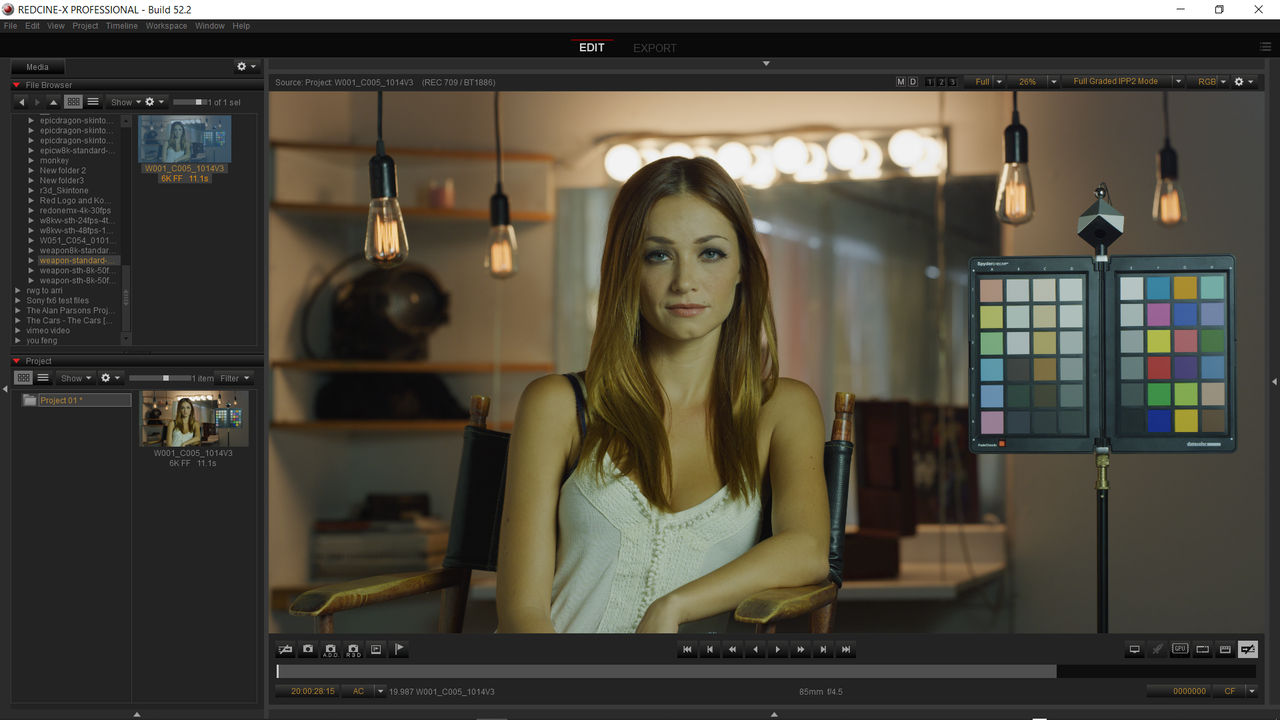
Redcine-X

Screenshot-972.png


Screenshot-982.png


Davinci Resolve

Screenshot-977.png


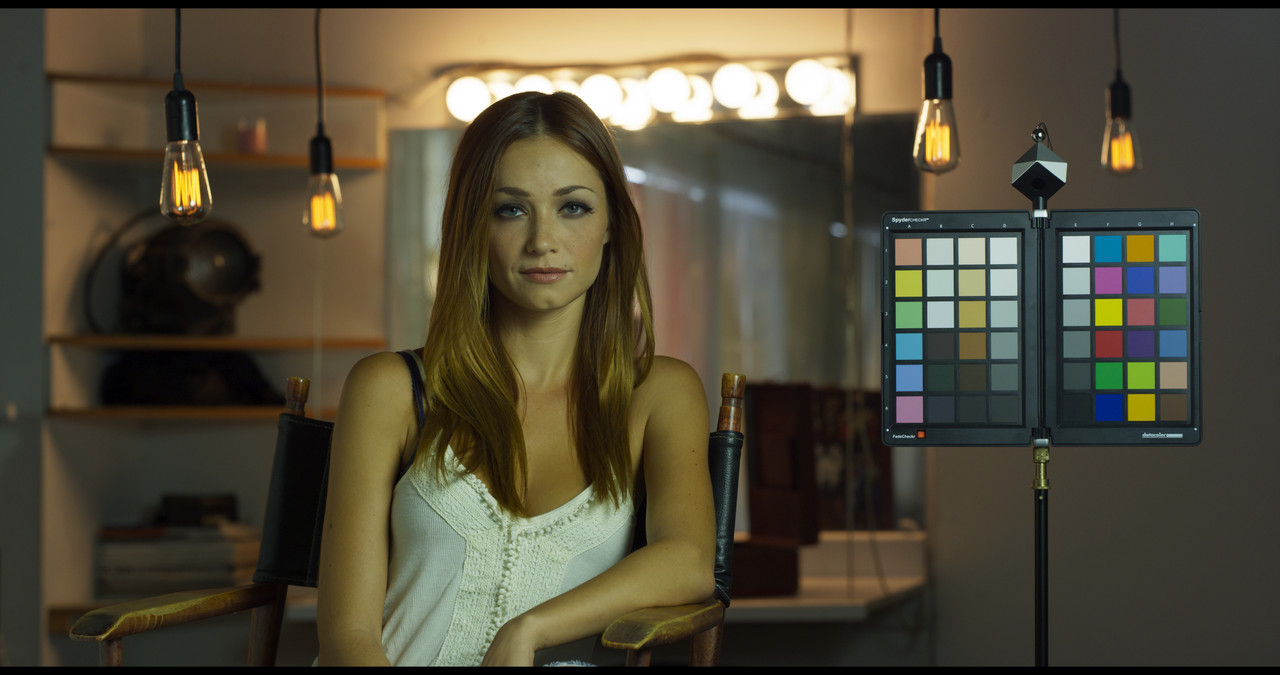
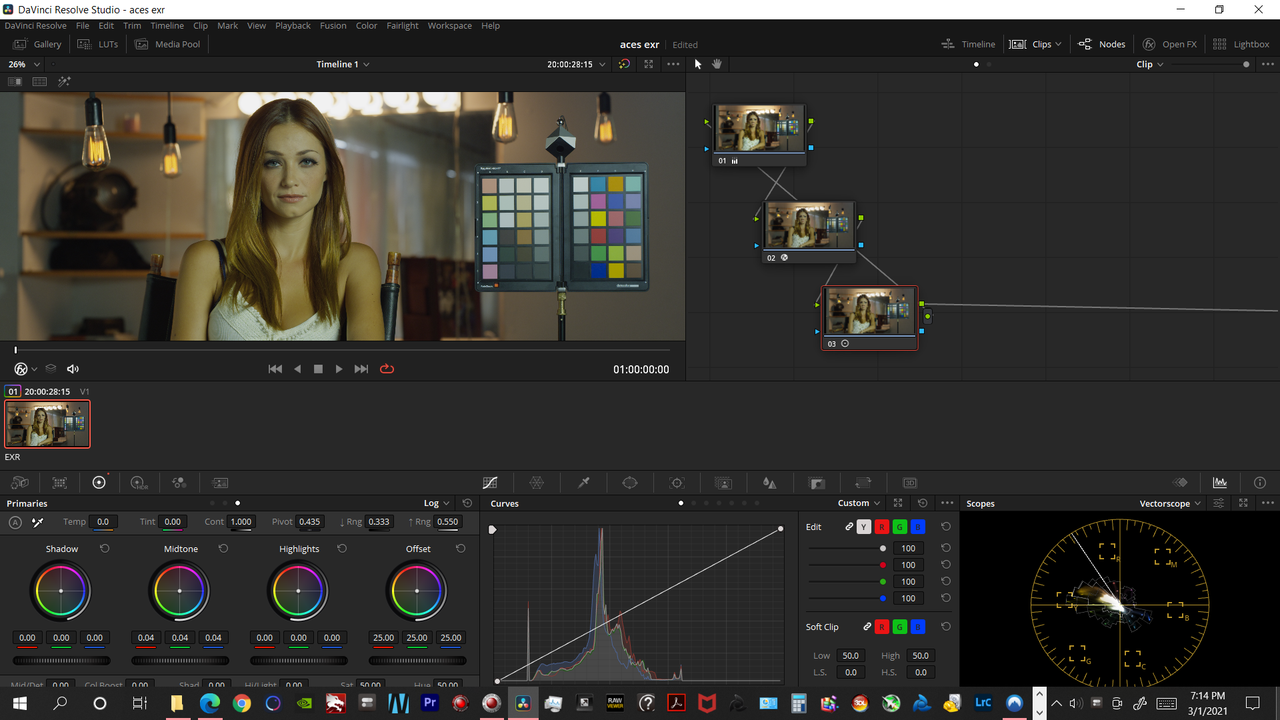
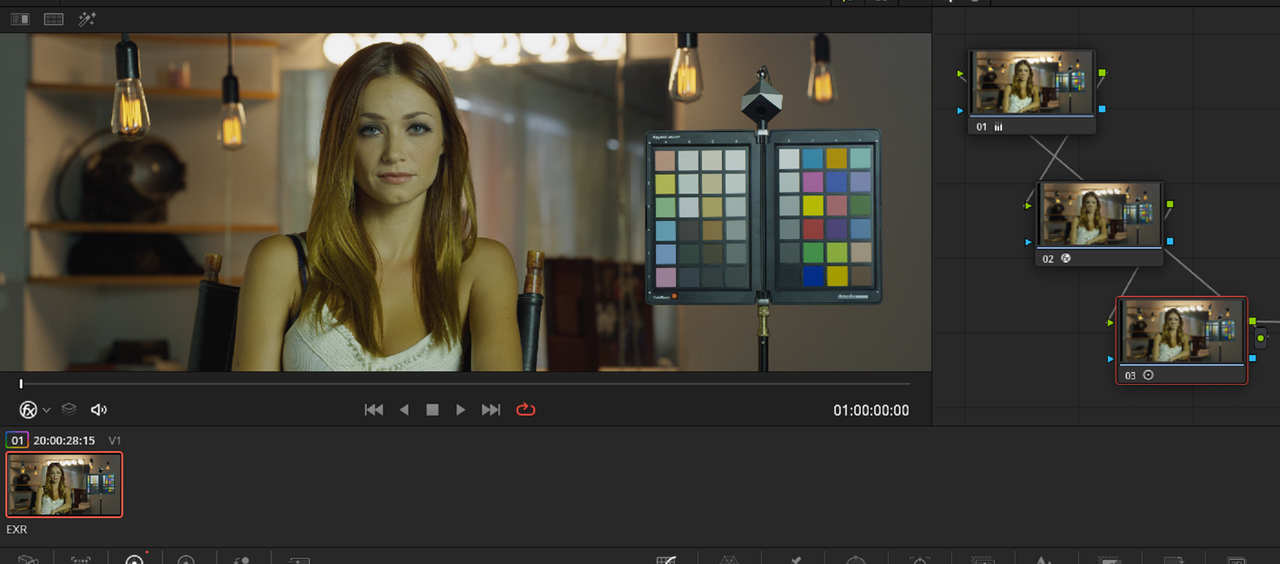
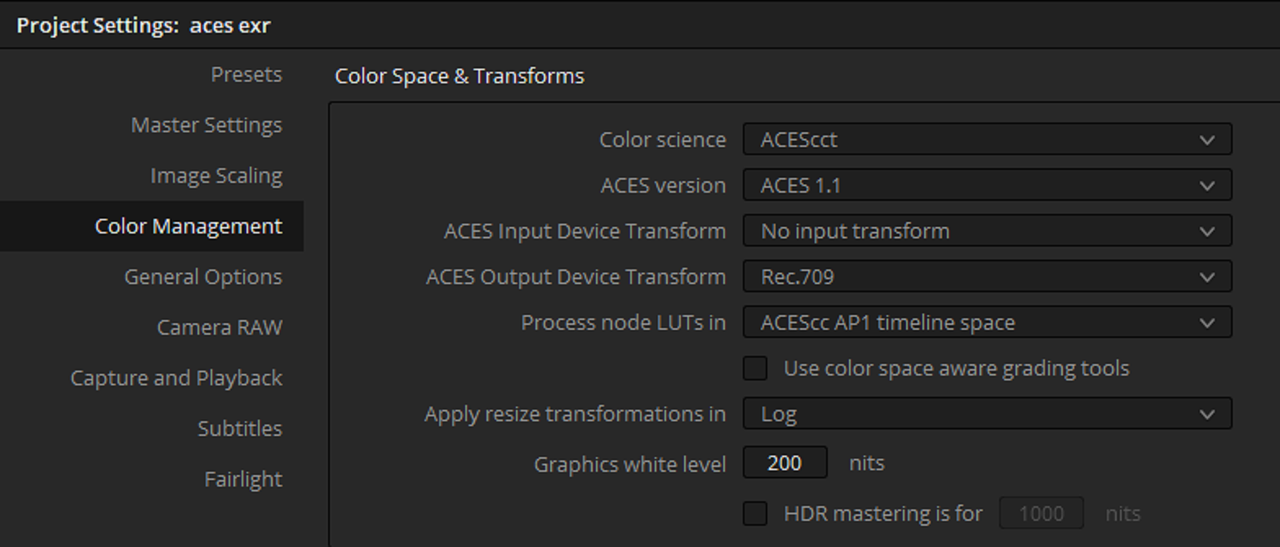
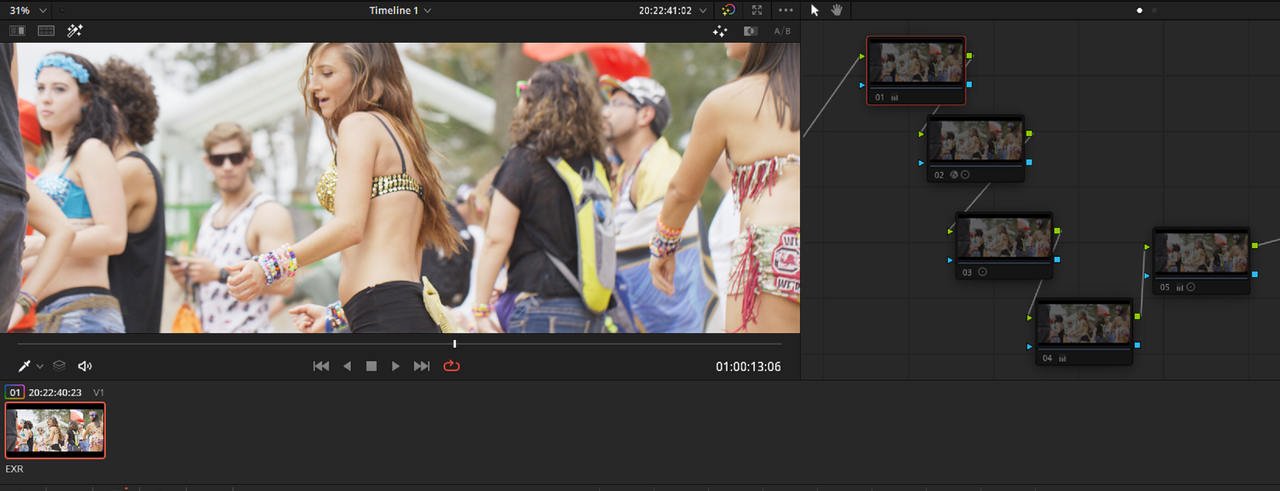
How the EXR file looks when it comes into Resolve

1-1-2-1-1-2.jpg


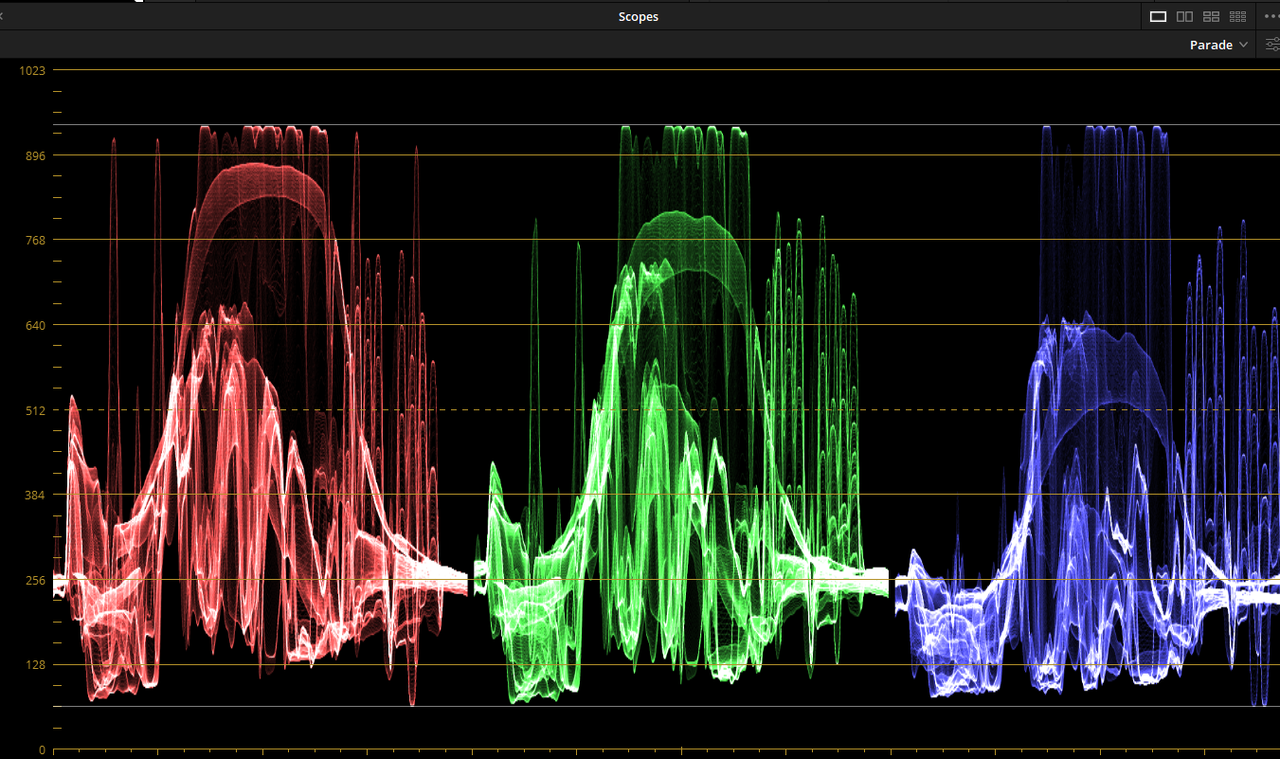
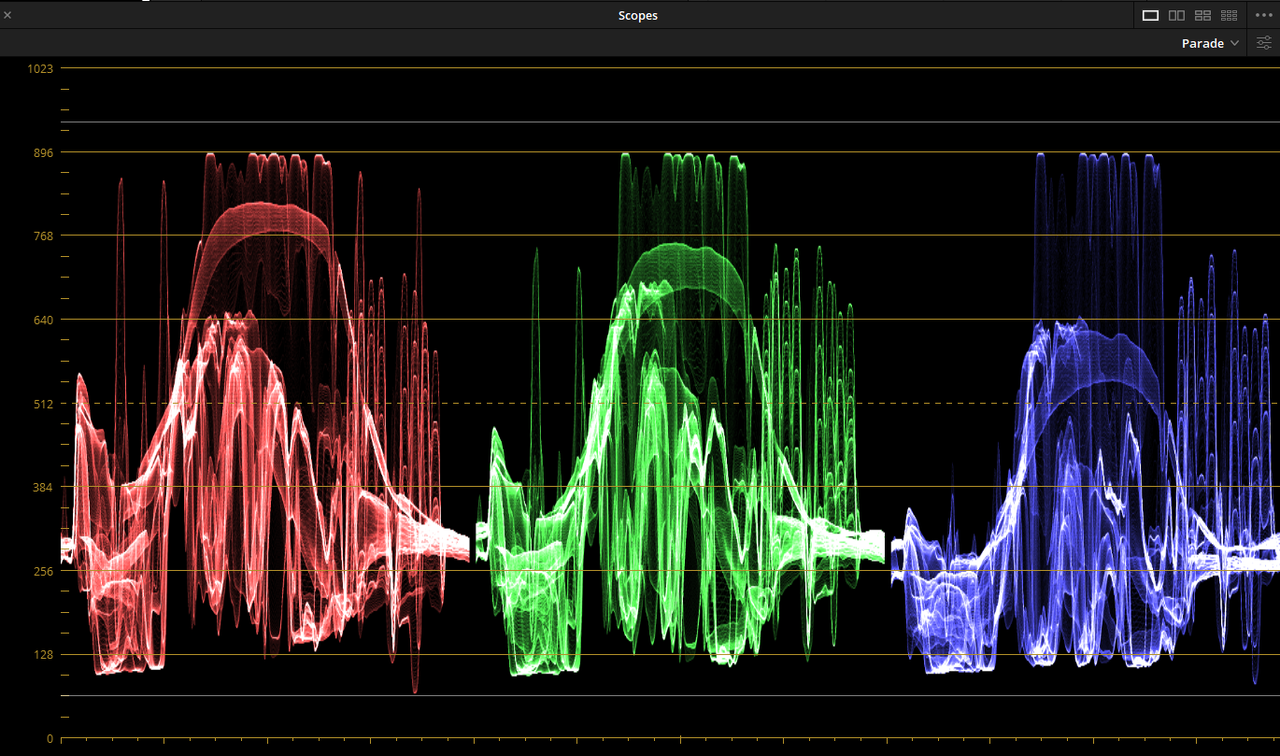
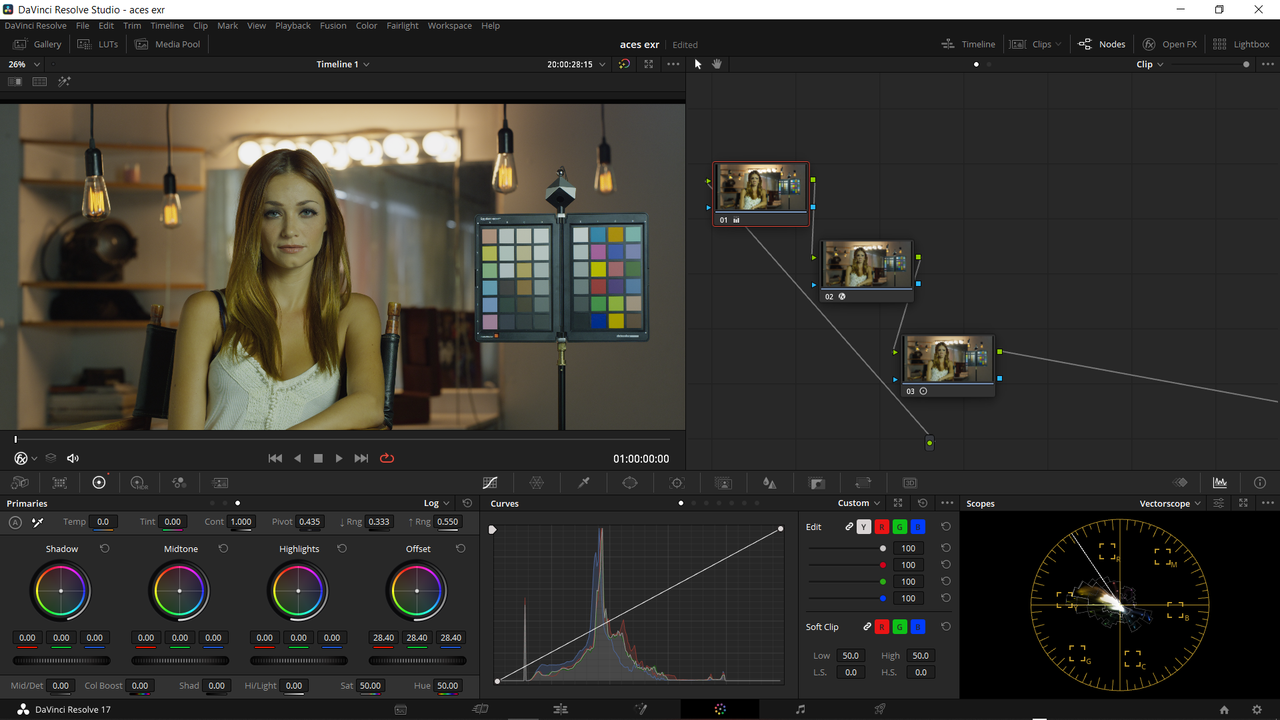
The Upper and Lower white lines are 940 for highlights and 64 for shadows for "Video"

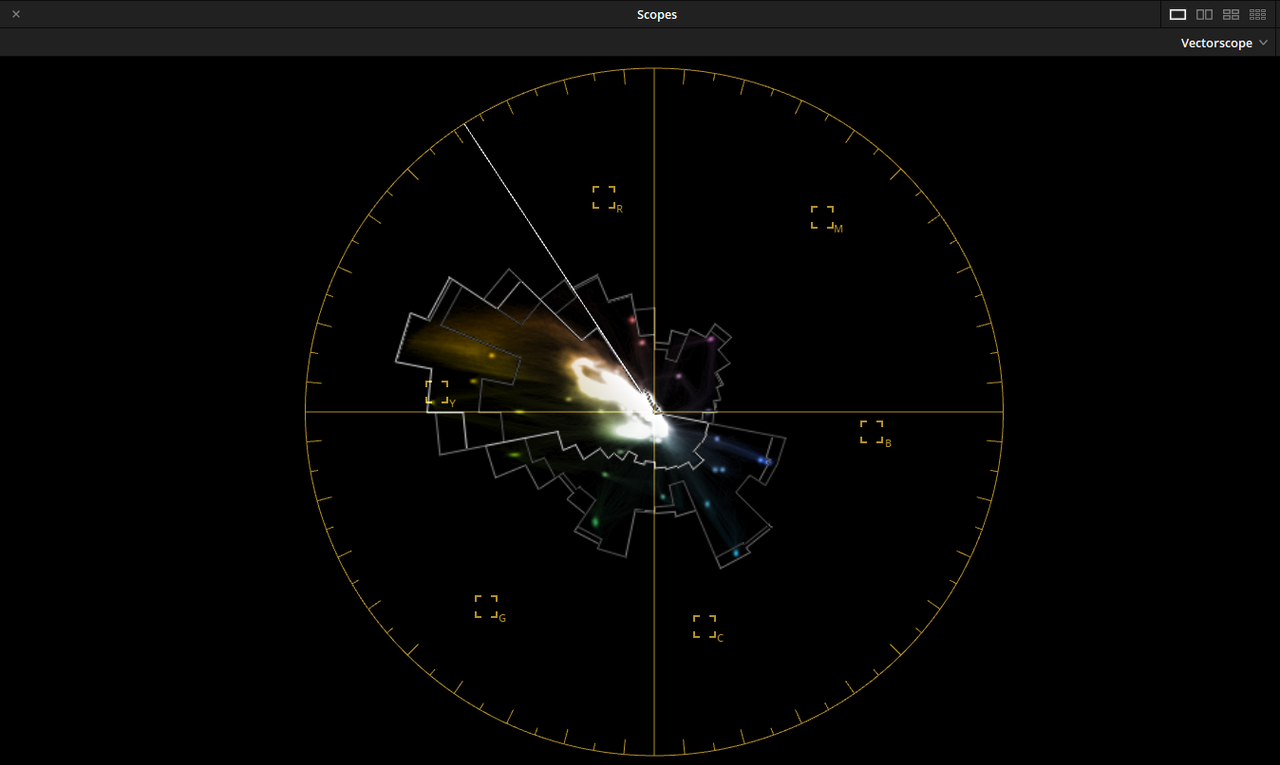
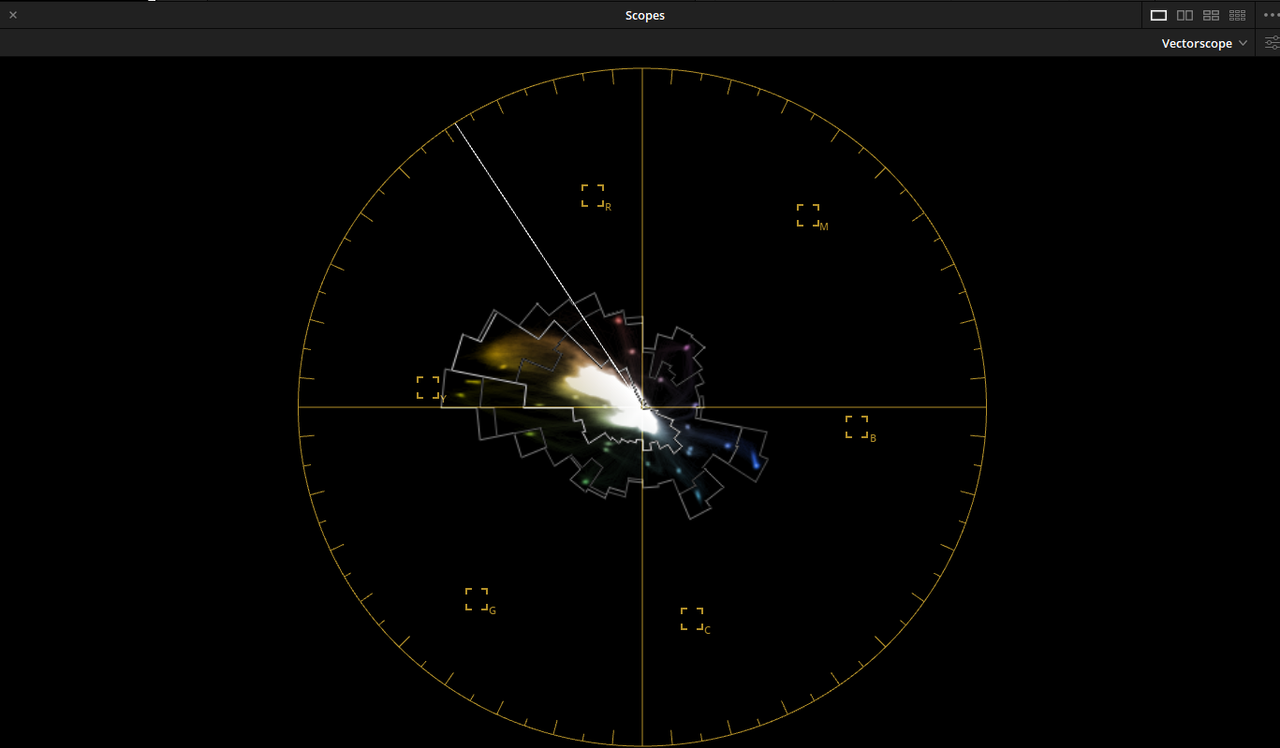
Tone-Mapping looks ok but could be better but Gamut-Mapping for yellow for broadcast looks awful

Screenshot-994.png


Screenshot-996.png


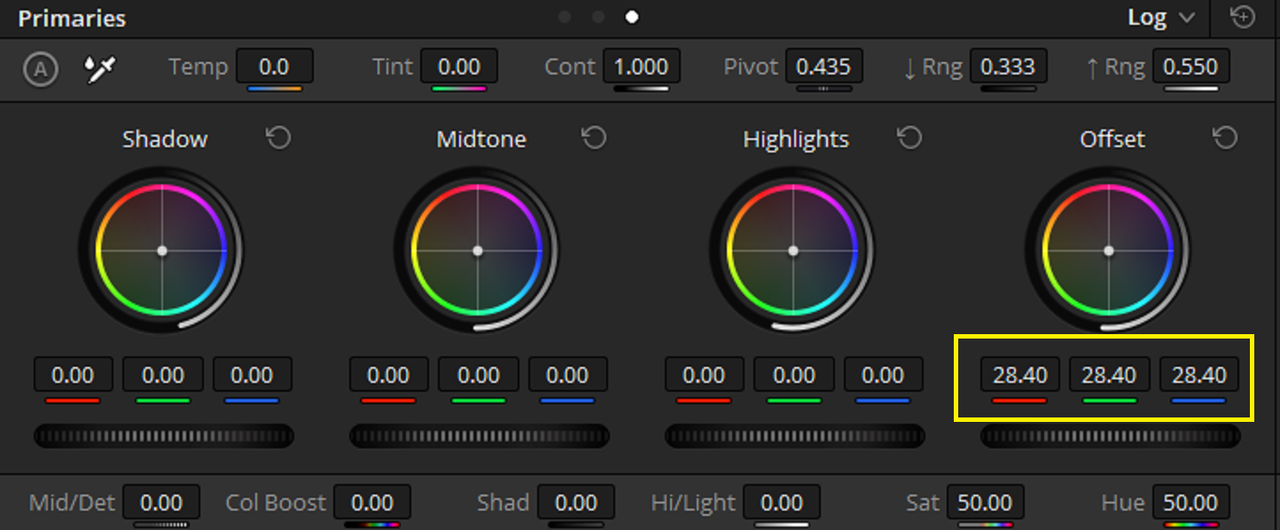
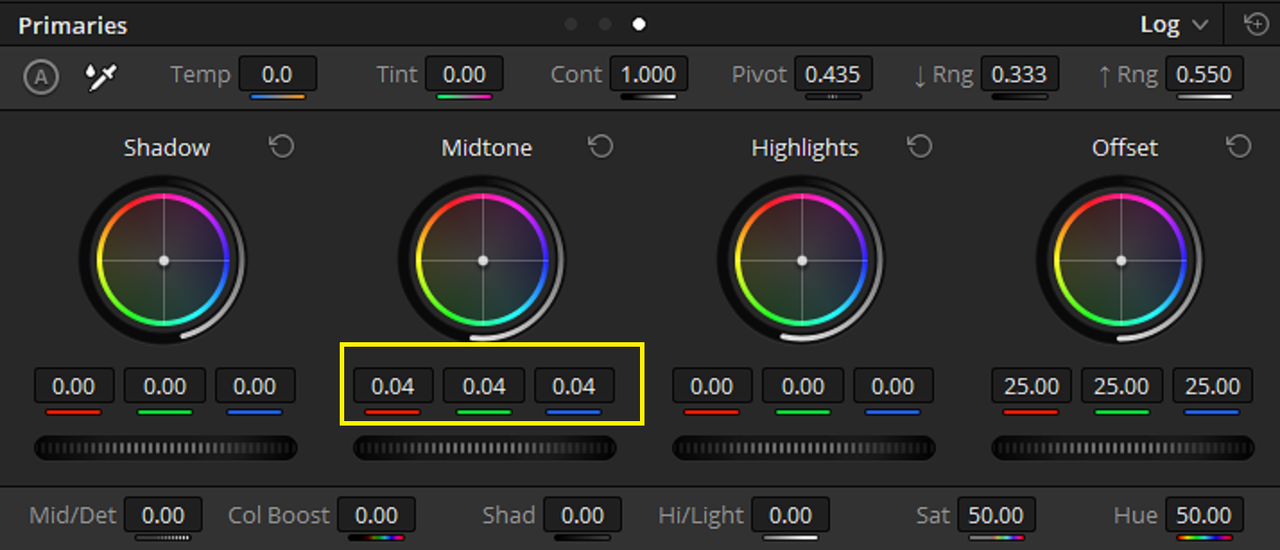
1) Changed "Offset" to 28.40

Screenshot-985.png


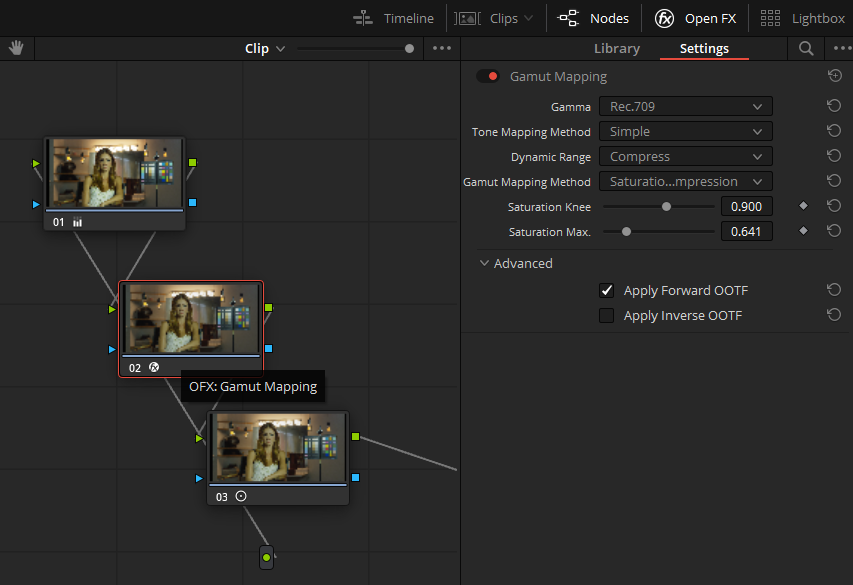
2) OFX "Gamut Mapping" ( Includes Tone and Gamut Mapping adjustments)

Screenshot-992.png


3) Plus 4 Log "Midtone"


Screenshot-987.png


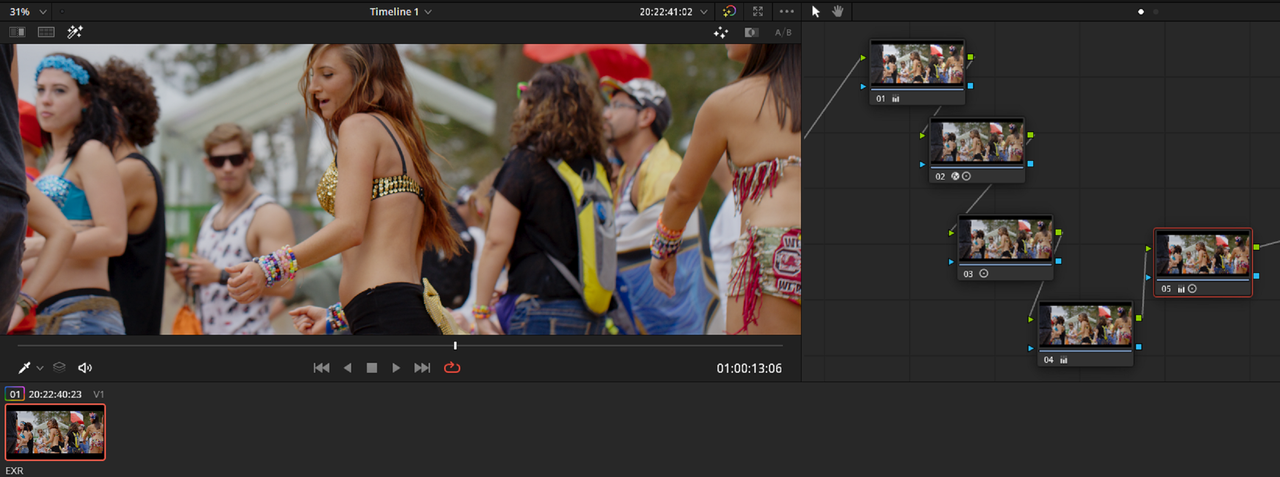
Better Tone-Mapping and Gamut Mapping

Screenshot-995.png


Screenshot-993.png


Screenshot-981.png


Screenshot-981-2.png


Screenshot-980.png


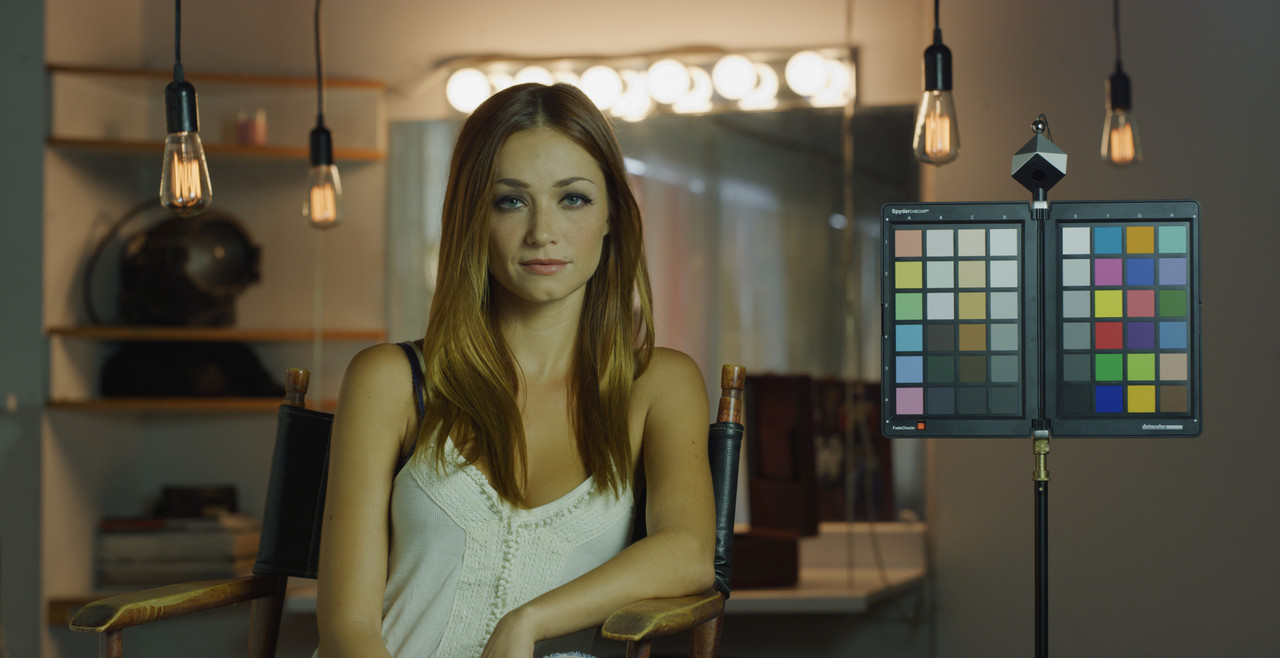
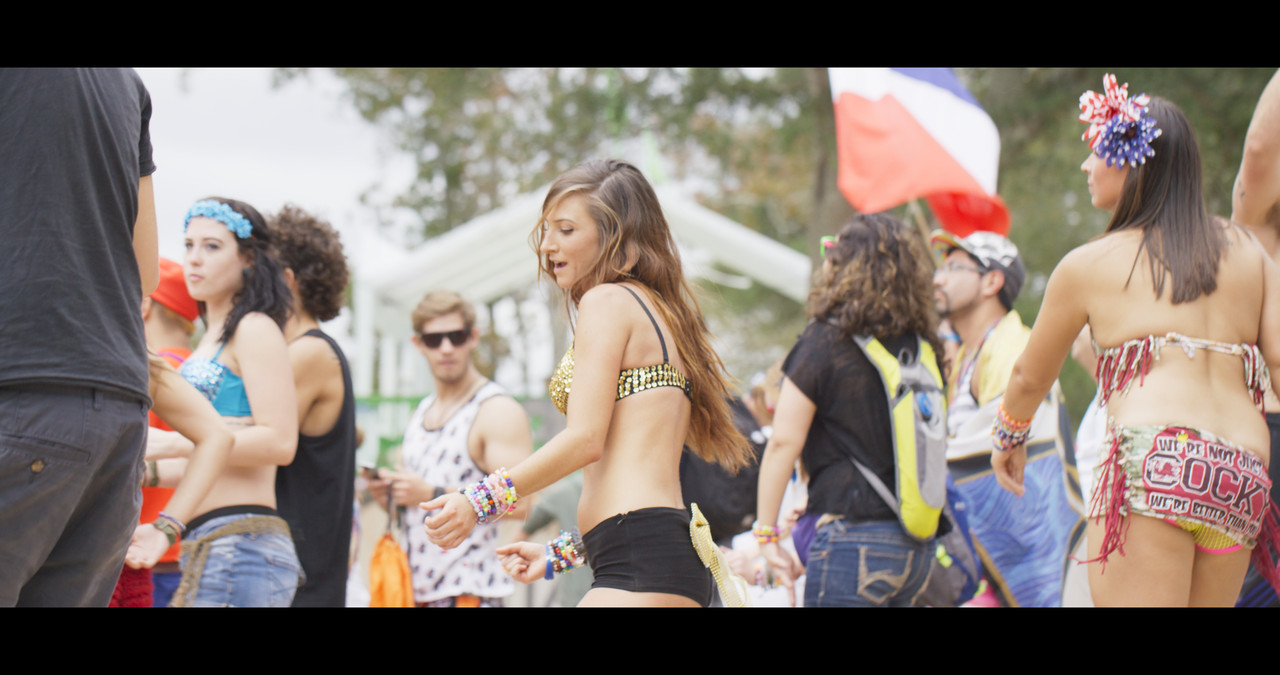
Redcine-X Original

W001-C005-1014-V3-0000000.jpg


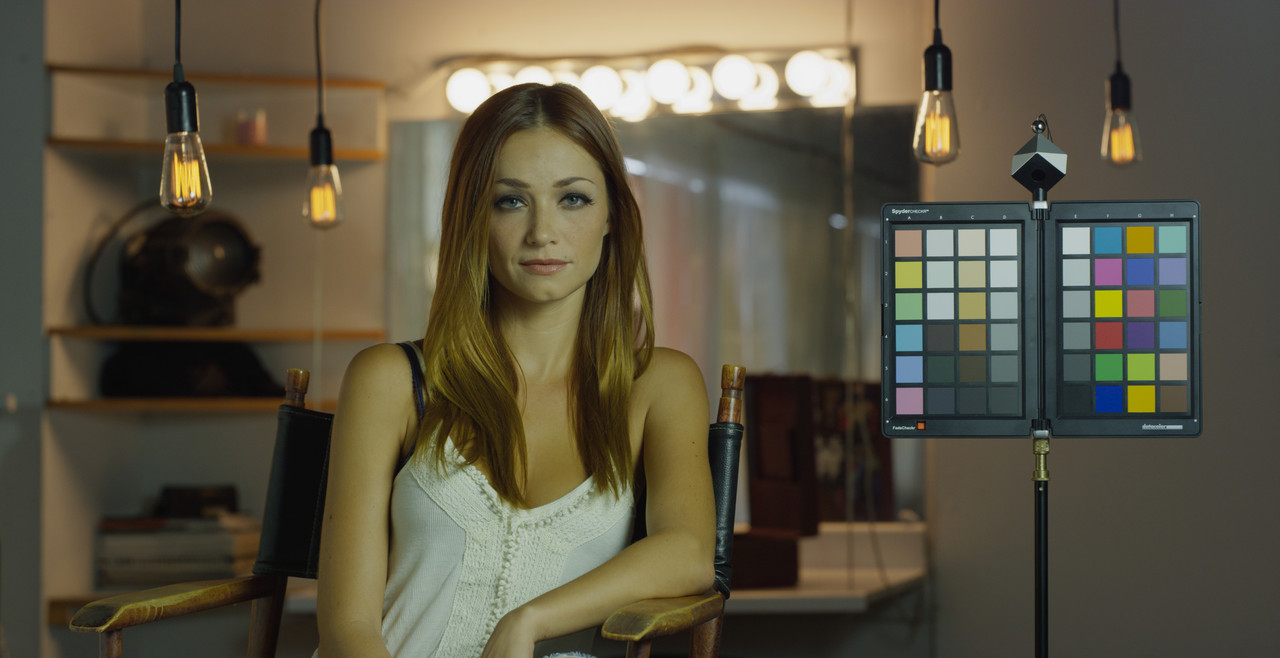
Davinci Resolve EXR

1-1-4-1-1-4.jpg
 
Last edited:
Thanks for the response Rand. I have yet to learn Resolve, so I'm not sure what you are doing to make it match. The main question is how do I know what colorspace the exr is in?
I guess I need to try the nuke forums.
Time to learn Resolve!
 
Aidan,

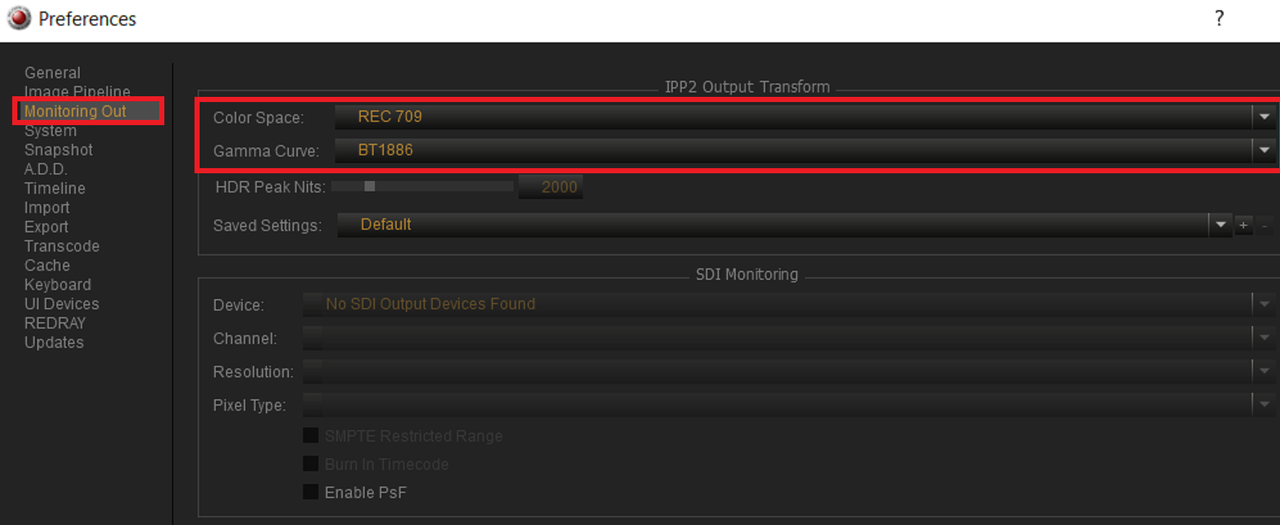
Just look under "Preferences" then "Monitoring Out". Yeah, Resolve is great! Let me know if I can do anything to help.

Screenshot-984.png
 
I updated post #2 with a screengrab of the exact settings changes I made to the EXR file
 
Thanks! that should help for jumping into Resolve.
For the record, I was doing it wrong in nuke. :-)
Got confused between "REDLog3G10 - REDWideGamutRGB" and "Curve - REDLog3G10"
Here's how those exrs out of REDCINE-X should be converted in nuke:
 

Attachments

  • OCIO_colorspace_node.jpg
    OCIO_colorspace_node.jpg
    17.8 KB · Views: 0
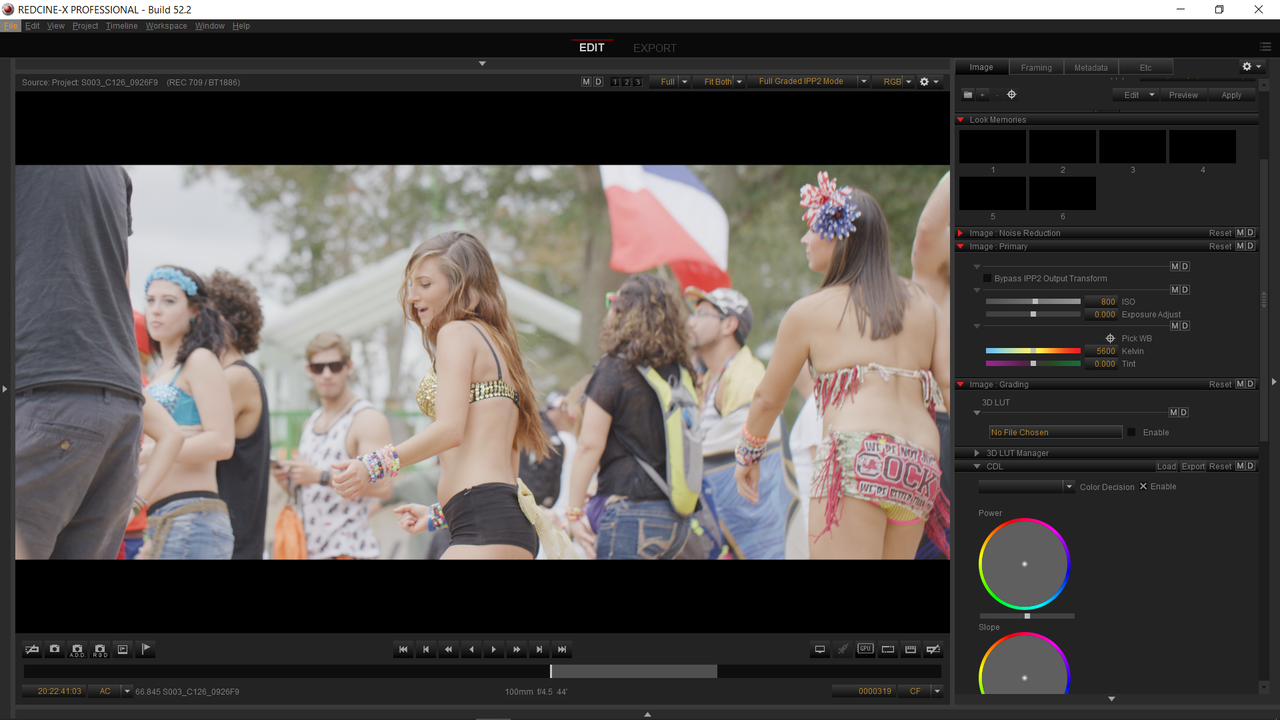
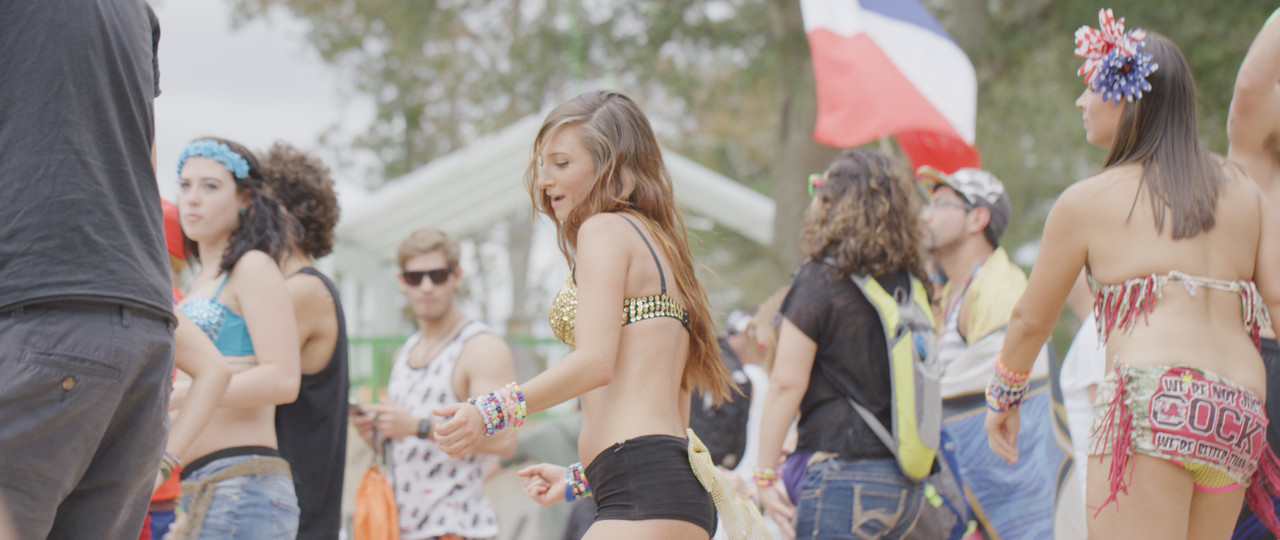
Here's another example with an over-exposed image at 800ISO. forgive me that I don't include all the scopes and correction settings from last time.:thumbsup:

Redcine-X

Screenshot-1009.png


S003-C126-0926-F9-0000319.jpg


Screenshot-982.png


Davinci Resolve

Screenshot-977.png


Before Correction Nodes

Screenshot-1012.png


1-1-1-1-1-1.jpg


After Correction Nodes

Screenshot-1013.png


1-1-2-1-1-2.jpg


1-1-4-1-1-3.jpg


1-1-3-1-1-3.jpg
 
Last edited:
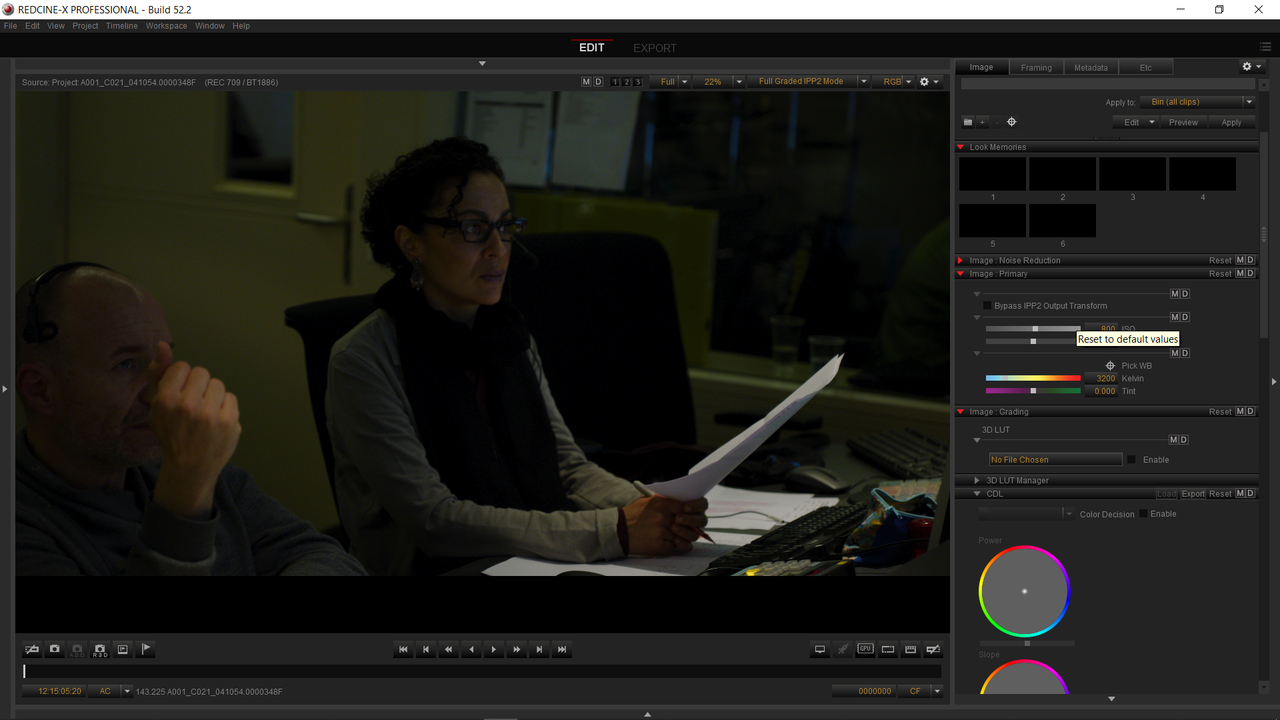
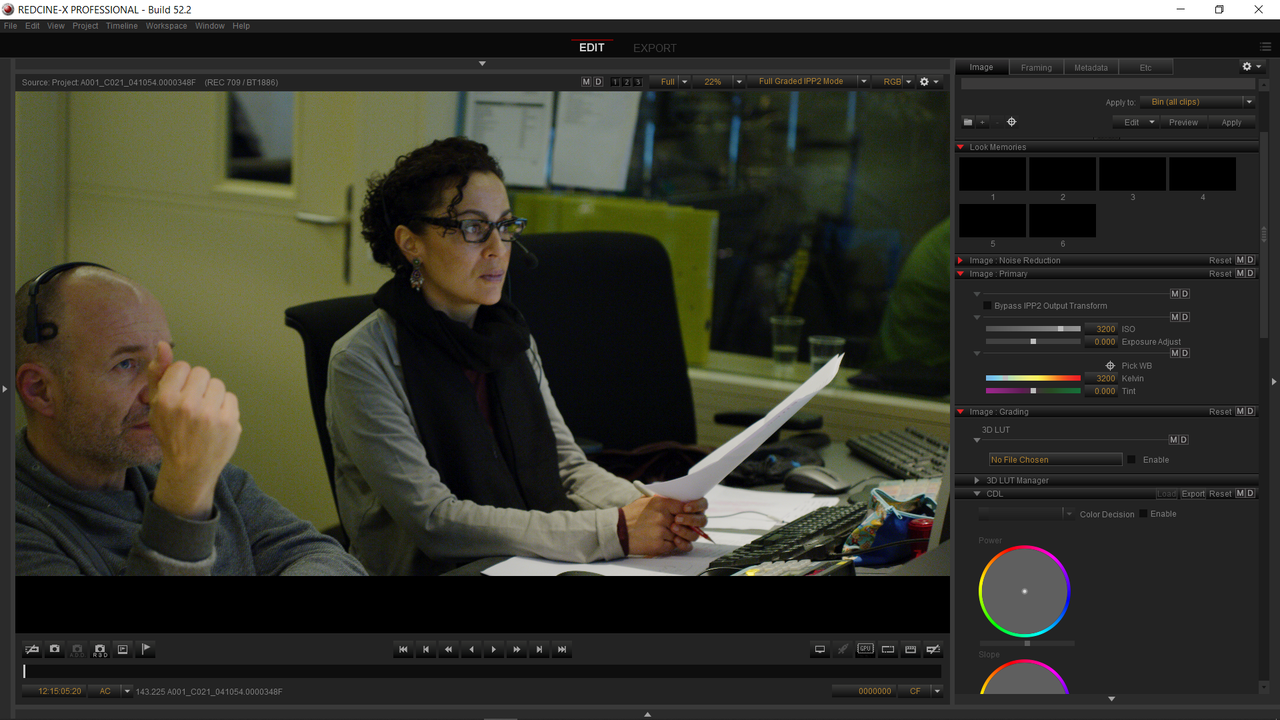
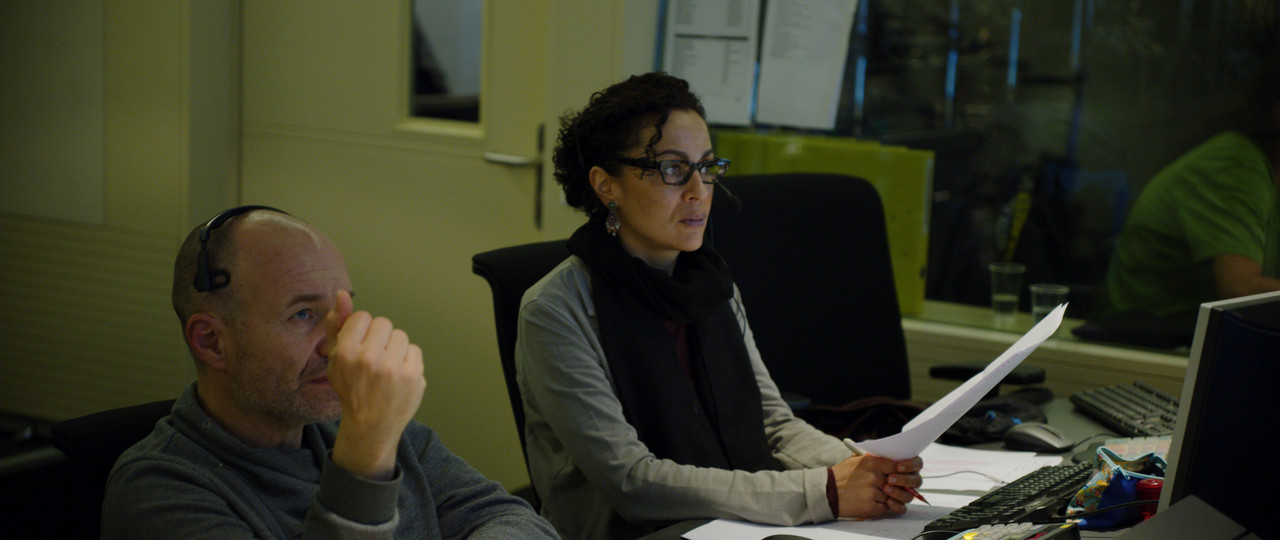
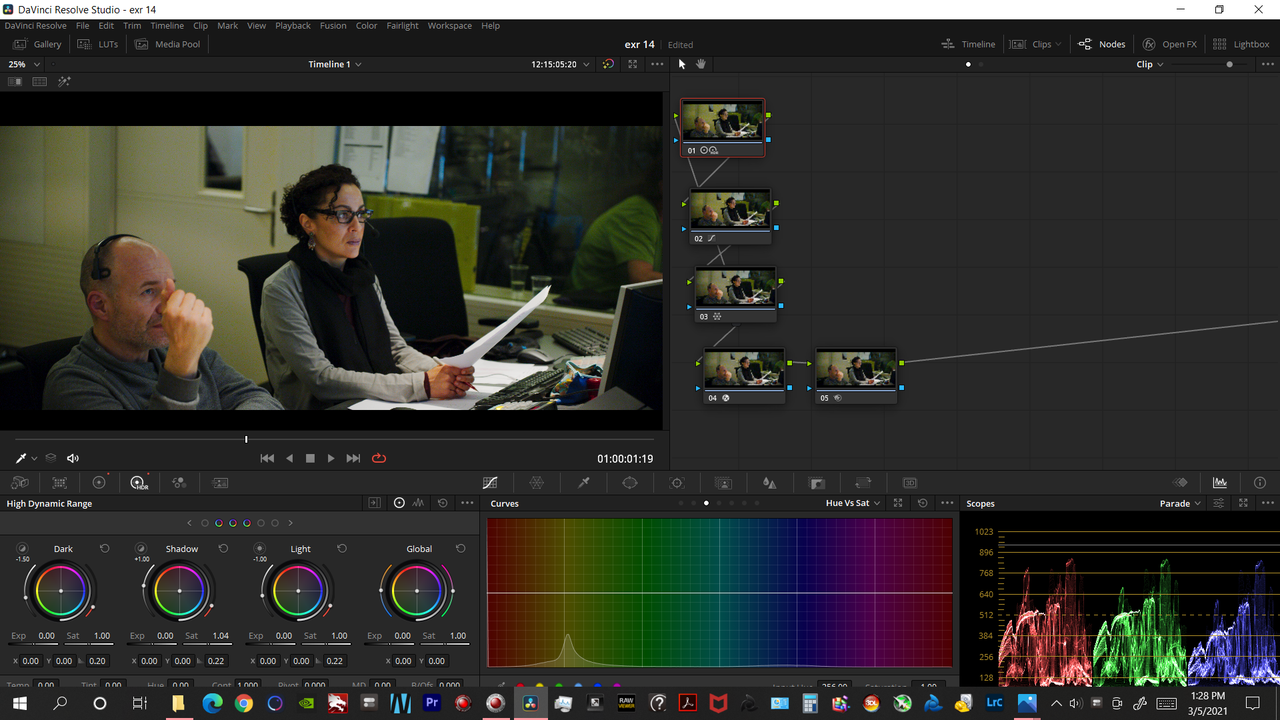
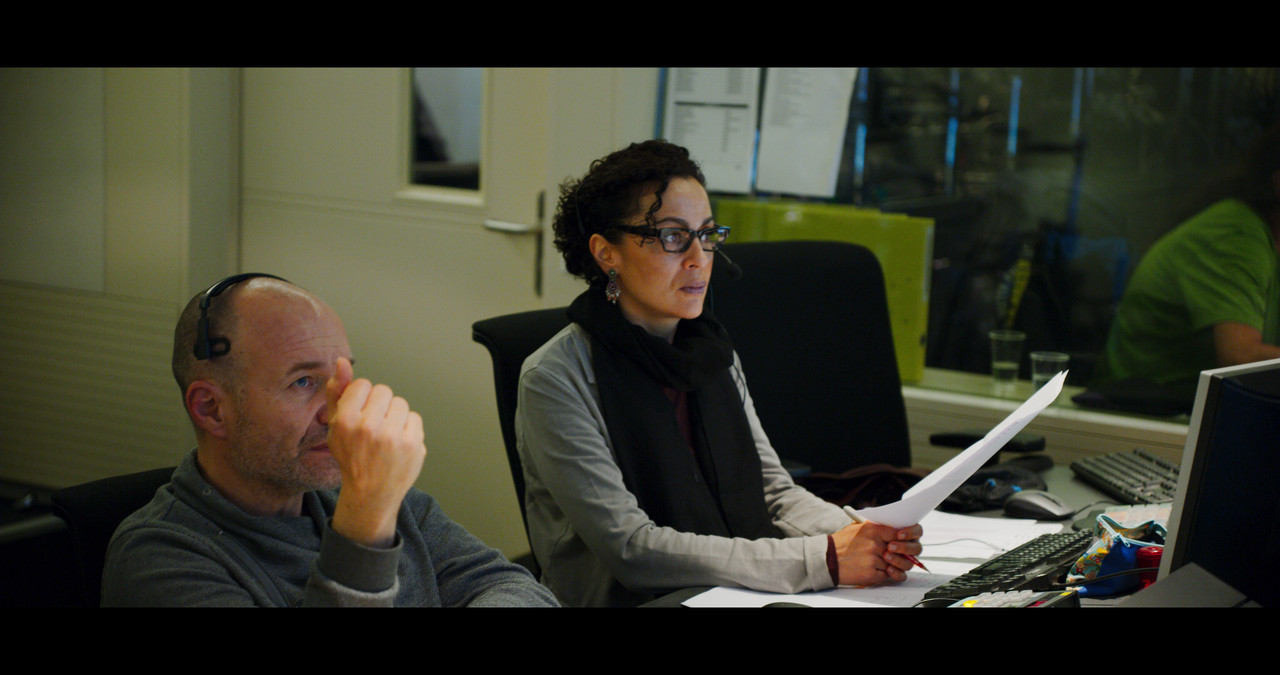
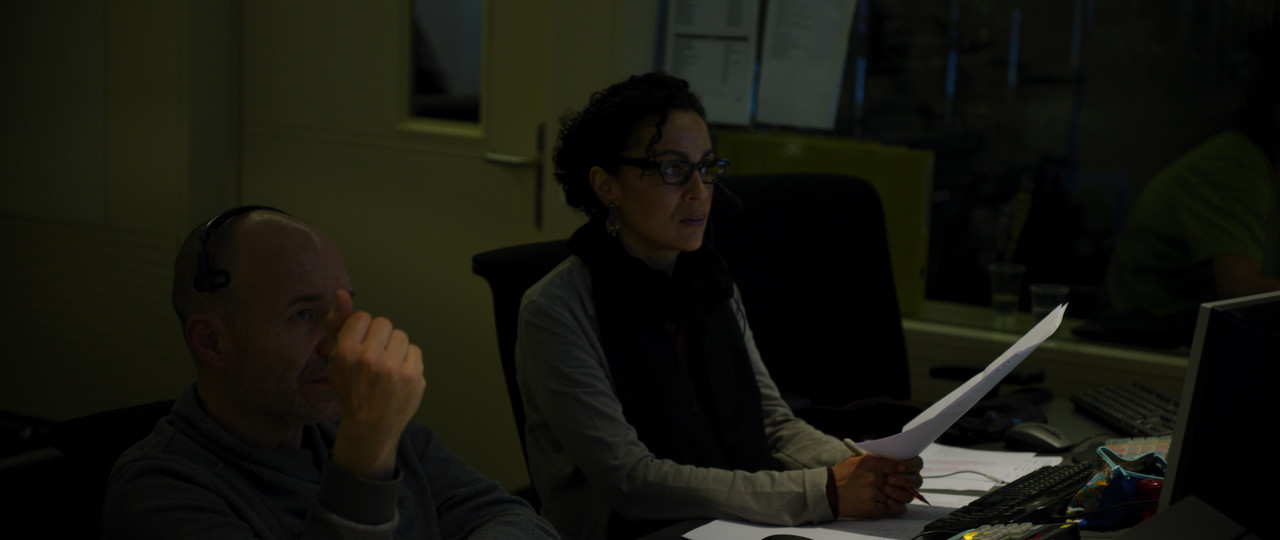
Here's another example with an under-exposed image at 800ISO with a raised ISO of 2500.I think its best to change the Raw ISO in Redcine-X than to use alot of gaining up in Resolve.

Footage provided by Luigi Valtulini

Redcine-X

Screenshot-1014.png


A001-C021-041054-0000348-F-0000000.jpg


Screenshot-1015.png


A001-C021-041054-0000348-F-S000-0000000.jpg


Screenshot-982.png


Davinci Resolve

Screenshot-977.png


Screenshot-1018.png


orig-1-1-2.jpg


Screenshot-1019.png


His skintone looks ok, but Her skintone looks a little funky.
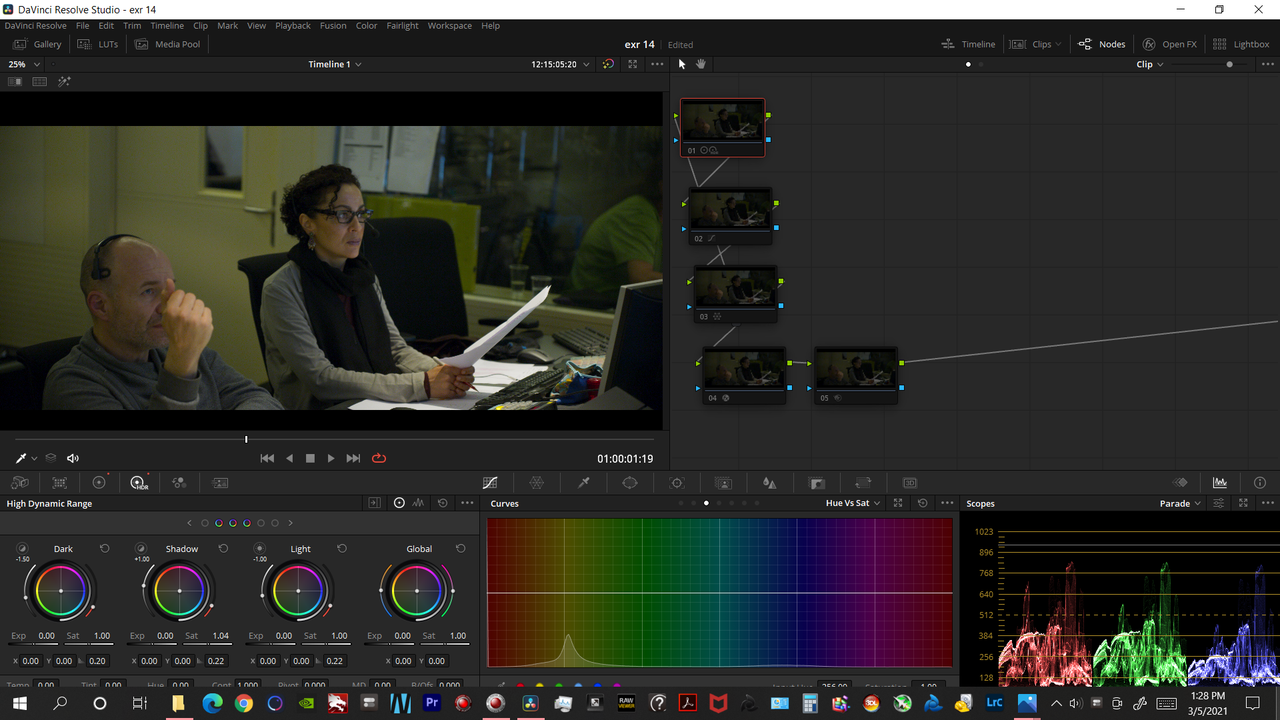
graded-1-1-1.jpg
 
Last edited:
Back
Top