Welcome to our community

Be a part of something great, join today!

  • Hey all, just changed over the backend after 15 years I figured time to give it a bit of an update, its probably gonna be a bit weird for most of you and i am sure there is a few bugs to work out but it should kinda work the same as before... hopefully :)

REDCINE ProRes Export Color Shift - help needed

Patrick Grossien

Well-known member
Joined
Nov 20, 2008
Messages
2,987
Reaction score
0
Points
36
Location
Germany
Hi everybody, until now I haven't noticed the problem, although I have to admit I rarely exported ProRes directly from RCX. But the last time I did was only 2 months ago and everything seemed fine then as far as I recall.

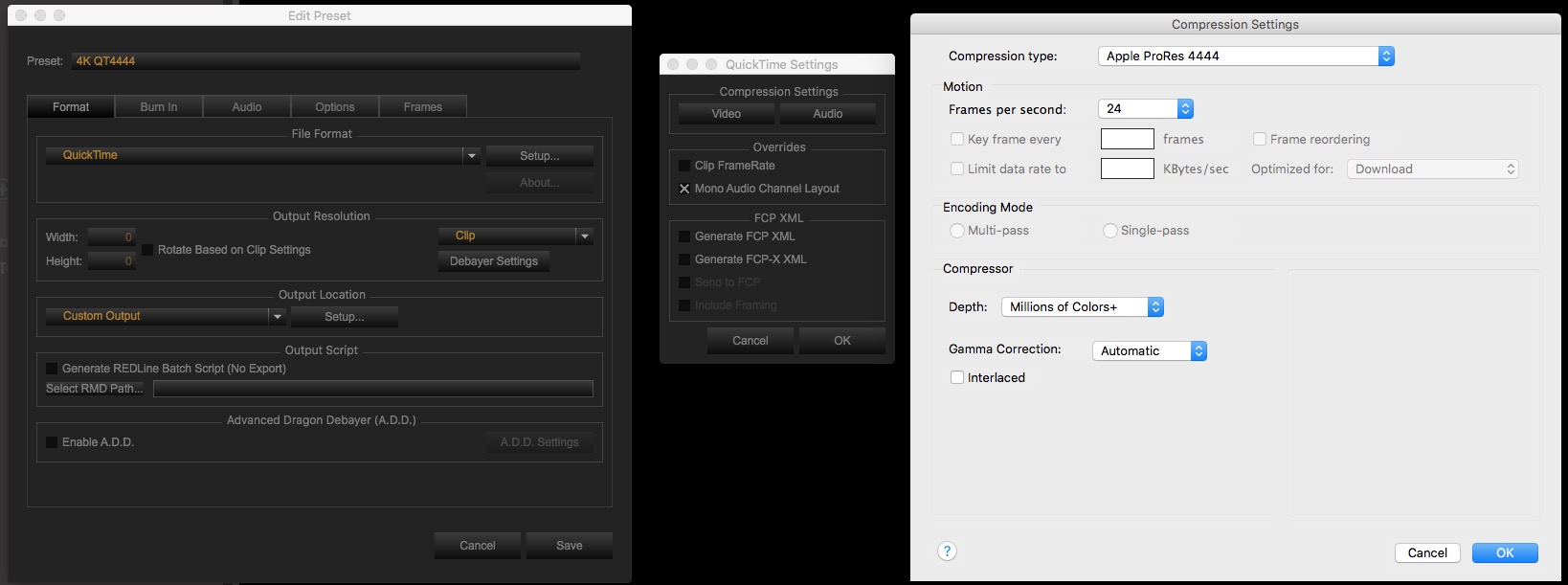
I tried to export a 422HQ and 4444 file using both the ProRes and the Quicktime option (with deactivated Gamma Correction and also with Gamma Correction set to auto). The result is always the same with only minor changes.
The screenshot shows RCX in the middle, ProRes in the lower left and a TIFF in PS in the lower right (these have a color shift as well but nothing near as dramatic)

I'm on RCX 40 and I've deleted and reinstalled everything. Even the Apple Workflow and Adobe PS plugins.

What am I missing? Did some setting get busted that I'm not thinking about?
I feel incredibly stupid because it feels as I'm missing something basic and essential which I just can't figure out.


Any help is much appreciated!

RCX_colorshift.png
 
The best way to judge color is to use a calibrated video monitor and something like a Blackmagic Ultra studio mini monitor.
You can check the quicktime files with their Media Express app that comes with the driver. With this setup the ProRes look the same as what I set in DaVinci. When I watch them via quicktime player on a computer screen they are always different.
 
This drove me nuts for a while too. Quicktime changes the color (there's a technical term I'm sure, I just don't know it).

Your footage is fine, you can open the same file up in VLC for example, and the color will be correct.
 
Google the term "Quicktime Gamma Shift" and read what it says.
 
Thank you, everybody.

The footage really is fine. Thing is, I knew about the QT gamma shift, I just never noticed a color shift this extreme before and as far as I recall this was mostly a H.264 issue and not related to ProRes... hmpf.
I don't really know why this shift only struck me now. Feeling stupid and "confuzzled" ;) ...


RCX_colorshift_2.png
 
OK, now that it seems to truly be the decade old gamma shift problem, does anyone here have a workflow RCX - FCPX in a way that the RCX pre-graded footage looks the same after an FCPX import?
Even if it means using a gamma / YUV correction after the import.
 
IN your output settings is GAMMA set to auto for QT? Try it to "none" as well.

This one has burned me in the past.

David

rcx_gamma.jpg
 
IN your output settings is GAMMA set to auto for QT? Try it to "none" as well.

This one has burned me in the past.

David

Thank you David, I've tried both without any real success. I guess I'll just continue to avoid the QT player.
The problem with this footage is the transfer to FCPX, even with the R3D, where I have the same color shift I get when exporting it.
So I can't rely on my RCX color grade when I continue with FCPX.

If I recall correctly, you're using FCPX as well, right?
What's your workflow with RCX and FCPX? Any hint of what I could try out?

Usually I don't do major color work in RCX when I continue in FCPX. I only use RCX for color when I
export directly from it. (and haven't noticed any major setbacks) But now I have this pre-graded footage,
and when I import it into FCPX, the colors and the gamma are all messed up.

Importing the footage into Premiere gives me the same look I get with RCX. So the footage is fine it seems.
And no, I still don't want to use premiere yet ;)
 
My workflow is

injest
one light in RCX
import r3d into FCP X and create proxy media
edit
FCP X to resolve
back to FCPX for export

make sure you are rendering PR4444 or 422HQ I think if you get below those ones you can start to run into gamma issues.

David
 
Thank you, David!

These color issues happen with R3D, 4444 and 422HQ.

RCX - Premiere is fine
RCX - FCPX has a color shift.

Have you compared your footage in the Viewer from RCX with the FCPX one after your FCPX import?
Or do you ignore the color before you start up resolve? I usually do, and adjust it in FCPX or RESOLVE but this is so severe, it's bugging me right now.
I'm trying to get to WYSIWYG when going from RCX to FCPX import.

RCX_colorshift_FCPX_RCX.png
 
F*CK! I found it.

The problem lies within the way the system (or FCPX) deals with the display color profiles.
I was using a calibrated color profile for my LG31 4K display and that's what messed up the color consistency.

Once I activated a standard Apple Calibration everything went back to "normal".

So this is not the standard QT gamma shift issue. This is something I've never seen or heard of before.
At least my sanity is restored! I started to disbelieve my own memory and capabilities... this really got my head all messed up.

Ok, problem found but only partially solved ;)

[right click image and open in new tab for bigger size]
RCX_colorshift_colorProfile.png
.
 
Back
Top