Welcome to our community

Be a part of something great, join today!

  • Hey all, just changed over the backend after 15 years I figured time to give it a bit of an update, its probably gonna be a bit weird for most of you and i am sure there is a few bugs to work out but it should kinda work the same as before... hopefully :)

Redcine arbitrarily stops exports

Dominik Muench

Well-known member
Joined
May 23, 2008
Messages
2,301
Reaction score
1
Points
38
Location
Gold Coast - Australia
Website
www.instagram.com
Hi Guys,


I'm currently trying to export a large number of TIFF stills images out of Redcine....like I do every week many many times.

However since yesterday I am having the issue where Redcine simply stops randomly and wont export any further.

Sometimes it happens after only 3 images being exported, other times after 15-20.

The status bar goes yellow ad says process "running" but nothing happens.

as mentioned, I do this process several times on a weekly basis and never encountered this before. I'm on the latest release version and nothing has changed on my system or hardware configuration in weeks.

Is anyone else encountering this issue ?
 

Attachments

  • IMG_8224.jpg
    IMG_8224.jpg
    98.4 KB · Views: 0
Dominik,


Have you tried refreshing your preset settings? Sometimes after using preset settings for so long they can become corrupt.Try making the same preset settings you've been using before over again.
 
It could also be happening due to an automatic update of your operating system or the update of your video card's driver.You may also want to check to see if any other background processes of other programs are going on that could be causing the problem.
 
And if nothing else works, you might want to send a "Log Report" to Red so they can see what is going on.


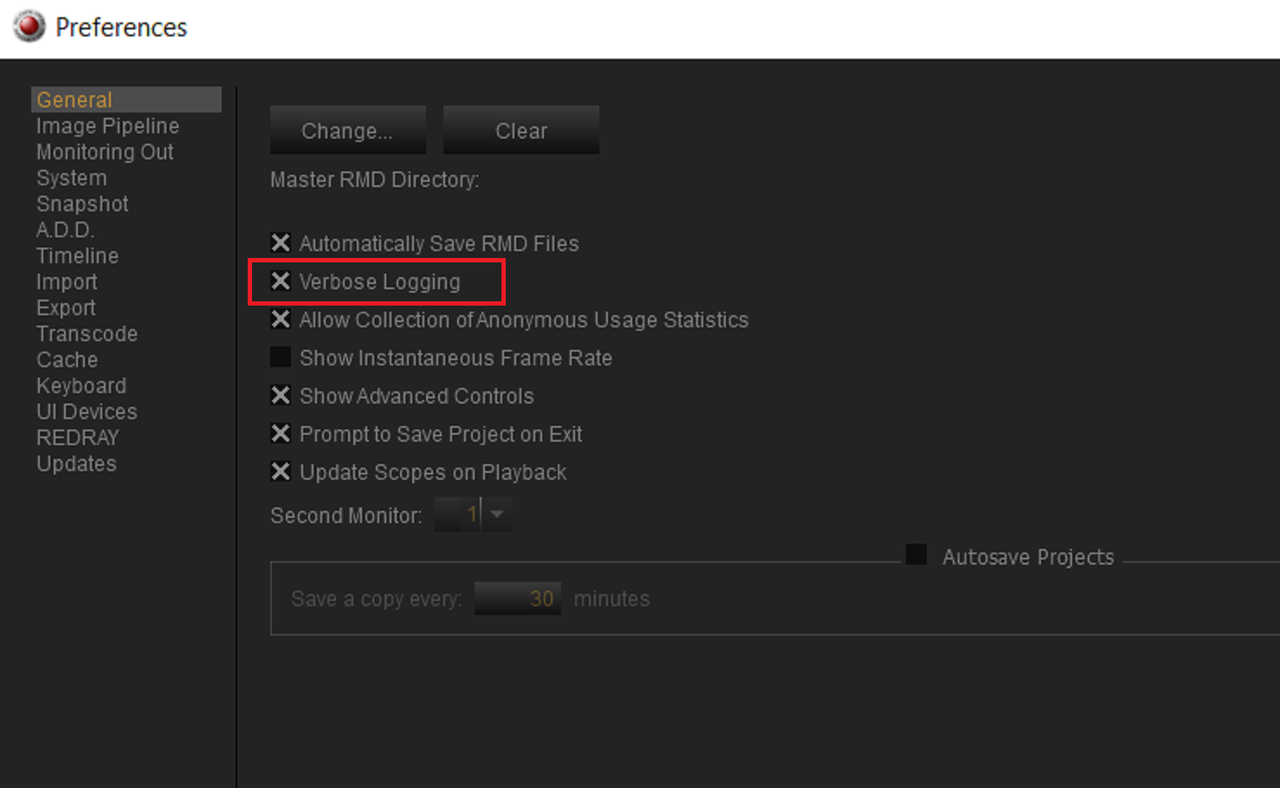
1) Enable "Verbose Logging". This, According to the "Redcine-X Pro Operations Manual"

"Adds more information to log files. Only select Verbose Logging if you need extensive log files for Support. Enabling Verbose Logging may slow down your computer performance. "


Screenshot-465.png


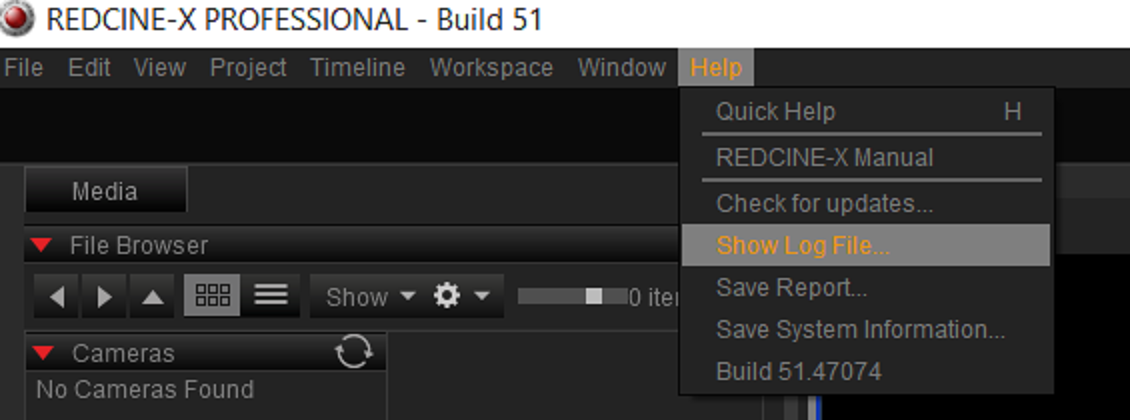
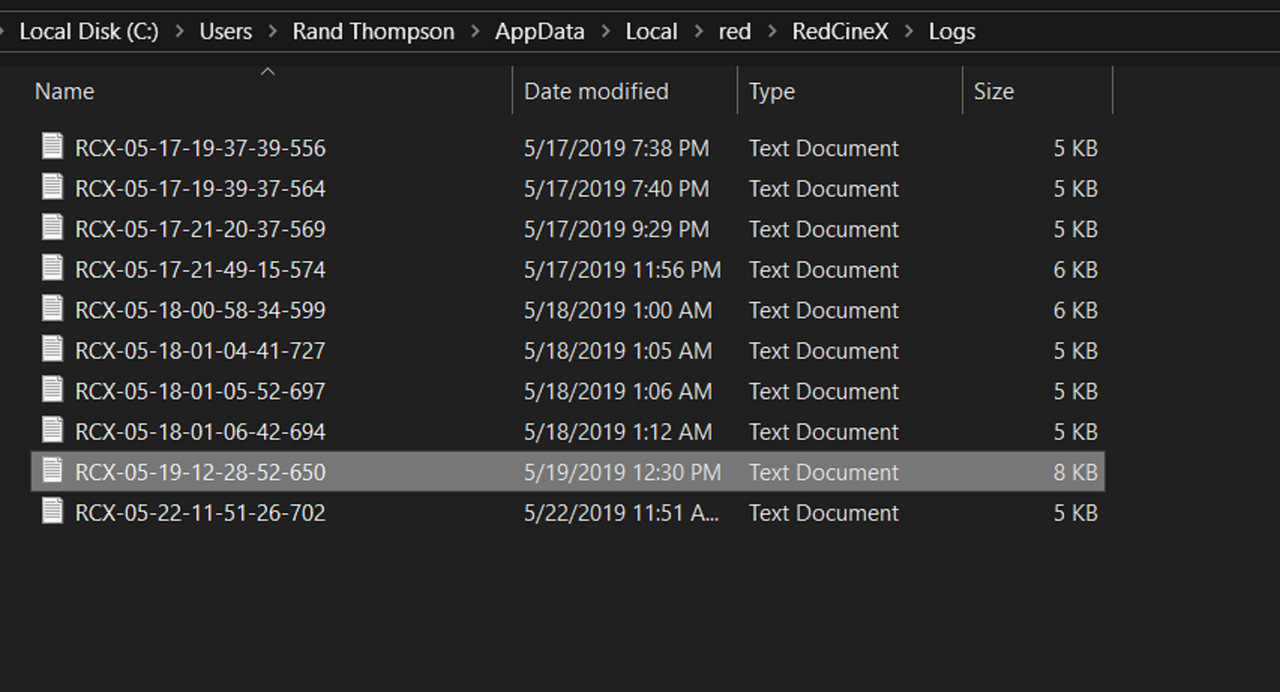
2) Go to the "Help" Tab and "Show Log File..". This will show a list of the most recent Log files that have been created. Copy the last one, in my case was 5/22/2019, which I don't have selected in this screengrab


Screenshot-466.png


Screenshot-467.png


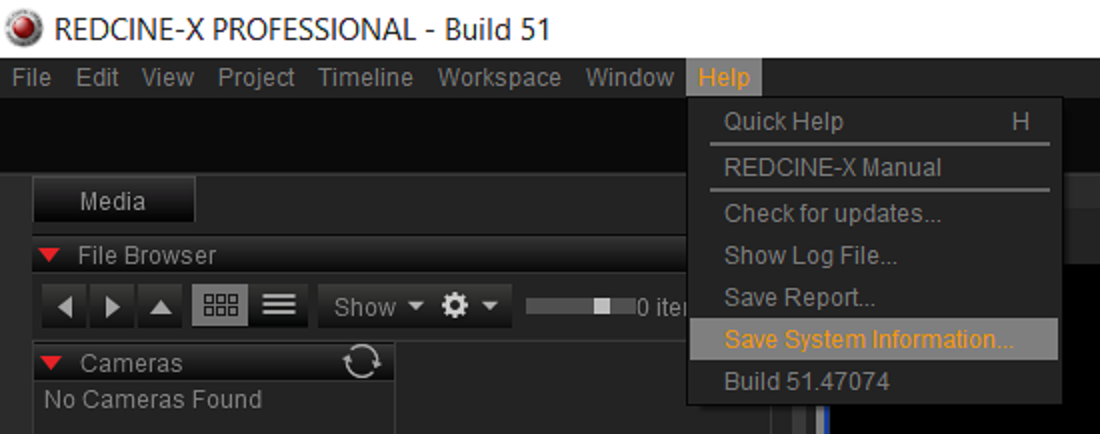
3) Send a Zip file of your System. Go to the "Help" Tab and "Show System Information.." and save it somewhere .


Screenshot-469.png


Screenshot-470.png


You can also, After you enable "Verbose Logging", manually "Save Report" after the incident happens or just whenever. Go to the "Help" Tab and "Save Report"

Screenshot-471.png
 
I would have bet my camera that you'd be the first to offer a solution ;) thank you sir.

Ive reset redcine completely an I just deactivated all gpu/cuda support which gave me the best result so far...I made it to 50 rendered images...about 250 in the Que.....but then it simply stopped again and the process kept idling until I closed redcine. really bizarre problem I have never encountered on before.

Will definitely have to send a crash report.
 
HaHaHaHa,

Just sorry none of the solutions seemed to have worked.Yeah, go ahead and send support info to the Red Team.

This version of Redcine-X is really just the first iteration out of the gate with the accelerated Nvidia graphic card support so maybe a simple upcoming Redcine-X update is all that will be needed to help solve your problem.
 
HaHaHaHa,

Just sorry none of the solutions seemed to have worked.Yeah, go ahead and send support info to the Red Team.

This version of Redcine-X is really just the first iteration out of the gate with the accelerated Nvidia graphic card support so maybe a simple upcoming Redcine-X update is all that will be needed to help solve your problem.


thanks for trying. I hope so too.
 
Don't know if this might help or not. I have had exports lock up in Lightworks due to running out of temp file space. Might try clearing temp files.
 
Back
Top