

Wil Klassen
Well-known member
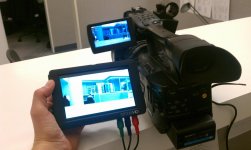
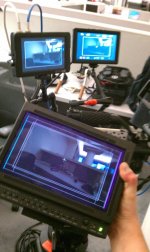
Recently our company received the incredible SmallHD DP6 SDI. The HDSDI in/out worked without a hiccup with the RED and EX1 looped to/from our Astro Monitor.
The component in worked flawlessly as well with the EX1’s Component out, and the HDMI worked great with our fleet of 5D’s.
One thing I was specifically asked to test is with RED and the HDMI as there has been a noted RED HDMI not playing well with some DP6's. After searching through a couple of forums, I was forwarded to Monoprice.com.
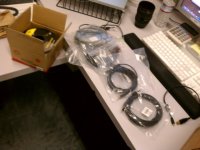
After geeking out seeing the insanely cheap cable prices and thinking what cables needed upgrading, I finally confirmed my order and had it shipped out (overnight is cheaper than ground? w00t!).
Once they got here, and the "new toys!" syndrome wore off, I went to work testing them with our equipment, and here’s where it got disappointing.
The 5’ “high speed” cable worked between the RED and the DP6 just like it was meant to. No problems, no re-adjusting, bam, beautiful 720p right out of the box.
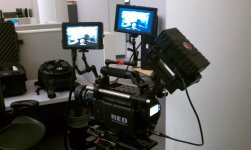
But the 35’ “standard speed” would not display. Period. Switch the cable from RED’s HDMI to the DP6’s HDMI, nothing. Plugged in and turned on, nothing, plug it in after the RED’s turned on, nothing. The screen just gives that blank blue “No sync” screen.
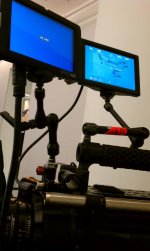
As soon as I went back to the 5’, it was on, but 35’, not having it.
Not as important but at least worth mentioning, the miniHDMI to HDMI cables we got as backups for our 5D did not work, either. The one’s provided by SmallHD worked no problem, but the ones from monoprice, unfortunately no.
Didn't know if other people have had experience with these cables with this monitor? Or maybe a reason behind why these cables didn't work? Thanks in advance for any input!
Camera settings are as follows:
RED MX
Build 30.5.0
4kHD 29.97
ISO 800
1/60th shutter
HD-SDI output set to 720p
The component in worked flawlessly as well with the EX1’s Component out, and the HDMI worked great with our fleet of 5D’s.
One thing I was specifically asked to test is with RED and the HDMI as there has been a noted RED HDMI not playing well with some DP6's. After searching through a couple of forums, I was forwarded to Monoprice.com.
After geeking out seeing the insanely cheap cable prices and thinking what cables needed upgrading, I finally confirmed my order and had it shipped out (overnight is cheaper than ground? w00t!).
Once they got here, and the "new toys!" syndrome wore off, I went to work testing them with our equipment, and here’s where it got disappointing.
The 5’ “high speed” cable worked between the RED and the DP6 just like it was meant to. No problems, no re-adjusting, bam, beautiful 720p right out of the box.
But the 35’ “standard speed” would not display. Period. Switch the cable from RED’s HDMI to the DP6’s HDMI, nothing. Plugged in and turned on, nothing, plug it in after the RED’s turned on, nothing. The screen just gives that blank blue “No sync” screen.
As soon as I went back to the 5’, it was on, but 35’, not having it.
Not as important but at least worth mentioning, the miniHDMI to HDMI cables we got as backups for our 5D did not work, either. The one’s provided by SmallHD worked no problem, but the ones from monoprice, unfortunately no.
Didn't know if other people have had experience with these cables with this monitor? Or maybe a reason behind why these cables didn't work? Thanks in advance for any input!
Camera settings are as follows:
RED MX
Build 30.5.0
4kHD 29.97
ISO 800
1/60th shutter
HD-SDI output set to 720p
Attachments
Last edited:
