Welcome to our community

Be a part of something great, join today!

  • Hey all, just changed over the backend after 15 years I figured time to give it a bit of an update, its probably gonna be a bit weird for most of you and i am sure there is a few bugs to work out but it should kinda work the same as before... hopefully :)

RED CINE X PRO - LAYOUT REQUEST - Detachable viewer window

Mark Toia

Well-known member
Joined
Jan 23, 2008
Messages
4,142
Reaction score
0
Points
0
Location
Could be anywhere in the world today.
FIRSTLY... I love RED CINE X PRO & RED CINE X...

But one thing I really need and want back.. if possible. (which I loved about REDCINE X) is detachable windows. I want to be able drag the viewer window to another monitor.
So I can have all of my batch controls, rushes and grading tools open on one screen, with a huge scree image next to me on another monitor.

Pleeease guys.. :)
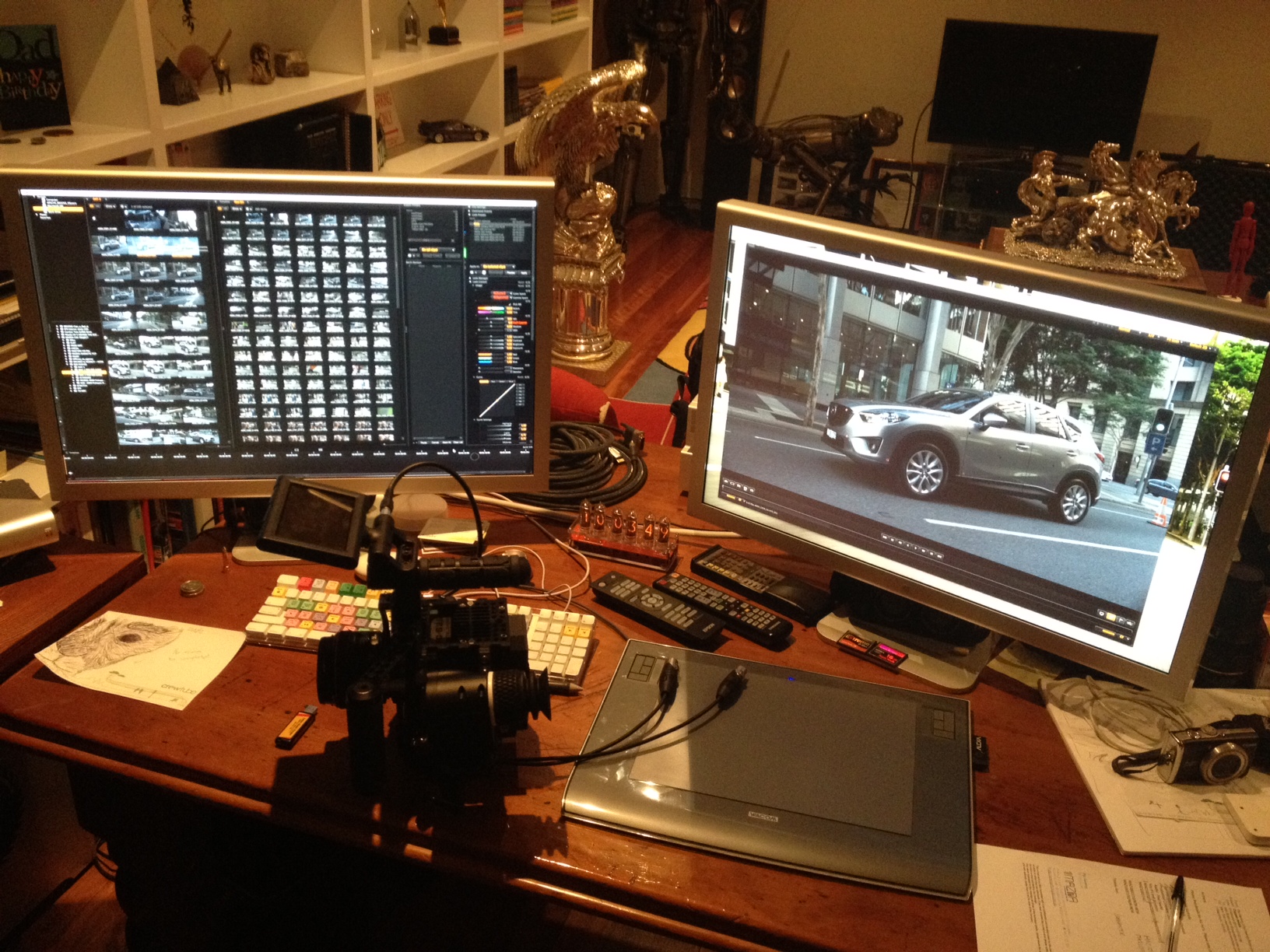
REDCINE PRO layout.JPG
 
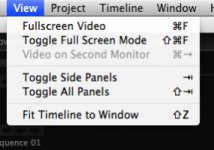
You could just choose to view image on 2nd monitor from the view menu...

No 2nd monitor attached to my laptop right now, though... :)
 

Attachments

  • Skjermbilde 2012-03-01 kl. 13.10.41.jpg
    Skjermbilde 2012-03-01 kl. 13.10.41.jpg
    12.1 KB · Views: 0
You could just choose to view image on 2nd monitor from the view menu...

No 2nd monitor attached to my laptop right now, though... :)

I SO DIDNT SEE THAT !!!!

Thanks Gunleik. :)

Sorry RED, Im happy now.. false alarm... Go back into making that 4k PRO RES MODULE and PORTABLE THUNDERBOLT RED ROCKET.. :)))))))
 
Sorry, you're not allowed to use that feature Mark ;)
 
Sorry, you're not allowed to use that feature Mark ;)

oooops :) been using it all day... Thanks Rob.
Having heaps of fun with it now.

Also, I just installed the lastest RED ROCKET firmware and drivers! Hells bells, its quick now!
I just wonder if I ever had it running properly in the first place !!!

Mark the blind DoP... lol ;)

hahhahahaaa.....
 
Also, I just installed the lastest RED ROCKET firmware and drivers! Hells bells, its quick now!
I just wonder if I ever had it running properly in the first place !!!

Make sure to delete the REDCine-X Prefs and Cache folders if you find it running weird or slow. Mine wasn't showing updated render percentage times and was being wonky. Killed those folders and voila! magic time.
 
Knew that feature was available but it would be nice to be albe to customize RED Cine X Pro on two screens and put the windows wherever we wanted to. I like being able to move the windows to utilize two monitors, is this planned for the future???

The next build maybe?

Best,
Frazier
 
Hi Frazier,

I'm afraid not, we purposefully moved away from that model for a variety of reasons.

Cheers,
David
 
Hi Frazier,

I'm afraid not, we purposefully moved away from that model for a variety of reasons.

Cheers,
David

No worries David, thank you, love RED Cine X Pro and it's greatly appreciated, excited for RG3 and RC3 update...waiting and watching for it's release.

Best,
Frazier
 
Can anyone please help me with the keyboard shortcut for 2nd monitor in Redcine-X. I can see the info graphic under the view menu and know that the first key is Shift but I'm not sure where to find the icon for a right arrow hitting a right line.

View/video on 2nd monitor
Shift + ?

It's probably a really simple question that's right under my nose
 
Back
Top