Welcome to our community

Be a part of something great, join today!

  • Hey all, just changed over the backend after 15 years I figured time to give it a bit of an update, its probably gonna be a bit weird for most of you and i am sure there is a few bugs to work out but it should kinda work the same as before... hopefully :)

red and dead, REDunDead

Since it's an emergency tool we felt it was better to get it out sooner rather than wait till we were able to port it to windows. I don't have an ETA yet.

Will the functions of REDundead be incorporated into the SDK at some point? Or will we ever get details on the file format and structure? Funny thing is, I originally signed up for the SDK to build a file recovery / R3D integrity application.
 
Seem to have trouble installing RedUndead. It says it's installed, but no application appears in Applications or Utilities. Am I missing something obvious?

thanks in advance.
 
Seem to have trouble installing RedUndead. It says it's installed, but no application appears in Applications or Utilities. Am I missing something obvious?

thanks in advance.


It's command line so if you type REDundead in terminal, it'll show you a brief usage.


Usage:
REDundead <input device or file> <output dir>
or
REDundead <input device> <output dir> <start MB>

To get the device you want to recover from, you can use "diskutil list" in the terminal.
If it lists "disk9" for your device, use "/dev/rdisk9" for REDundead. (note rdisk instead of disk).

Example: REDundead /dev/rdisk9 /Volumes/newdisk
 
With regards to REDundead, is there any way you can have control over what is recovered? I tried it once and it started recovering the very first piece of footage i dumped in my drive months ago. Couple days later and im trying it again, and its recovering footage that was dumped in yesterday, and the footage wasnt even deleted!

Is there anything i can do to quicken the process? Or should i just leave it and let it recover everything, then select the footage i need from there?

Thanks, any help is appreciated!

Regards
Juan Qi An
BERT LIGHTING HOUSE
SINGAPORE
 
With regards to REDundead, is there any way you can have control over what is recovered? I tried it once and it started recovering the very first piece of footage i dumped in my drive months ago. Couple days later and im trying it again, and its recovering footage that was dumped in yesterday, and the footage wasnt even deleted!

Is there anything i can do to quicken the process? Or should i just leave it and let it recover everything, then select the footage i need from there?

Thanks, any help is appreciated!

Regards
Juan Qi An
BERT LIGHTING HOUSE
SINGAPORE

For it to be effective, it has to scan every bit so. The only way to speed it up is to tell it to start further into the disk if you know the clip you want to recover is around a particular location on the disk.
 
what is the startMB on REDundead stands for?

what is the startMB on REDundead stands for?

guys,

REDundead <input device> <output dir>
or
REDundead <input device> <output dir> <start MB>

what's the startMB on REDundead stands for?is it for limiting the restored files?
 
guys,

REDundead <input device> <output dir>
or
REDundead <input device> <output dir> <start MB>

what's the startMB on REDundead stands for?is it for limiting the restored files?

It's for what I'd mentioned in the previous post... meaning it starts scanning the drive xxx MB into the disk rather than from the beginning.
 
thanks, Deanan...

so, can u tell me how do it? mean to know from what MB do we have to start it?

You can look at the files already on the drive and estimate how much space has been used up till the point where you think you want to start recovery. If you have 20 clips on a disk and they take up 50GB, try setting the startMB to 45000 if you want to start around the end of where you stopped recording. This no guarantee so if you don't get what you need, either try with a lower number or do the whole disk.
 
Hey guys,

I have a Reddrive formatted as FAT32 and fails to mount..we tried everything and every software and nothing succeeds to recover the data...but when we mount it to the camera, it plays back as expected. So we we digitized the footage as HD 720P...but we desperately want the raw footage so when i read about this "Redundead" i got excited but im a noob when it comes to terminal and command lines. Hope someone can help me.

I followed the Readme, and found in terminal that the redrive is called "disk2"

i want to recover it, and send the files to "disk1s2" its my 2nd drive.

so i typed REDundead <disk2> <disk1s2>

After 2 minutes here is what i got :

Selim:~ mercury3$ REDundead <disk2> <disk1s2>
-bash: syntax error near unexpected token `<'

so, any step by step guide is greatly appreciated.

Thanks.
 
...
I followed the Readme, and found in terminal that the redrive is called "disk2"

i want to recover it, and send the files to "disk1s2" its my 2nd drive.

so i typed REDundead <disk2> <disk1s2>

After 2 minutes here is what i got :

Selim:~ mercury3$ REDundead <disk2> <disk1s2>
-bash: syntax error near unexpected token `<'
...

Kamel, i've never tried this with unmounted drive, so take this with a grain of salt:

syntax error is because you put the < & >
get the name of your 2nd drive, lets say it's BACKUP, create new folder name: R3DRecover

type this or copy paste to terminal:
redundead /dev/rdisk2 /Volumes/BACKUP/R3DRecover/

or read this post: http://www.reduser.net/forum/showpost.php?p=435944&postcount=6
 
Last edited:
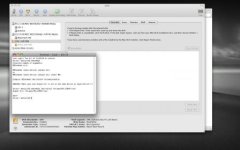
Hi i followed your advise, and terminal did not show any signs of scanning or anything so i waited and in the end after like 9 minutes it said "Done!" but nothing happend. The recovery folder is empty.

i attached a screenshot.

Appreciate the help.
 

Attachments

  • Picture 1(2).jpg
    Picture 1(2).jpg
    15.6 KB · Views: 0
Back
Top