Welcome to our community

Be a part of something great, join today!

  • Hey all, just changed over the backend after 15 years I figured time to give it a bit of an update, its probably gonna be a bit weird for most of you and i am sure there is a few bugs to work out but it should kinda work the same as before... hopefully :)

Re-cook footage for HDR

Blair Thornton

Well-known member
Joined
Oct 27, 2013
Messages
375
Reaction score
0
Points
16
Location
Toronto
Website
www.beachroadfilms.com
I find myself needing to re-cook my RED footage for HDR output.

Hoping to use REDcinex to back convert my older footage to REC2020 and HDR2084 gamma.

Why doesn't HDR2084 show up?

HDR2084.jpg
 
Best use IPP2 for this which has great support for HDR both HDR2084 and HLG formats.

Graeme
 
Thanks Graeme.

When I select IPP2 in RCX, it doesn't allow me to set the gamma curve to HDR2084.

New to this IPP2 workflow. I assume I need to add a LUT in RCX?
 
In your RCX preferences you can set your monitor to be 2020/HDR2084 and then you'll be seeing that image. If you pipe the image out of RCX out to your external HDR display it'll look great.

Graeme
 
I did that. Footage was shot with Dragoncolor2 and REDgamma4, so now in the IPP2 pipeline it's displayed at REDwidegammut and LOG3G10 and looks crappy.

Reading "915-0190 Rev-C RED OPS, IPP2 Image Pipeline Stages.pdf" and other DOCs now.
 
Yes - unless you're monitoring that signal on an HDR display it will look awful.

Graeme
 
Blair, Hello how are you? I hope this helps you some.

First, you will have to go into an IPP2 Workflow, as Graeme stated. So in an empty Redcine-X Project;

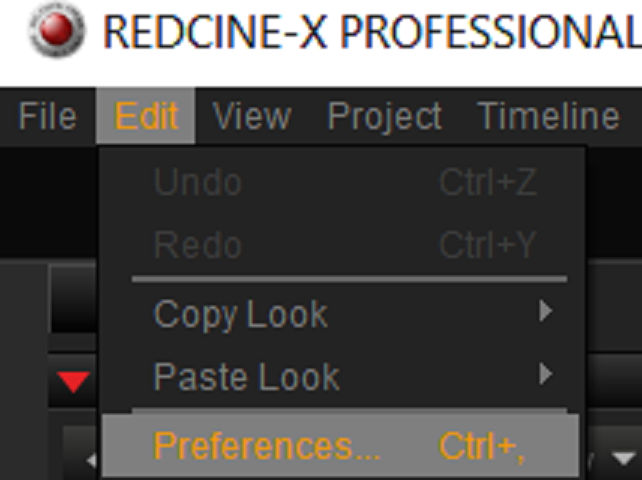
1) Go to the "Edit" Tab then at the bottom of this list, choose "Preferences"

Screenshot-406.png


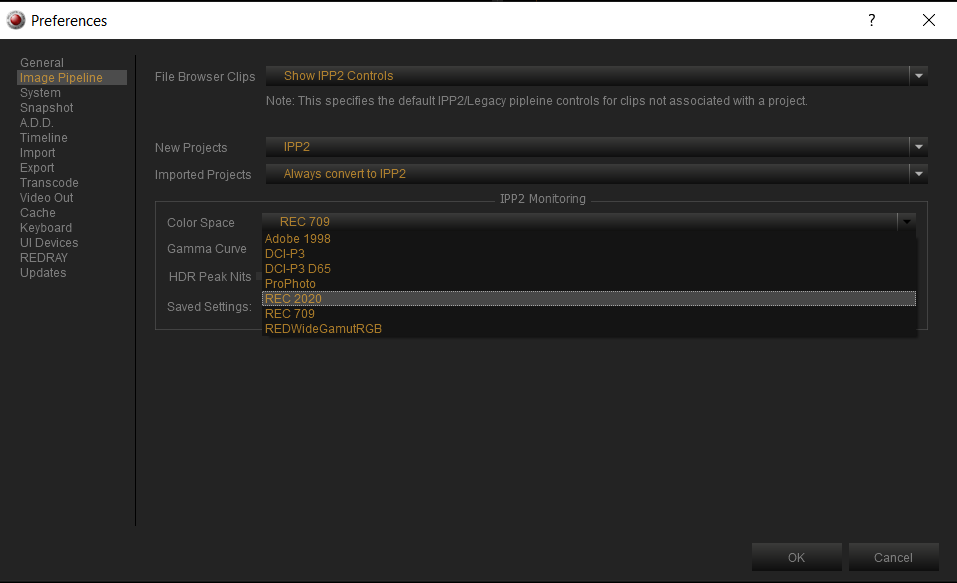
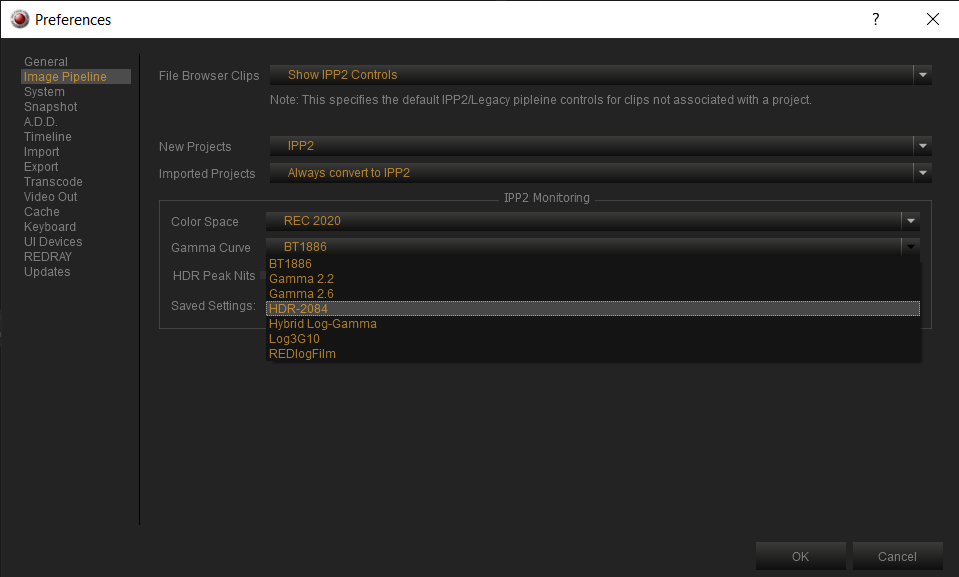
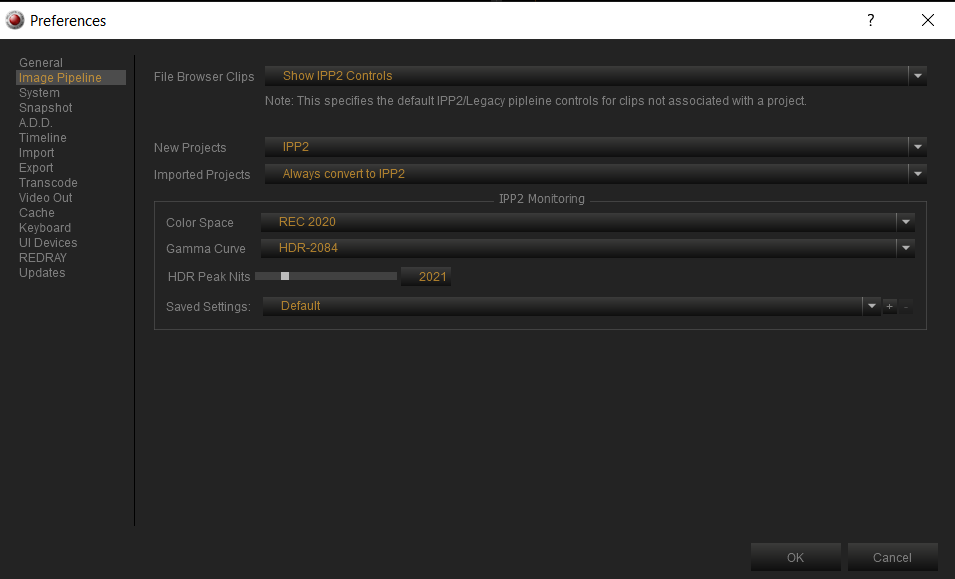
2) Then go to "Image Pipeline" and change your settings to the ones below. Under "IPP2 Monitoring", change the "Color Space" , "Gamma Curve" and "HDR Peak Nits" to what you need them to be to view your .R3D file in the correct way.

Screenshot-415.png


Screenshot-422.png


Screenshot-414.png


This should give you the settings to view your .R3d file correctly in Redcine-X


BTW, Be Sure to have the correct monitor to view these settings on


IPP2 Lut Creation

If you are not going to be exporting your clips out as either maybe "DNxHD/HR" or "ProRes", you'll have to recreate the look of this .R3d image in another Program like "Adobe Premiere, "FCP-X" or "Davinci Resolve".

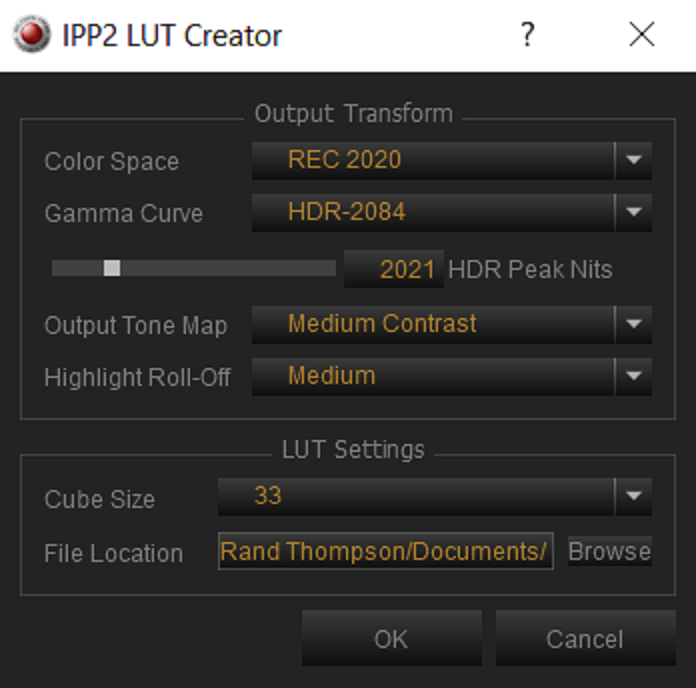
To do this, you will have to make your own "IPP2 Output Transform Luts" to use with the .R3d file in one of the programs listed above. To do this:

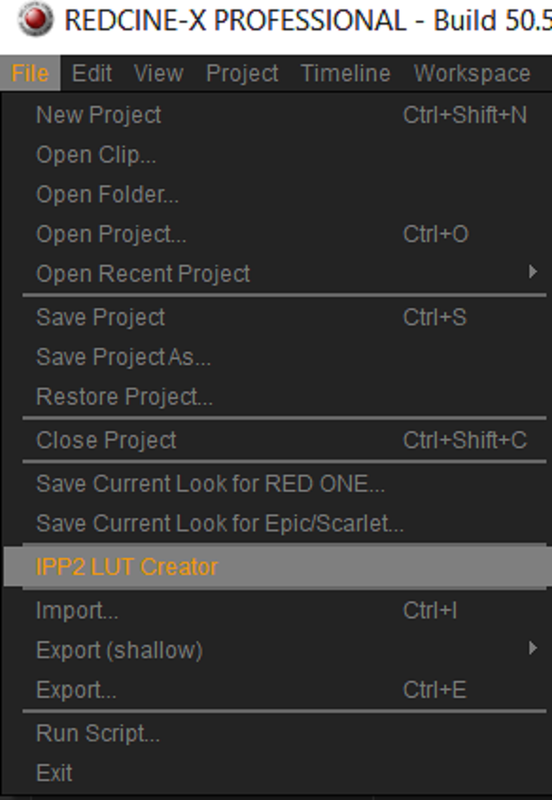
1) Go to the "File" tab then "IPP2 Lut Creator"

Screenshot-407.png


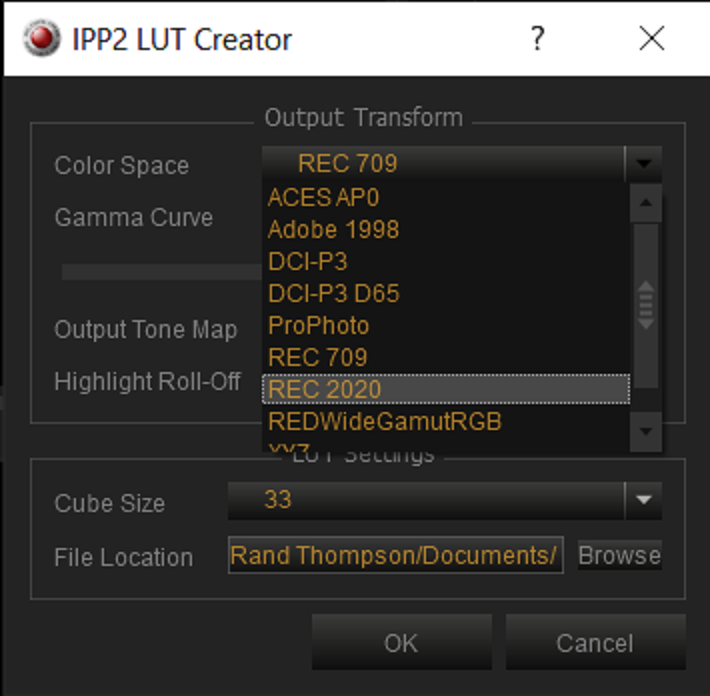
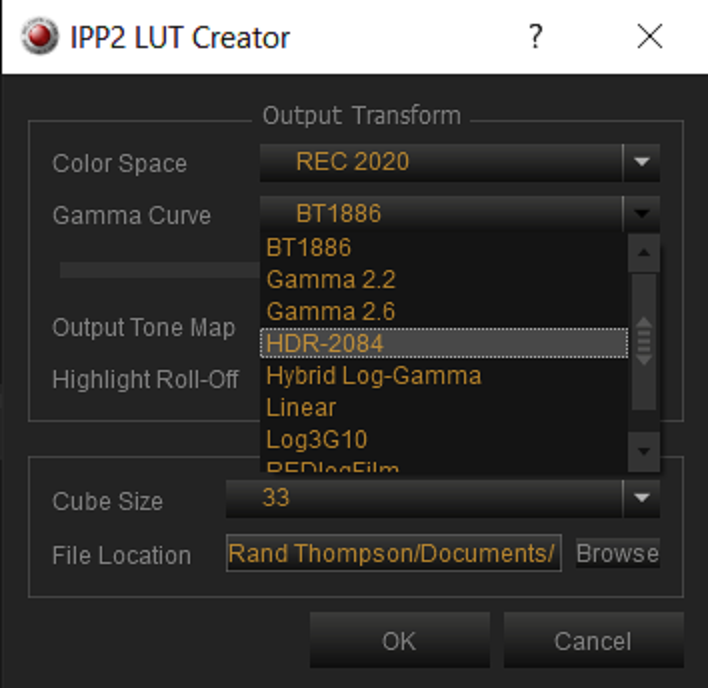
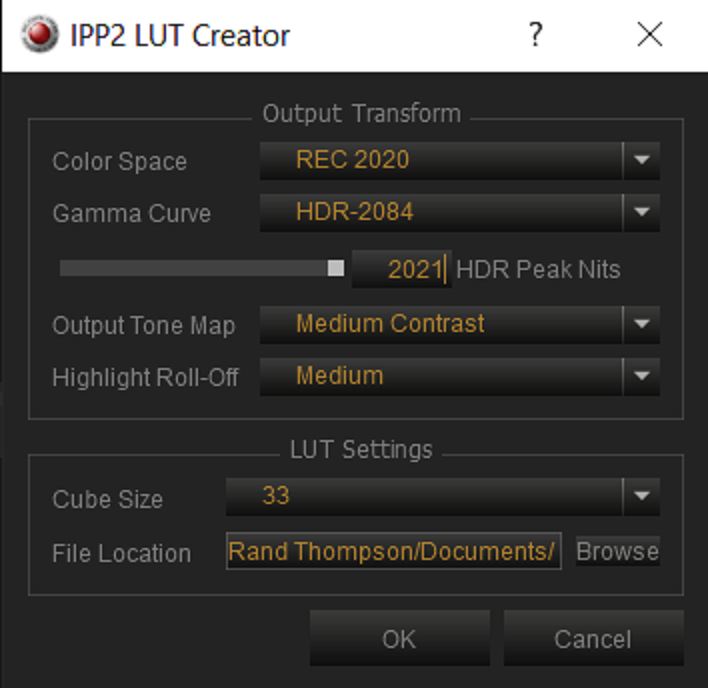
2) Now choose the same" Color Space", "Gamma Curve" and "HDR peak Nits" you chose in the "IPP2 Monitoring" section in the "Image Pipeline" section under "Preferences"

to remind you:

Screenshot-414.png


Screenshot-411.png


Screenshot-412.png


Screenshot-425.png


Screenshot-511.png


Select a directory to save them in and press "ok". Now you can "re-create" the look of your .R3d file in another program.


I hope this helps.


rand
 
Last edited:
You're welcome Blair! If I had a dime for every time I forgot to set something up or do something correctly, I could probably buy a Monstro with it, HaHa.
 
I think trying to do this with Redcine-X Pro is crazy.

Here's a good document from Dolby that goes into some detail on "Best Practices for HDR Mastering":

http://www.digitalvision.tv/w/images/d/de/Dolby_Vision_Color_Grading_Best_Practices_Guide_2018.pdf

You need a lot more control than Redcine-X Pro can give you in order to wind up with an HDR-10 or Dolby Vision master, and a lot of it is going to have to be done shot-by-shot and scene-by-scene. Quite a few distributors require that you give them the metadata designed to tone-map the HDR image to SDR, which also requires careful adjustments, particularly in terms of what's out-of-gamut in SDR vs. HDR.

Note also that most program distributors and networks only accept a very narrow range of monitors used for HDR, like the Sony BVM-X300 and X310. This is a very difficult, complex, and expensive area.
 
Back
Top