Welcome to our community

Be a part of something great, join today!

  • Hey all, just changed over the backend after 15 years I figured time to give it a bit of an update, its probably gonna be a bit weird for most of you and i am sure there is a few bugs to work out but it should kinda work the same as before... hopefully :)

Question about Light Meters

Wito Rohler

Member
Joined
Dec 9, 2013
Messages
16
Reaction score
0
Points
0
Hello Forum!
I want to speed up my on set workflow and thought about getting a Light Meter in order to getting the exposure right fast. I am using Canon DSLRs and so far I trusted the Waveform of the Magic Lantern hack, but for me its always hard to get a right exposure for the skin tones. So I did some research but I'm still a bit confused, do I just hold the Light Meter against the face of my actor, take the reading, adjust aperture/ISO and I have the right exposure? Is it that simple?

I hope it's not a problem that I post her without actually using a RED camera :D
Thanks in advance!

Wito
 
Waveform is good -- a light-meter is good, your eyes = good... Take all these things into account and don't rely on any single tool. Check your footage and if you can afford a post-guy or on-set colorist that's a bonus. There are some incredible DP's on this forum whom have more experience than I but those are my two cents. There are at times reasons to overexpose by a stop, or underexpose depending on the look you are going for and of course this will affect the looks you can achieve in post as well.
 
It all depends on what you want the image to look like, I'd recommend reading one of the many good resources out there on the zone system...but yes if you hold an incident meter up to the actor's face, it will give you the correct exposure for the key light. But the relative exposure of different parts of the image can be more important, and for that you want a spot meter.

Here's a trick I learned from DP Nathaniel Goodman (Heroes, Falling Skies). If you don't want to buy one of those pricey incident/spotmeter combos, just buy a spot meter, I use a Soligor I got for $100 on eBay. To check key light exposure as you would with an incident meter, you can just hold up a gray card where you could hold the meter and read that. Even easier, if you don't want to carry a gray card around with you just read it off your hand. As long as you've measure once how far your hand is from neutral gray you can just convert. For example my hand is about 1.5 stops lighter than a gray card, so if my meter gives me f/4 off my hand I figure correct exposure is around f/2.4.
 
First of all thank you for your fast responses! I found some good information in a cinematography book and now I know that a light meter will give me the exposure for 18% gray on the spot of reading. ;) I also read about the zone system which is quite interesting! I know that it depends on the style and kind of shot, but as far I understand skin tones are "normally" exposed for Zone V/Middle Grey?
 
Thanks alot! I will try to get my hands on a "beginner" Light Meter and see how that works out for me. I really appreciate the fast responses!
 
Keep in mind that it is a reflective meter like a spot meter than assumes the object that the meter is pointed at is 18% gray, so you'd open up one stop from the meter reading to shift the object (like caucasian skin) from Zone V to Zone VI. If you get an incident meter, it reads the light falling on the dome, which is not affected by the brightness of the subject itself, so a Zone VI object will already look lighter than 18% gray / Zone V without compensation.
 
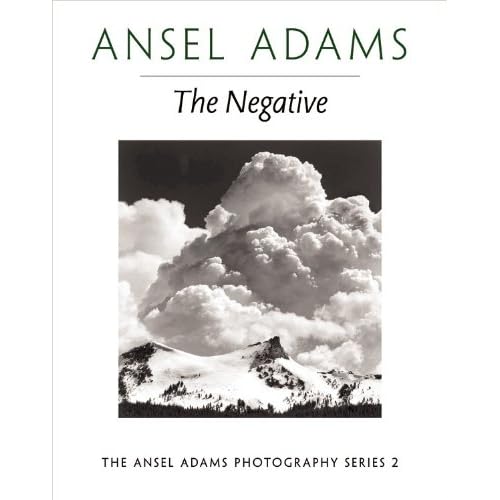
Buy and read the Bible on the Zone System: Ansel Adam's "The Negative"

51j3bjrDzBL._SS500_.jpg


http://www.amazon.com/Negative-Ansel-Adams-Photography-Book/dp/0821221868


Then read "The Print".

BTW: "The Negative" is by far the best book I have ever read which concerns photography, filmmaking, or the creative process. It is all about the intention to create art. Must be read and tucked safely under one's pillow...
 
Last edited:
Thanks Adrian, I will take a look at this book!
David, but how do I know with the incident meter when my skin tones for example are in the Zone I want? I watched the tutorial and as far as I understand the incident meter is reading the light itself in order to help when calculating light ratios and gives you the "right" exposure for each light. So is the right exposure the incident light meter gives me Zone V? Im a bit confused...
 
The incident meter assumes that the subject is 18% grey, so if the real object is lighter than that it will come out lighter, you don't have to compensate.

But you can't really practice the Zone System with an incident meter because it requires that you pick a Zone for an object, so you point a spot (reflective) meter at the object and if you follow that reading, it will be rendered as Zone V, but if you want it to be Zone VI, then you open up a stop from the reading. You could also use a waveform monitor, since that is reading reflectance / luminance.

The Zone System is a nice concept to learn, but it is more applicable in b&w still photography where you can adjust the gamma of the processing of the negative to change contrast and pick different grades of paper to print on in order to stretch or compress your grey tones into a range that looks pleasing. When you can alter gamma (which you can do in post color-correction, for example) you can take a flat overcast scene and add contrast and you can take a sunny day scene and soften the contrast, thus moving tones and the black and white points towards or away from each other. But you can't really do that simply with exposure. The Zone System is a way of visualizing the contrast of the final image but requires that you plan out your post color-correction choices.
 
Thank you David, this clears my confusion. About the Zone System, I am doing traditional photography as well and it's always nice to learn something and then being able to use it for two different areas ;) Plus I want to shoot with 16mm film in the future... Anyway, I think I got enough information so far!
 
Back
Top