

Navigation
Install the app
How to install the app on iOS
Follow along with the video below to see how to install our site as a web app on your home screen.

Note: this_feature_currently_requires_accessing_site_using_safari
More options
Welcome to our community
Be a part of something great, join today!
You are using an out of date browser. It may not display this or other websites correctly.
You should upgrade or use an alternative browser.
You should upgrade or use an alternative browser.
ProRes 422 HQ export doesnt match color grading in cine-x pro
- Thread starter Ryan Samul
- Start date
David Ibbitson
Red Team
Hi Ryan,
How are you exporting? Clip in Viewer? Or Clip in Bin? Dragging a clip from the Browser to the Viewer and grading it will not affect the same clip in the bin (as they are different instances).
David
How are you exporting? Clip in Viewer? Or Clip in Bin? Dragging a clip from the Browser to the Viewer and grading it will not affect the same clip in the bin (as they are different instances).
David

Sierra Haworth
Active member
Are you saving the RMD?
- Thread starter
- #4
Ryan Samul
Well-known member
not sure what an RMD is, but i am saving the look presets.

Johnny Friday
Well-known member
- Joined
- Feb 11, 2007
- Messages
- 3,367
- Reaction score
- 0
- Points
- 36
- Location
- La Paz, Baja Ca. Sur, Mexico
- Website
- bajaproductions.com
David,
are you saying that if we grade a BUNCH of clips in RCX Pro from the bin.....and of course grading in Viewer or via Rocket out to monitor...then we go to Export/Transcode Clips from Viewer----we DON'T get the graded look? or can you elaborate further....so, open a disk, or mag....then grade them....Please elaborate.
are you saying that if we grade a BUNCH of clips in RCX Pro from the bin.....and of course grading in Viewer or via Rocket out to monitor...then we go to Export/Transcode Clips from Viewer----we DON'T get the graded look? or can you elaborate further....so, open a disk, or mag....then grade them....Please elaborate.
- Thread starter
- #6
Ryan Samul
Well-known member
im exporting clip in viewer. i find the r3d file in the browser, double click, tweak the clip then export "clip in viewer"
its just so strange ive been doing this all week, even earlier today and its just now happening.
its just so strange ive been doing this all week, even earlier today and its just now happening.
David Ibbitson
Red Team
One common issue that pops up is that of order of operations. It's really only a convenience that you can go directly from Browser to Viewer. That is fine if you export straight from the viewer, and auto save RMD is not necessary for exporting.
If you drag a clip to the Bin, then double click (or drag) that clip from the Bin to the viewer, you are good. Again auto save RMD not necessary.
If however you go from Browser to Viewer, but then also go from Browser to Bin, continuing to grade the clip in Viewer, this is a problem.
David
If you drag a clip to the Bin, then double click (or drag) that clip from the Bin to the viewer, you are good. Again auto save RMD not necessary.
If however you go from Browser to Viewer, but then also go from Browser to Bin, continuing to grade the clip in Viewer, this is a problem.
David
David Ibbitson
Red Team
Ryan it sounds like you've encountered some sort of bug. Can you email verbose log files to redcinex at red dot com? Make sure the logs capture you trying to transcode a file that hasn't picked up your grade.
Thanks,
David
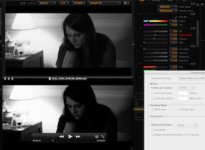
EDIT: Just looked at your screen shot again ... that export definitely has the grade applied, but looks only slightly darker. Can you email a high res screenshot as well?
Thanks,
David
EDIT: Just looked at your screen shot again ... that export definitely has the grade applied, but looks only slightly darker. Can you email a high res screenshot as well?
Johnny Friday
Well-known member
- Joined
- Feb 11, 2007
- Messages
- 3,367
- Reaction score
- 0
- Points
- 36
- Location
- La Paz, Baja Ca. Sur, Mexico
- Website
- bajaproductions.com
David, it's like you are saying that when performing the latter operation....From Browser to Viewer....then one is NOT saving an RMD....is this what you are essentially getting at? Grading a clip and NO RMD file associated with it? Because as i recall i grade ALL my footage from my HDD and leave in those locations....i don't move anything around to bins etc....then export. I'm not aware of how this can affect my final transcode.
OR....i think what i'm trying to say is my grades are FROM the browser...where i just click on the Mag, then those individual clips show up on right side---i presume the Bin---i'd have to look today to see if i have all the correct names: bin/viewer/browser.
OR....i think what i'm trying to say is my grades are FROM the browser...where i just click on the Mag, then those individual clips show up on right side---i presume the Bin---i'd have to look today to see if i have all the correct names: bin/viewer/browser.
- Thread starter
- #10
Ryan Samul
Well-known member
im not framiliar with how one generates a verbose log or where its located once created.
also interesting thing is happening. i apply my saved look to the clip in viewer (that was opened in the bin, then double clicked to open in viewer) and it looks like i want it. then i preview the "meta" look and it switches to the darker weird look automatically. kind of strange.
also interesting thing is happening. i apply my saved look to the clip in viewer (that was opened in the bin, then double clicked to open in viewer) and it looks like i want it. then i preview the "meta" look and it switches to the darker weird look automatically. kind of strange.
David Ibbitson
Red Team
Hi Johnny,
You will always save RMD if auto save RMD in enabled, regardless of how a clip ended up in the viewer. For the purposes of transcoding though, it's not necessary to have an RMD file, as the correct information is saved in memory.
So for your first scenario, Browser to Viewer, grade, export "Clip in Viewer" you are absolutely fine, and there is nothing wrong with this. Just beware what I outlined above .. it can be a simple mistake to make, especially for those new to RCX.
David
You will always save RMD if auto save RMD in enabled, regardless of how a clip ended up in the viewer. For the purposes of transcoding though, it's not necessary to have an RMD file, as the correct information is saved in memory.
So for your first scenario, Browser to Viewer, grade, export "Clip in Viewer" you are absolutely fine, and there is nothing wrong with this. Just beware what I outlined above .. it can be a simple mistake to make, especially for those new to RCX.
David
David Ibbitson
Red Team
Ryan,
If you right click on a finished transcode you'll have the option to "Show Log in Folder." You can zip up the entire folder if you want and email that.
If you are previewing the meta look, it should switch to the meta look, and then switch back to the currently applied look once you let go of preview. Are you not seeing this behavior?
David
If you right click on a finished transcode you'll have the option to "Show Log in Folder." You can zip up the entire folder if you want and email that.
If you are previewing the meta look, it should switch to the meta look, and then switch back to the currently applied look once you let go of preview. Are you not seeing this behavior?
David
- Thread starter
- #13
Ryan Samul
Well-known member
ok, so i restarted just in case.
1. i find the r3d file i want to adjust and open it in the bin. i double click that file to open in viewer. i apply the meta look to get back to zero. i have a saved look that i like for this clip so i click and hold the preview button and it looks like i want it to look, then when i release the button the viewer has applied a very dark look to the file. so i apply the look that ive saved and the viewer's image again looks like i want it. then i preview the meta again and when i release that button the footage in viewer again reverts to the weird darker look.
it almost looks like the weirder darker look is the look i saved applied twice to the same file.
ill do another export and send the log and the high rez file to that email.
thanks for all this ridiculously swift help.
1. i find the r3d file i want to adjust and open it in the bin. i double click that file to open in viewer. i apply the meta look to get back to zero. i have a saved look that i like for this clip so i click and hold the preview button and it looks like i want it to look, then when i release the button the viewer has applied a very dark look to the file. so i apply the look that ive saved and the viewer's image again looks like i want it. then i preview the meta again and when i release that button the footage in viewer again reverts to the weird darker look.
it almost looks like the weirder darker look is the look i saved applied twice to the same file.
ill do another export and send the log and the high rez file to that email.
thanks for all this ridiculously swift help.
- Thread starter
- #14
Ryan Samul
Well-known member
figured out what was happening, though i have no idea why.
for some reason when previewing "META" or when exporting, redcine x pro was turning on the alchemy switch which i had de-selected for my saved look but had left at the +.794 that i had been experimenting with earlier creating the weird darker look.
i exported with the alchemy zeroed out and deselected in both check boxes and the exported file has the correct grade applied.
thank you so much, do you still want the log?
for some reason when previewing "META" or when exporting, redcine x pro was turning on the alchemy switch which i had de-selected for my saved look but had left at the +.794 that i had been experimenting with earlier creating the weird darker look.
i exported with the alchemy zeroed out and deselected in both check boxes and the exported file has the correct grade applied.
thank you so much, do you still want the log?
David Ibbitson
Red Team
Nope, thanks Ryan. We are able to recreate now. Definite bug, thanks for the help.
Cheers,
David
Cheers,
David
- Thread starter
- #16
Ryan Samul
Well-known member
thank you!