Welcome to our community

Be a part of something great, join today!

  • Hey all, just changed over the backend after 15 years I figured time to give it a bit of an update, its probably gonna be a bit weird for most of you and i am sure there is a few bugs to work out but it should kinda work the same as before... hopefully :)

Problem with banding/pixelation when shooting with Scarlet

Antonio Ribeiro

Well-known member
Joined
Dec 11, 2008
Messages
407
Reaction score
0
Points
0
Location
NYC and London
Hi guys,

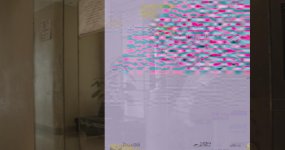
Yesterday this happened.

This was spread over quite a few clips from this Redmag. I then did Black shading and they disappeared. But why did it appear in the first place? Has anyone else had the same experience? Quite worried about this.

Thanks,

Antonio
photostream
 
i just had a similar issue. This appears everytime I play the R3D. I would really like to have some sort of explanation. It was just one frame of one clip, first time this ever happened to me.
 

Attachments

  • A001_C022_1106EM.jpg
    A001_C022_1106EM.jpg
    87.9 KB · Views: 0
Nick Grow specifically if you can.

You'll have to send your cameras in, but he'll arrange loaners for you.


This is probably the worst news I could expect. I live in south america. Ok, I wrote to Red about it, let´s see what they say.
 
This is probably the worst news I could expect. I live in south america. Ok, I wrote to Red about it, let´s see what they say.

Your corrupt frame looks a lot like an issue a few others including myself were having. As far as I know it was firmware issue that only effected a few cameras, both Epic and Scarlet.

The latest current release firmware seems to be okay. If you want to see the other corrupt frames we were having search refuser for corrupt frames.

You may just need to update your camera to the latest release build firmware.

Cheers, Tim.
 
Hm... If it is only on one clip, none before or after - this could also be the result of a buggy copy. If you have this in-cam and from original media, that is another story.
 
False alarm. I found the clip still in a Redmag and it works fine. Got lucky, it wasn´t erased yet. But this is a real concern if it happens in a situation where I can´t always be checking the material after I dumped it to reuse the Redmags while shooting.
 
Last edited:
Your corrupt frame looks a lot like an issue a few others including myself were having. As far as I know it was firmware issue that only effected a few cameras, both Epic and Scarlet.

The latest current release firmware seems to be okay. If you want to see the other corrupt frames we were having search refuser for corrupt frames.

You may just need to update your camera to the latest release build firmware.

Cheers, Tim.


Thanks, Tim. I already had my Scarlet with the latest release build firmware when I shot this. I never go with beta firmware. Now I am seriously concerned with having the same issue again, because I dump my footage on location to reuse the Redmags and most of the times I won´t have time to check for corrupt frames (who would during a shoot?).
 
I suppose you mean there is a way to verify copies quickly, would you tell me how, please?

There a couple of software programs that copy & check (R3D manager is one of them) - but nothing works like a pair of human eyes… REDUndead is also great for 'restoring' files from a REDMag; even one that's been formatted.
 
For prusuctions that require "insureable"/bulletproof workflows, I allways require a dual md5 or better copy + a full transcode and a visual check before certifing it as "good enough" all that has ro be done prior to formatting of any media, and I still require that there is enogh media for at least two days of shooting, so that the media isn't actually erased before the transcodes are logged and good.

Now...
This doesn't fit my private pocket...
So I often skip one or more of the steps involved when handling my own stuff, because I cannot afford to work that way.
But I do that knowing that
1. I am quite good at handling media
2. I am aware of the risk and know that even though I haven't lost a frame on anything I have been responsible for since april 2008, skipping any of the steps I describe may lead to lost frames or clips, as I have seen that on occations where I have been asked to "solve" issues.

I have never seen an actual lost frame, when the above advices have been rigorously implemented.

A md5 copy does not allways suffice, though...
 
It happened to me once and it was a firmware issue.
Never happened again.
 
Back
Top