- Banned
- #1

huascar
Banned
- Joined
- Oct 19, 2008
- Messages
- 44
- Reaction score
- 0
- Points
- 0
- Age
- 49
Hi everybody.
I'm trying to understand well how to control exposure and noise, shooting with R1. Here's my setup:
Red One Camera Build 20.1.6
Nikon mount with Nikkor 50mm f1.2
4K 2:1 redcode36
one 1kW tungsten light (with CTB gel)
two 1200w HMI fluorescent daylight (4400k) homemade
I open all the footages with RedCine 20.0 exporting Apple ProRes422 HQ movs.
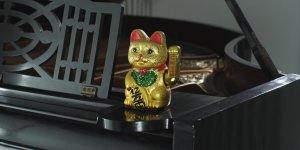
I'm shooting a chinese gold cat doll (with swinging harm) on a black piano. I want to achieve a good lighting and good exposed image. The two HMI are in front of the piano&cat and the tungsten gelled as rear light.
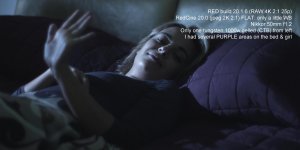
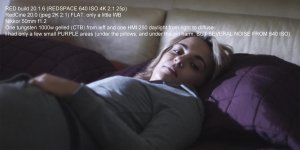
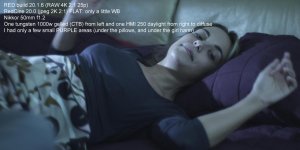
I calculate exposure on cat using either zebra and false color. In some of the black parts of the piano I have some purple zones (false color).
When I export a mov from RedCine I have some noise all the black zones.
So I have to overexposed the cat, then raise down ISO in RedCine, adjust exposure to obtain less (quite none) noise in black zones...
There's something wrong with light?!?!? The cat is on the piano, and the two front HMI lights are about 1 meter away. There's a lot of light?!?!?!
Sure, I'm not speaking about A LOT of noise... but I want to achieve the best image possible from my Red....
Thanks to everybody
huascar
I'm trying to understand well how to control exposure and noise, shooting with R1. Here's my setup:
Red One Camera Build 20.1.6
Nikon mount with Nikkor 50mm f1.2
4K 2:1 redcode36
one 1kW tungsten light (with CTB gel)
two 1200w HMI fluorescent daylight (4400k) homemade
I open all the footages with RedCine 20.0 exporting Apple ProRes422 HQ movs.
I'm shooting a chinese gold cat doll (with swinging harm) on a black piano. I want to achieve a good lighting and good exposed image. The two HMI are in front of the piano&cat and the tungsten gelled as rear light.
I calculate exposure on cat using either zebra and false color. In some of the black parts of the piano I have some purple zones (false color).
When I export a mov from RedCine I have some noise all the black zones.
So I have to overexposed the cat, then raise down ISO in RedCine, adjust exposure to obtain less (quite none) noise in black zones...
There's something wrong with light?!?!? The cat is on the piano, and the two front HMI lights are about 1 meter away. There's a lot of light?!?!?!
Sure, I'm not speaking about A LOT of noise... but I want to achieve the best image possible from my Red....
Thanks to everybody
huascar