jon jorgensen
Member
- Joined
- Jun 22, 2010
- Messages
- 8
- Reaction score
- 0
- Points
- 0
hey all, I;m reposting this here just to see if someone here might be able to help:
This is my first day with ANY red product. I just finished following all the steps in the REDROCKET PDF fo install and when I open up the REDCINE program to start my conversions I get the following errors:
Your RedRocket driver is out of date. You have version 0.0.0.0, you need version 1.1.4.0.
Now I know this is weird because I just installed the newest driver. (as I just installed it form the website.) Is there another driver located somewhere that I might try.
I also get the error:
Your RedRocket firmware is out of date. You have version 0.0.0.0, you need version 1.1.6.8
but when I check the Terminal for the update I get the prompt:
Currently installed firmware: 1.1.8.6_1.10.1
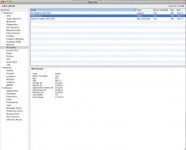
I also get the prompt that my REDROCKET is in a PCI-Ex speed of 0, and is in 0z PCI-Ex Lane. Which further confuses me, as the PCI expres utility tells me tha the slot the REDROCKET is currently in is set to 8x and is running at max speed...though it does list it as an unknown video card.
in the system profile it is listed as a red rocket though, and its link speed is 2.5 GT/s at a Link Width of x8....so? Yeah. I'ma pretty techie person but I'm at a loss. Does anyone here have any idea what I may be doing wrong?
Jon.


This is my first day with ANY red product. I just finished following all the steps in the REDROCKET PDF fo install and when I open up the REDCINE program to start my conversions I get the following errors:
Your RedRocket driver is out of date. You have version 0.0.0.0, you need version 1.1.4.0.
Now I know this is weird because I just installed the newest driver. (as I just installed it form the website.) Is there another driver located somewhere that I might try.
I also get the error:
Your RedRocket firmware is out of date. You have version 0.0.0.0, you need version 1.1.6.8
but when I check the Terminal for the update I get the prompt:
Currently installed firmware: 1.1.8.6_1.10.1
I also get the prompt that my REDROCKET is in a PCI-Ex speed of 0, and is in 0z PCI-Ex Lane. Which further confuses me, as the PCI expres utility tells me tha the slot the REDROCKET is currently in is set to 8x and is running at max speed...though it does list it as an unknown video card.
in the system profile it is listed as a red rocket though, and its link speed is 2.5 GT/s at a Link Width of x8....so? Yeah. I'ma pretty techie person but I'm at a loss. Does anyone here have any idea what I may be doing wrong?
Jon.
Last edited: