

Sharif El Neklawy
Well-known member
Hey guys,
So I'm in the middle of editing my first project with footage from a recently bought Scarlet--exciting times. My FCP 7 workflow w/ the intent to end up with an H.264 for vimeo at the end:
Exported ProRes 422 (HQ) out of Redcine-x Pro for offline edit in RedLogFilm (which was a mistake because now my clients are anxious to see the first cut, but now I feel obligated to quickly color so they don't get freaked out). My dream would be to relink to .R3D in redcine-x, color it there and export the final product from there (I can easily be talked out of this, but I've found myself really liking the redcine-x interface for grading).
I've made my cuts and there are a few parts of the edit with triptychs, made by layering 3 clips over each other on three separate video tracks in FCP.
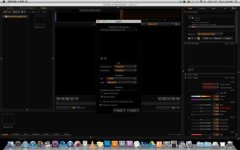
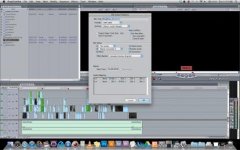
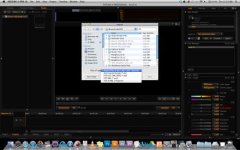
When I export an EDL (cmx 3600 w/ the settings as pictured) and import them into redcine-x as w/ settings pictured I only get one video track, so that's no good.
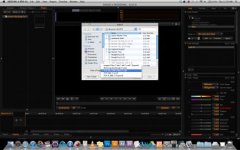
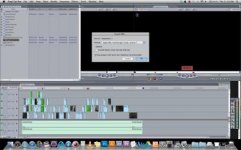
When I export an XML (w/ settings as pictured) and import to redcine-x as pictured I get all my video tracks, but they are triptychs. So this is really close, but not perfect.
Is there something I could do, to see everything i've done with my edit going either the xml or edl route? If the xml route that I've taken is going to be my best option, what is the next step to relinking to .R3D files to start grading and is there anyway to get back to my edit w/ triptychs before exporting an H.264? Lastly, what's a better way I could do this in the future for shooting in 4K Raw, editing in FCP 7 and coming back to Redcine-X to grade and export deliverable?
When I send to color from FCP, the same problem occurs. If someone's more knowledgable with color than redcine-x, what will I have to do to get my grading back into FCP where the triptychs are present? xml or edl out of color? or something else?
Hope I can gain some pearls of wisdom. Thanks!
So I'm in the middle of editing my first project with footage from a recently bought Scarlet--exciting times. My FCP 7 workflow w/ the intent to end up with an H.264 for vimeo at the end:
Exported ProRes 422 (HQ) out of Redcine-x Pro for offline edit in RedLogFilm (which was a mistake because now my clients are anxious to see the first cut, but now I feel obligated to quickly color so they don't get freaked out). My dream would be to relink to .R3D in redcine-x, color it there and export the final product from there (I can easily be talked out of this, but I've found myself really liking the redcine-x interface for grading).
I've made my cuts and there are a few parts of the edit with triptychs, made by layering 3 clips over each other on three separate video tracks in FCP.
When I export an EDL (cmx 3600 w/ the settings as pictured) and import them into redcine-x as w/ settings pictured I only get one video track, so that's no good.
When I export an XML (w/ settings as pictured) and import to redcine-x as pictured I get all my video tracks, but they are triptychs. So this is really close, but not perfect.
Is there something I could do, to see everything i've done with my edit going either the xml or edl route? If the xml route that I've taken is going to be my best option, what is the next step to relinking to .R3D files to start grading and is there anyway to get back to my edit w/ triptychs before exporting an H.264? Lastly, what's a better way I could do this in the future for shooting in 4K Raw, editing in FCP 7 and coming back to Redcine-X to grade and export deliverable?
When I send to color from FCP, the same problem occurs. If someone's more knowledgable with color than redcine-x, what will I have to do to get my grading back into FCP where the triptychs are present? xml or edl out of color? or something else?
Hope I can gain some pearls of wisdom. Thanks!
Attachments
Last edited:
