- Banned
- #1

huascar
Banned
- Joined
- Oct 19, 2008
- Messages
- 44
- Reaction score
- 0
- Points
- 0
- Age
- 49
Hi, yesterday I spent a lot of time to understand better how to work with FALSE COLOR to avoid noise in low light scenes.
My results bring me to work in this way:
for dark areas YOU CAN'T HAVE ANY (almost) PURPLE AREAS. Purple=noise!!
for highlight areas WHERE YOU HAVE YELLOW (THEN ORANGE AND RED) YOU ARE CLIPPING! So you can have a little area with orange/red (maybe where a direct light "touch" a face) but not more.
Following this rules I obtain good results. Good means "what I see with FALSE COLOR is what I'll have on post.
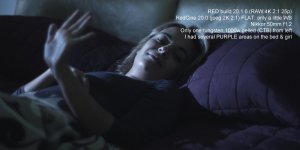
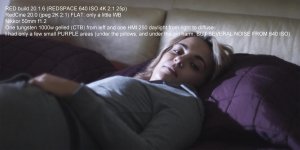
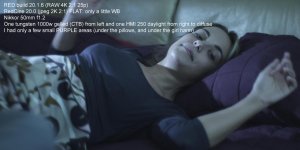
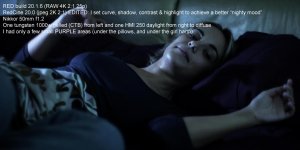
Now I'd like to understand well how color correction works on dark areas, and what it does on noisy areas. In my pics you can see that an almost noise-free image becomes better (no noise) if I use curve, shadow and contrast settings. It seems that this settings help the image to be noiseless. It is true? So if I have an image with noise I can truy to decrease it raising up the dark mood. Right?
Anyway, here's my test. I hope they are clear.
Thanks to everybody
huascar
My results bring me to work in this way:
for dark areas YOU CAN'T HAVE ANY (almost) PURPLE AREAS. Purple=noise!!
for highlight areas WHERE YOU HAVE YELLOW (THEN ORANGE AND RED) YOU ARE CLIPPING! So you can have a little area with orange/red (maybe where a direct light "touch" a face) but not more.
Following this rules I obtain good results. Good means "what I see with FALSE COLOR is what I'll have on post.
Now I'd like to understand well how color correction works on dark areas, and what it does on noisy areas. In my pics you can see that an almost noise-free image becomes better (no noise) if I use curve, shadow and contrast settings. It seems that this settings help the image to be noiseless. It is true? So if I have an image with noise I can truy to decrease it raising up the dark mood. Right?
Anyway, here's my test. I hope they are clear.
Thanks to everybody
huascar