Welcome to our community

Be a part of something great, join today!

  • Hey all, just changed over the backend after 15 years I figured time to give it a bit of an update, its probably gonna be a bit weird for most of you and i am sure there is a few bugs to work out but it should kinda work the same as before... hopefully :)

Microphone setup?

Gavin Greenwalt

Well-known member
Joined
Dec 29, 2006
Messages
7,614
Reaction score
0
Points
36
Age
40
Ok I'm feeling all kinds of stupid.

I have a Sennheiser me66 shotgun mic. An XLR to mini plug. And a AA battery adapter. Do I turn on the Mic? What setting do I set in the Scarlet 3.3 to record audio? I don't see any levels in my monitor.

What's the proper setup settings that I should be using without burning out my jacks?
 
i assume you did, but did you enable audio recording. I always forget everytime i upgrade firmware.
 
i assume you did, but did you enable audio recording. I always forget everytime i upgrade firmware.

Do you mean checking the "link" checkbox in audio?

What should I choose for mode?

Nope... manual says link is for linking gain or something. I'm at a loss only time I see anything register on the inputs is when I plug it in (presumably from static).
 
on touchscreen, touch the audio levels area. Make sure not in varispeed. Then when the box pops up, make sure you check the box that says "enable audio record"
 
go to settings --> audio/video --> Audio input. Check enable audio recording.
 
yea im on 3.2.19. i would assume they would be the same. Sorry man. let me know if you come up with a fix.
 
Ok I'm feeling all kinds of stupid.

I have a Sennheiser me66 shotgun mic. An XLR to mini plug. And a AA battery adapter. Do I turn on the Mic? What setting do I set in the Scarlet 3.3 to record audio? I don't see any levels in my monitor.

What's the proper setup settings that I should be using without burning out my jacks?
I have a Sennheiser me66 that I'm using successfully in 3.3 with phantom power. My setup is: XLRs to A_Box to mini jacks. No battery in mic, battery switch set to "off." In menus go to Settings > Audio/Video > Audio Channels > Chan 1/2 Source = Cam Analog; Mode = Bal./48v. While in Audio/Video also check gain (if you haven't already.) Go to Audio Control > Gain In; I've usually set Cam Analog CH1/CH2 to ~+25dB.
 
Are you sure it's the right kind of cable? Is it the RED version or can you confirm it has the correct pin mapping?

Not RED official. No idea if it's pin correct. is it non-standard?
 
Somewhere in the Scarlet manual there is a mic pinout diagram. I built a few different 1/8" TRS to XLR adapters to those pinouts and they have worked with my ME66. In the past I have always run my ME66 and K6 with the battery on. That was before phantom but I haven't tried it since. Did the audio level display change color when you plugged the cable into the brain?
 
Gavin,

I have one of those low impedence transformers myself... use it to run a mic into my computer audio card, which works great. I've tried it with the Scarlet, and it doesn't work. I don't know enough of the technical side of these things as to why it won't work...

I just use a Wooden Camera A-Box and everything works great... I'm also on Build 3.3 right now.
 
Hey there Curtis,

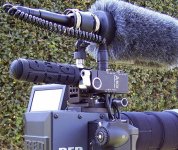
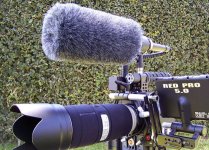
Can I trouble you to take a quick shot of your set up with the A-Box? I was about to create the same setup and would like match yours.
Thank you my friend!

Marq Lee

I have a Sennheiser me66 that I'm using successfully in 3.3 with phantom power. My setup is: XLRs to A_Box to mini jacks. No battery in mic, battery switch set to "off." In menus go to Settings > Audio/Video > Audio Channels > Chan 1/2 Source = Cam Analog; Mode = Bal./48v. While in Audio/Video also check gain (if you haven't already.) Go to Audio Control > Gain In; I've usually set Cam Analog CH1/CH2 to ~+25dB.
 
I've got an a box up in bellingham.
 

Attachments

  • A-BoxSide.jpg
    A-BoxSide.jpg
    97 KB · Views: 0
  • LCD_Side.jpg
    LCD_Side.jpg
    96.4 KB · Views: 0
Back
Top