Welcome to our community

Be a part of something great, join today!

  • Hey all, just changed over the backend after 15 years I figured time to give it a bit of an update, its probably gonna be a bit weird for most of you and i am sure there is a few bugs to work out but it should kinda work the same as before... hopefully :)

LUT help for a n00b

Alexander_Scott

New member
Joined
Aug 24, 2020
Messages
4
Reaction score
0
Points
0
Hello everyone,

Man, this might actually be my first post here

As you expected, some of us here are really new to video with the Komodo. For myself, I've been really interested in video for a while but mainly focused on photography. So I'm trying to learn on my own.

Ive hunted around online, and I've read about IPP2 and other workflows, watched videos. I am just struggling with some things which I'm certain are 101 basics, and was hoping someone would kindly help me with.

1) If I shoot R3D (any quality setting), for proper IPP2 workflow, how do I apply a LUT? if I select a LUT in camera, will that translate to the final file? or do I again have to add a LUT in my NLE (fcpx or premiere to start)
2) if I shoot prores baked in (for something the genuinely doesn't require the bandwidth and file size of a raw file), and I shoot it at 2k, where do I set the LUT or other values on the Komodo such the the output file actually looks like it does in camera?

sorry if these are ridiculous questions, but I am trying to connect the dots, flame suit is on. (and thank you for help)
 
Couple of things. I'll try and be quick.

If you are shooting RAW, the LUT will have no affect on the footage. Its just so you can preview. When you bring the raw files back into your NLE, just drop the LUT on again.

When you shoot Prores, you *can* bake in the LUT, depending on how you use it. Some folks shoot log (or in this case IPP2), and "monitor" with the LUT so they can preview. But others bake in the LUT. Depends on how you want to use it.

And finally shooting Prores doesn't always mean a smaller file. Remember, RED shoots *compressed* raw. Depending on which of Komodo's 3 compressions you use (HQ, MQ, LQ), you may actually get a smaller file shooting RAW.

For ex, Prores 4K 4444 creates very large files, and Komodo 6K LQ may actually save you disk space (you'll need to look it up).

On the flip side, shooting Prores 1080 422 HQ will obviously take up very little mag space.

How you use these formats determines the file size, not just the format.

Hope this helps.
 
I really appreciate it, this makes sense and explains why I've been confused

I didn't conceptualize that the LUT is used in camera generally as just a way to preview final footage, rather than as a way to alter final footage in advance

Understanding now that if I shot prores in the camera I could "bake in" a LUT as well, if I selected the proper settings

thanks, this helps demystify some of the terms and usage for me

I'll check the file size comparo as well, that's a good point
 
I really appreciate it, this makes sense and explains why I've been confused

I didn't conceptualize that the LUT is used in camera generally as just a way to preview final footage, rather than as a way to alter final footage in advance

Understanding now that if I shot prores in the camera I could "bake in" a LUT as well, if I selected the proper settings

thanks, this helps demystify some of the terms and usage for me

I'll check the file size comparo as well, that's a good point

Anytime. And it's also helpful to take a moment and demystify LUTS. They are a catch all term, and it gets confusing.

A lot of LUTS are just "transforms".

They transform a LOG image (ie IPP2, or Sony Log, or Canon Log, or Alexa Log) into a viewing standard - the most common being Rec709.

These are not creative LUTS. They are just technical. Almost all of RED's LUTs are technical transforms to REC709 with small creative differences (less contrast, more contrast, less roll off, more roll off).

Alexa, Sony and Canon also provide an array of technical LUTs that are best described as transforms.

THEN...there is a whole other category of creative LUTS, that can be very stylized - these are akin to applying a grade to your footage. Nothing wrong with these, but just be aware that you are not seeing what the camera sees. Here you are seeing the grade primarily.

Hope the helps.
 
got it, that makes sense as well

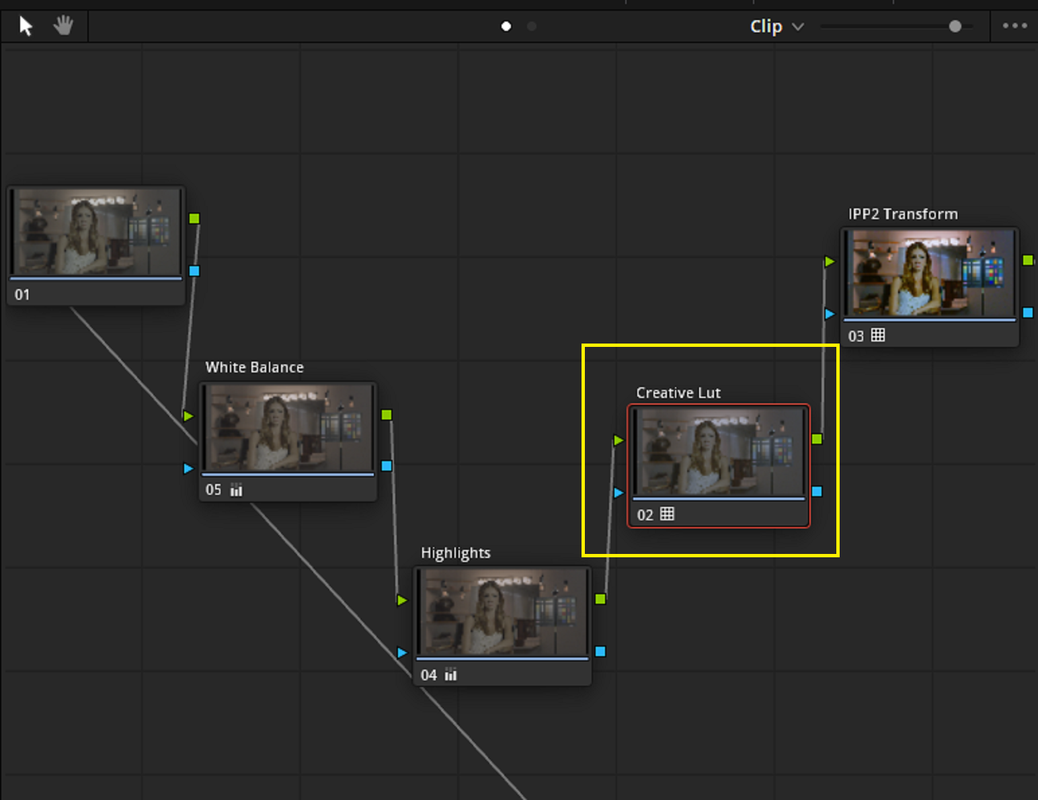
follow up q would be, if during editing, I apply a LUT to transform a log image into rec709 ; does a "creative lut" get applied on top of this, or is it instead of this (I assume instead of, but after editing as part of color grading etc)

and last q...when would one want to output to rec2020

is rec2020 an HDR workflow variety (and a whole new topic)

thank you for the help wading through this!
 
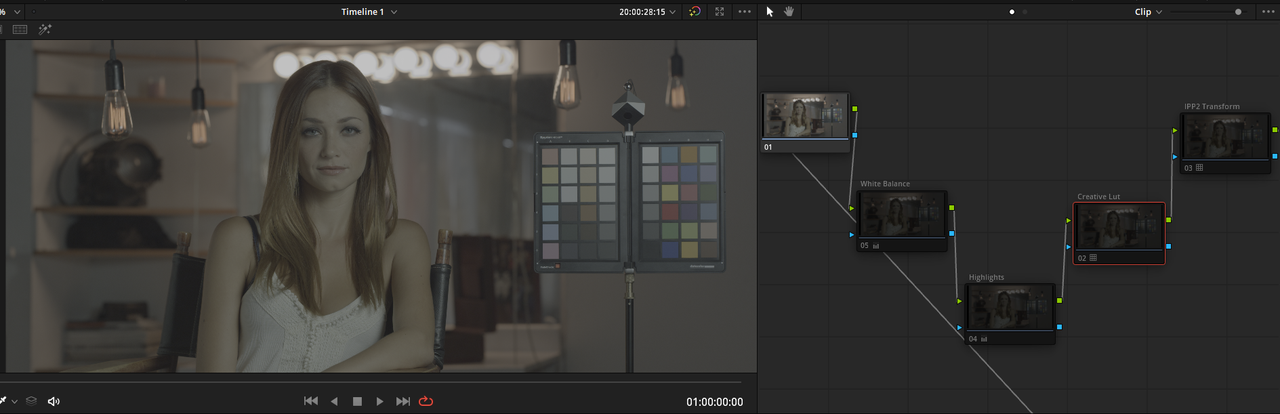
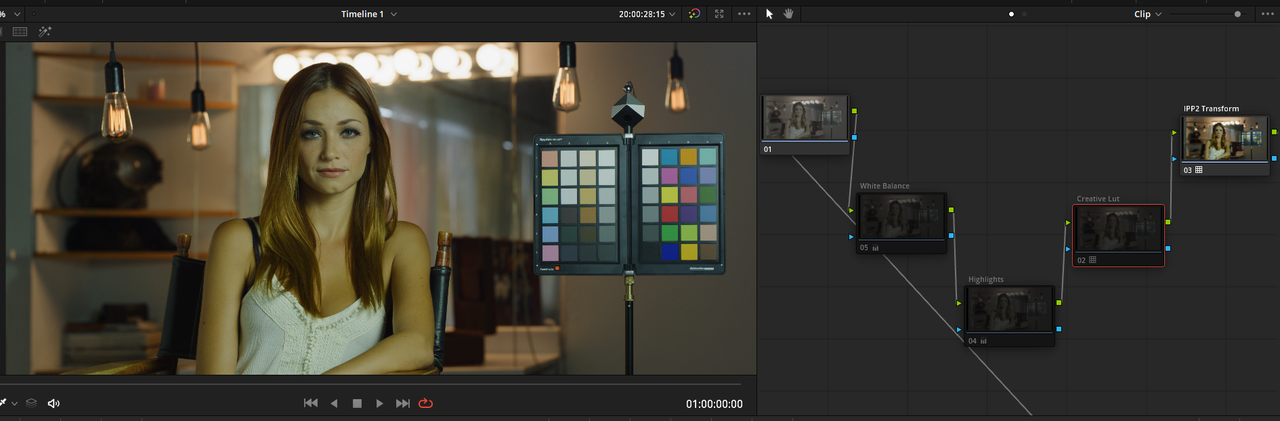
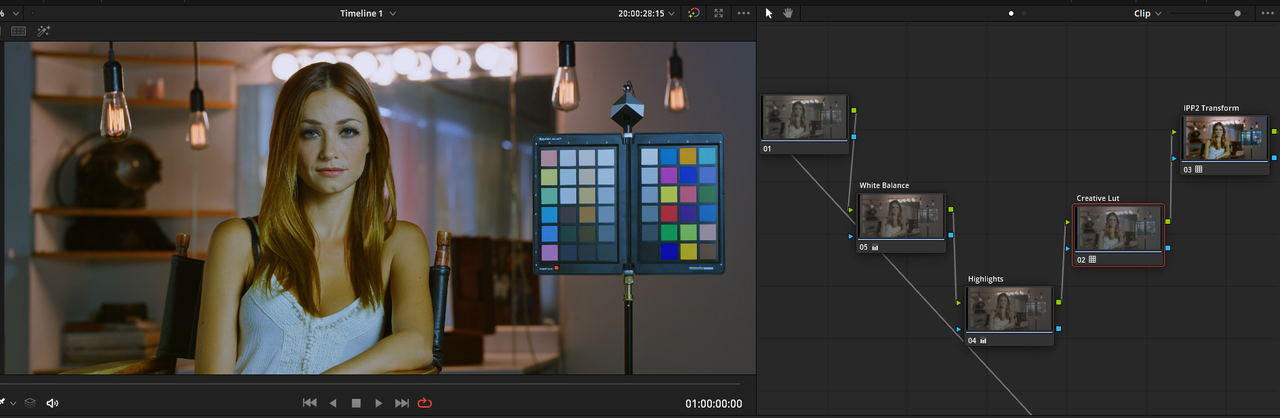
Usually you place the transform to 709 lut last, and other nodes or luts before. This because you want to be able to use the raw latitude before limiting the signal to rec 709.
 
Like Andi stated

In Davinci Resolve

Screenshot-2808.png


Screenshot-2809.png


Screenshot-2804.png


Screenshot-2804-2.png


Screenshot-2806.png


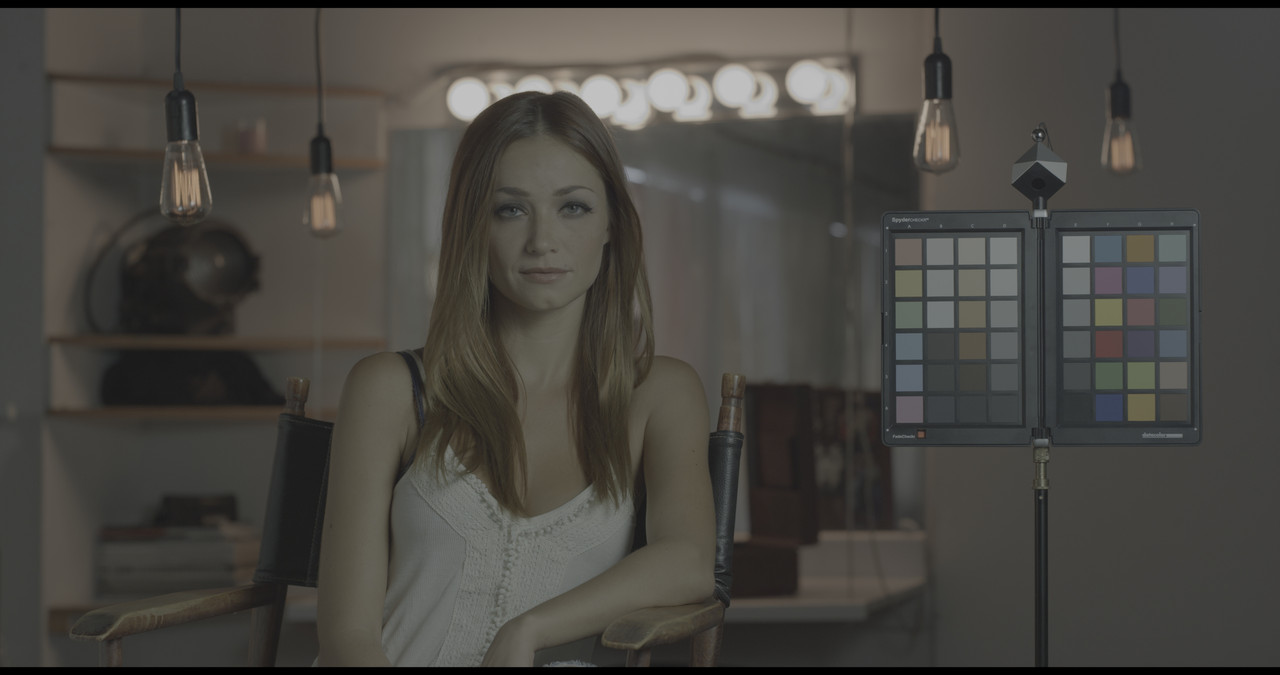
Original IPP2(RWG/Log3G10)

orig-1-1-1.jpg


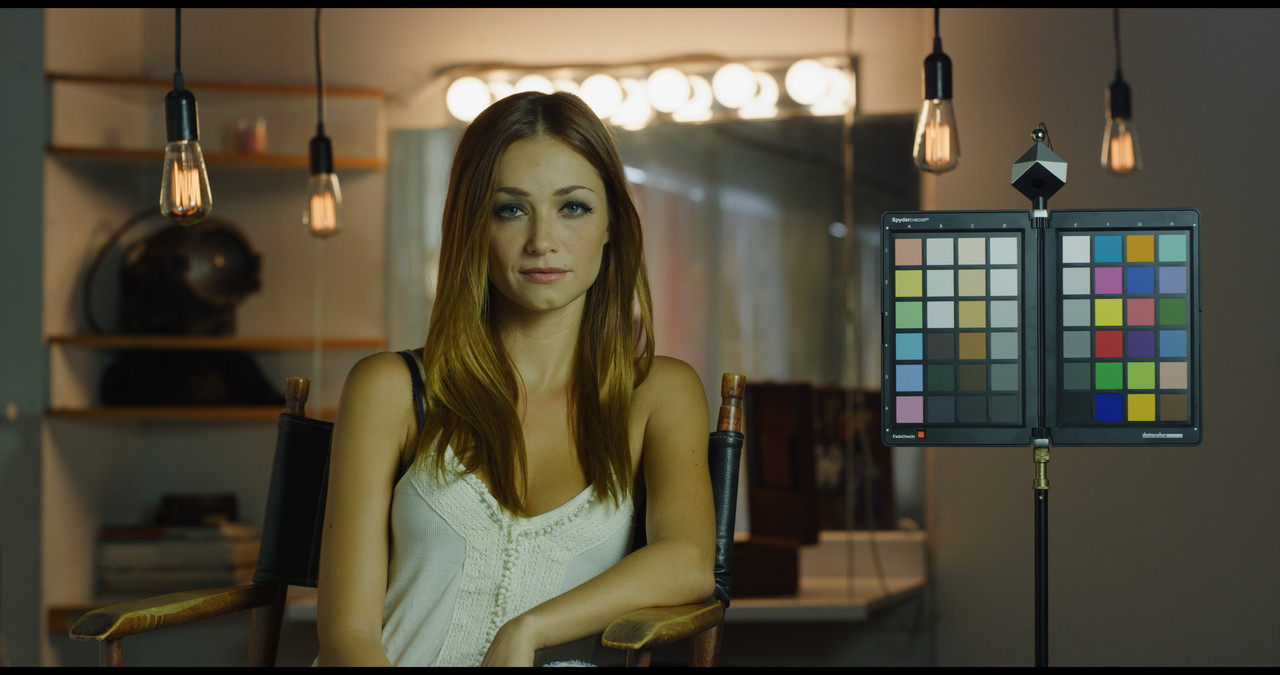
With IPP2 Transform

with-ipp2-1-1-2.jpg


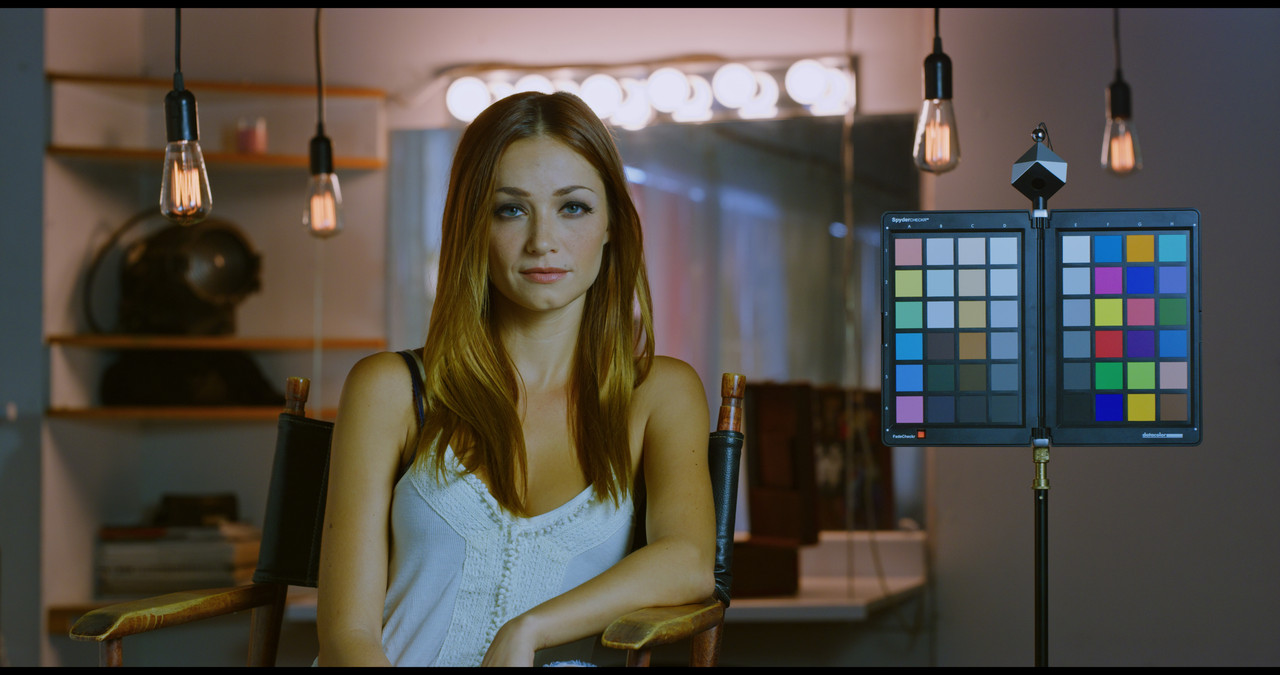
IPP2 Transform plus Creative Lut and Primary Adjustments

creative-lut-1-1-3.jpg
 
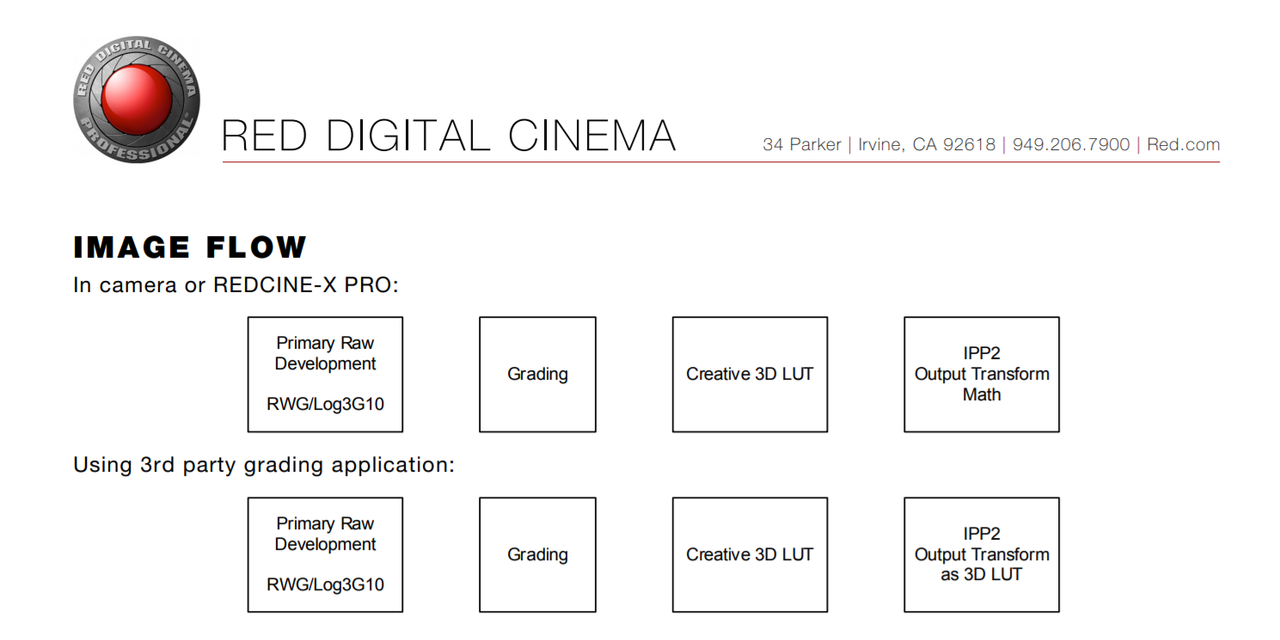
Thank you! This is awesome. Going to spend some time working through it. Genuinely appreciate the info and time taken to find the flow charts.
 
I appreciate that Nick! I personally do better learning things with visuals than with written instructions. So I'm sure others on the forum are kinda like myself.
 
Hey Everyone, this might come off as a noob question as well. If I’m editing R3D files in adobe premiere and I want to grade in resolve, is there a practical way to send the edited cut to resolve so i have control over the R3D raw files in Resolve? Currently I export premiere in Pro Res 4444 in Log and send the RWG/log file over with an EDL (I’m just not sure if this is the best way to do it or not)
 
Hey Everyone, this might come off as a noob question as well. If I’m editing R3D files in adobe premiere and I want to grade in resolve, is there a practical way to send the edited cut to resolve so i have control over the R3D raw files in Resolve? Currently I export premiere in Pro Res 4444 in Log and send the RWG/log file over with an EDL (I’m just not sure if this is the best way to do it or not)

Hey John. I always use a XML. Only thing you have to do is put the media you use in the timeline in the media bin in resolve then import the xml and everything links.
 
Back
Top