Welcome to our community

Be a part of something great, join today!

  • Hey all, just changed over the backend after 15 years I figured time to give it a bit of an update, its probably gonna be a bit weird for most of you and i am sure there is a few bugs to work out but it should kinda work the same as before... hopefully :)

Looking for FCP / Color / RED ROCKET workflow suggestions

....you have another way of utilizing rocket card in the FCP/Color native R3d workflow?

I use the same workflow. If I just used proxies and then .R3D in Color, what would I do with my Red Rocket?

I couldn't get the "Send To Redcine-x" feature to work either. I just did a select all and copy to a new finder window. You end up with a copy of all files used in the edit in one folder. Open in Redcine-x
 
I use the same workflow. If I just used proxies and then .R3D in Color, what would I do with my Red Rocket?

I couldn't get the "Send To Redcine-x" feature to work either. I just did a select all and copy to a new finder window. You end up with a copy of all files used in the edit in one folder. Open in Redcine-x

So then you just recolor in Color your prores files if they need saturation etc...?

That's what i've found i have to do for now since i have not found a workaround for the gamma shift and washed out look of the QT's and I've tried every possible prores transcode. So 422HQ looks same to me as prores 4444. I see no difference--they both look like crap.
 
Working directly with R3D in Color has two disadvantages:

– You don't have full access to the source DR, even if you switch of "Broadcast Safe"

uli

respectfully. This is FUD. If you take a look at gunuliek grovens tests right here on reduser you will see that frames exported from color 1.5 and rocketcine-x are exactly the same quality.

There is no loss of dr when using color.

David.
 
When you render 4444 out of color direct from r3d there is no gamma shift at all.

It's accurate to what you are monitoring and what is being rendered.

David.
 
Hi,
I agree with Davids statement - Why would you grade baked in prores over direct r3d?.
But I think that some editors dont take colour correcting seriously enough or at least dont realise the importance of good colour correcting procedure
(Nice colour work in Bare bones)

Yohance please would you explain the "ProRes4444 gamma shifting issues".

ULI
please would you explain why you dont care for the "gamma shift in prores 444"

Thanks
Tanya
 
Last edited:
Hi,
I agree with Davids statement - Why would you grade baked in prores over direct r3d?.
But I think that some editors dont take colour correcting seriously enough or at least dont realise the importance of good colour correcting procedure
(Nice colour work in Bare bones)

Yohance please would you explain the "ProRes4444 gamma shifting issues".

ULI
please would you explain why you dont care for the "gamma shift in prores 444"

Thanks
Tanya

I would/do prores workflow for speed. I can't wait 5 days for a render out of Color for the R3d's i'm transcoding. But why would you work out of Color with native R3d's on a large project is i think another valid question. Using the Redrocket is the huge advantage to do a first light and then do final grading in color. And in my case most is for TV so i see no advantage for working with native R3d's to get even more information/data. I've got plenty with 4444....especially after a first light color correction in redcine. However, that said, redcine currently is not outputting exactly as i see it in redcine when transcoded to prores.
 
I have found that if you use ProRes4444 as your source footage after you color grade from that and render out there is a shift from that ProRes4444 source.

I believe my deliverable was ProRes_HQ on that project.
 
ULI [/B]please would you explain why you dont care for the "gamma shift in prores 444"


Well, if I monitor my ProRes in FCP via an I/O card and I do the same in Color, I don't see any major shifts. They exist only on the computer screen.

There is a minor shift from 4444 to 422, since that is a conversion from RGB to YUV.
 
Well, if I monitor my ProRes in FCP via an I/O card and I do the same in Color, I don't see any major shifts. They exist only on the computer screen.
Obviously, the most fundamental aspect of color grading is WYSWYG. If you grade it and then render your material for, say, lay-down to tape from that QT and it looks different as a result of a gamma shift , because it's "only on the computer screen", then what is the point of grading? Are you saying, that after you render your grade, you don't care anymore what happens to the QT, as long as it looks correct in Color? That is precisely why I NEVER use compressed codecs for grading or delivery...
There is a minor shift from 4444 to 422, since that is a conversion from RGB to YUV
Are you sure about this? I'm asking about RGB to YUV conversion.
 
Are you saying, that after you render your grade, you don't care anymore what happens to the QT, as long as it looks correct in Color?

I don't think he is.

I think he is describing the same thing which I have experienced, which is that a lot of the gamma shifts people describe (but not all) only manifest on the computer monitor. If you monitor your SDI output in Color, and your SDI output in FCP (which is what goes to tape) and ignore the computer screen in both, then the fact that the computer screen varies between apps is irrelevant. The broadcast monitor is what matters for a broadcast deliverable.

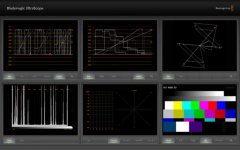
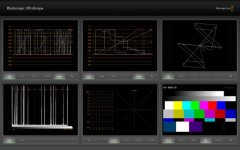
Attached are two grabs of a scope on the output first in Color, and then the same image rendered as ProResHQ and played back in FCP. The output card is a Decklink HD Pro.
 

Attachments

  • Color.jpg
    Color.jpg
    28 KB · Views: 0
  • ProResHQ-in-FCP.jpg
    ProResHQ-in-FCP.jpg
    27.7 KB · Views: 0
I don't think he is.

I think he is describing the same thing which I have experienced, which is that a lot of the gamma shifts people describe (but not all) only manifest on the computer monitor. If you monitor your SDI output in Color, and your SDI output in FCP (which is what goes to tape) and ignore the computer screen in both, then the fact that the computer screen varies between apps is irrelevant. The broadcast monitor is what matters for a broadcast deliverable.

Granted, fi you record SDI output straight from Color, you're monitoring the same video path. But I bet you, that majority of Color users project eventually ends up on something like Blue ray, DVD, projected or web, i.e. file form, where gamma shift from any Prores is pronounced and apparent. We're running in circle over and over, describing different scenarios and different deliverables. My point is, if you finally decide, that gamma and color shifts are getting in the way of finishing the job properly EVERY time in EVERY situation for video deliverables, then you should start investigating the use of uncompressed codecs, like DPX or 10 bit RGB AJA. But, that's my personal philosophy...
 
I would never advocate playing out from Color. With no deck control and no guaranteed real time playback that would be asking for trouble.

I agree that uncompressed is preferable, and I would choose Baselight any day over Color (I have Baselight on my MacBook Pro, and that can handle ProRes without gamma issues, among its many other advantages over Color, a cache to enable real time playback being another major one) but the scope grabs I posted above show that a ProRes FCP>Color>FCP round-trip is possible. I have found that ProRes round trips to Color work fine, and there are more problems with for example reading DPX and writing uncompressed QuickTime.

My experience has been that since Final Cut Studio is heavily geared towards working with ProRes that problems are not necessarily solved by moving to an uncompressed RGB format.

My opinion is that if you want to avoid colour and gamma shifts you are better keeping QuickTime out of the equation, whether that is compressed or uncompressed. Unfortunately if you are working on a Final Cut Studio system that is not possible.
 
I would never advocate playing out from Color. With no deck control and no guaranteed real time playback that would be asking for trouble.

I agree that uncompressed is preferable, and I would choose Baselight any day over Color (I have Baselight on my MacBook Pro, and that can handle ProRes without gamma issues, among its many other advantages over Color, a cache to enable real time playback being another major one) but the scope grabs I posted above show that a ProRes FCP>Color>FCP round-trip is possible. I have found that ProRes round trips to Color work fine, and there are more problems with for example reading DPX and writing uncompressed QuickTime.

My experience has been that since Final Cut Studio is heavily geared towards working with ProRes that problems are not necessarily solved by moving to an uncompressed RGB format.

My opinion is that if you want to avoid colour and gamma shifts you are better keeping QuickTime out of the equation, whether that is compressed or uncompressed. Unfortunately if you are working on a Final Cut Studio system that is not possible.
I'm not sure, what FilmLight is doing to avoid the gamma shifts in Prores, but if they succeeded, that's very interesting. Going back to my original point, concerning the advantages in using the uncompressed codec, vs compressed. I do not use Color, but that isn't important for this discussion of the workflow. I use Lustre and I only grade with DPX, regardless of the source material. Granted, may be Color isn't that adept at using DPX for grading? I do not know. But it doesn't matter for this particular discussion. We're talking deliverables, regardless of the method. Once I finish my grade, I deliver 10 bit RGB AJA quicktime, which is always an exact impression of my graded session. I have done number of side by side on any type of calibrated monitor and it always dead on copy. So, at some point I need to make a dreded Prores or H264. That's where the advantage of uncompressed AJA comes in handy. I know, that no matter what, this QT always looks correct every time, every calibrated monitor. So, all I have to do is load it into FCP, apply a simple color correction and I get a perfect copy of uncompressed QT in Prores or H264 every time. With Prores, how do you know, if it is a correct color. Actually, you know, that is always incorrect. This way you're sure about the end result, if you manage to postpone the compression until the very end. I'm just trying to make my and my clients live a little easier:-)
BTW, this is just one of the advantages of using uncompressed codec, vs compressed. Grading with compressed codecs is another thing altogether...
And while we're at the subject of QT. I did a feature a little over a year ago, grading it on the Baselight 1 and it was a nightmare. I will never use QT for long form grading again...
 
Yes, I was under the same impression.

So, please let me make this very clear:

With the current versions of FCP and Color under Snow Leopard, working in either ProRes 422 or 4444, I don't see any color shifts on a calibrated monitor via our I/O card (BM or MXO) when roundtripping FCP -> Color -> FCP. There are tiny differences if you monitor with expensive external scopes, but they are not really visible.

If I play this out to tape (from FCP of course), there's no color shift again (if your card's not broken, we once had it to go back to BM).

Deliverables as data are a very different subject. ProRes can only be a deliverable for someone with a similar setup. H.264 from QuickTime is notorious, we are using the MXO compress. But if the H.264 is viewed on a computer screen, they all look different, how do you want to achieve consistency? Well, even all the consumer TVs out there do show different colors if you play a Blu-ray. So, hand your HDCam tape to a professional facility to have a Blu-ray made and that's it…

If you are grading for the big screen, you'll have to monitor with a calibrated screen (or projector) with a proper LUT loaded, preferrably DPX. Who says Color can't handle DPX? It was built for this before it even could handle QT!
 
Hi
Great stuff guys, keep it coming.

I am quite sure that we are talking about the importance of good colour quality through-out the editing process and the best way to achieve it.
In particular the various merits of lossy v losless formats in respect to colour reproduction.

Pardon me if this is stupid but -- If the Red camera samples RGB and all modern flat screen monitors use RGB and YUV was originally designed for old analog TVs (to support black and white at that),- then if this is true doesnt it make the conversion RGB-YUV-RGB a bit pointless or at least prone to artifacts.
Here I quote ---Y'UV is not an absolute color space. It is a way of encoding RGB information, and the actual color displayed depends on the actual RGB colorants used to display the signal. Therefore a value expressed as Y'UV is only predictable if standard RGB colorants are used (i.e. a fixed set of primary chromaticities, or particular set of red, green, and blue).

Thanks Tanya
 
Last edited:
Back
Top