Welcome to our community

Be a part of something great, join today!

  • Hey all, just changed over the backend after 15 years I figured time to give it a bit of an update, its probably gonna be a bit weird for most of you and i am sure there is a few bugs to work out but it should kinda work the same as before... hopefully :)

KOMODO / R3D RAW Workflow - Begginer Question

Chris Ortenburger

New member
Joined
Nov 23, 2020
Messages
4
Reaction score
0
Points
0
I'm a new Red Komodo owner, having previously shot on a variety of cameras — some with RAW capabilities like the Blackmagic and the Canon CRM file formats. Can someone shed some light on the best post production workflow, and the seemingly limited options in the Komodo RAW workflow, comparatively speaking?

I followed the instructions here in RED's official video, for Resolve: https://www.youtube.com/watch?v=a3i3JPU1iLs

But I also notice doing the above really neuters the RAW options (when compared to other RAW formats I've worked with) E.g. no way to adjust color boost, saturation, shadows, highlights, etc.

uMwqJzk.png


Whereas other RAW formats seem to have way more under the hood to adjust:

nMC2MIm.png


Now, if I don't follow the prescribed RED workflow, it would seem I can access some of this extra stuff, in RED Legacy. So presumably all of this stuff is in the file ... or?

AH3fb7A.png


Can someone perhaps shed some light on which is the better option or why you'd want to use a newer more simpler RAW workflow, or why you wouldn't? Seems like RED's own post workflow is leaving a lot of potential on the table. Any clarification would be greatly appreciated. Thanks.
 
Last edited:
Appreciate the reply.

A few questions if you have a minute -

• So I'm gathering the REC709 is the final node at the end, obviously for the conforming to the final color space. So is everything PRIOR to that then, still using the IPP2 information and full range and abilities of the sensor? Do I have that correct? So basically anything after the REC709 conversion is then limited to just the color information in that gamut? Or to say another way, don't do anything after that final node, correct?

• So is then, each node before the final —*adjusting color boost or saturation, or gain etc, non destructive or editing sidecar files? Or? Is there a proper workflow to add something like saturation that is not losing color information of the R3D Raw?
 
Chris

first questions

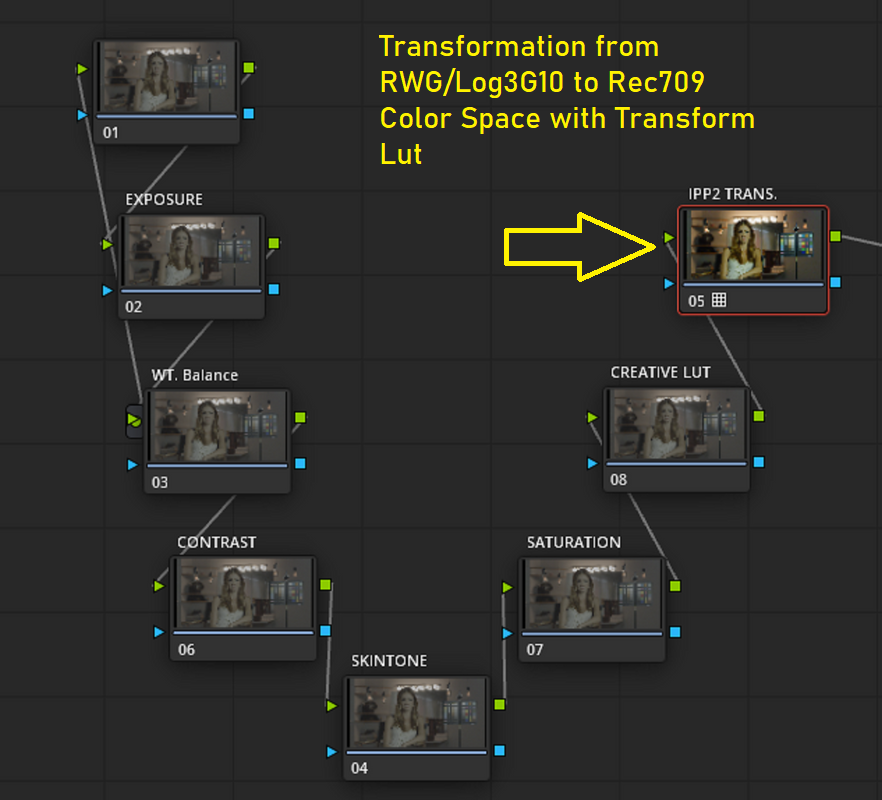
The final Node will be for the RED IPP2 Output Transform Lut to transform the RWG/LOG3G10 image into the REC709 Color Space. Yes, anything after that conversion is limited entirely to the REC709 color space. Dont do anything after the Rec709 conversion.

Screenshot-137-2.png
 
Last edited:
I'm a new Red Komodo owner, having previously shot on a variety of cameras — some with RAW capabilities like the Blackmagic and the Canon CRM file formats. Can someone shed some light on the best post production workflow, and the seemingly limited options in the Komodo RAW workflow, comparatively speaking?...

Can someone perhaps shed some light on which is the better option or why you'd want to use a newer more simpler RAW workflow, or why you wouldn't? Seems like RED's own post workflow is leaving a lot of potential on the table. Any clarification would be greatly appreciated. Thanks.

There isn't a lot missing really.

Using Legacy settings in post gives you access to these extra RAW parameters (in Resolve) compared to IPP2 -

Contrast
Saturation
Shadow
Brightness

All the other parameters you see in the Legacy settings were made obsolete by the newer RED camera's and sensors and the IPP2 workflow.


Most of the extra RAW controls you find with other camera's have their equivalents elsewhere in Resolve anyway, but yeah, they all have a slightly different way of working.


Also, to cover even more of those Legacy settings, using IPP2 in-camera (or in REDCINE-X) you can also access CDL (Color Decision List) controls, that give you these parameters to adjust -

Slope
Power
Offset
Saturation

Along with -

Output Tone Map (Low, Medium, High, None Contrast)
Highlight Roll-Off (Very Soft, Soft, Medium, Hard, None)

Those CDL adjustments can carry over and be applied in post by checking 'Apply CDL'.

Note too that the 'Output Tone Map' and 'Highlight Roll-Off' combinations are available to apply in post as LUT's.


Hope that doesn't cause any confusion.

Using IPP2 is generally recommended, even if it takes a bit of figuring out what does what.
 
Second Questions

First, Davinci Resolve uses 32‑bit float processing. The "Camera Raw" tab , if I understand your question correctly, is the only area that will actually adjust the Raw data of the RED R3D file but it won't become a part of the original image's metadata. It will just be in Resolve, I think that's what you are asking. The RWG/LOG3G10 workflow allows you to grade in the widest color gamut the Red sensor can offer.
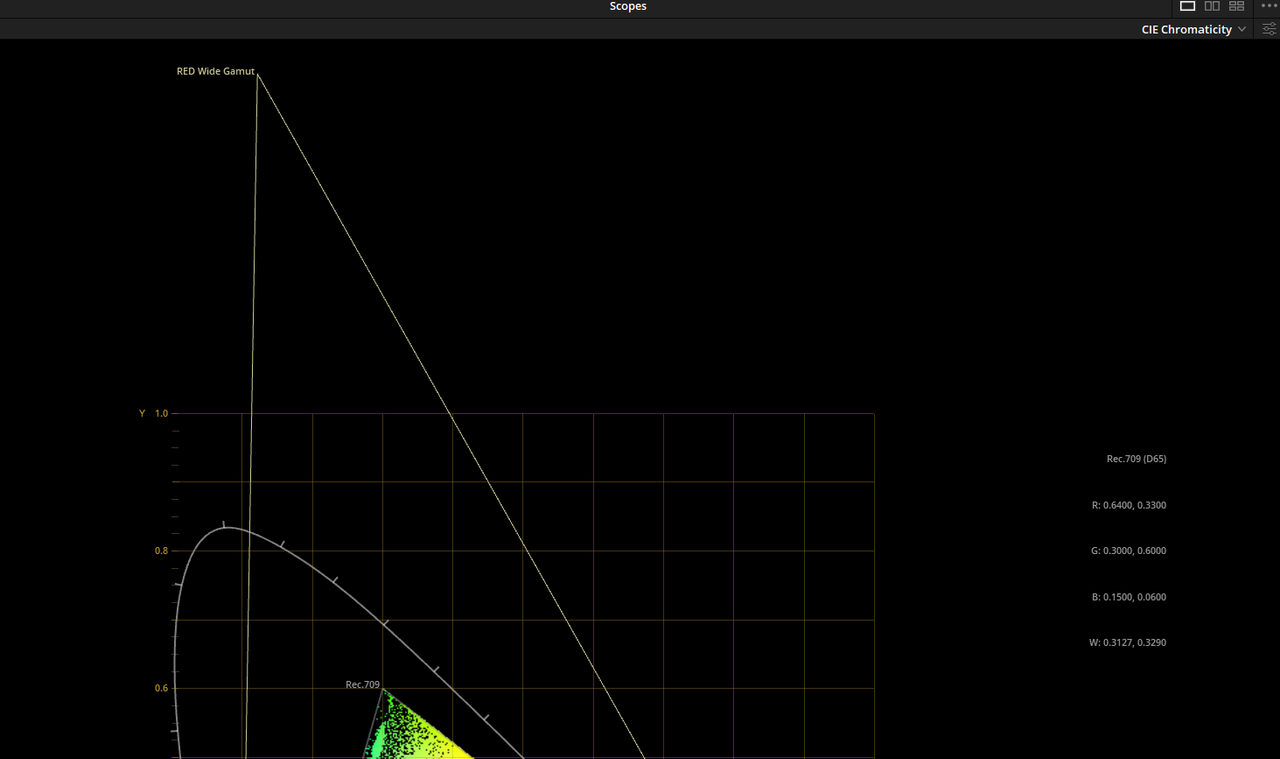
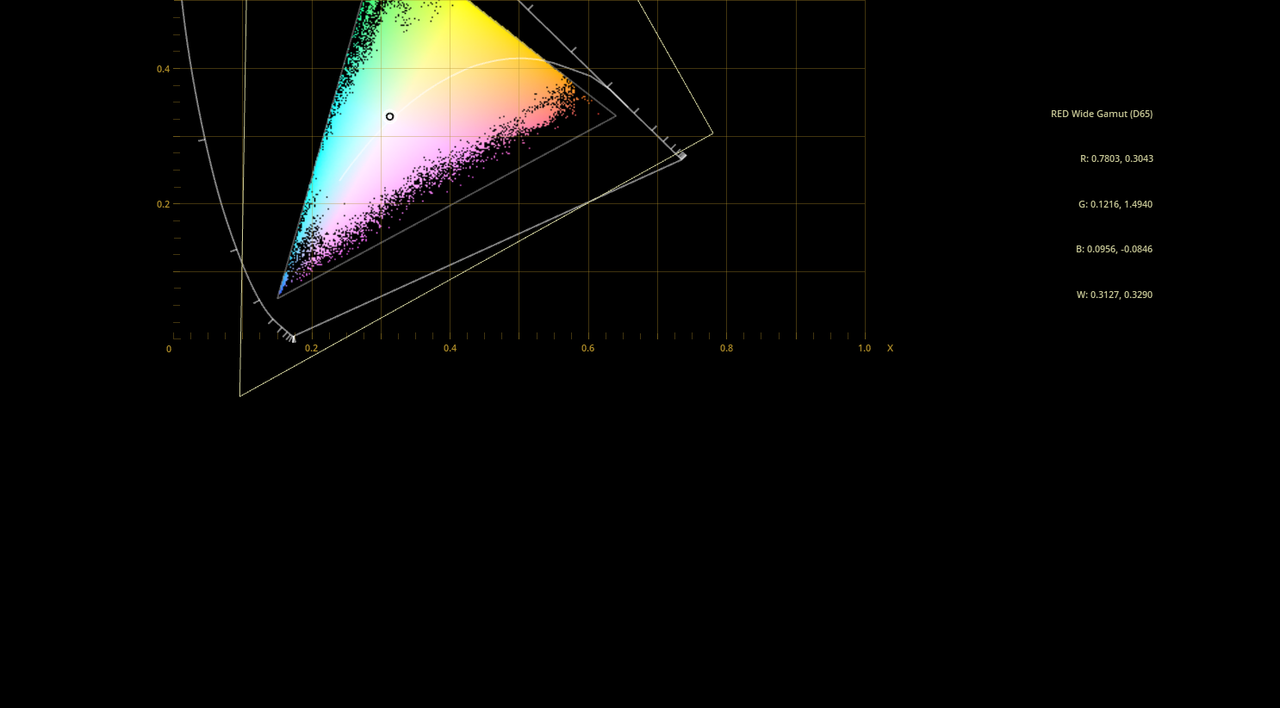
Each node before the REC709 conversion will be in the RWG/LOG3G10 colorspace. The main benefit of this is that if you want to monitor out or export for a different or larger colorspace, all you would have to do is use a different output transform for that color space . Since you originally graded in the RWG/LOG3G10 color space, there should be very little to no additional grading needed for the images to look correct in the newer Output transformed color spaces.


Also, I try to use Saturation at about the end of the Node Tree. But I don't know of any hard fast rule that dictates it has to be done at a certain stage.
 
Last edited:
Back
Top