Welcome to our community

Be a part of something great, join today!

  • Hey all, just changed over the backend after 15 years I figured time to give it a bit of an update, its probably gonna be a bit weird for most of you and i am sure there is a few bugs to work out but it should kinda work the same as before... hopefully :)

Kipper tie carbon 2 olpf

Jake Wilganowski

Well-known member
Joined
Nov 9, 2008
Messages
2,860
Reaction score
0
Points
0
Location
Dallas, TX
Is so sic! Just had to put that out there. I shot the standard olpf in weapon exclusively. So going to the carbon 2 is really 2 jumps, one is it is a skin-tone olpf type with Jon's custom color, the other is the carbon effect itself. Feels like a different camera. I use a custom designed film lut also and i absolutely LOVE what I'm seeing.
 
Is so sic! Just had to put that out there. I shot the standard olpf in weapon exclusively. So going to the carbon 2 is really 2 jumps, one is it is a skin-tone olpf type with Jon's custom color, the other is the carbon effect itself. Feels like a different camera. I use a custom designed film lut also and i absolutely LOVE what I'm seeing.

Do you mind sharing some samples? maybe an R3D? I'm super interested in the Carbon2 OLPF as I typically ride some black pro mist and would love to have it behind the lens!
 
I'll try and get some done in the next couple days and post here
 
Just started shooting it around the house but it is beautiful
 
ISO Is subjective, I personally like 640-1280
 
Thanks for the feedbacks guys...what's the biggest screen you've seen the results on?

I just fear on bigger screens Carbon 2 could be too much...Carbon 1 is nice but it can be very subtle indeed...
what strengths of BPM or HBM (or whatever filter you feel it closer to) would you compare the Carbon 2 to?

Thanks again!
 
So far examined on a 25" oled and a 65" 4K TV.

I feel like it's kind of an Alexa simulation filter.

The DSMC2 version feels refined compared to my old DSMC1 version.

It's sort of a sexy low con enhancer, must be tested for taste. don't just take our word for it :)

of the three types, I feel like it's the one That can be used almost universally... satiny low(er) con.
 
It's not like a Hollywood black magic which I use all the time. It feels different, definitely not like a front of the lens filter. I would not worry about 2 being too strong, I had the same concern. It's really organic and natural looking, more Alexa like
 
Quick question to those using the carbon on weapon mg... After installing the filter, the image looks very cyan. On latest mg firmware there are no options available under maintenance olpf menu. Do you just dial the color out with white balance and tint? It is requiring a -37 tint to look somewhat ok. Is this normal?
 
Hey Eric, if you have latest firmware you should be able to select 'third party' under the OLPF menu, and then choose skintone highlight cal to make things look just right.

Pop me a PM if that's not working for you :)
 
Quick question to those using the carbon on weapon mg... After installing the filter, the image looks very cyan. On latest mg firmware there are no options available under maintenance olpf menu. Do you just dial the color out with white balance and tint? It is requiring a -37 tint to look somewhat ok. Is this normal?

Yep I had the same concern then I found the 3rd party option in oplf settings then chose skin
 
Yep I had the same concern then I found the 3rd party option in oplf settings then chose skin
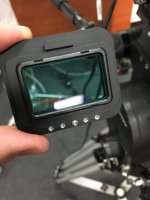
I've been PM'ming with John who has been very helpful. Waiting to hear one more thing from him. The only option available was STANDARD OLPF. All other menu items were not there. I took out the OLPF and looked at the mechanism that it has to depress one of a series of switches- I'm guessing this tells the camera which OLPF is installed. I noted the screw position on my skin tone highlight OLPF and moved the tiny screw on the Carbon 1 OLPF to the same position. When I rebooted the camera, it thought I had Skin Tone Highlight and the image looked like I would expect as far as color balance under the given lighting conditions. No more cyan/blue. There were no other selectable menu options available under OLPF. Then I experimented further and removed the screw entirely and like I figured then the camera allowed me to select whichever OLPF I wanted. I am assuming Skin Tone Highlight is the correct option for the Carbon 1 as referenced by John's post #14. Looks like somehow this OLPF had the little screw in the wrong place and kept coming up as standard. I wonder how many people have been using it this way!!!
 

Attachments

  • 1 (1).jpg
    1 (1).jpg
    84 KB · Views: 0
Back
Top