Welcome to our community

Be a part of something great, join today!

  • Hey all, just changed over the backend after 15 years I figured time to give it a bit of an update, its probably gonna be a bit weird for most of you and i am sure there is a few bugs to work out but it should kinda work the same as before... hopefully :)

Japanese Tea Ceremony Experience

Paul Leeming

Well-known member
Joined
Dec 29, 2006
Messages
2,360
Reaction score
3
Points
38
Location
Osaka, Japan
Website
www.visceralpsyche.com
Hi all,

here's a small commercial I shot for a friend when I visited Kyoto recently.

This was shot in half an hour with absolutely no lighting beyond a single lightbulb and the large window you will see in the clip (strongly backlit, not exactly ideal!). I used the Birger mount and Canon EF 24mm f/1.4L MkII and Canon EF 50mm f/1.2L wide open. Focus was pulled manually.

I created this video entirely in Adobe Premiere CS4.1 using the new RedCode 1.7.0 plugin - no other software was used (other than Adobe Media Encoder to render the final output formats). Edited, colour corrected and rendered in around five hours with no intermediates at all, directly from the R3D files.
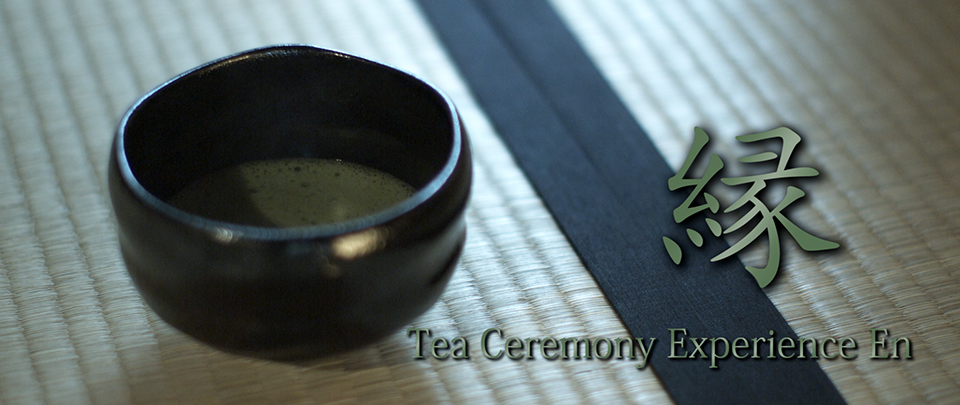
Tea_Ceremony_En_Title_s.jpg


You can download the various sizes (including an iPhone version) via my website (NOTE: The iPhone version has a bug when played back using the QuickTime Player on both Macs and PC. Use another player or an actual iPhone to play this size back):

http://www.visceralpsyche.com (go to the downloads page)

Vimeo version:

http://www.vimeo.com/4961902

Youtube version:

http://www.youtube.com/watch?v=ScjCUdy4BRo

If you want to know more about the tea ceremony itself please visit the website:

http://www.teaceremonyen.com/eindex.html

Enjoy!

Paul
 
That was pretty amazing. Although I will caution that your overwhelming audience reaction may be an epileptic fit.
 
That was pretty amazing. Although I will caution that your overwhelming audience reaction may be an epileptic fit.
Stefan, I think maybe you watched the wrong video? You probably are intending that comment towards "Cannonball" I'm guessing.... :cool:
 
You probably are intending that comment towards "Cannonball"

I don't know. I think he meant the Tea Ceremony video. I downloaded the iPhone version and playback is very choppy, stroboscopic, flashes of a solid green background in between frames.

I saw the same thing on one of your other videos. I thought you were being "creative" but now I think it must be some encoding issue or missing playback codec on my machine or something.

I took a screen capture of what I am seeing. It is too big to attach, but I'd be happy to send it to you if interested.

Jamie
 
Hmm, that's weird as I have all the videos on my iPhone and they play back perfectly.

Can you give me your system specs if you're playing back on a PC or Mac (and anyone else who has this issue please respond here too)?

I'm playing back in Windows 7 RC x64 using both Media Player Classic and PowerDVD8 with no issues.

Is this only happening on iPhone version or the larger versions too?

Any help to fix this would be much appreciated.

Cheers,

Paul
 
Could you also please check the file's MD5 signature to make sure your download was good (and that the server version isn't corrupted):

TeaCeremonyEn_480x320_iPhone_by_Visceral_Psyche.mp4 MD5 Hash: e2513414e6e6c03abc9d51df95d2a8d6

TeaCeremonyEn_1280x720_by_Visceral_Psyche.mp4 MD5 Hash: 2c79be6aa38586f31c69006bc050852c

TeaCeremonyEn_1920x1080_by_Visceral_Psyche.mp4 MD5 Hash: b6ca52067f8fefbe9e3fad1602c02f32

Thanks,

Paul
 
If you've downloaded any version and it plays back fine for you, please PM me and let me know or post here for others to see.

Thanks in advance,

Paul
 
Hey Paul,

I downloaded the 1280 & the iPhone versions. (1920 is still on its way)

I verified the MD5 digests. Both OK.

Both play perfectly on my MacBook Pro running OS X 10.5.7 Leopard and Quick Time 7.6.

1280 plays fine on my ThinkPad T60p running Windows 2008 Standard and Quick Time 7.6.

The blinkies seem to only show up in the iPhone version on the ThinkPad. Just for kicks I upgraded Quick Time to the latest 7.6.2 but still results are the same.

I attached a shrunk down version of the screen capture so you can see what I am talking about. Sorry it is so small, but the forum doesn't allow large attachments. I'll be happy to e-mail a higher-res capture if it will help.

I don't know enough about video encodings to know what would cause this, but I hope this info helps.

Best regards,

Jamie
 
I saw the iPhone version w/o trouble. Newest OSX and QT, intel machine.

EDIT: Out of curiosity, I also checked it on our G5 Quad. When played from within Firefox, the video is very choppy (about 1 fps — upon further research it turns out that suddenly a process called "perl" sucks up 100% of the processor while playing). When saved and played from QTplayer, it does indeed become very funky with lots of green cuts. QT 7.6.2 (newest), OSX 10.5.7
Plays just fine with the VLC player as well as Mplayer.
 
Thanks for the details responses Jamison and Martin.

It looks like it is isolated only to the iPhone version when played in QuickTime 7.6.

I get the same green tearing using QuickTime Player 7.6 on my PC as well. Every other player out there plays the file back perfectly.

For info these files were created in Adobe Premiere CS4.1 using the iPod preset and only adjusted in size to fit the iPhone screen dimensions. If you don't use QuickTime Player then the files are fine. Playback on the iPhone is fine too.

So for now I suggest playing back the iPhone versions of my files either on an iPhone, or in any other media player EXCEPT QuickTime!

Thanks again for helping figure out the issue, now if anyone knows why this is happening I'd love to hear from them!

Cheers,

Paul
 
niiice thanx

Btw I can see you Paul and dude with mic boom behind you too :wink5:
 
Yeah I was referring to the green flashes and strobing. Looks like a very very cool editing technique and I was actually quite impressed by it. The correctly playing version looks great too :thumbsup:

Edit: LOL
 
niiice thanx

Btw I can see you Paul and dude with mic boom behind you too :wink5:
No boom mic, but the guy in the reflection is holding a bare bulb light so I can get at least a little bit of light on Akiko's ceremony. That place was DARK!

Mic was attached to the camera but in the end I decided not to use the practical audio in favour of the soundtrack.

Sadly the lack of setup time and darkness meant i didn't see our reflections until post, but that's fine. Most people won't see it on first viewing because their attention will be on the ceremony.

Thanks for all the feedback, though I still have no idea why the iPhone version is producing green lines when played in QuickTime Player. I'm guessing it's a codec issue so next time I encode something I'll play it in that program to ensure I figure it out before posting it. For now it's fine if watched on an iPhone which is after all its purpose!

Cheers,

Paul
 
Very Cool brought back some memories for me...

there is something magical about the ceremony. years ago I worked with a director that saw the ceremony and was compelled to do a whole short about it.

We shot on the Dvx no adapter... them where the days...

but the dolly macro shots where fun
3595921590_5a1b6db806.jpg


3595113699_e56f1a6ec6.jpg


here's the cool Trailer I cut for it...
http://www.vimeo.com/3549590

and the whole thing with no music...just ad your own sound track to it...
http://www.vimeo.com/3552162

played at Raindance in the UK...
 
Looks beautiful, Paul! Very peaceful...

BTW, the iPhone clip played back perfectly for me on a PC with XP with Quicktime 7.0.4, no glitches.

Thanks for sharing!
 
I got same green crazy flickering on small qt version of that music video on my Mac quad CPU workstation.
 
Back
Top