Welcome to our community

Be a part of something great, join today!

  • Hey all, just changed over the backend after 15 years I figured time to give it a bit of an update, its probably gonna be a bit weird for most of you and i am sure there is a few bugs to work out but it should kinda work the same as before... hopefully :)

Is it Normal?

Giancarlo Bianchi

Well-known member
Joined
Mar 12, 2008
Messages
297
Reaction score
0
Points
0
Age
42
Location
Barcelona
I just got a set of Zeiss standard lenses and I notice some vignetting on the sides, specially with the 32mm.
I was wondering if this is normal with these lenses or is there and issue.
Also in false color I notice q circle shape with and winging lenses, don't know if these is Normal or if it is a sensor problem that is accentuated with the 32mm.
I'll upload pictures when I can.
 
I just got a set of Zeiss standard lenses and I notice some vignetting on the sides, specially with the 32mm.
I was wondering if this is normal with these lenses or is there and issue.
Also in false color I notice q circle shape with and winging lenses, don't know if these is Normal or if it is a sensor problem that is accentuated with the 32mm.
I'll upload pictures when I can.

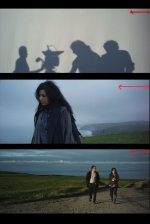
The wider of the 3 will porthole when open, stop down to T4 & they are OK. Those lenses were designed for film a long time ago......
 
Thanks Stephen,
The strangest thing is that I started noticing it closed at 8-16f.
Then on the whole range and then on the 24.
It is really weird, I'll upload a couple of pics when I can
 
Photos of the aberration

Photos of the aberration

Here are the photos of the aberration, it has a slight degrading on the right side.
 

Attachments

  • Untitled-1.jpg
    Untitled-1.jpg
    56.1 KB · Views: 0
It's called port-holing and it's because of the smaller size of the rear element, it's generally gone by T2.8, if you stopped down to T8 and saw it it might be a mattebox ring or some other optical effect. Personally the subtle aberrations of Standard speeds are why I love them so much. They are plenty sharp in the center, but fall off beautifully at the edges with a slight vignette. Enjoy the effect, there are plenty of super sharp/clean lesnes out there and few have the character of the T2.1s.

BTW the 20mm and 28mm T2.1s are later designs and do not sow this affect as much.
 
Pictures of the False Color Issue!

Pictures of the False Color Issue!

Thank You Evin that makes a lot of sense.
But I also made this pictures of the RED one and was wondering if it is also normal.

The first one is in false color with no lens and lens cap, I notice noise on the right side while booting up, but once the camera is boot up, false color seems normal. I already tried doing a Black Shade Balance.
IMG_0139.JPG


The other one, is that I notice a circular pattern while panning the camera on false color mode, this picture is without lens and a white paper infront of the mount.
IMG_0138.JPG


Since my camera is the only RED ONE I have ever worked with, I wonder if this is normal, as far as I can remember False Color had this circular pattern while panning.
 
By the way, my camera is still on Mysterium sensor.
 
If you have the body cap on in that first image, then I would say there's a light leak and that needs to be solved before you can really go much further. With the cap on and tight, it should be all black. You're going to have a tough time getting a proper black-shade if you're getting this. Also test with a lens mounted and lens cap on and see if there's light leaking.

Other than that, shooting the camera without a lens isn't going to show you anything. Too much room for error with reflections, consistency of paper, etc.. Have someone with a proper sensor scope or collimating tool take a look at the camera. Or use something like the Optitek Optimator or IB/E Null system. Then you can check for sensor alignment and coverage.
 
Yes it is. We all grow hair down there at this age. Pretty soon all your friends will look like this too.

Sorry, couldn't resist :biggrinjester:
 
fall-off or Vignetting

fall-off or Vignetting

Lens fall-off or Vignetting is normal it is used to control the lens aberations, only a small spot in the center is the labled f/ or T/ stop.

Because the Digital sensor uses all or maybe a bit more than the lens was thought to need for PROJECTION size area, you maybe see it a bit more.

You can correct the fall off digitally when you process the frames, I have that featue in the de-Bayer program I am working on.

The image with the circles is great and just what you should see for any movie camera lens wide open.

F/1.2 lenses can be more than a stop down at the edge of their image circle.

Anytime you grade the contrast up, the fall-off or Vignetting to the edge gets more pronounced.

With wide angle lenses, some light also can bounce off filters in front of the lens at the steep angles, and some IR filters can be un-even with wide angle lenses as well, so you may need to use a digital filter if you want even sky, but even the projector lens will have some fall off, so...

See this link,

http://en.wikipedia.org/wiki/Vignetting
 
Thank you very much guys for the reply.

Jeff, I`ll try to reboot my camera with a black coat over it to check if there is a light leak. Thank you very much for your reply.
 
Back
Top