


Sean Tierney
Well-known member
So I've been having this on going screen glitch and random shutdown issues for over 6 months now on my maxed out Late 13 iMac. After I starting cracking into Premiere CC I get this crazy screen glitch and sluggish performance that never seems to go away once it starts. Now it'll even happen in without any Adobe products even open. My first thought was okay 4k/6k are just too much for this computer so I hop on my office mates computer with the same specs.. no issue. Runs fine at 1/4 res like most people with this similar spec iMac can do.
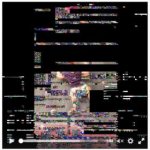
Here's a video of the issue, don't mind the date part.. Applecare just wanted to see.
http://sendvid.com/gf55t837
Then I try open CL, still happens. So I'm in this weird mix of maybe its hardware related maybe its software.. who knows at this point. So I go into Apple, they shrug and don't know since MRI comes up with no issue. They replace the gpu/logic board. Go home a week later it happens again I would of gone right back to the store but other obligations stopped that from happening. Fast forward a few months later to last week when I go back again. At this point I've done all the self fixing I could... updates, fresh installs, erasing my whole computer. They take another look nothing shows up on their tests again but I have enough proof from screen shots and screen recordings to prove my point. They do another logic fix.. i roll my eyes because I know it's becoming a cop out at this point.
There's a great thread on Adobe forums of people having this issue so I know i'm not alone, I wanted to transfer the issue over to adobe but I think this is an Apple / Nvidia issue at this point. So now i'm in this stand off of "we cant do anything else, contact so and so." I'll pull a little excerpt from the Adobe forum on the issues this person and I are sharing.
https://forums.adobe.com/thread/1393885?tstart=0
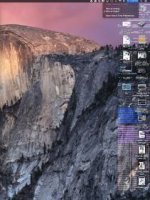
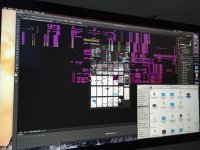
Attached are just a couple quick screen shots they're from Yosemite, I did El Cap and had other issues too so I went back so I can have somewhat of a working machine. Is anyone else running into this issue?! I would love to hear if anything fixed it for you or if Apple had to step in. I'm seeing that people on the new AMD based machines have zero issues... so you know what my response to fixing it will be "new machine!"
Cheers.
Here's a video of the issue, don't mind the date part.. Applecare just wanted to see.
http://sendvid.com/gf55t837
Then I try open CL, still happens. So I'm in this weird mix of maybe its hardware related maybe its software.. who knows at this point. So I go into Apple, they shrug and don't know since MRI comes up with no issue. They replace the gpu/logic board. Go home a week later it happens again I would of gone right back to the store but other obligations stopped that from happening. Fast forward a few months later to last week when I go back again. At this point I've done all the self fixing I could... updates, fresh installs, erasing my whole computer. They take another look nothing shows up on their tests again but I have enough proof from screen shots and screen recordings to prove my point. They do another logic fix.. i roll my eyes because I know it's becoming a cop out at this point.
There's a great thread on Adobe forums of people having this issue so I know i'm not alone, I wanted to transfer the issue over to adobe but I think this is an Apple / Nvidia issue at this point. So now i'm in this stand off of "we cant do anything else, contact so and so." I'll pull a little excerpt from the Adobe forum on the issues this person and I are sharing.
https://forums.adobe.com/thread/1393885?tstart=0
- Slowed performance of timeline and video responsiveness
- Program window goes either Black, White, or Gray (when this happens, I know it's game over... Thank you Auto-Save)
- Clicking, Moving Mouse, Typing, ANYTHING from there gives me a completely glitching out display for around 1 minute
Attached are just a couple quick screen shots they're from Yosemite, I did El Cap and had other issues too so I went back so I can have somewhat of a working machine. Is anyone else running into this issue?! I would love to hear if anything fixed it for you or if Apple had to step in. I'm seeing that people on the new AMD based machines have zero issues... so you know what my response to fixing it will be "new machine!"
Cheers.
Attachments
Last edited: