Yongxing Fan
New member
- Joined
- Mar 13, 2011
- Messages
- 3
- Reaction score
- 0
- Points
- 0
Color 1.5.3 final cut pro 7.0.3 red fcs installer v30.3。mac osx 10.6.7
Help!Help!I render RED clipproxy(redcode) in Color.But Progreess always "cancell" in Render Queue.why?Help!
1.I have the enough disk storage space allocated for my render directory.
the output from color.I choose the prores,uncompressed,different size.It came to the same thing.
Then I only render one clip(about 40s),it lead to Progress "Cancelled".
and then I used redcine,redrush,clipfinder and redalert.transcode to prores!
I use macbook pro,imac,Mac Pro to test!came to the same thing!
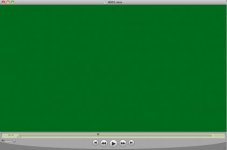
But the prores video display green screen or frame skip. 170 frame is normal.171 frame is wrong.
i really don't know what to do now!
I doult if the red videodatabase is wrong?But read the redcode video is normal in final cut pro.
Hope everyone to help me!
Help!Help!I render RED clipproxy(redcode) in Color.But Progreess always "cancell" in Render Queue.why?Help!
1.I have the enough disk storage space allocated for my render directory.
the output from color.I choose the prores,uncompressed,different size.It came to the same thing.
Then I only render one clip(about 40s),it lead to Progress "Cancelled".
and then I used redcine,redrush,clipfinder and redalert.transcode to prores!
I use macbook pro,imac,Mac Pro to test!came to the same thing!
But the prores video display green screen or frame skip. 170 frame is normal.171 frame is wrong.
i really don't know what to do now!
I doult if the red videodatabase is wrong?But read the redcode video is normal in final cut pro.
Hope everyone to help me!