Welcome to our community

Be a part of something great, join today!

  • Hey all, just changed over the backend after 15 years I figured time to give it a bit of an update, its probably gonna be a bit weird for most of you and i am sure there is a few bugs to work out but it should kinda work the same as before... hopefully :)

I need a Drive Recovery good person. MAC, 2TB G-Raid. wont mount ive tried everything

BigLu

Well-known member
Joined
Feb 8, 2008
Messages
1,670
Reaction score
0
Points
0
Location
SoCal Camarillo / LA baby
I need a Drive Recovery good person. MAC, 2TB G-Raid. wont mount ive tried everything i can come up with
different computers
different ports different cables
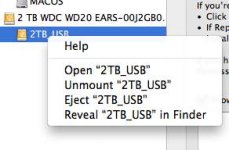
disk utility ( it shows up shows me the drive and even the drive name there but will not mount. )
internet recovery software

someone please charge me ill pay good money help

please

Luis
805 822 9870

email is
googulplx@aol.com
 
I have been able to recover drives before with Data Rescue II (Mac and Windows) from Prosoft Engineering:

http://www.prosofteng.com/

But if this is absolutely crucial, then I would hire a pro:

http://www.thedatarescuecenter.com/
http://www.drivesavers.com/
http://www.datarecoverygroup.com
http://www.datarecovery.net/
http://www.cbltech.com
http://www.dtidata.com
http://www.datarecoverynet.com/

Note that Data Rescue requires that you have a blank drive exactly the same size as the original, then it slowly copies the material over as it recovers it. That can take many, many hours (as much as 24 hours, even with eSATA). Here's some basic advice on what to do if you encounter a bad drive:

First, don't make any changes to the system -- that means, don't save any files, don't move any files, don't copy anything... don't do anything that will change this drive.

The files may be recoverable if they haven't been overwritten by new files -- and in the case of the Mac, that can include a desktop file, which shows the contents of the folders, plus the icons that represent them.

Secondly: don't try to run a recovery program on the original drive. If it makes any changes to the drive, it might corrupt it further. I've occasionally had luck if the drive can still be copied to another drive, then I try to repair the copy.

Thirdly: if the drive has mechanical issues, don't touch it. Ship it to one of the companies above and let them evaluate it.

Every time I've had a drive crash or an accidental deletion, I haven't always been successful at getting the data back (and this goes back more than 20 years). But I've been lucky enough to have been saved by backups almost all the time, though there was a recent incident where I had a crash _during_ a backup that killed the source drive and the destination drive. I was still able to recreate the data, so it wasn't a total loss, but it was a real nightmare for about 36 hours.

Drive Savers in Northern California (800-440-1904) has a good rep, but none of them are cheap. Their prices basically start at about $1000 for a basic evaluation, then go up from there, and depend on the size of the drive and the severity of the damage. Generally, you only pay if they can get the data back. It can get very expensive if it involves forensic analysis, like if the drive was in a fire or earthquake, submerged in salt water, or otherwise has serious physical damage. The big companies like Drive Savers can take the drive to a clean room, disassemble it, and put the platters (not to be confused with the coasters) in a brand-new identical system, then get the data off of that. That's assuming the platters will still spin, and the surface isn't totally gouged-out.

A computer crash or accidental file deletion is generally simpler to deal with, but there's always complications they can't predict. Most of the above firms have FAQ files on their websites that go over the basics.
 
Thank you guys its been fixed
appreciate your time guys

Luis
 
Back
Top