

Navigation
Install the app
How to install the app on iOS
Follow along with the video below to see how to install our site as a web app on your home screen.

Note: this_feature_currently_requires_accessing_site_using_safari
More options
Welcome to our community
Be a part of something great, join today!
You are using an out of date browser. It may not display this or other websites correctly.
You should upgrade or use an alternative browser.
You should upgrade or use an alternative browser.
How to see the difference between with and no black shading?
- Thread starter Datsenko Alexey
- Start date

Alex Lubensky
Well-known member
- Joined
- Nov 18, 2016
- Messages
- 483
- Reaction score
- 22
- Points
- 18
- Location
- Kyiv, Ukraine
- Website
- vimeo.com
What I've noticed is that the E indicator shows significantly more noise when is highlighted red, than the T indicator. In my personal experience the MX sensor cameras are afraid of cold more than they are afraid of overheating. Same goes for Dragon sensors. You can easily do your own test for the E indicator with your normally balanced camera, - just switch to a timelapse mode, set frame avrg. to 16, then the base clock to 1/16 fps, your shutter to 360 deg. and voila - here is the bad cal noise in all its beauty. Also you can test the T indicator by shading your camera to a room temperature, and then bringing it to a cold exterior at a night time. What you'll see next is bad color shift in dark areas, overall much more pattern noise, and maybe even some hot pixels.
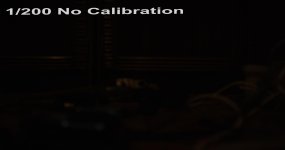
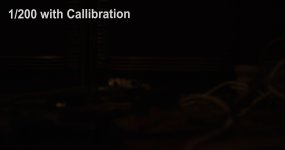
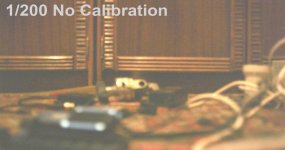
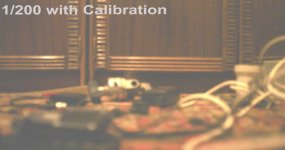
Here's my test, the difference is pretty much obvious. Same settings, left one calibrated for 25 fps 180 deg room temp, and on the right same settings but corrected for the exposure time.

Here's my test, the difference is pretty much obvious. Same settings, left one calibrated for 25 fps 180 deg room temp, and on the right same settings but corrected for the exposure time.
Last edited:
Alex Lubensky
Well-known member
- Joined
- Nov 18, 2016
- Messages
- 483
- Reaction score
- 22
- Points
- 18
- Location
- Kyiv, Ukraine
- Website
- vimeo.com
And even your examples do introduce noise. You can clearly see that calibrated image has less noise floor, and there's no color cast to the second example in noise testure. Your cal just was not too far off to reveal itself.
Marc Wielage
Well-known member
Look at scopes -- waveforms or histograms -- and I bet you'll be able to see the difference. On a Vectorscope, you'll immediately see the noise as a kind of "blobbishness" in the signal. When the picture is clean, the corresponding Vector pattern is very sharp and precise.
Paramon Ivanovich
Well-known member
that's why i never bother to re-calibrate, update FW, calibrate it once, don't look back;
i am not saying this is good practice, but it works for me
i am not saying this is good practice, but it works for me

Patrick Tresch
Well-known member
A simple check to see if your blackshade is ok you can close the lens and push iso to the highest. If the noise structure is even it's ok. If you see some strange variation in noise and in the blacks you should probably redo it.
Pat
Pat