Welcome to our community

Be a part of something great, join today!

  • Hey all, just changed over the backend after 15 years I figured time to give it a bit of an update, its probably gonna be a bit weird for most of you and i am sure there is a few bugs to work out but it should kinda work the same as before... hopefully :)

How to remove focus dist?

Jonathan Goldfisher

Active member
Joined
Jul 30, 2012
Messages
44
Reaction score
0
Points
6
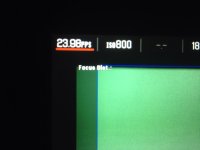
Anyone know where in the menus I can find the option to take off the focus dist off the monitor?
 

Attachments

  • image.jpg
    image.jpg
    65.9 KB · Views: 0
You need to modify your overlay.

Menu, Settings, Monitor control.

In there, duplicate the standard red overlay, then edit it - you can then remove the focus distance.

Make sure to save the modified overlay, and to select it for your Brain LCD.
 
Will this take it off the red smart monitor? I've worked it out so that it doesn't apparently out of the hdsdi, I'm trying to get it directly off the red monitor
 
There was a bug in earlier 5.2 builds where the label would show even if there was no valid focus dist reported by the lens. This should be fixed in 5.2.15 now.
 
Back
Top