Raul Gonzo
Well-known member
My camera came back from a rental and the side handle is locked. No idea how to unlock it. Anyone know?

Follow along with the video below to see how to install our site as a web app on your home screen.

Note: this_feature_currently_requires_accessing_site_using_safari


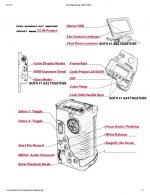
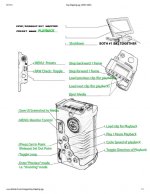
Those are the "default" keys to LOCK the side handle! If you're adventurous, you can use just about ANY key for anything you want! Here are my mappings for the camera. I have it set up for two "states" or modes: Preview (recording) & Playback. I'm willing to help ya learn how to do this yourself, if you want to know... it took me a day or two to wrap my head around the thought process!

Curt - I seem to recall you offered these templates to show your own mapped presets. If I am correct, could you help my lazy ass by pointing out where to get them?

Expires in 5 days! Courtesy of Curt Pair
https://www.hightail.com/dl?phi_act...atch_download&batch_id=OGhmYURNNDJOQnpxYk1UQw

Bob,Expires in 5 days! This is a link Curt Pair provided on the RED Epic Facebook page. Curt provides lots of great tips. I encourage you guys to join.
https://www.hightail.com/dl?phi_action=app/orchestrateDownload&rurl=https%3A%2F%2Fwww.hightail.com%2Ftransfer.php%3Faction%3Dbatch_download%26batch_id%3DOGhmYURNNDJOQnpxYk1UQw
I hit the white balance button once on the side handle and thought I had a broken camera for a day until I realized that it moved the tint significantly. The client kept asking me why he was green. After that I started using the lock heh heh.
Expires in 5 days! This is a link Curt Pair provided on the RED Epic Facebook page. Curt provides lots of great tips. I encourage you guys to join.
https://www.hightail.com/dl?phi_act...atch_download&batch_id=OGhmYURNNDJOQnpxYk1UQw
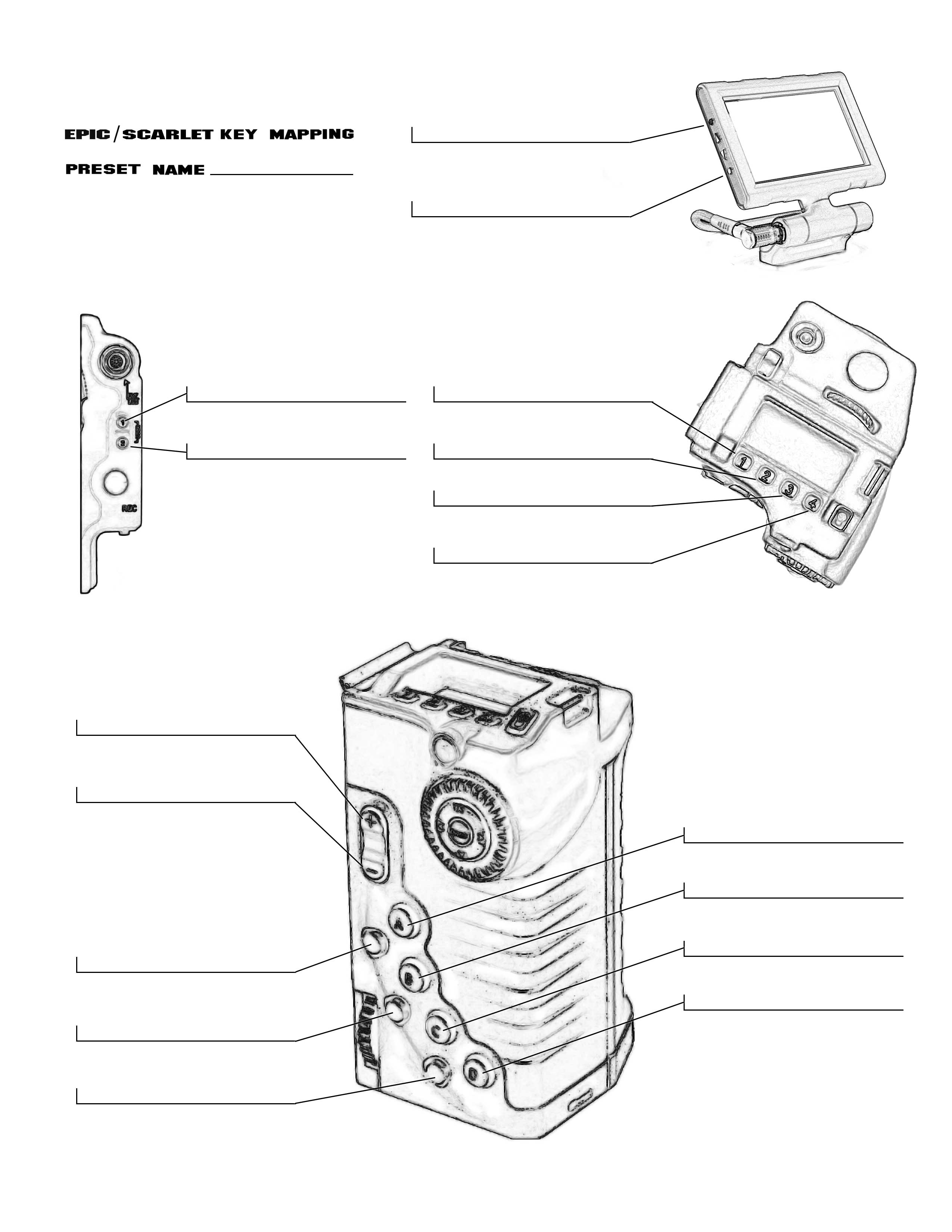
Thanks for that but I was actually thinking there was a visual template where you could enter your own preset layouts; an "empty" form, so to speak. Did I remember incorrectly?