Welcome to our community

Be a part of something great, join today!

  • Hey all, just changed over the backend after 15 years I figured time to give it a bit of an update, its probably gonna be a bit weird for most of you and i am sure there is a few bugs to work out but it should kinda work the same as before... hopefully :)

How did Jim do this?

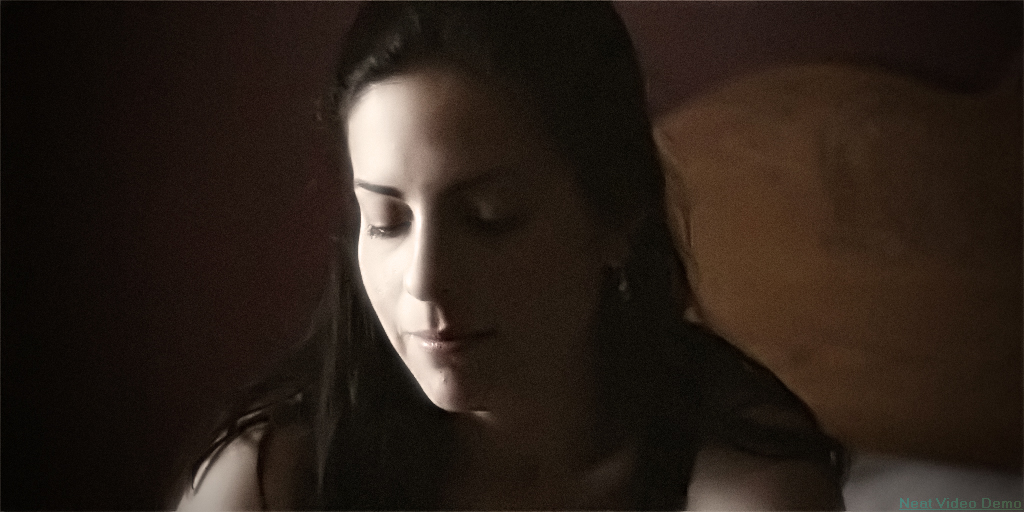
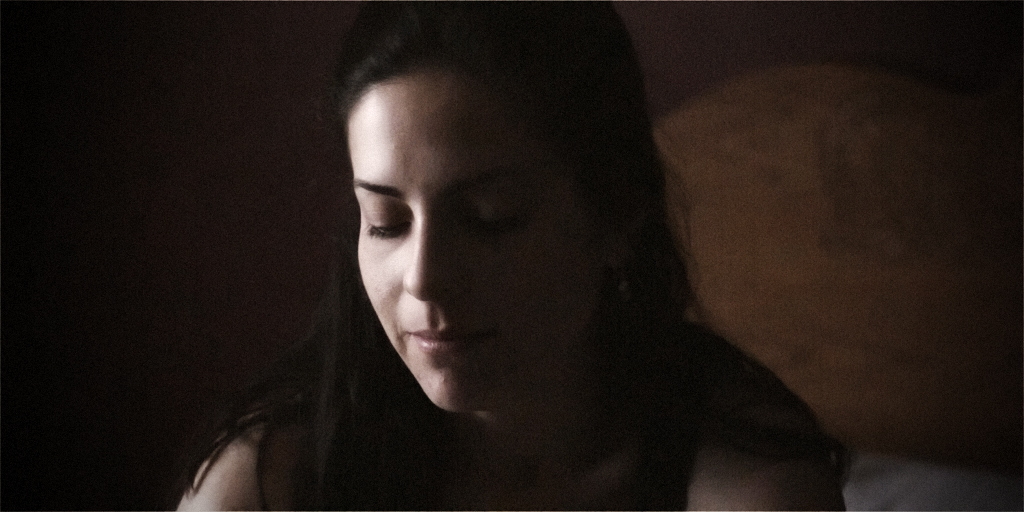
Hey Jim. I did not measure the light sources. I just basically set the camera to 2000 iso and adjusted exposure by looking at the monitor. The first is a 100w equivalent CFL bulb (tungsten balanced). It's REALLY yellow. The second is just daylight coming through a bedroom window at around 5pm.

According to the histograms, they are both crazy underexposed, but isn't that the point of using 2000 iso?
 
Using ISO 2000 is a good idea ONLY if you have no light available AND it gets you to proper exposure. If you are still under-exposed, you will get noise. Tests to see what makes a difference need to be done the same way... same amount of light, same type of lighting fixture (bare bulb, soft box, etc.) otherwise you never know exactly what does what. What really matters in getting noise free images is light... enough of it.

Jim
 
Neatvideo is pretty slick - this was done with an out-of-the-box basic preset (maybe a tad oversharpened I'll grant you but even with somewhat low-end-of-the-curve density it's pretty amazing what it can do) - it's only filtering the center of the image btw (demo version) - you can see where it hits a wall of noise.

nestvideo.jpg


url%5D


nestvideo.jpg%5D
 
Using ISO 2000 is a good idea ONLY if you have no light available AND it gets you to proper exposure. If you are still under-exposed, you will get noise. Tests to see what makes a difference need to be done the same way... same amount of light, same type of lighting fixture (bare bulb, soft box, etc.) otherwise you never know exactly what does what. What really matters in getting noise free images is light... enough of it.

Jim

I see. So if I turn up the iso on the camera, my histogram should show that the image is properly exposed. Makes sense.
 
Wow, Jim. Yeah, that does look a lot better. And that was you just messing with a 1k jpeg. I assume you did that in Photoshop? So the same technique could be applied to motion footage in After Effects?

If you get caught with footage with this much noise... you can de-noise in AE. Just save yourself some grief and bring enough light to your next shoot. :-)

Jim
 
Couple more cleanup options using original posted JPG and the NeatVideo one:

nestvideo_visceralpsyche_modded.jpg


Daylight_visceralpsyche_modded.jpg


I've actually ADDED some grain to these shots among other things. The point is that the right sort of random grain actually adds perceptual sharpness and when moving like film, imparts a certain "organic" quality to what would otherwise look "video-like".

Main thing in de-noising is to get rid of pattern grain like vertical lines, blotches of colour etc.

Above shots done in Photoshop btw, but similar tools exist in the motion world to do all of the above.

HTH

Paul
 
First of all, JANNARD, Donald IS my real name and you may address me by it. Besides, I don't see you using your last name. But before you ask, yes I know EXACTLY who you are, And YES I use the RED all of the time.

Second, while no one expects you to respond to every post, how about your people adequately respond to a Phone call (on hold listening to that STUPID BRAIN loop....geez), return an phone call (HA! Good luck!) email, (NEVER HAPPEN, NEVER WILL), You know JANNARD, that kind of thing. Maybe you might want to stop some of your people from "working day and night" on these "new systems" and proplerly explain just how the OLD SYSTEMS work. Which contrary popular belief JANNARD, does not always happen. Maybe an instruction manual might help....

In any case, You only seem to respond well to praise and not CRITICISM. Sorry king, but somebody had to have the stones to tell tell you....and I got 'em.

Donald G

ROFLMAO!!! Instead of whining like a little baby it might be better to use the search function, or download the manual. Looks like someone will have to rent the new one.

BTW, no balls if you don't include your last name. What an asshole.
 
Here's my attempt, After Effects noise reduction applied to shadows only:

Daylight_Eki_no_ccor.jpg


The same, with some color correction:'


Daylight_Eki_ccor.jpg


The result would be better when working on an image sequence instead of a single frame - some motion aware inter frame noise blending would probably do the shot good...
 
Back
Top