Welcome to our community

Be a part of something great, join today!

  • Hey all, just changed over the backend after 15 years I figured time to give it a bit of an update, its probably gonna be a bit weird for most of you and i am sure there is a few bugs to work out but it should kinda work the same as before... hopefully :)

Histogram not tightly enclosed by raw-bars as in manual

Martin Beek

Well-known member
Joined
Dec 29, 2009
Messages
130
Reaction score
0
Points
0
Location
Geldrop, The Netherlands
Website
www.scarleteer.com
EDIT: problem re-appeared again, read rest of thread.

Question: in the scarlet manual, the histogram is tightly enclosed by the two raw bars.
My histogram does not touch the right, by far. Same on RedMote. I've seen this on screenshots of other people.
Firmware 3.0. But also appeared this way in 2.8 - can't remember about 2.5.

histogramredscarlet.jpg


Martin
 
Last edited:
So do you think it was a matter of the histogram reading incorrectly or your exposure actually being limited by a bad install? And can you post a photo of what the new histogram looks like for comparison?
 
Here in the states, a raw bar is a place that serves fresh oysters and the like. Many people would enjoy such close proximity to two.

My histogram bumps up to the left bar but there is a gap on the right side.
 
SOLVED!!
--------
Re-installed 3.0, did the calibration and... i have a new scarlet! Histogram now exposes fully to the right and i have gained some RGB headroom too...
--------

Question: in the scarlet manual, the histogram is tightly enclosed by the two raw bars.
My histogram does not touch the right, by far. Same on RedMote. I've seen this on screenshots of other people.
Firmware 3.0. But also appeared this way in 2.8 - can't remember about 2.5.

histogramredscarlet.jpg


Martin


Can you re-post that image with False Color overlay enabled ?

if you don't see red on the image can you open the iris until you do ?

if you do then see red, what does the histogram look like ?
 
I'll post a screendump later tonight or tomorrow, since i don't have the Scarlet at hand at the moment, but now my histogram bumps up to the right raw bar, like in the manual pictures.

I'll get bet to you all soon.


Martin.
 
Can you re-post that image with False Color overlay enabled ?

if you don't see red on the image can you open the iris until you do ?

if you do then see red, what does the histogram look like ?

I'm not Martin but I have similar problems:
Histogram goes flush to the right bar only @ higher iso. Not so @ 800. Farther still @ 320
Yellow and red doesn't show up in false color @ 320. Yellow show up @ 800 but not red. Both show up from 2500 iso and up
All of this after installing 3.0.0. But histogram was never tightly enclosed by goal posts also on previous firmware.
What to do Stuart?
Thanks
 

Attachments

  • IMG_1796 copia.jpg
    IMG_1796 copia.jpg
    46 KB · Views: 0
  • IMG_1797 copia.jpg
    IMG_1797 copia.jpg
    43.2 KB · Views: 0
Problem not solved for me after reflashing 3.0.0
Submitted a support ticket, but did not received till now the solution other than the suggestion to reflash and re calibrate
Anybody has this same problem?
Help please
 
Thanks.
So do I. But red color on exposure tool shouldn't show up at the exact same time as stoplights? Aren't they applying to raw?
I have a little difference between the 2
 
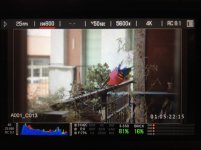
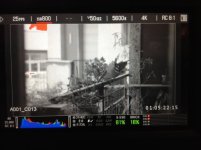
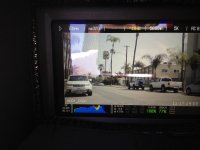
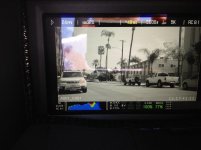
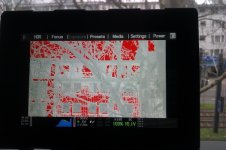
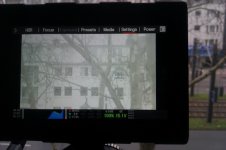
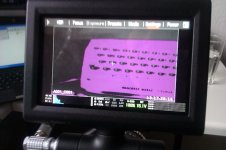
I seem to have a similar issue with my scarlet. I've been running 3.0 from the beginning and have tried reflashing and recalibrating but nothings changed. In my case the histogram shows underexposed areas a it should, with the histogram touching the left goal post. While overexposing the right goal post shows me that the image is clipping but the histogram doesn't touch the goal post. I've attached some photos below, I apologise for the bad quality. I shot them on my phone. Any ideas?

IMAG0154.jpgIMAG0155.jpgIMAG0156.jpg
 
I seem to have a similar issue with my scarlet. I've been running 3.0 from the beginning and have tried reflashing and recalibrating but nothings changed. In my case the histogram shows underexposed areas a it should, with the histogram touching the left goal post. While overexposing the right goal post shows me that the image is clipping but the histogram doesn't touch the goal post. I've attached some photos below, I apologise for the bad quality. I shot them on my phone. Any ideas?

What ISO where you in for this? Looks like 640?

I say this as if you're in 800 you'll get the full parade - but in lower ISO's you'll stop before the goalposts (in increments).

I'd presumed this was normal... might be wrong?
 
What ISO where you in for this? Looks like 640?

I say this as if you're in 800 you'll get the full parade - but in lower ISO's you'll stop before the goalposts (in increments).

I'd presumed this was normal... might be wrong?
Hey Andy,
I had the camera set to ISO 800. I'll give 640 and lower ISOs a shot tomorrow and see if there's a difference.
 
This looks to be the normal behavior... on both our Scarlet and Epic (3.0 firmware), ISO 320 or 800, it makes no difference, the histogram will never get any closer to the upper goal post - that gap is always present. It was the same on 2.05 firmware. Wish this could be resolved, it makes sense that the histogram should touch the last goal post at clipping, sadly it doesn't. Our REDONE worked as it should.
 
This looks to be the normal behavior... on both our Scarlet and Epic (3.0 firmware), ISO 320 or 800, it makes no difference, the histogram will never get any closer to the upper goal post - that gap is always present. It was the same on 2.05 firmware. Wish this could be resolved, it makes sense that the histogram should touch the last goal post at clipping, sadly it doesn't. Our REDONE worked as it should.

Are you monitoring RAW by any chance?

As that will cause this gap... as it's direct output and won't be changed by any of the (meta data) ISO's.

I'm looking at an Epic-X now, still on 2.0.8 - and when in RAW mode, this happens... and when not, I get touching the upper post at 800 and stepped degrees apart when using lower ISO's.
 
Andy... yes, you are right, monitoring RAW. However, i just did the test again... it makes no difference, RAW or not, same gap. It does not change. Tested on Scarlet. I just did the test with the Epic too, same deal, gap is still there.

Tests with version 3 of firmware. Never tried this test on 2.05, only recall monitoring in RAW, so can't test that.
 
I'm not sure if this is related or not....but Scarlet's video peak and SMPTE bars output of the HD-SDI max out at about 88% on a waveform. I have asked someone at Red about this, and have posted at least 1 link on this forum asking what people are doing about calibrating the output properly, and I've had no explanation nor reply to be honest. I'm not saying there's not a good reason, or a way to adjust the output to peak where it should. I just haven't heard anything yet.
 
Andy... yes, you are right, monitoring RAW. However, i just did the test again... it makes no difference, RAW or not, same gap. It does not change. Tested on Scarlet. I just did the test with the Epic too, same deal, gap is still there.

Tests with version 3 of firmware. Never tried this test on 2.05, only recall monitoring in RAW, so can't test that.

Just as a final test (as this is a bit of a quirk IMO) - when you are not monitoring in RAW, did you turn off in the Menu or did you press the RAW button again?

I've noticed that the menu options turn off/on - but with RAW, it's an individual on/off switch within the menu...

If it's not that, then I'm out of ideas!

Odd that this is always the behavior you've seen... there must be a logical answer to this :)
 
Hey Andy... using the menu or the side assigned button to switch RAW on/off yields the same results, as should be the case.

So then is it true that this issue is unique to just a handful of us and that no one else has the "gap"? Really?
 
Back
Top