Welcome to our community

Be a part of something great, join today!

  • Hey all, just changed over the backend after 15 years I figured time to give it a bit of an update, its probably gonna be a bit weird for most of you and i am sure there is a few bugs to work out but it should kinda work the same as before... hopefully :)

[HELP] Anyone having this problem in Redcine-X 17?

Chris Elkerton

Well-known member
Joined
Nov 14, 2012
Messages
157
Reaction score
0
Points
16
Location
UK
Website
www.chriselkerton.com
Hi,
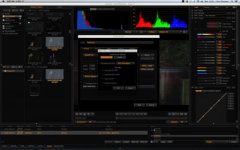
Anyone else having this problem in Redcine? I cant access the Video compression settings when creating a new QuickTime preset for export (screen grab attached). I click on the button but nothing happens, it looks like its trying to open it as a small glitch appears on the screen. Everything else seems to work fine, I can access the audio settings and all other file format settings. I have tried it on my laptop and I have the same problem. I've never had this problem beore, he only thing that has changed is I upgraded to Mountain Lion last week (both machines).

Cheers,

Chris.
 

Attachments

  • Screen Shot 2013-07-10 at 14.08.06.jpg
    Screen Shot 2013-07-10 at 14.08.06.jpg
    18.6 KB · Views: 0
I'm having the same problem on my MBPr but not on my Imac. I can't get the list of ProRes 422 HQ or others to come up. I just get video, and 5 other settings like dvcpro, not the long list of various types. I even loaded a new RCX but no change.
 
I'm having the same problem on my MBPr but not on my Imac. I can't get the list of ProRes 422 HQ or others to come up. I just get video, and 5 other settings like dvcpro, not the long list of various types. I even loaded a new RCX but no change.

Hey Keith,

I still haven't got to the bottom of this. What OS are you running on your MBP?
 
Its a common permissions issue between Redcine and the Mac OS, I currently have the same issue on my MBPR, sometimes fixing system permissions takes care of the problem, sometimes I have to wipe RedcineX and reinstall, and sometimes the next update will resolve the issue as well. Happens in Lion or Mt Lion.
 
Thanks for the help. I'm using
OS X 10.8.3
 
Its a common permissions issue between Redcine and the Mac OS, I currently have the same issue on my MBPR, sometimes fixing system permissions takes care of the problem, sometimes I have to wipe RedcineX and reinstall, and sometimes the next update will resolve the issue as well. Happens in Lion or Mt Lion.

Thanks for the input Shibion,

How do you go about fixing the system permissions? I have wiped and Re-installed Redcine-X and ran all of the latest updates, still not working.
 
Having the same redcine x pro quicktime export issue again wit the update to beta 21 (the codec option window doesn't show up) in 10.8.5 on my MBPR, last time in 10.8.4 I removed and re-installed redcine x pro after repairing the system permissions, but that doesn't seem to help out this time. Not being able to output prores from redcine x pro on a MBPR is sort of problematic.

Guess the next step is reinstalling the OS, again, seems to be apple's catch all fix for every minor bug. About the tenth mac OS re-install, I never have these problems with win7.
 
Can you try reinstalling QuickTime 7 for mac?

http://support.apple.com/kb/DL923

David

Hi David,
Sorry A late reply but I kind of gave up on this and started using Reslove. Here is where I am so far:

  • I tried a reinstall of Quick Time but I'm still having the same problem.
  • I have messed around with the permissions of Quick Time.
  • Ran the ProApps update
  • Tried the new version of RCX.
  • Removed Final Cut Pro
  • Reinstalled Final Cut Pro.
  • Updated OS.
  • Updated everything I could think of.
  • Lost the will to live.
Has anyone else managed to crack this yet? Quite a big issue really not being able to output to Quick Time.
 
Back
Top