Welcome to our community

Be a part of something great, join today!

  • Hey all, just changed over the backend after 15 years I figured time to give it a bit of an update, its probably gonna be a bit weird for most of you and i am sure there is a few bugs to work out but it should kinda work the same as before... hopefully :)

HDR mode...

James_Mills

Well-known member
Joined
Oct 30, 2012
Messages
389
Reaction score
1
Points
18
Location
Los Angeles
I'm still a Scarlet newb so please go easy on me...

I did a test shoot today to try to figure out the HDR mode and for the life of me I couldn't really tell the difference between the HDR modes and when it was off. I set it to 5 stops and then shot at both 2k and 5k to see the different ranges of it but didn't notice any change in range from the two. I then compared it to standard 2k footage and standard 4k footage and didn't notice any difference at all, to be honest.

Does the difference require some post pumping to come through? I was giddy about reading of up to 18 stops of dynamic range so still hoping I'm just doing something wrong... any help would be great, thanks guys
 
You may have been viewing just the main track. In any case, to get the extra Latitude, using the HDRX tools within Redcine are limited to essentially blending. You will actually get better results in davinci or an advanced compositor.
 
I'm still a Scarlet newb so please go easy on me...

I did a test shoot today to try to figure out the HDR mode and for the life of me I couldn't really tell the difference between the HDR modes and when it was off. I set it to 5 stops and then shot at both 2k and 5k to see the different ranges of it but didn't notice any change in range from the two. I then compared it to standard 2k footage and standard 4k footage and didn't notice any difference at all, to be honest.

Does the difference require some post pumping to come through? I was giddy about reading of up to 18 stops of dynamic range so still hoping I'm just doing something wrong... any help would be great, thanks guys

I don't believe you can view the blended HDRx view in camera. In REDCINE-X there is an A-Frame and an X-Frame, and there is also 2 different blend modes, simple blend, and magic motion, you need to be in one of the blend modes to view it. Also the vimeo link that Adrian posted is old, that was back when Resolve 8 did not have the proper support for HDRx. Resolve 9 has support for HDRx so you don't need to use all those extra nodes for blending. The process is much simpler now.
 
I don't believe you can view the blended HDRx view in camera. In REDCINE-X there is an A-Frame and an X-Frame, and there is also 2 different blend modes, simple blend, and magic motion, you need to be in one of the blend modes to view it. Also the vimeo link that Adrian posted is old, that was back when Resolve 8 did not have the proper support for HDRx. Resolve 9 has support for HDRx so you don't need to use all those extra nodes for blending. The process is much simpler now.

What does the process consist of now then, may I ask?

And does anyone know where I can download an older version of DaVinci, as I have a Macbook 15" pro 10.6.8 and when I try to run DaVinci Resolve Lite 9 it always says "GPU Full" and won't work so I think my computer / graphic card / operating system isn't strong enough...
 
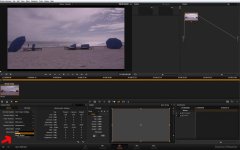
Resolve 9 HDRx Settings

Resolve 9 HDRx Settings

Resolv9HDRx.jpg

This is for Resolve 9. You need to select your "Camera Raw" settings which is the small camera looking icon that's highlighted, and where I have the red arrow pointing you can see where you have the option to select either simple or magic motion blend. This option wasn't available in Resolve 8 thus all the extra steps needed in that video that Adrian posted.
 
Awesome, thanks so much, Noel. Now if I can only ge Davinci 9 to start working for me...


James I think you will need at least Lion to use DR9... BMD tells you the specs needed on their site...

Stu Aull
SX199
Alaska
 
Back
Top