Welcome to our community

Be a part of something great, join today!

  • Hey all, just changed over the backend after 15 years I figured time to give it a bit of an update, its probably gonna be a bit weird for most of you and i am sure there is a few bugs to work out but it should kinda work the same as before... hopefully :)

Grading from rMBP HDMI out

So, to be clear, the Decklink 4k going through thunderbolt would work, it's just too expensive, right? (Honest question, because I was thinking of using my rMBP to handle some light grading as well, but only if I can show clients a decent/correct reference).

The Intensity Shuttle works fine, too, it's just that it can't output RGB, which the Dreamcolor (2480zx) needs.

I think most other monitors work great with a YUV signal. I have worked off a Panasonic ST60 plasma (not the best set up) and an Intensity Shuttle, but I could't use a dream color.
 
Great thread...thank you, Slightly off topic, I am close to buying the Blackmagic Thunderbolt 2 4K hardware, and am wondering if anyone can speak to the playback quality utilizing this solution to drive our FSI monitor vs HDMI or Mini DV outputs from Mac Pro.

My hope is that by using this device, we will not only get 10 bit calibrated playback, but also *higher frame rates and better R3D quality* by taking the playback load off the CPU and putting it on the BM hardware.

Can anyone speak to this? Many thanks...


Warm Regards,
 
The BM hardware does not take the playback load off the CPU. The performance will not increase by using the hardware. The accuracy though would be better by default than video card output.
 
Thank you Eric. I thought I read somewhere that applications (premiere etc) can be set to playback via different codecs like BM - which in theory would then allow hardware decode and take strain off CPU.

No?

Thank you very much...
 
Why is the AJA TTAP not appropriate for grading? For a specific flavor of HDMI? There are some HDMI settings and auto display card reset on color space change, etc.
I am using with the HP DreamColor 27" with a 2011 mabbookpro 17 and displayport with $295 AJA T-TAP and getting very nice 10 bit color for p3 at HD and 2K.
YUV, RGB; 8bit, 10bit; colorspace; you pick. Different from previous generation.
For 4K you have to drop at least $1K I believe AJA or BlackMagic (but may not have been certified with HP).
(you MUST get a new dreamcolor it is completely different spec from older dreamcolor; 27" has features 24" does not)
It supports a variety of calibrated color spaces (AdobeRGB, Rec709, p3) all 100% coverage except BT2020 which is like 65% coverage.
I have communicated with the HP architect of the monitor and AJA. Have you?
There is so much misinformation on the web about the new 27" dreamcolor monitor. Can people not state as a fact if they are speculating?
I mean maybe I am misreading the question and not trying to be arrogant, but if you steer this person into a combination that does not work - will you refund their expense? thought not ;)

Waiting for new MacPro to output 4K to Seiki - but that will definitely not be for color grading just preview at full res.
 
You can change the preview codec in Premiere from I-Frame to the Blackmagic codecs. However you lose the GPU acceleration when you do that. The Blackmagic devices use their player software to decode their media as far as I know. They dont do that at the hardware level. Very few devices currently accelerate decoding. The Rocket series is one of the few devices left that do. CPU and software processing has become more than efficient enough at it that such devices are rarely used or required anymore.
 
Why is the AJA TTAP not appropriate for grading? For a specific flavor of HDMI? There are some HDMI settings and auto display card reset on color space change, etc....

. Can people not state as a fact if they are speculating?
I mean maybe I am misreading the question and not trying to be arrogant, but if you steer this person into a combination that does not work - will you refund their expense? thought not ;)

AJA told me (over the phone) that the T-Tap is designed to turn a Thunderbolt output into a 10 bit HDMI signal for a computer display/OS monitor, not to provide an HDMI signal for a video reference monitor. This may have been an attempt to up-sell me to a true video interface, but they claim the design isn’t for video monitoring but for general purpose use and the T-Tap isn't supported (even if it works) for color critical work in a video environment. It sounds like it works for you, it might work for me, it might not... FCPX apparently delivers accurate color to external monitors without an interface, but I've read FCP7 and Color do not. From what I've read on this thread it seems it's possible to make almost anything work with proper calibration, though, and I'll believe that.


I live in a 2k/1080p world. The 4k features of the z27x and 4k video interfaces do not appeal to me because I can't afford them.

I am still deciding between a 2480zx and the z24x. Obviously the z27x would be my top choice if I had the money to drop on it, the true 10 bit panel and second generation software (and automatic calibration!) sound amazing. Which dream color monitors have you used? I have only used the original and it is pretty darned nice, but the z24x would solve compatibility issues for me.
 
You would be best served to get the z24x or the x27x. As you say, it would minimize compatibility issues. Now, you can drive even the 2480zx from DisplayPort and you don't need to mess with HDMI if it becomes a trick of matching up RGB compatibility. I have not used the 2480zx much and of the new DreamColors, have only seen the z27x and only once. But my recommendation would be to go with the interface and monitor solution that works with the least amount of kludge in the middle.

The T-Tap is capable of 10/12bit HDMI and 3G SDI output. You do need supporting software to get the full 10+ bits out of it, otherwise it just behaves as another 8bit desktop monitor, as far as I'm aware. I do have a T-Tap here and have found limited uses for it. Actually we bought it so we could connect a macbook pro to an SDI monitor. The software will give us 10bit monitoring out of Adobe CC and I know it works with Avid. Does not work with FCPX last I looked, but it may now.

There are some AJA and BMD solutions at a similar price point to the T-Tap as well. The BMD equivalent is the DeckLink Mini Monitor for $145. But like the T-Tap, the software support is limited. For $299 they have the Thunderbolt Intensity Extreme, which gives you full HD I/O via HDMI and 10bit color support. Works with current Adobe, Avid, FCPX, Resolve... The AJA IO Express is a bit more capable, but lacks the Resolve compatibility and it's a bit more expensive.

So I guess the real question here is what sort of budget are you trying to work within? And what are you trying to accomplish as a whole? Do you just need a monitoring solution at the moment or do you also need storage and other things?
 
Many thanks Eric. I'm hesitant to go RR-X given the expense and inability to realize speeds greater than TB2.

That said, we're getting reasonable (full with dropped frames, 3/4 rez) R3D playback with our nMP but of course would like true 10 bit output as well as smoother frame rate.

Guess it's RRX or nuthin lol.

Thanks again,


You can change the preview codec in Premiere from I-Frame to the Blackmagic codecs. However you lose the GPU acceleration when you do that. The Blackmagic devices use their player software to decode their media as far as I know. They dont do that at the hardware level. Very few devices currently accelerate decoding. The Rocket series is one of the few devices left that do. CPU and software processing has become more than efficient enough at it that such devices are rarely used or required anymore.
 
Very informative as always Jeff...thank you.

You would be best served to get the z24x or the x27x. As you say, it would minimize compatibility issues. Now, you can drive even the 2480zx from DisplayPort and you don't need to mess with HDMI if it becomes a trick of matching up RGB compatibility. I have not used the 2480zx much and of the new DreamColors, have only seen the z27x and only once. But my recommendation would be to go with the interface and monitor solution that works with the least amount of kludge in the middle.

The T-Tap is capable of 10/12bit HDMI and 3G SDI output. You do need supporting software to get the full 10+ bits out of it, otherwise it just behaves as another 8bit desktop monitor, as far as I'm aware. I do have a T-Tap here and have found limited uses for it. Actually we bought it so we could connect a macbook pro to an SDI monitor. The software will give us 10bit monitoring out of Adobe CC and I know it works with Avid. Does not work with FCPX last I looked, but it may now.

There are some AJA and BMD solutions at a similar price point to the T-Tap as well. The BMD equivalent is the DeckLink Mini Monitor for $145. But like the T-Tap, the software support is limited. For $299 they have the Thunderbolt Intensity Extreme, which gives you full HD I/O via HDMI and 10bit color support. Works with current Adobe, Avid, FCPX, Resolve... The AJA IO Express is a bit more capable, but lacks the Resolve compatibility and it's a bit more expensive.

So I guess the real question here is what sort of budget are you trying to work within? And what are you trying to accomplish as a whole? Do you just need a monitoring solution at the moment or do you also need storage and other things?
 
You would be best served to get the z24x or the x27x. As you say, it would minimize compatibility issues. Now, you can drive even the 2480zx from DisplayPort and you don't need to mess with HDMI if it becomes a trick of matching up RGB compatibility. I have not used the 2480zx much and of the new DreamColors, have only seen the z27x and only once. But my recommendation would be to go with the interface and monitor solution that works with the least amount of kludge in the middle.

The T-Tap is capable of 10/12bit HDMI and 3G SDI output. You do need supporting software to get the full 10+ bits out of it, otherwise it just behaves as another 8bit desktop monitor, as far as I'm aware. I do have a T-Tap here and have found limited uses for it. Actually we bought it so we could connect a macbook pro to an SDI monitor. The software will give us 10bit monitoring out of Adobe CC and I know it works with Avid. Does not work with FCPX last I looked, but it may now.

There are some AJA and BMD solutions at a similar price point to the T-Tap as well. The BMD equivalent is the DeckLink Mini Monitor for $145. But like the T-Tap, the software support is limited. For $299 they have the Thunderbolt Intensity Extreme, which gives you full HD I/O via HDMI and 10bit color support. Works with current Adobe, Avid, FCPX, Resolve... The AJA IO Express is a bit more capable, but lacks the Resolve compatibility and it's a bit more expensive.

So I guess the real question here is what sort of budget are you trying to work within? And what are you trying to accomplish as a whole? Do you just need a monitoring solution at the moment or do you also need storage and other things?

Thanks so much! Basically I just want to grade footage with an acceptably calibrated display for spec work, my reel mostly lol, personal work, friends, etc. I have noticed that the rMBP screen is way closer to correct than I am used to for LCDs and WAY better than the former 17'' so yay Apple but it's still a laptop screen. Using Color, FCP7, Resolve so I guess I do want a black magic interface.

I have to buy a monitor for the day job (compositing) so I figured this was the best option for both, but that's why I was tempted to get the 2480zx... gold standard for vfx. I have a Black Magic Intensity Shuttle, which works fine for my needs as it's compatible with 2k in Color, FCP7, Resolve, etc. I'll buy the HP calibrating utility and borrow a PC to calibrate... is HP's calibration system good for calibrating both Display Port in RGB and HDMI in rec709?

Best price I've found... I guess I can afford this. :)

http://www.provantage.com/hewlett-packard-hp-e9q82a8-aba~7HEWA1K5.htm
 
The Rocket series is definitely worth the money if Playback performance is critical. The CPU load is a fraction when a rocket card is present especially in Adobe and Davinci. This allows for more complex editing realtime since the CPU processing is available for effects editing. CC 2014 Premiere though has amazing performance with Red with the GPU accelerated debayering. You may want to try that if you havent yet to see if that playback is good enough for your work without the rocket card. Then the Blackmagic becomes an option for output/preview by itself. I have run the Blackmagic and Rocket together and the latency is still low enough with PCI-E gen 3 to have flawless playback.


Many thanks Eric. I'm hesitant to go RR-X given the expense and inability to realize speeds greater than TB2.

That said, we're getting reasonable (full with dropped frames, 3/4 rez) R3D playback with our nMP but of course would like true 10 bit output as well as smoother frame rate.

Guess it's RRX or nuthin lol.

Thanks again,
 
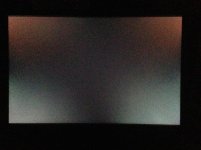
My z24x in a very dark room (no other light sources except a bit leaking through black curtains at night).

I don't think it's backlight bleed or poor uniformity, just an oddly retroreflective (or something) antiglare coating.
 

Attachments

  • IMG_1117-2.jpg
    IMG_1117-2.jpg
    49.9 KB · Views: 0
Looks like the colour shift you see in a lot of IPS displays... that's pretty bad though. Ugh.
 
It's not great, no. You'd think an advertised viewing angle of 178º would look less like a viewing angle of 10º...

Honestly it appears to be internal reflections of some sort and not color shift or backlight bleeding... There's this bright reflection superimposed over it, almost, and from the front that's how it looks, off axis it depends, sometimes it washes out the display but the colors don't change. Certainly not ideal, but I asked at LGG and no one has commented yet that it's out of the ordinary, so maybe it's normal for a low end screen like this. Still, low end is relative!

The overall look is nice, and the out of the box calibration appears pretty good by eye. It has the same smooth "look" as the 2480zx other than the reflections and reports that the <5IRE range gets crushed when set to rec709 are simply inaccurate. The image appears very smooth, high quality, great motion rendering, etc. but there is the weird glare.
 
Last edited:
Thank you Jeff (as always).

We're looking for most reasonable 10 bit output from nMP to FSI monitor & wondering if this will suffice?

http://www.bhphotovideo.com/c/produ...bdlkulsdzminmon_Ultrastudio_Mini_Monitor.html

Would you know if the software for driving this will require PP to run BM codec thus disabling GPU acceleration?

If not this, what would you suggest?

Thank you!


The T-Tap is capable of 10/12bit HDMI and 3G SDI output. You do need supporting software to get the full 10+ bits out of it, otherwise it just behaves as another 8bit desktop monitor, as far as I'm aware. I do have a T-Tap here and have found limited uses for it. Actually we bought it so we could connect a macbook pro to an SDI monitor. The software will give us 10bit monitoring out of Adobe CC and I know it works with Avid. Does not work with FCPX last I looked, but it may now.

There are some AJA and BMD solutions at a similar price point to the T-Tap as well. The BMD equivalent is the DeckLink Mini Monitor for $145. But like the T-Tap, the software support is limited. For $299 they have the Thunderbolt Intensity Extreme, which gives you full HD I/O via HDMI and 10bit color support. Works with current Adobe, Avid, FCPX, Resolve... The AJA IO Express is a bit more capable, but lacks the Resolve compatibility and it's a bit more expensive.
 
Back
Top