Welcome to our community

Be a part of something great, join today!

  • Hey all, just changed over the backend after 15 years I figured time to give it a bit of an update, its probably gonna be a bit weird for most of you and i am sure there is a few bugs to work out but it should kinda work the same as before... hopefully :)

Footage Audio Levels in Camera Vs FCP

Michael Notar

Well-known member
Joined
Mar 29, 2012
Messages
765
Reaction score
0
Points
0
Location
Spokane, WA
Why does the audio levels only reach -6 on Final Cut 7, when in camera they were at 0?

I kept my peaks at 0 in camera, as 24 bit audio, my FCP timeline is in 16 bit, but doesnt change anything when I go to 24. I do transcode the footage to Quicktime H422 in Cine-x, but there are not any useful audio setting options in there. Having the limiter on/off in camera also has no effect.
 
What do you mean by 0 in camera? What color are the meters? Is this Epic or RED1? Zero in dbFS is where audio clips, dbFS is what FCP uses. The digital scale is different than analog.
 
Still don't know where that puts you on the camera meters, are you seeing , green, yellow, red? I say that because there aren't any numbers on the meters so I am trying to get a read on where on the scale 0 is to you.
 
Last edited:
yes, i am seeing all the green, yellow and some red... not sure how to quantify how much red i am getting, like in mm/cm/inches?

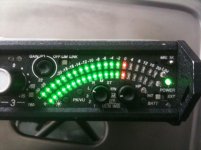
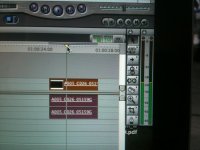
The RED One had line level so setting up audio was easier from a mixer. The Epic and Scarlet have only mic input (so far) and you have to adjust the levels to some sort of reference - so you know a starting point. I took my Sound Devices 302 mixer and adjusted the output to some sort of mic level ( I just followed the procedure in the user manual). Then I turn on the 1k tone on the mixer. With the mixer output going to the Epic in this case (Scarlet should work the same) I adjusted until the input tone reaches the second hash mark on meters. I recorded a little on the SSD and when I brought it into FCP it shows on the scale at about -20 dbFS, which is what I expected. You can see on the mixer that tone is at 0dB analog and that is like -20 dbFS (digital). Zero dB in analog is middle of the scale, Zero dBFS is the top of the digital scale. Final Cut uses a digital VU meter.

It you Google digital and analog VU's you will find articles about the difference. I hope that helps!

Brian Ferguson
briferg.com
 

Attachments

  • IMG_0655.jpg
    IMG_0655.jpg
    89.2 KB · Views: 0
  • IMG_0654.jpg
    IMG_0654.jpg
    93.2 KB · Views: 0
  • IMG_0656.jpg
    IMG_0656.jpg
    93.4 KB · Views: 0
thanks!

not sure why i didnt think of it before, i just took a mic and said "test" untill i hit each line for a couple of clips and looked at them in FC. my only other experience is using a zoom h4n, with a simple meter, digital all the way i assume. so i was able to determine on my scarlet that the first line is about -18, then -12, then about -6, then 0. but dam it wasnt impossible to get a clip lol guess that why 24 bit is so much better than 16bit. obviously its not a 1:1 translation of volume across the whole scale, but i think i got what i needed now. i understand how to set volume and not to clip but the db/dbfs is all new to me. i just want something simple lol. wish there were some audio meter preferences to change on the scarlet.
 
Why does the audio levels only reach -6 on Final Cut 7, when in camera they were at 0?
Actually, -6dBfs in Final Cut is pretty high. We usually tell our post clients to keep dialog peaks at about -10 or so.

I still think you're much better off recording sound on a separate timecode recorder.
 
Back
Top