Dominik Muench
Well-known member
- Joined
- May 23, 2008
- Messages
- 2,301
- Reaction score
- 1
- Points
- 38
- Location
- Gold Coast - Australia
- Website
- www.instagram.com
Hi Guys,
I'm having a massive issue here at the moment. Had a shoot yesterday and halfway through the shoot one of the Vlock batteries just died halfway through a take and the camera shut off.
After changing the battery the camera had issues initializing the SSD again. I had to restart the camera a few times and pull the mag. Eventually everything was fine and finished the shoot.
The problem however is now that I cant seem to render video files from the R3Ds on the card.
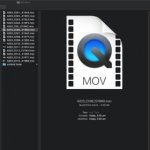
All the clips show up fine in red cine and can be played back and graded and all...but when I try to render video files....I tried Apple ProRes as well as H264 quick times.....the rendered video files all have the same size 4.29GB exactly and cant be imported into any editing software or played back in quicktime or show an image preview in finder.
does anyone have a clue whats going on here ?
I'm having a massive issue here at the moment. Had a shoot yesterday and halfway through the shoot one of the Vlock batteries just died halfway through a take and the camera shut off.
After changing the battery the camera had issues initializing the SSD again. I had to restart the camera a few times and pull the mag. Eventually everything was fine and finished the shoot.
The problem however is now that I cant seem to render video files from the R3Ds on the card.
All the clips show up fine in red cine and can be played back and graded and all...but when I try to render video files....I tried Apple ProRes as well as H264 quick times.....the rendered video files all have the same size 4.29GB exactly and cant be imported into any editing software or played back in quicktime or show an image preview in finder.
does anyone have a clue whats going on here ?