
Navigation
Install the app
How to install the app on iOS
Follow along with the video below to see how to install our site as a web app on your home screen.

Note: this_feature_currently_requires_accessing_site_using_safari
More options
You are using an out of date browser. It may not display this or other websites correctly.
You should upgrade or use an alternative browser.
You should upgrade or use an alternative browser.
FCPX separating .R3D files and audio.
- Thread starter RC Cone
- Start date
Kalechi Noel
Well-known member
Way do you mean "throw out fought cuts " to premiere ?
Mans hiw are you extracting audio ?
Mans hiw are you extracting audio ?
- Thread starter
- #3
Way do you mean "throw out fought cuts " to premiere ?
Mans hiw are you extracting audio ?
Sorry for the stupid slang. I'm planning using FCPX as a keyboarding, media surfacing platform. Mainly because Premiere/Prelude suck at it.
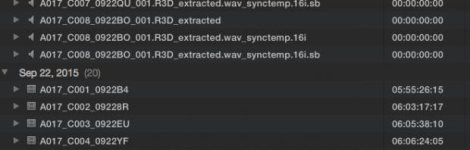
I am not extracting audio. I simple click on the folder I want my RED files in from and click import. FCPX is extracting the audio automatically. I was hoping there's a setting somewhere to make it stop doing it. Or does this have to do with the RED Plugin?
Kalechi Noel
Well-known member
Sorry for the stupid slang. I'm planning using FCPX as a keyboarding, media surfacing platform. Mainly because Premiere/Prelude suck at it.
I am not extracting audio. I simple click on the folder I want my RED files in from and click import. FCPX is extracting the audio automatically. I was hoping there's a setting somewhere to make it stop doing it. Or does this have to do with the RED Plugin?
Sorry... I am still confused . Is this scratch audio recorded in camera? or external audio recording on a audio recorder that you are trying to sync? I am just not clear what you are trying to do
- Thread starter
- #5
Sorry... I am still confused . Is this scratch audio recorded in camera? or external audio recording on a audio recorder that you are trying to sync? I am just not clear what you are trying to do
I am simply trying to import my .R3D files into FCPX. Period.
I have scratch audio coming into my camera and it's associated with all my .R3D clips. FCPX imports the footage and splits the audio from the video, when it should be a single clip (both audio and video on a single clip, this is the way it works in premiere).
Can FCPX import .R3D files with audio and video as a single clip?

Bob Gundu
Well-known member
- Joined
- Mar 17, 2011
- Messages
- 10,238
- Reaction score
- 3
- Points
- 38
- Location
- Toronto, ON Canada
- Website
- www.10fh.com
Of course. Make sure nothing is checked in the Audio import dialog box when importing.
I am simply trying to import my .R3D files into FCPX. Period.
I have scratch audio coming into my camera and it's associated with all my .R3D clips. FCPX imports the footage and splits the audio from the video, when it should be a single clip (both audio and video on a single clip, this is the way it works in premiere).
Can FCPX import .R3D files with audio and video as a single clip?

Terry VerHaar
Well-known member
RTFM - or at least pay attention. lol
- Thread starter
- #8
Ok, so I spent some time with an Apple Tech yesterday on this. The audio is in fact working on my video files after a re-import but for some reason FCPX is still making all those extra audio files. Apple support was stumped, and I guess I just spend my time deleting extraneous audio files when importing. This is [SOLVED].