Welcome to our community

Be a part of something great, join today!

  • Hey all, just changed over the backend after 15 years I figured time to give it a bit of an update, its probably gonna be a bit weird for most of you and i am sure there is a few bugs to work out but it should kinda work the same as before... hopefully :)

Fastest way to get all red footage changed to very soft, Rec 709 and BT.1886 in PP

Ryan Sheets

Well-known member
Joined
Mar 30, 2015
Messages
290
Reaction score
2
Points
18
Location
Jackson, Wy
When you import all of your red clips into premiere pro is there a way to get them all to change over so you see the color settings you would like?

For instance, on the Red Raptor I am going clip by clip right now to see it as Rec 709 and then Gamma Curve as Bt. 1886. (It's deflated as Color Space RedWideGamutRGB and Gamma Curve Log3G10.

I don't see a way in the newer cameras to create a settings so you automatically have this as what you see when you pull it into post.

Thanks for any advice!
 
When you import all of your red clips into premiere pro is there a way to get them all to change over so you see the color settings you would like?

For instance, on the Red Raptor I am going clip by clip right now to see it as Rec 709 and then Gamma Curve as Bt. 1886. (It's deflated as Color Space RedWideGamutRGB and Gamma Curve Log3G10.

I don't see a way in the newer cameras to create a settings so you automatically have this as what you see when you pull it into post.

Thanks for any advice!
Ryan,

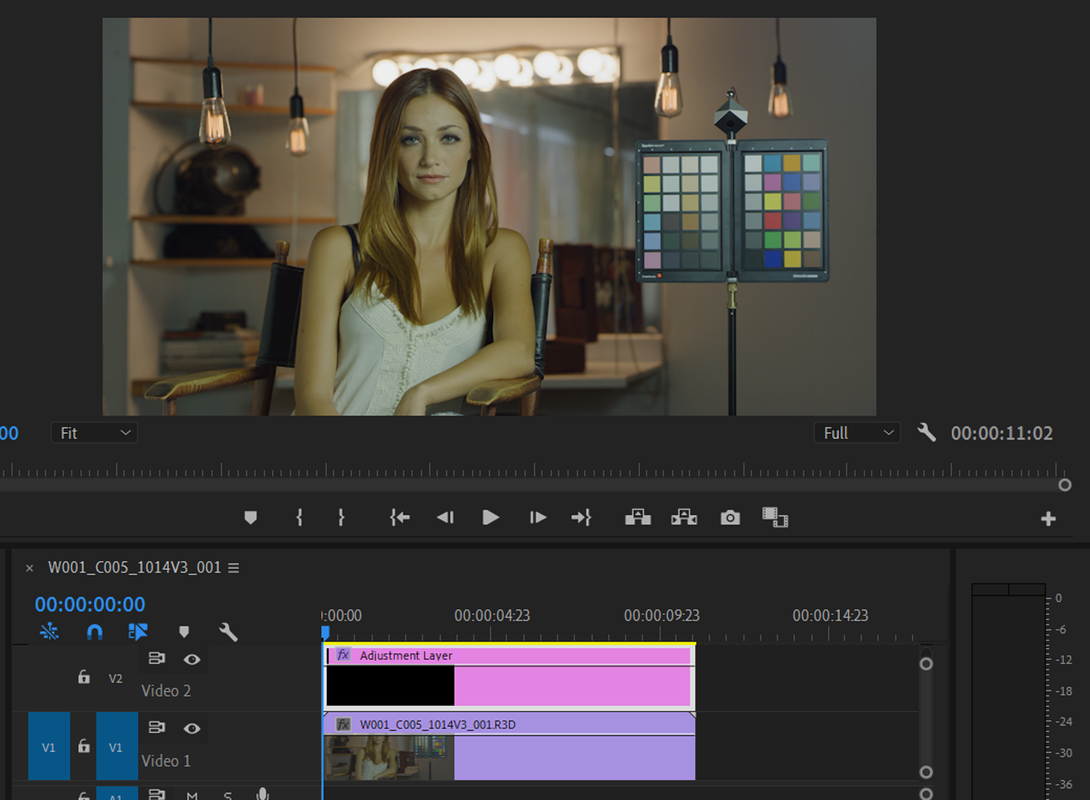
You can add an "ADJUSTMENT LAYER" on a Video Track above the video track with all the clips in your timeline and add the IPP2 Output Transform Lut on top of that. It will save you from having to add the IPP2 Output Transform to each clip.

Dan Duran form RED explains this method starting at about the 6 minute 28 second mark in the Red IPP2 Premeire Workflow video below.


+ Handling REDCODE RAW files
+ How to ingest footage in Premiere Pro
+ R3D Metadata Adjustments
+ IPP2 Output Transform LUTs
+ Tips & tricks for automatic settings
+ Creating Presets
+ Color managed workflow
+ Delivery export
 
I found a Tutorial I did back about 2 years ago when I did have a copy of Premiere Pro on My computer.

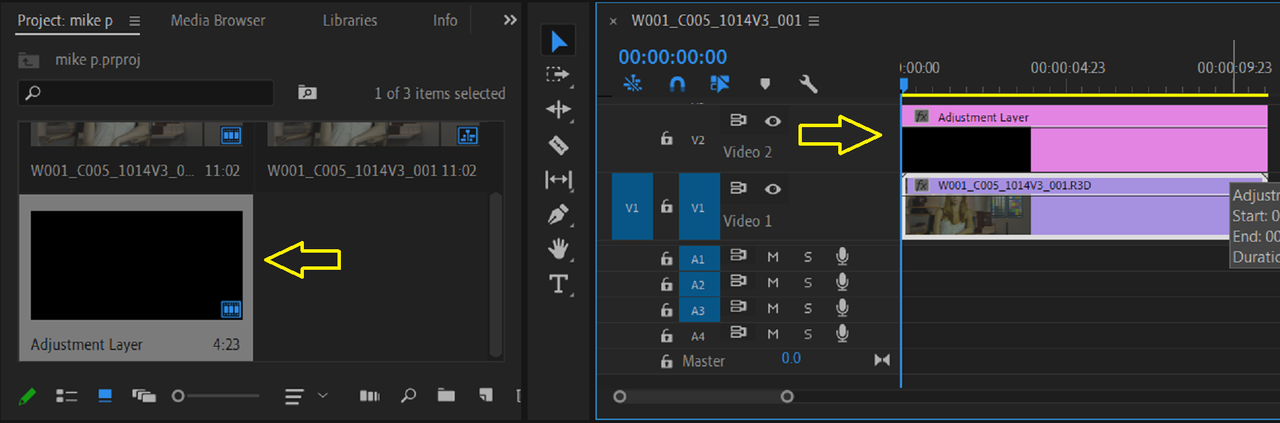
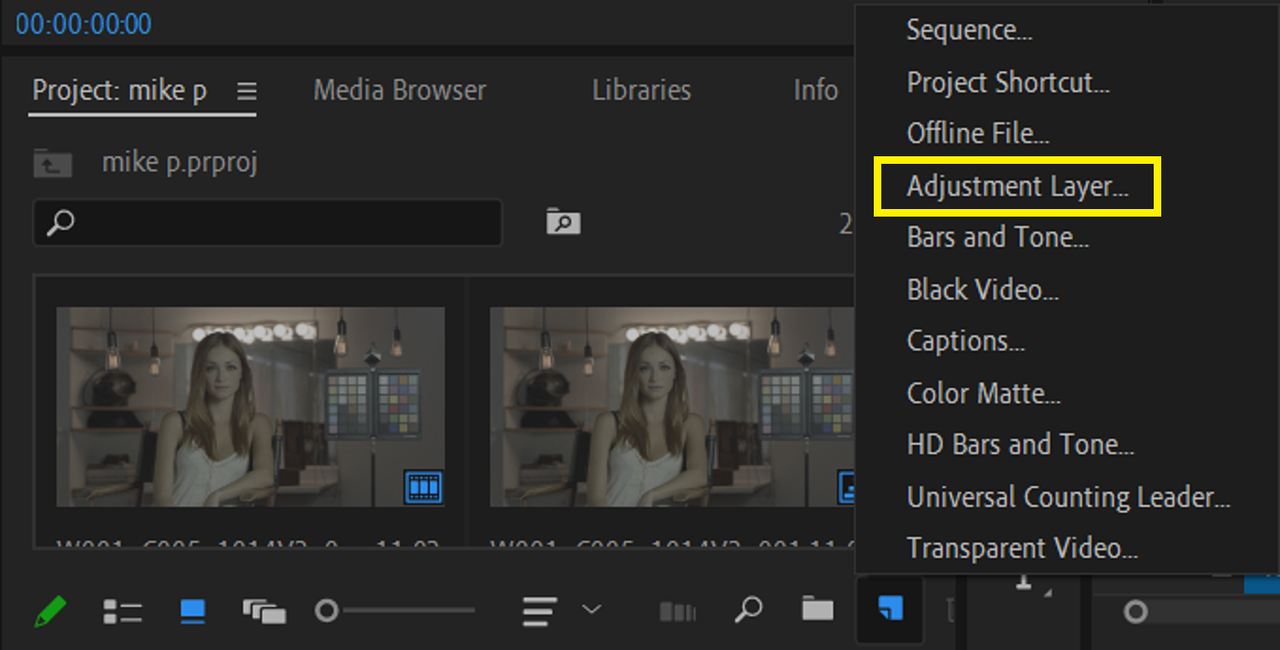
Down around the area where you import media, Click on the icon of the folded page and choose "Adjustment Layer". Now drag that Adjustment layer over the top of your R3D clip/s.


Screenshot-1818.png


Screenshot-1819.png


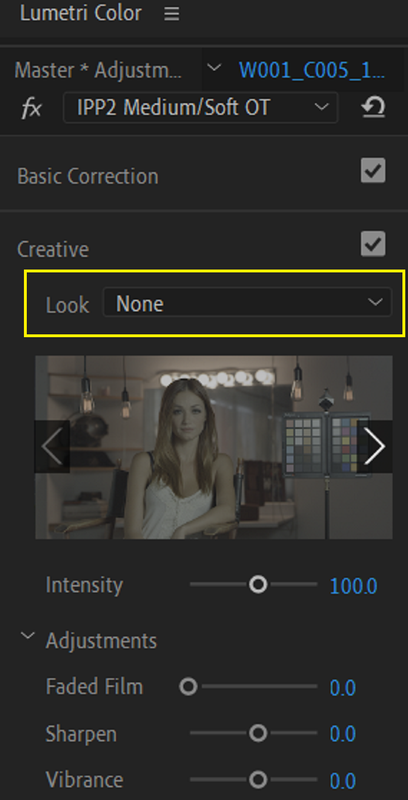
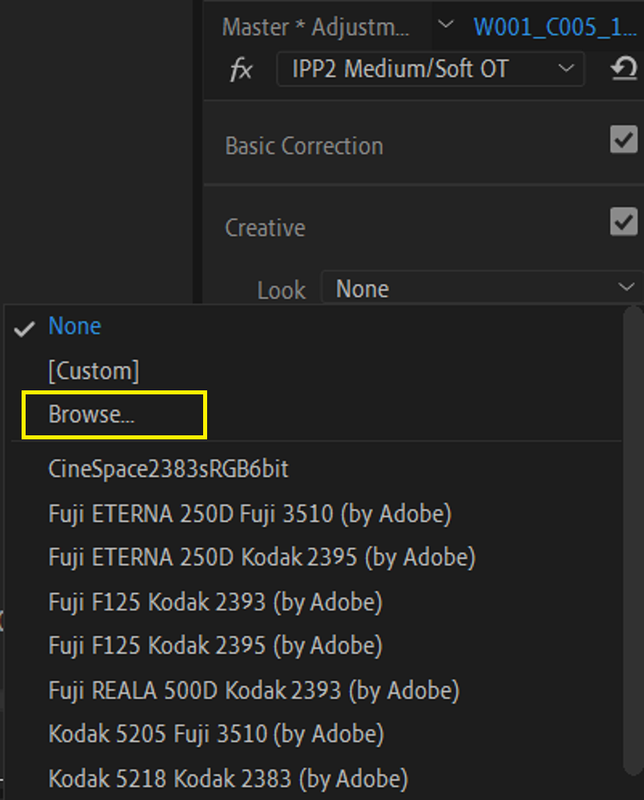
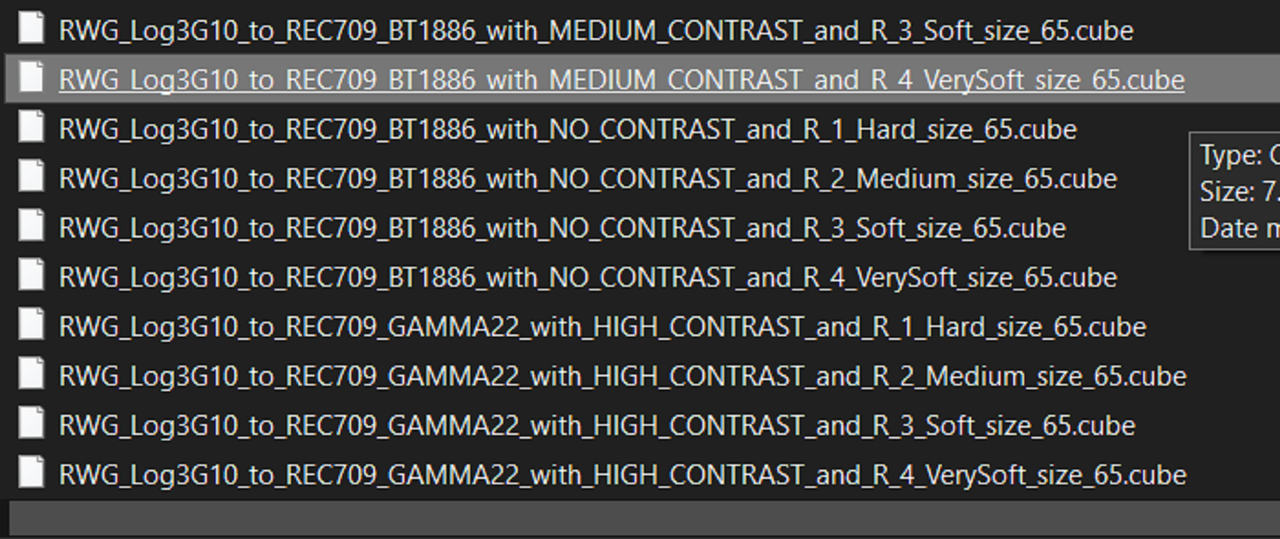
Now, Under "Lumetri Color" then under "Creative" then "Look", "Browse" for the "Red IPP2 Output Transform Lut" you want to apply to the "Adjustment Layer" and you are done.


Screenshot-1823.png


Screenshot-1824.png


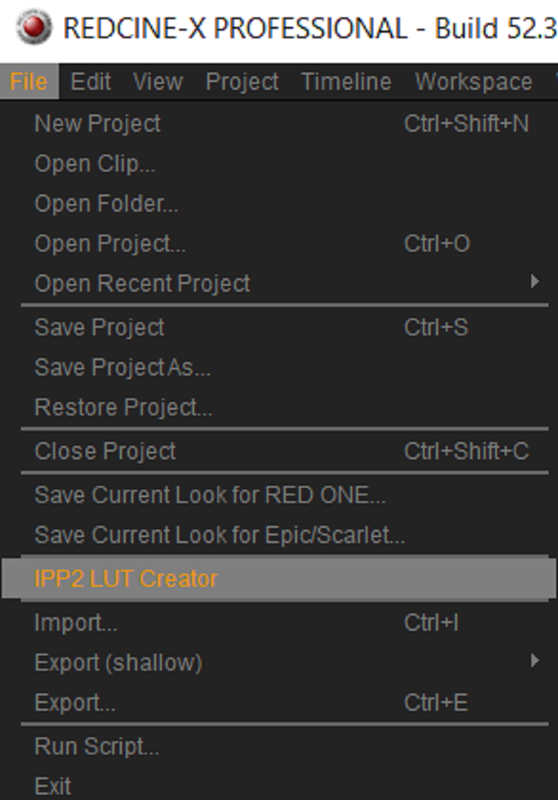
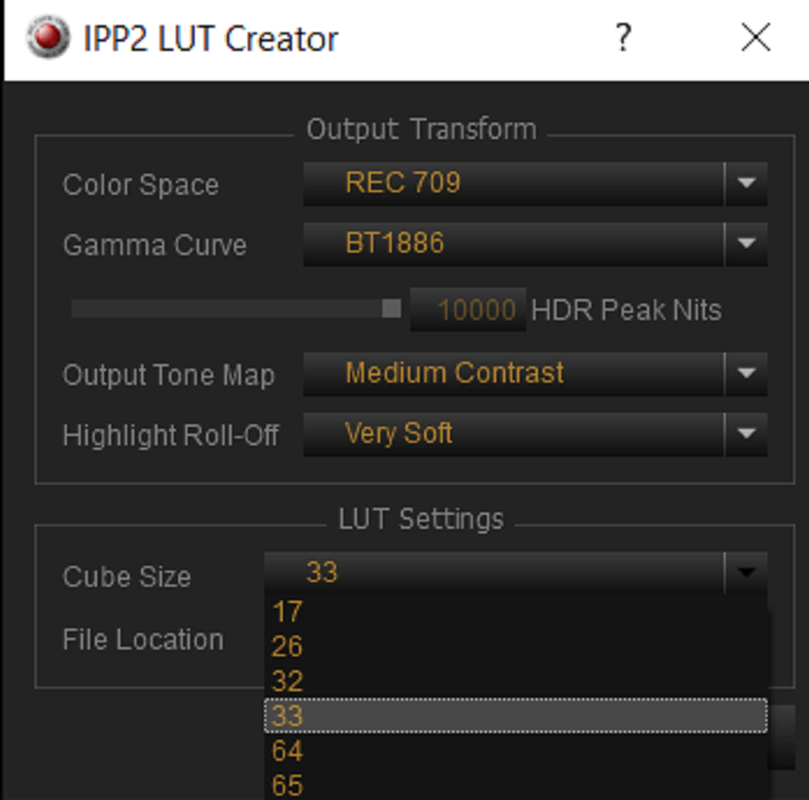
Your can make your own IPP2 Transform Luts In Redcine-X Pro

Screenshot-1832.png


Screenshot-1833.png


Screenshot-1831.png


Screenshot-1827.png
 
Last edited:
Back
Top