Welcome to our community

Be a part of something great, join today!

  • Hey all, just changed over the backend after 15 years I figured time to give it a bit of an update, its probably gonna be a bit weird for most of you and i am sure there is a few bugs to work out but it should kinda work the same as before... hopefully :)

EXPORT Graded RED footage from Davinci Resolve in 8K (HELP) for YT Upload.

Joined
Mar 21, 2014
Messages
24
Reaction score
0
Points
1
Location
Niagara Falls
Hi I would like to export my davinci resolve 8K timeline out in 8K to upload to youtube.
I would like to know the format, codec, data restrictions/anything manually changed to export 8k please.

I cant seem to find a davinci resolve 15- 8k export video yet. I would like to start uploading my stuff in 8K (I dont care that x amount of people have 8k displays, My footage is intended to be used in the future as well. I would like to know so I can offer to my clients.)

Thank you for your time.
 
Just set your project settings to whatever you want to edit in, (this will be dependent on the power of your machine) and before export, change them to the native resolution of your footage, 8K I am assuming? In the Deliver page make sure the settings you want for 8K are input. ProRes 422 HQ works fine. Then render and upload the file to YT.
 
For starters you have to have the paid Studio version of Resolve to work above UHD.

Delivery select prores and set your 8K resolution. Hit render. Done.

For performance reasons you can have the timeline in project settings set to 4K or 1080. Resolve will preserve the original resolution upon export.
 
Last edited:
For starters you have to have the paid Studio version of Resolve to work above UHD.

Delivery select prores and set your 8K resolution. Hit render. Done.

For performance reasons you can have the timeline in project settings set to 4K or 1080. Resolve will preserve the original resolution upon export.
it will only preserve 8k cam orig if you set the timeline to 8k, anything else and you are scaleing down to timeline raster and the scaleing up the timeline to the target export raster

good luck with finding a color accurate 8k mon to see your 8k timeline without scaleing artifacts

and by the time it's been washed through YouTube the 8k-ness is pretty much walked on anyway, so maybe working @ 4k and scaleing up to 8k would make the square root of zero diff once compressed by youtube and streamed
 
it will only preserve 8k cam orig if you set the timeline to 8k, anything else and you are scaleing down to timeline raster and the scaleing up the timeline to the target export raster

good luck with finding a color accurate 8k mon to see your 8k timeline without scaleing artifacts

and by the time it's been washed through YouTube the 8k-ness is pretty much walked on anyway, so maybe working @ 4k and scaleing up to 8k would make the square root of zero diff once compressed by youtube and streamed

You're right. You just have to change it back to 8K when you export.
 
In the export module, in advance settings, there's a box for "export at native resolution" (or something like that).

Just click that.

It will export at whatever resolution you shot it at, irregardless of anything else (project setting, timeline setting, etc).
 
that's only avb is you are using roundtrip / each shot as seperate clip + XML to tie them together in another NLE, hidden if "export timeline" is selected

and if you are useing that best to also select "disable input and output scaeling", and only use "fit" on the timeline in the first place, anything else and you bake in scaleing and produce a say an 8k raster clip with black and a tiny square of media in the center...
 
Hey everyone, thanks for the feedback, I am sorry I did not respond sooner, I must have notifications off or something. I have the paid version (studio) and my workflow is usually edit in 1080p, change timeline settings to native resolution afterwards.... I totally understand about timeline settings need to be 8k to export in 8K. I check the match source.
I was exporting in H265 and youtube kept giving me errors so I was seeing what other formats were used. Thank you Scot! Thank you Nick for that tip (export native resolution), Thank you Dermot for your tip aswell. Thank you all. Happy shooting!
 
oh I am on windows, so no Pro Res for me(at least not with davinci resolve I guess?). So I guess use DNx?

Yup DNX works fine. But you'll need to preview it in a REC709 timeline in an NLE to see it properly.

All DNX codecs appear washed out when you open them in Quicktime, as Apple won't auto-switch the colorspace for you to RGB (as it does for Prores) when you're monitoring on a computer (ie off your desktop).
 
Derrick,

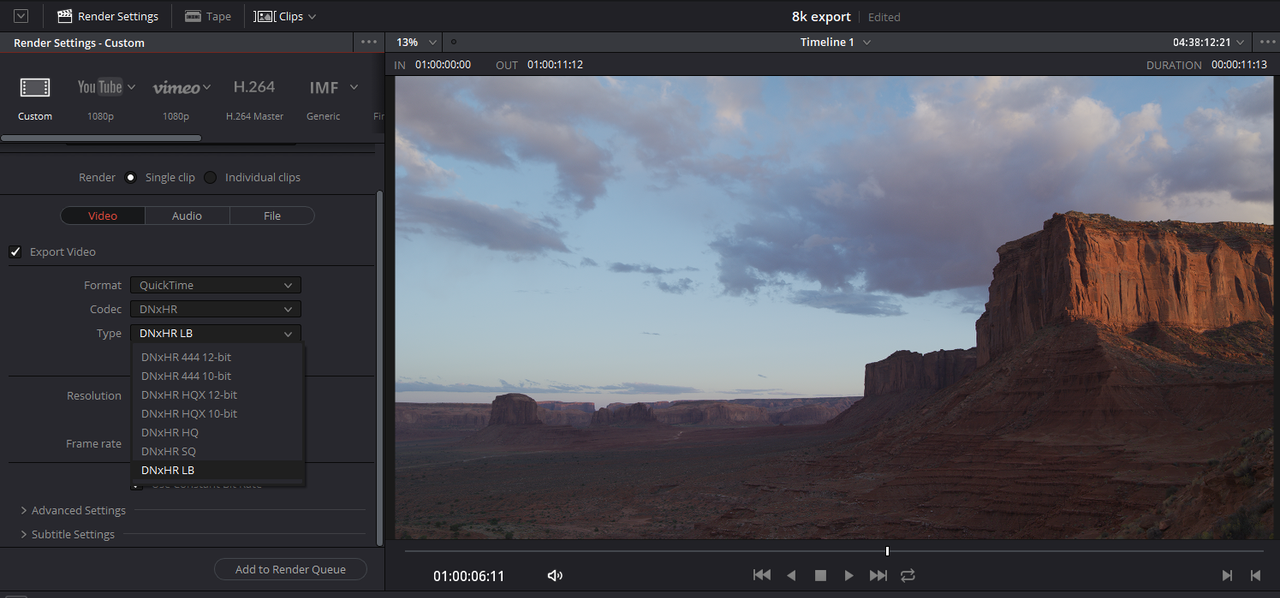
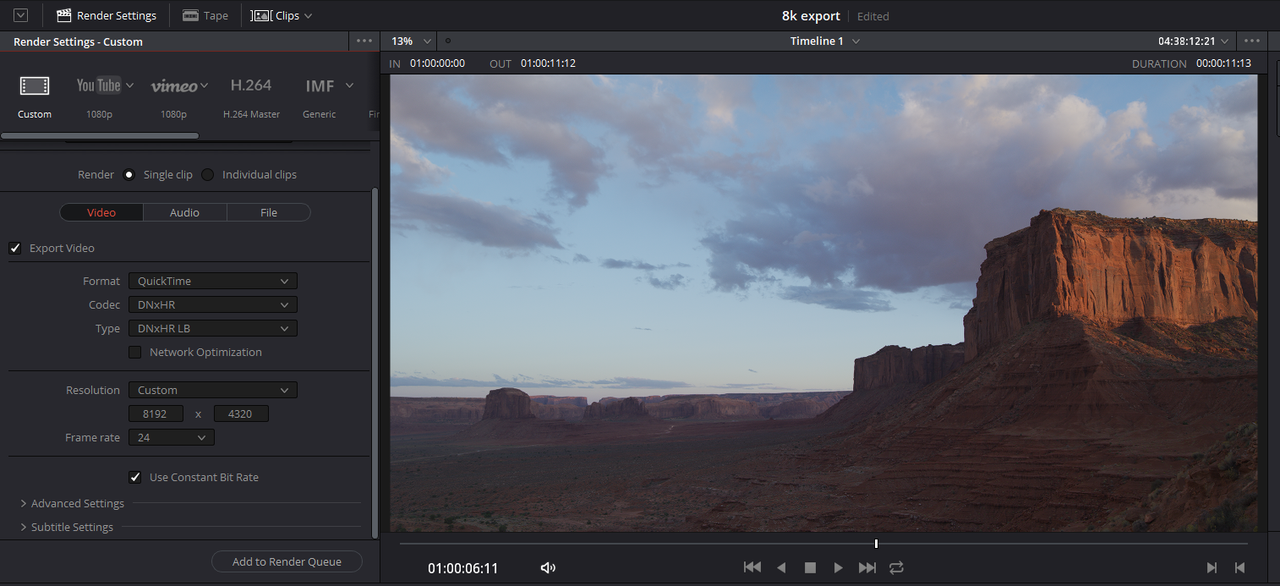
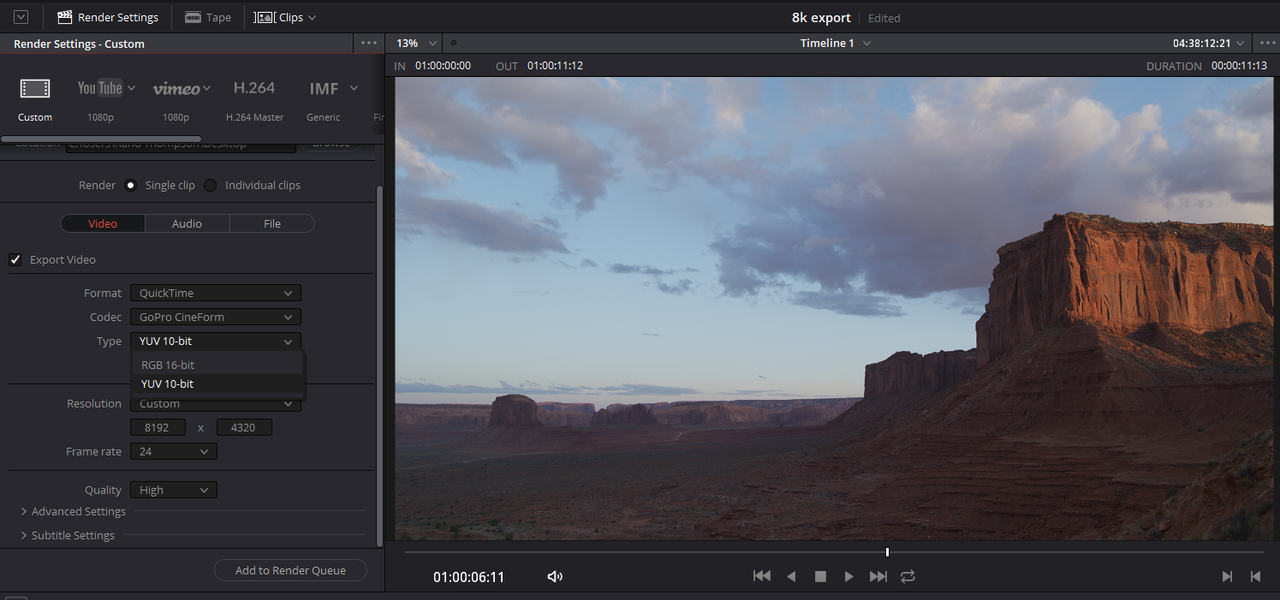
QuickTime and some flavor of DNxHR or GoPro Cineform on Windows, both codecs are I believe supported by YouTube. Whatever your Computer setup can handle or whatever plays back the smoothest on YouTube. I believe .MP4 has a maximum resolution of DCI4K (4160x2160)


Screenshot-901.png


Screenshot-902.png


Screenshot-904.png


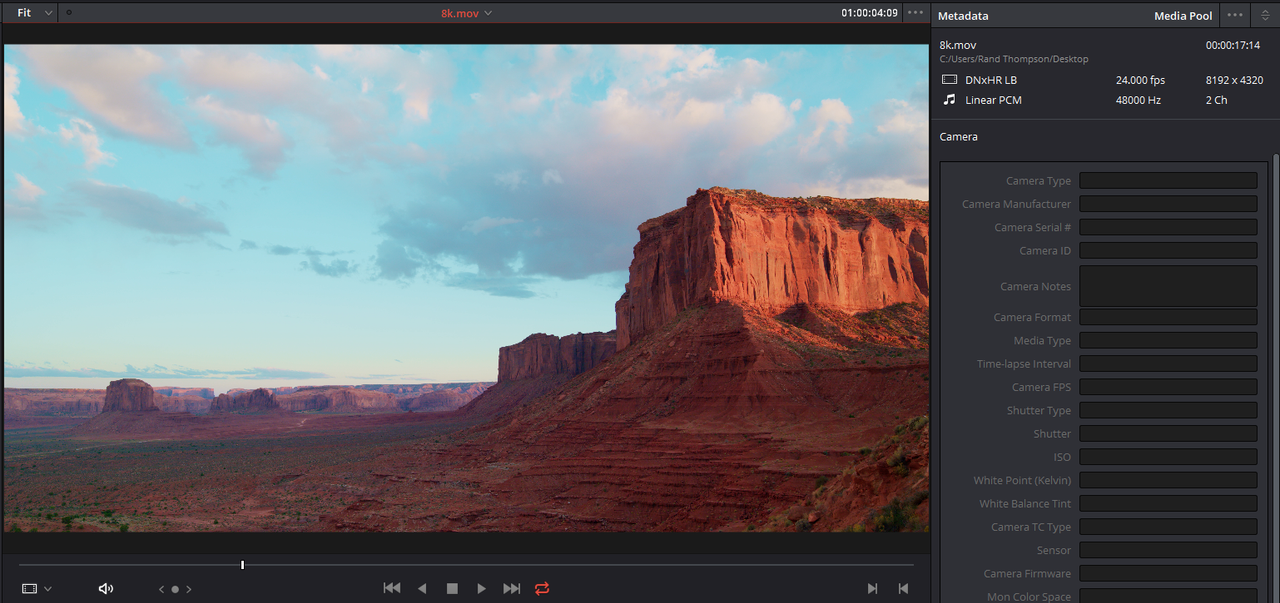
8K DNxHR LB file back in Davinci Resolve

Screenshot-921.png
 
Last edited:
Back
Top