Welcome to our community

Be a part of something great, join today!

  • Hey all, just changed over the backend after 15 years I figured time to give it a bit of an update, its probably gonna be a bit weird for most of you and i am sure there is a few bugs to work out but it should kinda work the same as before... hopefully :)

Epic-W playback shows pink on overexposed areas

Jaiden Huang

Member
Joined
May 7, 2016
Messages
14
Reaction score
0
Points
0
Location
Sydney Australia
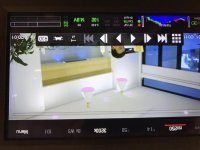
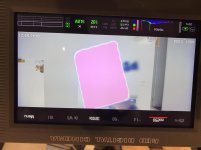
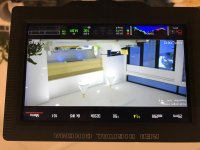
hi, I noticed that the highlight is pink when it's at playback mode, even when it is showing RAW, I can still see pink. But everything looks normal when it's recording. I haven't receive my mini mag reader yet so I cannot check it on a computer. Does anyone know what's happening over here? Thank you very much.
 

Attachments

  • IMG_4094.jpg
    IMG_4094.jpg
    81.2 KB · Views: 0
  • IMG_4095.jpg
    IMG_4095.jpg
    82.7 KB · Views: 0
  • IMG_4090.jpg
    IMG_4090.jpg
    84.6 KB · Views: 0
I'm having the same problems. Is there a solution to this yet?
 
I tried the tint and auto white balance on cards and manual white balance. I changed the colour space, but nothing seems to help.

The thing is it's only pink on playback. When i record it's normal and when i look at it in premier it's normal.
Only the playback on camera shows highlights as pink. It kind of looks like it's showing me where im burning the image.

pink1.jpg

pink2.jpg
 
This is only on playback on camera. When on the computer it play without the pink highlights.

It's just unsettling looking at this kind of footage on set :)
 
Graeme has stated that it has to do with the way the camera processes live footage, and the "algorithm" to remove that pink highlight is on the recorded file, but not in the live view. Next firmware should add that "algorithm", along with IPP2 (hopefully).
 
Thank you for the answer Adam. I will keep and eye out for the update.
 
I don't know if it's possible to get it in on playback. With luck though moving to IPP2 will minimize the appearance and as noted, it doesn't effect recorded footage or appear in post, and you'll only see it like this on significant over-exposure.

Graeme
 
I just had this issue with pink highlights and the over all image being underexposed on the red helium epic-w with firmware 7.1.0.1
I fixed this by going to menu>settings>maintinance>RestoreSystem> and pressing the Wipe Camera button.
Exposure is back to normal and the pink highlights are gone.

It should be noted that the raw file was fine even when the problem was present, however it was difficult to expose properly as the histogram was also affected.
 
You should contact Red and alert them to the problem. From the dates in this thread, it appears that this issue was solved a long time ago... but just popped back up on your camera.

I’m interested in how this turns out because we’re thinking about getting an epic-w.

I just had this issue with pink highlights and the over all image being underexposed on the red helium epic-w with firmware 7.1.0.1
I fixed this by going to menu>settings>maintinance>RestoreSystem> and pressing the Wipe Camera button.
Exposure is back to normal and the pink highlights are gone.

It should be noted that the raw file was fine even when the problem was present, however it was difficult to expose properly as the histogram was also affected.
 
Back
Top