Welcome to our community

Be a part of something great, join today!

  • Hey all, just changed over the backend after 15 years I figured time to give it a bit of an update, its probably gonna be a bit weird for most of you and i am sure there is a few bugs to work out but it should kinda work the same as before... hopefully :)

EPIC 5K 96FPS motion

Status
Not open for further replies.
Quick question: What would the max resolution be cropped at 3:2 (digital IMAX) aspect ratio for Epic X?

Also, I remember Jim saying that you could essentially set the sensor recording area to anything you wanted, arbitrarily. For example, if you knew your lens can cover exactly 4350 lines, you could set the sensor to record only that resolution, not wasting any pixels. Is that true, or did I dream that?
 
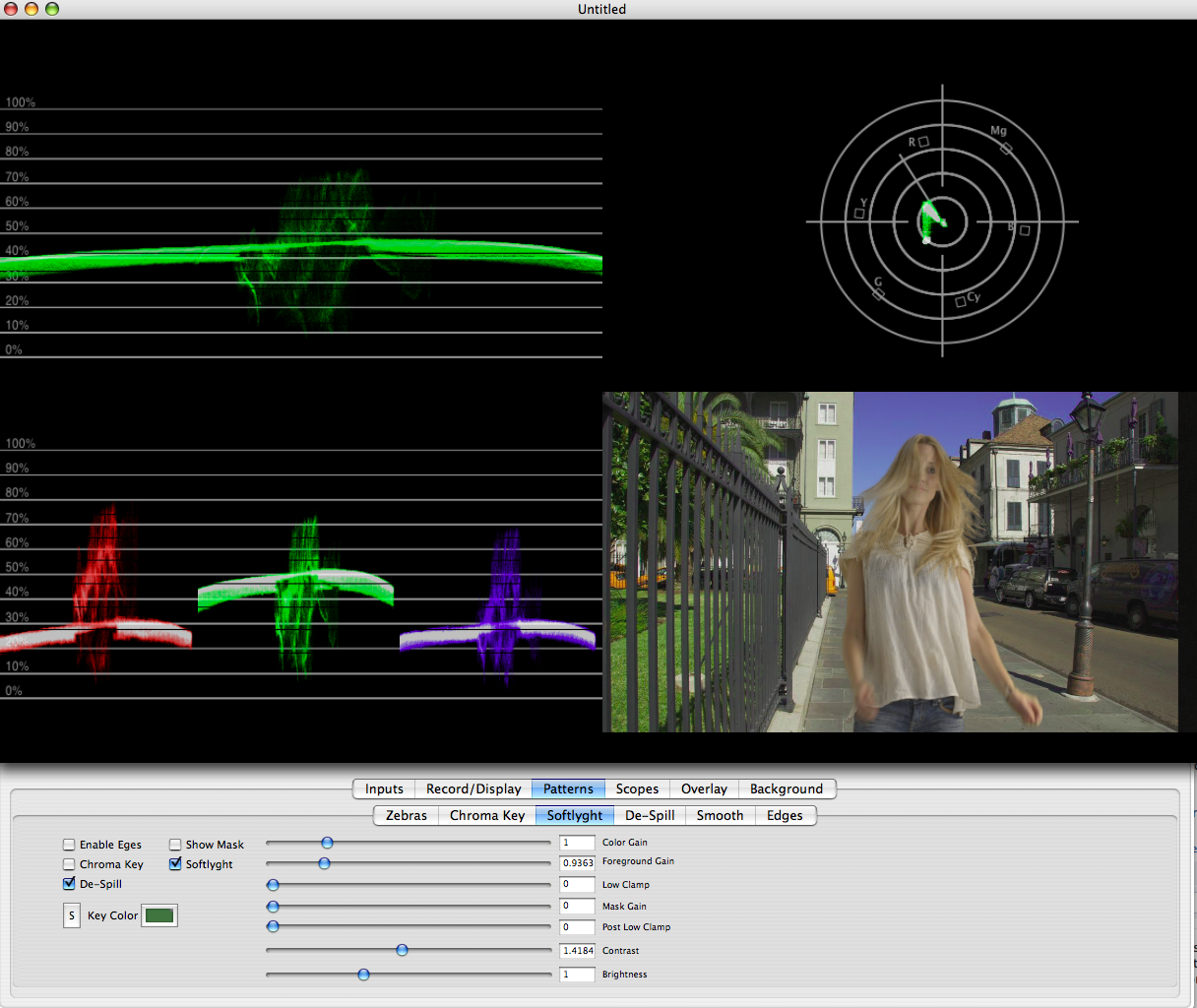
Easy key. Although the AE that's on the Mac doesn't have Keylight...had to do a work around.

My guess is that Shake has Keylight and Primatte on Mac, you might be better off getting Shake if you really want Keylight or get the plugin for FCP.
 
Easy key. Although the AE that's on the Mac doesn't have Keylight...had to do a work around.

It has been there since 2003 or so. And I think a new rule should be put in place on REDUSER. Every time a terribly tone-mapped image is posted EPIC held back from release one more week. . .
 
I posted on this in another thread and wanted to reiterate how great it would be if the Foundry and/or RED could use some type of Optical Flow tech to allow post processing of high shutter speed frames to mimic the motion blur that would have been present at 1/48th (180° at 24fps).

The idea is that if you have enough light you could just take the shutter to 1/500th to hold crispy sharp edges for stills, then fake the motion blur for the motion content you created at the same time. I see this as the ultimate hybrid stills/motion approach.

Thoughts...

Cheers - #19

Seems to me Blair you've just brilliantly invented Red Magic Motion :smilewinkgrin: I have no idea how or if they can do it but the key is how many fps they can get out of HDR/HDRx.
 
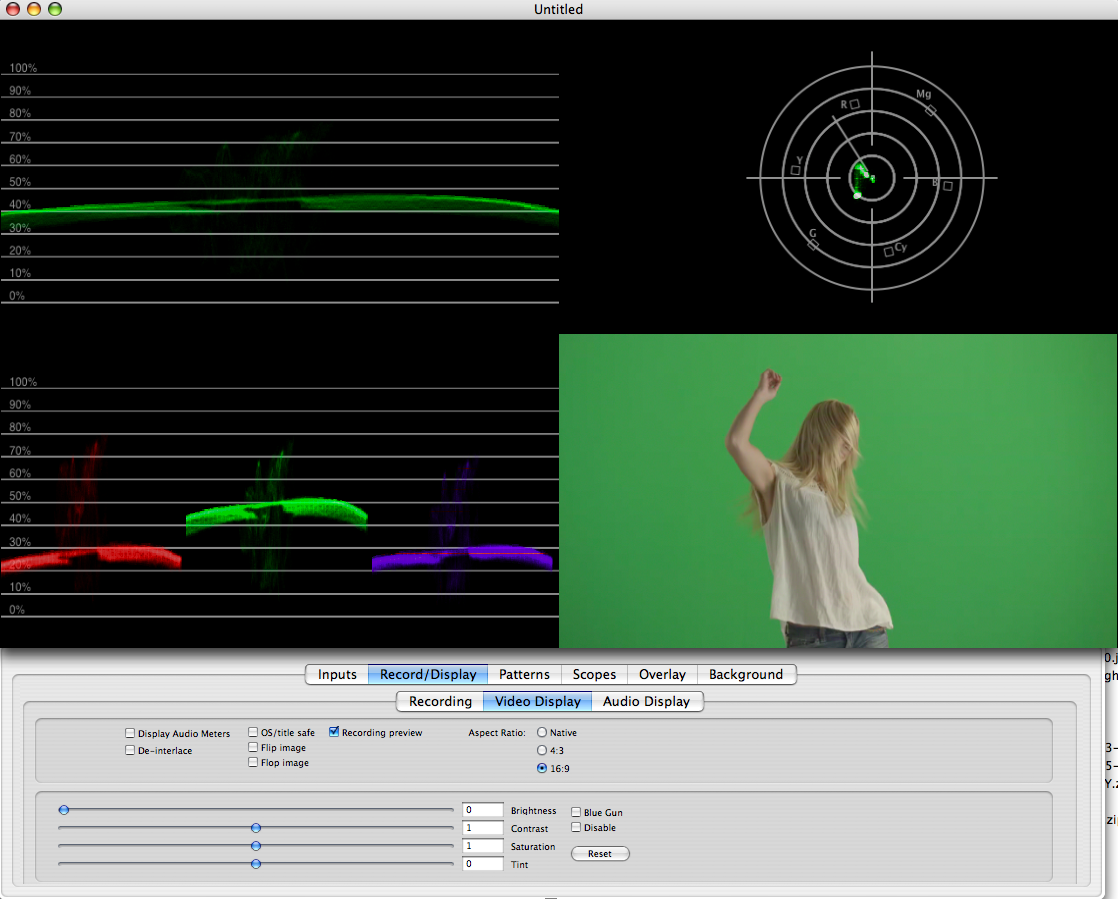
That is a terrible green screen lighting job. There's about 10 percent variation in brightness across the screen. There's absolutely no saturation in the green channel, as it's barely green at all.

Epic96fps.png
 
It has been there since 2003 or so. And I think a new rule should be put in place on REDUSER. Every time a terribly tone-mapped image is posted EPIC held back from release one more week. . .

My guess is that Shake has Keylight and Primatte on Mac, you might be better off getting Shake if you really want Keylight or get the plugin for FCP.

The Mac I'm on doesn't have it...I have a trial version of AE.

And thanks Andrew for the kind words. Jesus man, all I wanted to do was key out the green. Sorry if the image I pulled from Google images wasn't up to your snuff.
 
Brad you goofball...

It's Keyable, but it's not optimal by any means. I'm seeing more green channel noise than I would want. I'm not sure what the ISO it was shot under, but it's more noise than there should be. Because it's blonde on green instead of blue, that extra noise is going to wreck havoc on the edges. The top to bottom and left to right screen variation in brightness isn't going to easy. It's better have a set scopes for shooting green screen, so that you can see the noise and saturation levels.

Epic96fpsKeyed.png
 
It's Keyable, but it's not optimal by any means. I'm seeing more green channel noise than I would want. I'm not sure what the ISO it was shot under, but it's more noise than there should be.

But how can you make any judgement of noise levels from an h264?
 
But how can you make any judgement of noise levels from an h264?

Noise is pretty easy to see on the scopes. The static green areas of the screen shouldn't change on the scopes because there is no movement. What you should see is a flat line little or no change that represents the green background. H.264 may amplify the noise slightly. However, since it's down sampled from 5k that noise should have been removed or minimized by resizing the pixels. The original 5K shot is probably a lot noisier.

As the hair blends from yellow to green that noise is going to become more visible. To address this problem most people dial up the contrast in the mask causing the hair to disappear at the edges. You get very clumpy looking hair instead of a fine individual hair strands. The key can be fixed through a lot of rotoscoping and light wrapping tricks, but it's never going to look as good as if it was shot properly.
 
Brad,

That is a very good way to promote your products. Well done!

David
 
Status
Not open for further replies.
Back
Top